LoroNote - AI Transcribe
ダウンロード: App Store

このページはアプリまたはその開発者の公式ページではなく、情報提供および論評を目的として作成された独立した編集出版物です。明示的に別段の記載がない限り、アプリおよびその開発者は、MWM、Apple、Google Play、アプリのパブリッシャー、またはアプリの開発者と提携、承認、後援、認可、またはその他の公式的な関係はなく、このページのいかなる内容も、アプリがMWMのサービスを使用して開発されたことを意味するものではありません。すべての商標、ロゴ、スクリーンショット、その他のコンテンツはそれぞれの所有者の財産です。

ロゴ: LoroNote - AI Transcribe
ダウンロード: App Store

LoroNote - AI Transcribe

100%オンデバイス処理のOpenAI Whisperエンジンを活用しましょう。月額料金不要、データ漏洩なし、オフラインでも完璧に動作します。会議、講義、動画を瞬時に正確なテキストとスマートな要約に変換します。

主要数値

ダウンロード

10K+

ユーザー評価

4.7/5

評価数

200

開発元

Rich Soft Co., Ltd

カテゴリ

Productivity

対応言語

25

最新バージョン

1.9

サイズ

573.7 MB

リリース日

2025年8月19日
機能

プロフェッショナルな文字起こしを再定義

OpenAI WhisperエンジンとApple Intelligenceのパワーを、あなたが永久に所有するプライバシー重視のアプリで活用しましょう。月額料金なし、クラウド転送なし、純粋な生産性だけです。

永久アクセス権、サブスクリプションゼロ

サブスクリプション経済から解放されましょう。一度だけの購入で、すべてのAppleデバイスで広告なしの無制限な文字起こしを生涯利用できます。

100%オンデバイスプライバシー

機密性の高い録音はiPhoneから離れることはありません。完全にオフラインで動作するAIエンジンで、インタビューやビジネス会議を安全に処理します。

以下のスクリーンショットと説明は、アプリの公式ストアリスティングから直接取得されたものであり、アプリ開発者の所有物です。

アプリストア

スクリーンショット
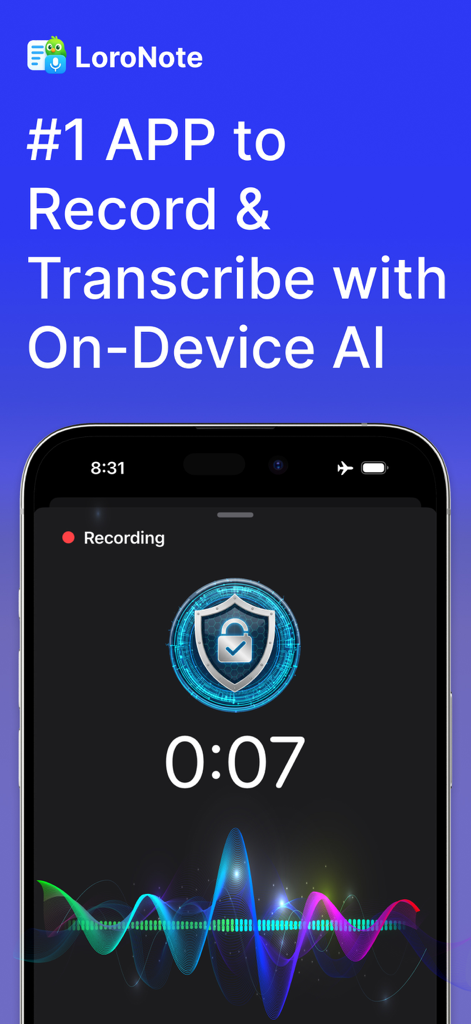
LoroNote - AI Transcribe - LoroNoteモバイルアプリのインターフェース。オンデバイスAI文字起こしとカラフルな波形が表示された安全なオーディオ録音中の画面。
LoroNoteモバイルアプリのインターフェース。オンデバイスAI文字起こしとカラフルな波形が表示された安全なオーディオ録音中の画面。

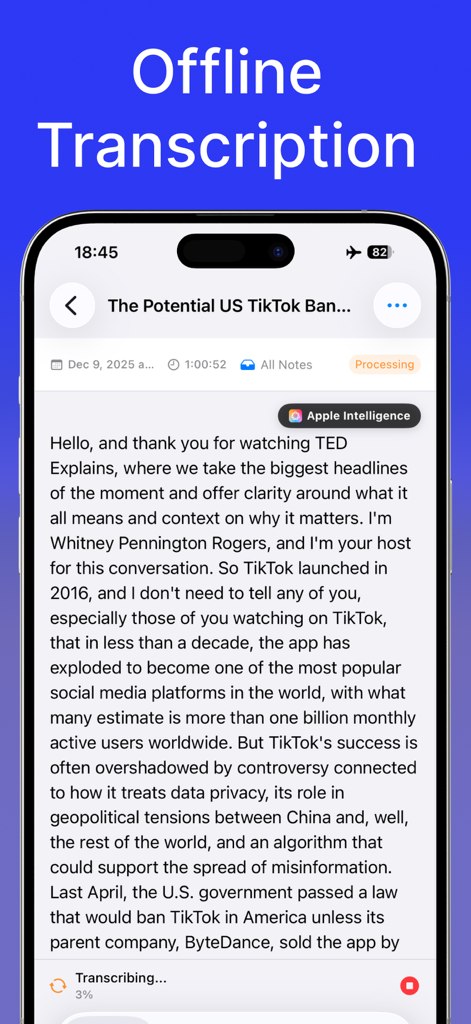
LoroNote - AI Transcribe - iPhone画面。LoroNoteが飛行機モードでオフライン文字起こしを実行している様子。
iPhone画面。LoroNoteが飛行機モードでオフライン文字起こしを実行している様子。

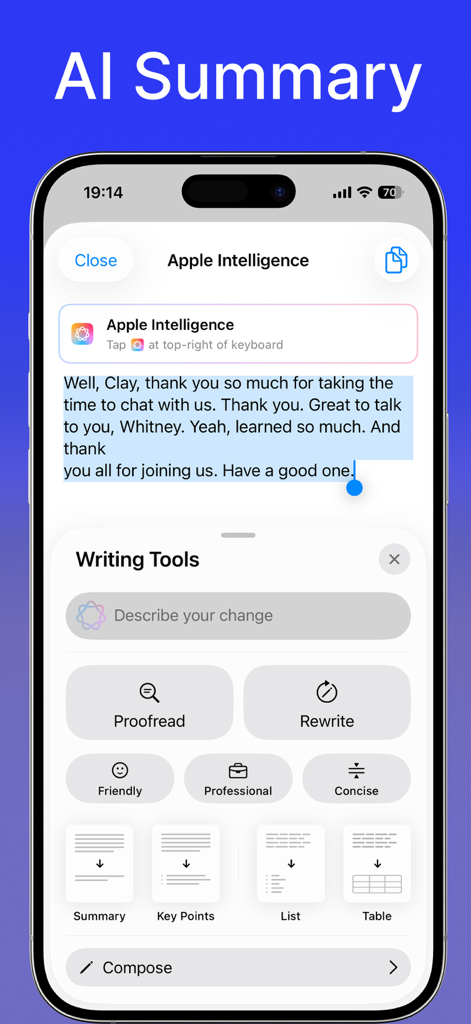
LoroNote - AI Transcribe - LoroNoteアプリのインターフェース。文字起こし用のAI要約とApple Intelligenceライティングツールを表示。
LoroNoteアプリのインターフェース。文字起こし用のAI要約とApple Intelligenceライティングツールを表示。

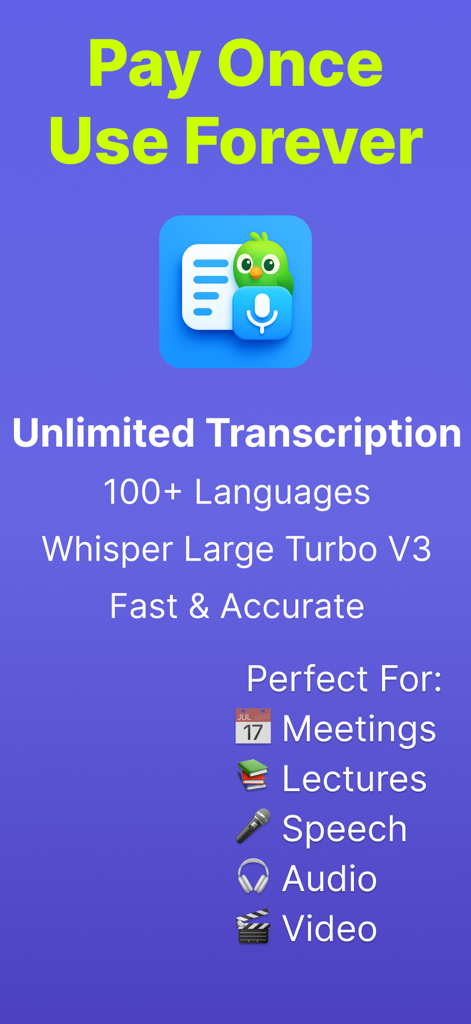
LoroNote - AI Transcribe - LoroNoteアプリのスクリーンショット。永久アクセス権と無制限のAI文字起こし機能を表示。
LoroNoteアプリのスクリーンショット。永久アクセス権と無制限のAI文字起こし機能を表示。

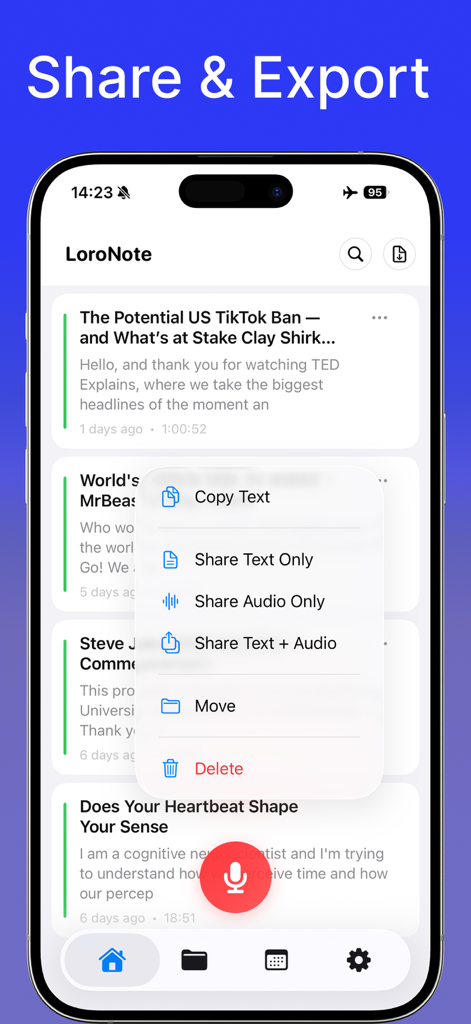
LoroNote - AI Transcribe - LoroNoteアプリのインターフェース。テキストのコピー、オーディオまたは文字起こしの共有オプションを表示。
LoroNoteアプリのインターフェース。テキストのコピー、オーディオまたは文字起こしの共有オプションを表示。

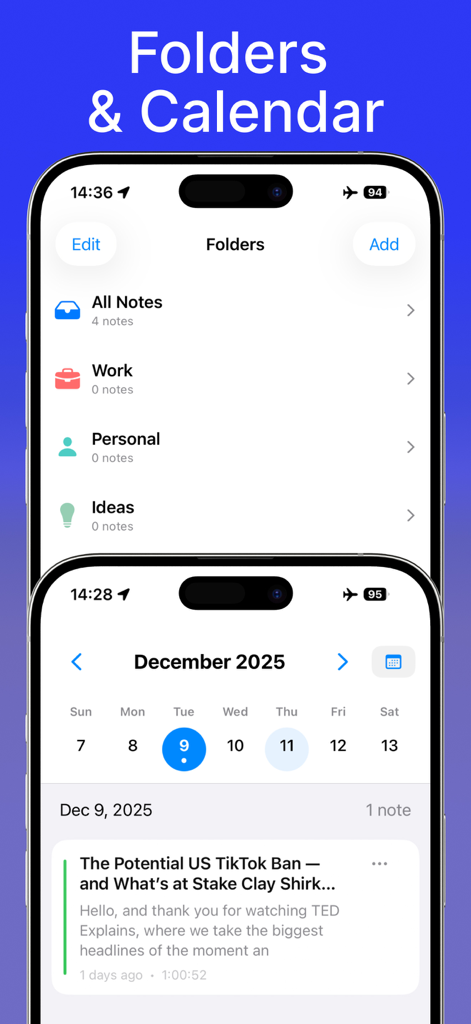
LoroNote - AI Transcribe - 2つのiPhone画面。LoroNoteアプリのフォルダ管理システムと、文字起こしを整理するためのカレンダービューを表示。
2つのiPhone画面。LoroNoteアプリのフォルダ管理システムと、文字起こしを整理するためのカレンダービューを表示。

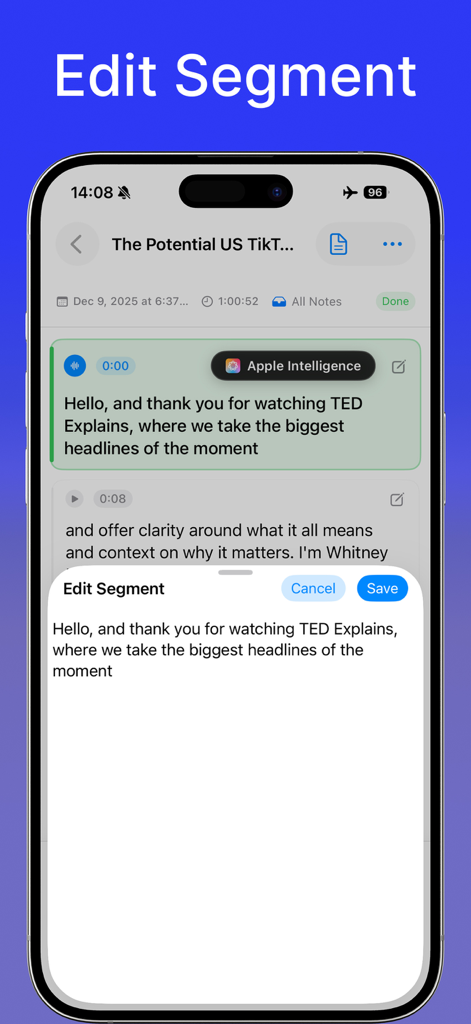
LoroNote - AI Transcribe - LoroNoteアプリのインターフェース。Apple Intelligence統合により、文字起こしテキストを編集するための編集セグメント画面を表示。
LoroNoteアプリのインターフェース。Apple Intelligence統合により、文字起こしテキストを編集するための編集セグメント画面を表示。

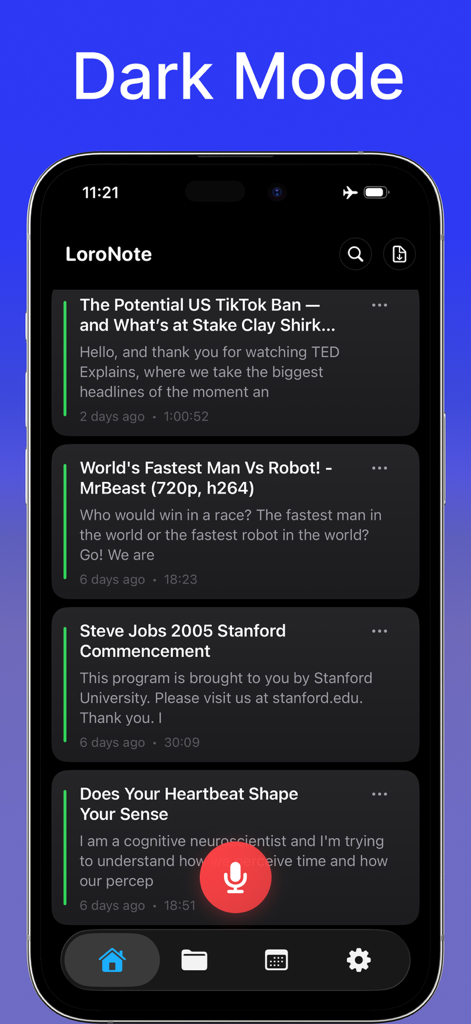
LoroNote - AI Transcribe - LoroNoteアプリのダークモードインターフェース。ボイスレコーディングと文字起こしのリストを表示。

LoroNoteアプリのダークモードインターフェース。ボイスレコーディングと文字起こしのリストを表示。

説明

LoroNote is an AI transcription app you own forever with a single purchase—no monthly subscriptions required. All transcription is processed 100% on-device, ensuring your data never leaves your phone. Experience amazingly accurate automated transcription for meetings, lectures, and interviews, even without an internet connection. ■ On-Device Whisper Transcription Engine We have optimized OpenAI’s Whisper engine directly for the iPhone. Recording starts instantly upon tapping the button, processing right on your device without complex server transfers. ■ Key Features ▶ Lifetime Access • Pay once, use forever—no subscriptions • Unlimited recording + unlimited transcription at no extra cost • Ad-free environment ▶ Secure On-Device Processing • All audio and text data are processed locally on your iPhone • Works perfectly in Airplane Mode or without internet • High accuracy and low latency based on Whisper ▶ Apple Intelligence–Powered Smart Summary LoroNote integrates seamlessly with Apple Intelligence to help you instantly understand long recordings. • Generate clear summaries from transcribed text using Apple Intelligence • Extract key points, action items, and important highlights • Rewrite or refine text with built-in Writing Tools ▶ Powerful File Import & Export • Audio/Video File Import • Instantly transcribe various media files including mp3, wav, m4a, mp4, mov, and more • TXT / SRT Export • Save transcribed text as documents (txt) or subtitles (srt) • Easily share to other apps, PCs, or editing tools ▶ Productivity Tools • Auto-detects and transcribes 100+ languages • Section playback, partial editing, and sentence correction • Search & Replace (Find & Replace) • Instantly search within transcripts • Replace words/phrases in bulk to fix repeated recognition issues • Personal Dictionary (Custom Vocabulary) • Add names, acronyms, technical terms, and frequently used words • Reduce repeated mistakes and keep your transcripts consistent • Manage records by date with Folders and Calendar View • iCloud Private Sync between iPhone and iPad to work from anywhere • Import external recordings for high-speed transcription ■ The Meaning of Loro ‘Loro’ means ‘Parrot’ in Spanish. Just like a parrot that perfectly mimics speech, LoroNote captures your words and conversations clearly without missing a beat. All of this happens safely and entirely within your device. ■ Recommended Use Cases • Meetings: Securely record sensitive business conversations without server transmission • Lectures: Transcribe class content completely for review • Content Creation: Import video files and instantly convert them to subtitles (SRT) • Interviews: Seamless transcription even in areas with poor internet connection • Ideas: Capture instant ideas via voice and convert them to text immediately ■ Usage Note LoroNote actively uses the device’s GPU for accurate and fast transcription. Due to iOS background policies, transcription may pause if the screen is turned off or if you use other apps for a long time. Please keep the app open while transcribing. ■ Customer Support • Contact: support@loronote.com • Privacy Policy: https://loronote.com/privacy • Terms of Use: https://www.apple.com/legal/internet-services/itunes/dev/stdeula/

Download

ダウンロード: App Store

このページはアプリまたはその開発者の公式ページではなく、情報提供および論評を目的として作成された独立した編集出版物です。明示的に別段の記載がない限り、アプリおよびその開発者は、MWM、Apple、Google Play、アプリのパブリッシャー、またはアプリの開発者と提携、承認、後援、認可、またはその他の公式的な関係はなく、このページのいかなる内容も、アプリがMWMのサービスを使用して開発されたことを意味するものではありません。すべての商標、ロゴ、スクリーンショット、その他のコンテンツはそれぞれの所有者の財産です。








