Lumos: Sun and Moon Tracker
ダウンロード: App Store

このページはアプリまたはその開発者の公式ページではなく、情報提供および論評を目的として作成された独立した編集出版物です。明示的に別段の記載がない限り、アプリおよびその開発者は、MWM、Apple、Google Play、アプリのパブリッシャー、またはアプリの開発者と提携、承認、後援、認可、またはその他の公式的な関係はなく、このページのいかなる内容も、アプリがMWMのサービスを使用して開発されたことを意味するものではありません。すべての商標、ロゴ、スクリーンショット、その他のコンテンツはそれぞれの所有者の財産です。

ロゴ: Lumos: Sun and Moon Tracker
ダウンロード: App Store

Lumos: Sun and Moon Tracker

精密なARビジュアライゼーション、影の計算、リアルタイムアラートで、完璧な撮影、結婚式、またはソーラー設置を計画しましょう。

主要数値

ダウンロード

191K+

ユーザー評価

4.7/5

評価数

3K+

開発元

Luminous Labs LLC

カテゴリ

Photo & Video

対応言語

1

最新バージョン

2.4.1

サイズ

48.0 MB

リリース日

2013年11月14日
機能

あらゆる光のための精密計画

プロの写真家、ソーラー建築家、ウェディングプランナーのいずれであっても、Lumosは複雑な天体データを実用的な視覚的洞察に変えます。

視覚的ARトラッキング

ARで将来の太陽と月の軌道を直接周囲に投影し、光と影がリアルタイムでどこに落ちるかを正確に視覚化します。

グローバルリモートスカウティング

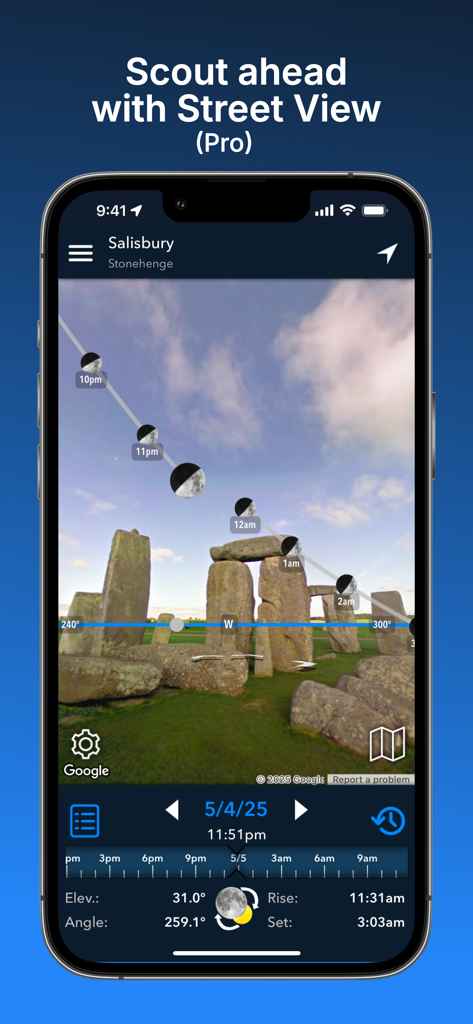
統合されたマップとストリートビューモードを使用して、任意の座標の照明を分析し、到着する前にシーンをマスターできます。

以下のスクリーンショットと説明は、アプリの公式ストアリスティングから直接取得されたものであり、アプリ開発者の所有物です。

アプリストア

スクリーンショット
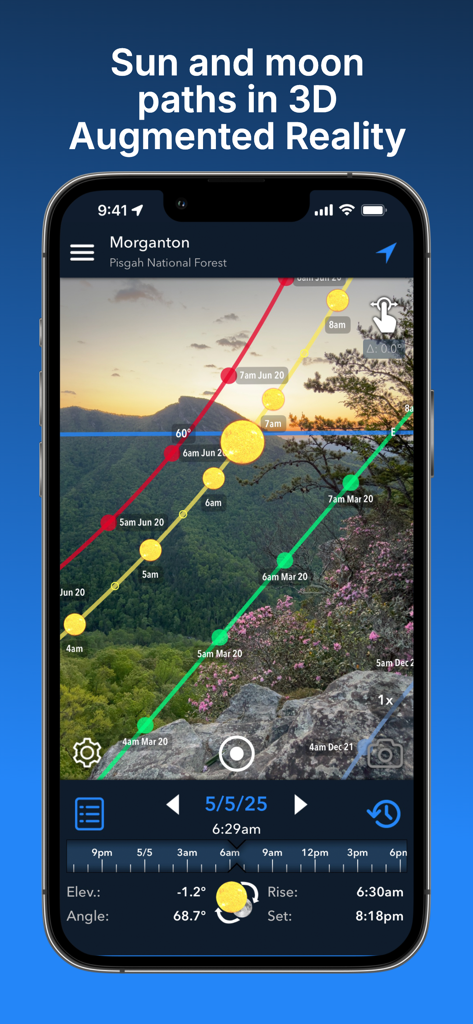
Lumos: Sun and Moon Tracker - 拡張現実を使用して山岳風景の上に3Dの太陽と月の軌道を表示するスマートフォン
拡張現実を使用して山岳風景の上に3Dの太陽と月の軌道を表示するスマートフォン

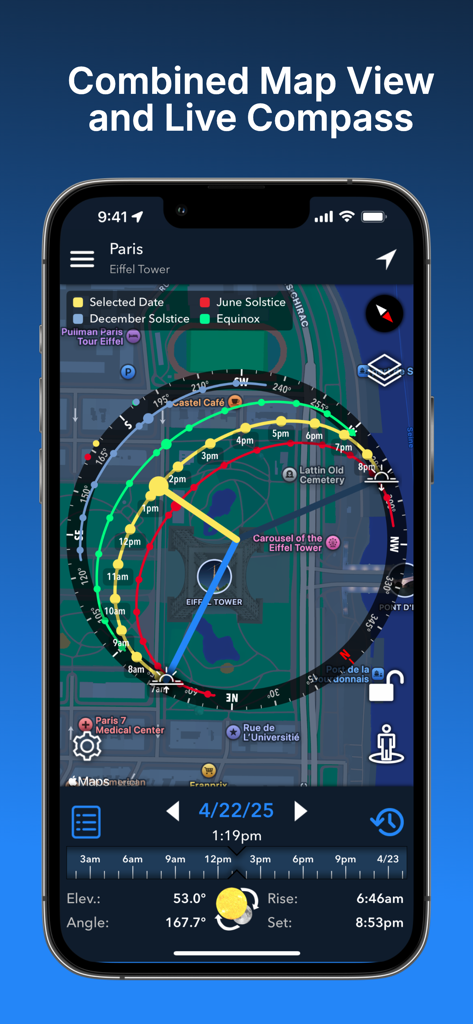
Lumos: Sun and Moon Tracker - パリ上空の太陽軌道のマップビューとライブコンパスを組み合わせたLumosアプリの表示
パリ上空の太陽軌道のマップビューとライブコンパスを組み合わせたLumosアプリの表示

Lumos: Sun and Moon Tracker - Lumosアプリのストリートビューモードでストーンヘンジに重ねられた月の軌道
Lumosアプリのストリートビューモードでストーンヘンジに重ねられた月の軌道

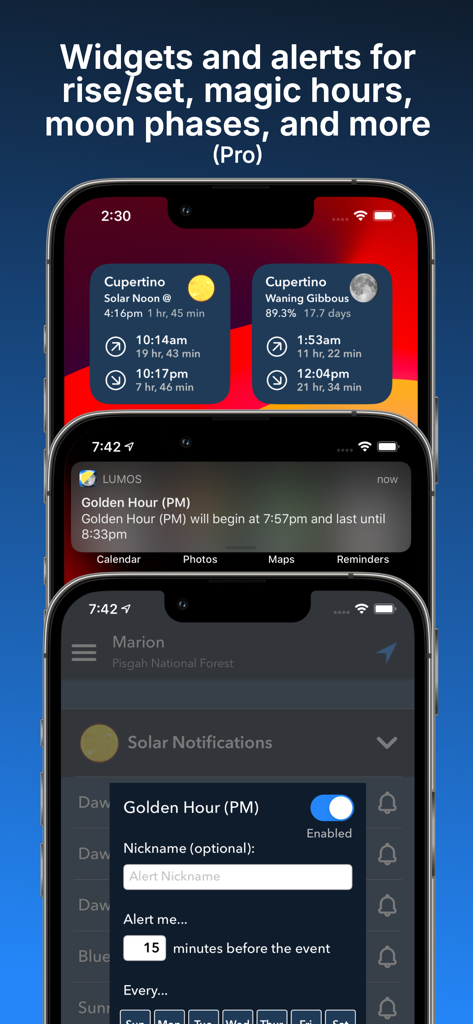
Lumos: Sun and Moon Tracker - iPhoneでゴールデンアワーアラート付きの太陽と月のデータを表示するLumosアプリのウィジェットと通知
iPhoneでゴールデンアワーアラート付きの太陽と月のデータを表示するLumosアプリのウィジェットと通知

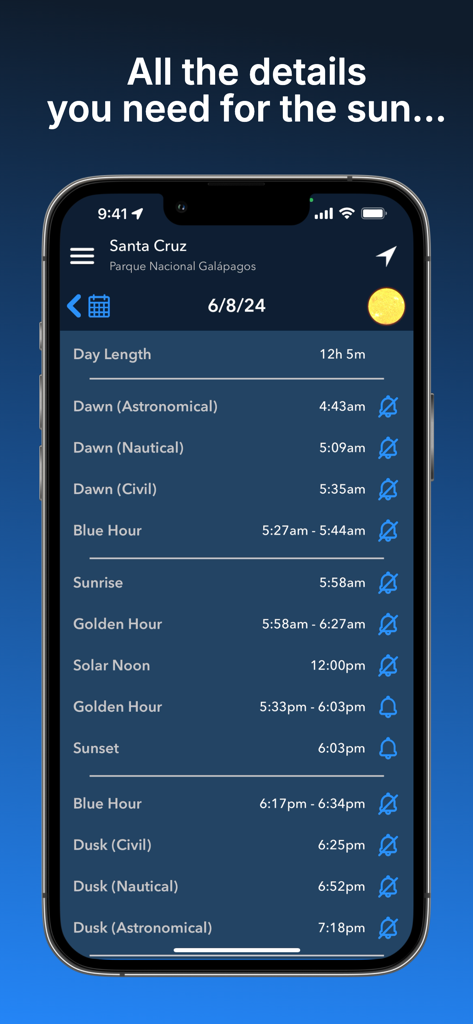
Lumos: Sun and Moon Tracker - Lumosアプリで日の出、日の入り、ゴールデンアワー、ブルーアワーを含むソーラータイムのリストを表示するモバイル画面
Lumosアプリで日の出、日の入り、ゴールデンアワー、ブルーアワーを含むソーラータイムのリストを表示するモバイル画面

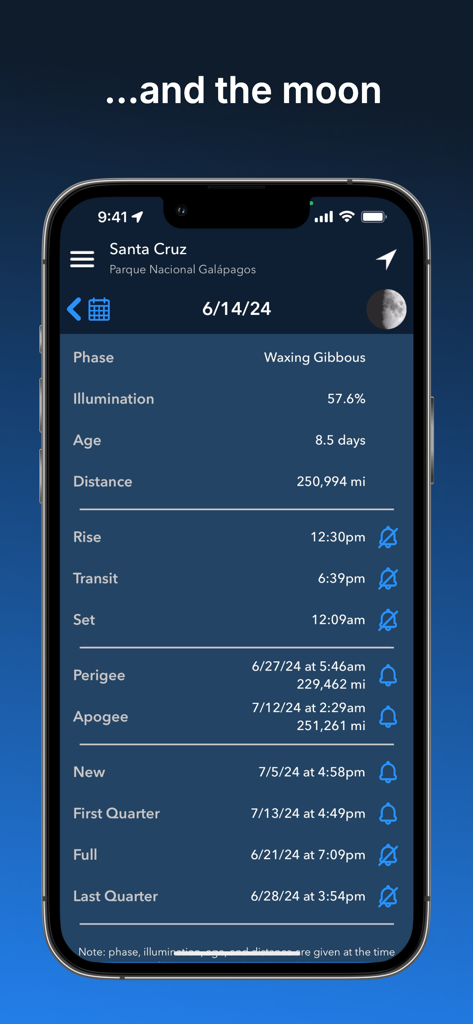
Lumos: Sun and Moon Tracker - Lumosアプリのスクリーンショットで、月の満ち欠け、照明、月の出と月の入り時刻、および今後の月のイベントを含む詳細な月のデータが表示されます。
Lumosアプリのスクリーンショットで、月の満ち欠け、照明、月の出と月の入り時刻、および今後の月のイベントを含む詳細な月のデータが表示されます。

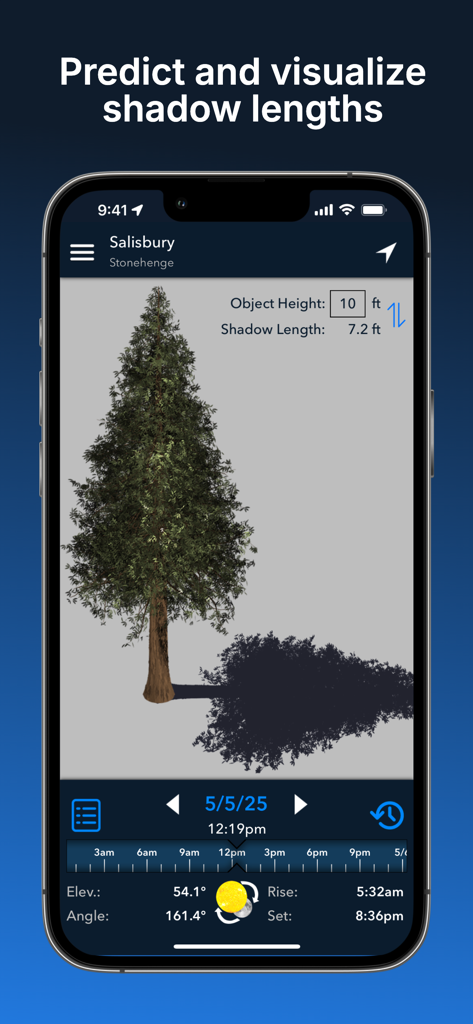
Lumos: Sun and Moon Tracker - Lumosアプリのインターフェースで、木の影の長さの3D予測と計算を示しています
Lumosアプリのインターフェースで、木の影の長さの3D予測と計算を示しています

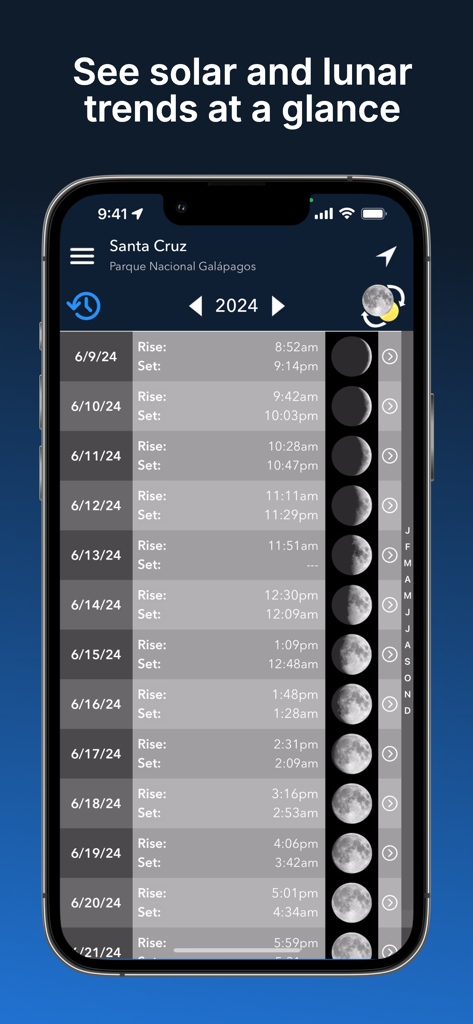
Lumos: Sun and Moon Tracker - 月の満ち欠けとともに太陽と月の出と入り時刻を示すLumosアプリのカレンダービュー

月の満ち欠けとともに太陽と月の出と入り時刻を示すLumosアプリのカレンダービュー

説明

Intuitive yet powerful, Lumos accurately predicts the position of the sun and moon at any time, on any day, in any place. Whether you’re planning a photo shoot, a wedding, or a solar panel installation, tracking the sun and moon has never been easier! Lumos is divided into six main modules: • The augmented reality view harnesses the power of AR to visually project past, present, or future sun and moon positions (and moon phases!) onto your surroundings, letting you perfectly visualize your plans. • The map view overlays the sun and moon positions for a given time and location onto a map of that location, letting you make plans from afar. • The Street View mode works like the AR view, but it takes advantage of Google Street View to allow you to envision sun and moon positions for remote locations (requires Lumos Pro). • The calendar view displays a simple list of rise/set times and moon phases throughout the year, letting you see the big picture at a glance. Tap a row to see the detailed ephemeris for that day. • The notifications module lets you sign up to receive notifications for significant solar and lunar events, including: astronomical, nautical, and civil dawn/dusk, blue hour, golden hour, sunrise/set, solar noon, moon rise/set, lunar transit, and lunar perigee/apogee (requires Lumos Pro). • The shadow length view calculates the exact length of the shadow an object will cast on a given time and day, letting you see the result both visually and numerically. You can also calculate the height of an object if you know the length of its shadow. With an affordable one-time purchase of Lumos Pro, you can also: • Search for a location by name or manually enter coordinates • Save locations for later reference or offline use* • Take notes on a saved location and have them readily available the next time you view it *The map view and Street View do not currently support offline use NOTE: The sun and moon positions calculated by Lumos are accurate to within a small fraction of a degree. However, as with any augmented-reality app, the accuracy of the projection is dependent on the underlying hardware. If you are seeing inaccurate positions, please calibrate your device's compass and ensure that you are not near any sources of electromagnetic interference (e.g. microwaves, computers, car engines, high voltage lines). Phone cases containing batteries are known to cause compass interference. You can also use the visual calibration tool to align the projection with sun’s current position. Please feel free to contact us if you continue to have issues. _____________ Terms of Use: https://termsfeed.com/terms-use/c5bcd4de47ffe3020e8aebd04a91af68 Privacy Policy: https://www.iubenda.com/privacy-policy/8042948/full-legal

Download

ダウンロード: App Store

このページはアプリまたはその開発者の公式ページではなく、情報提供および論評を目的として作成された独立した編集出版物です。明示的に別段の記載がない限り、アプリおよびその開発者は、MWM、Apple、Google Play、アプリのパブリッシャー、またはアプリの開発者と提携、承認、後援、認可、またはその他の公式的な関係はなく、このページのいかなる内容も、アプリがMWMのサービスを使用して開発されたことを意味するものではありません。すべての商標、ロゴ、スクリーンショット、その他のコンテンツはそれぞれの所有者の財産です。








