MakeByMe: 3D Furniture Design

MakeByMe: 3D Furniture Design

ダウンロード: App Store
ロゴ: MakeByMe: 3D Furniture Design

MakeByMe: カスタムDIY家具を3Dでデザイン、視覚化、そして製作

推測はやめて、作り始めましょう。DIY愛好家向けに簡略化されたプロ仕様の3Dモデリングで、あなたのアイデアを現実に変えましょう。2x4材や合板などの実際の素材でデザインし、自信を持って製作するために必要な自動生成されたカットリストとステップバイステップのプランを入手してください。

開発元

Dassault Systemes SE

カテゴリ

Graphics & Design

ダウンロード

15K+

ユーザー評価

4.3/5

評価数

200

対応言語

1

ビジョンから現実へ

このインターフェースを利用する 15K+ 人のユーザー.

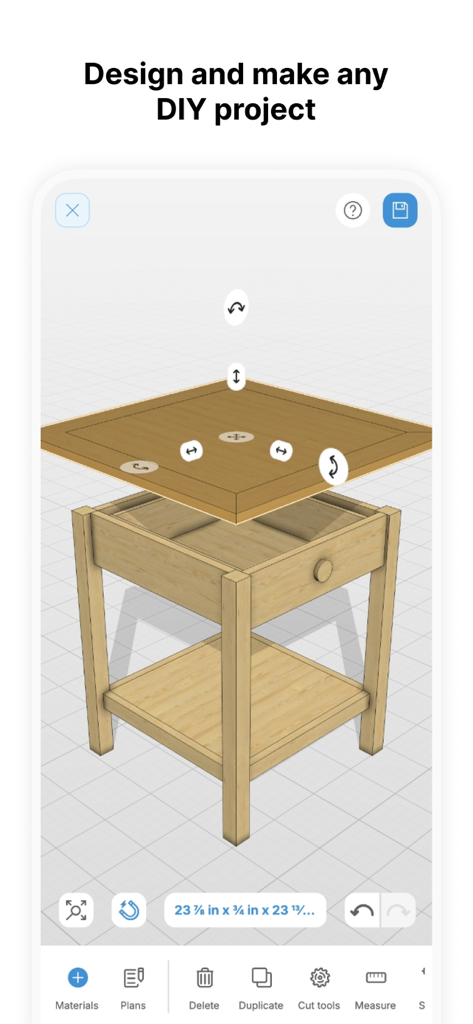
MakeByMeアプリのインターフェース。モバイルDIYツールでデザイン中の木製エンドテーブルの3Dモデルを表示。
MakeByMeアプリのインターフェース。モバイルDIYツールでデザイン中の木製エンドテーブルの3Dモデルを表示。

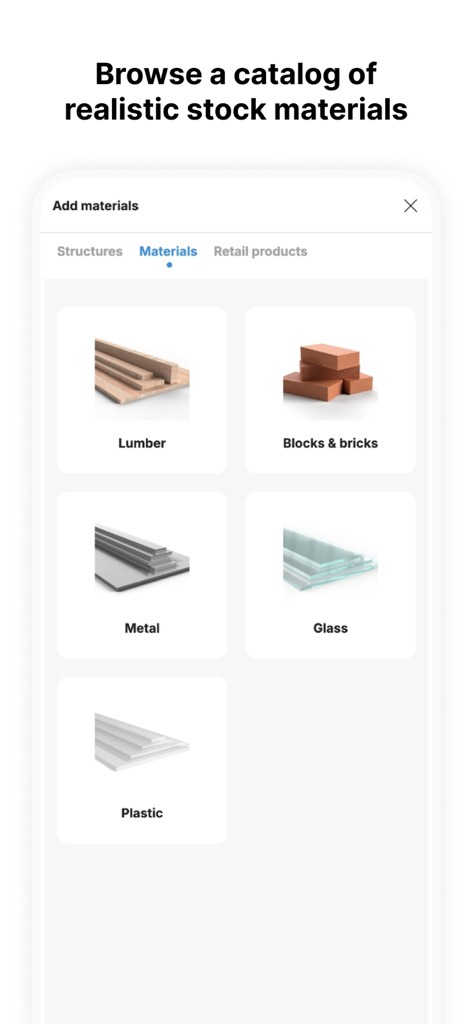
MakeByMeアプリのメニュー。3D家具デザイン用の、木材、金属、ガラスなどのリアルな在庫材料のカタログを表示。
MakeByMeアプリのメニュー。3D家具デザイン用の、木材、金属、ガラスなどのリアルな在庫材料のカタログを表示。

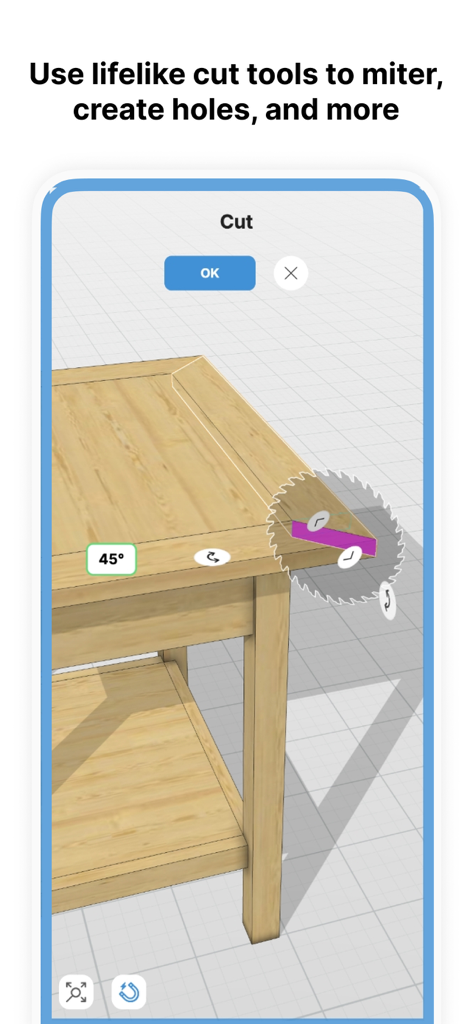
MakeByMeアプリのインターフェース。木製家具の3Dモデルの45度マイターカットを表示。
MakeByMeアプリのインターフェース。木製家具の3Dモデルの45度マイターカットを表示。

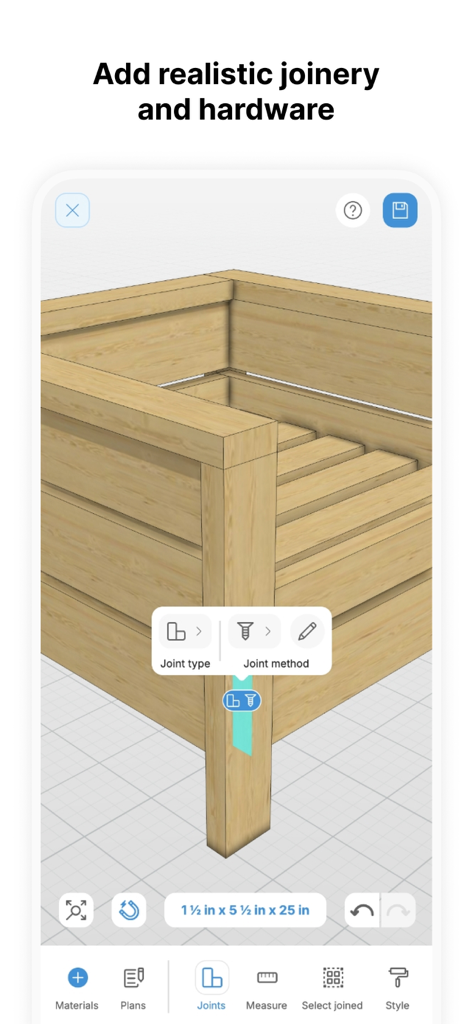
MakeByMeアプリの木製家具3Dモデル。リアルな接合部とハードウェア選択オプションを表示。
MakeByMeアプリの木製家具3Dモデル。リアルな接合部とハードウェア選択オプションを表示。

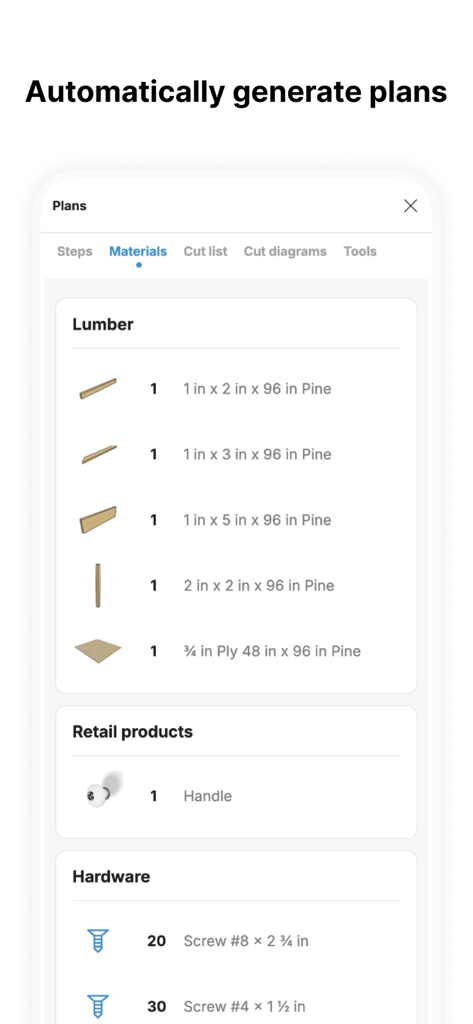
MakeByMeアプリのDIYプロジェクト用材料とハードウェアのリスト。
MakeByMeアプリのDIYプロジェクト用材料とハードウェアのリスト。

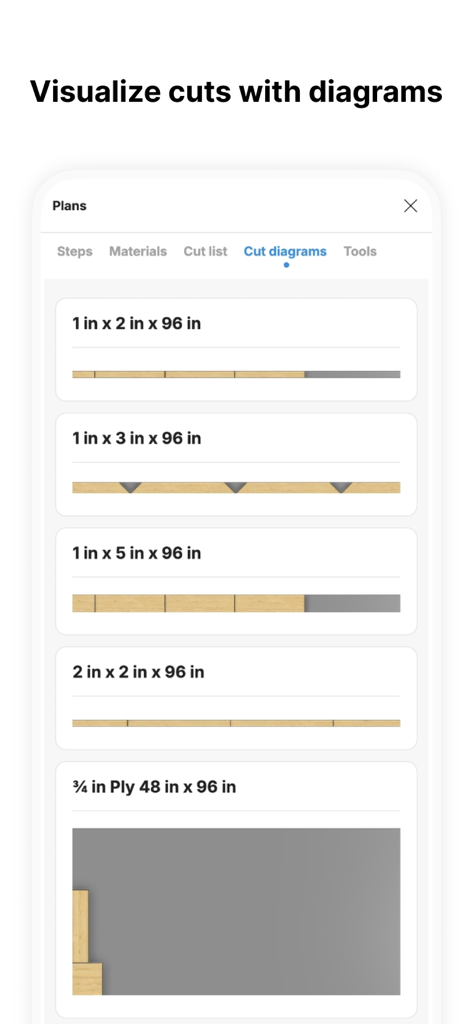
MakeByMeアプリのインターフェース。DIY家具プロジェクト用の最適化された木材と合板のカット図を表示。
MakeByMeアプリのインターフェース。DIY家具プロジェクト用の最適化された木材と合板のカット図を表示。

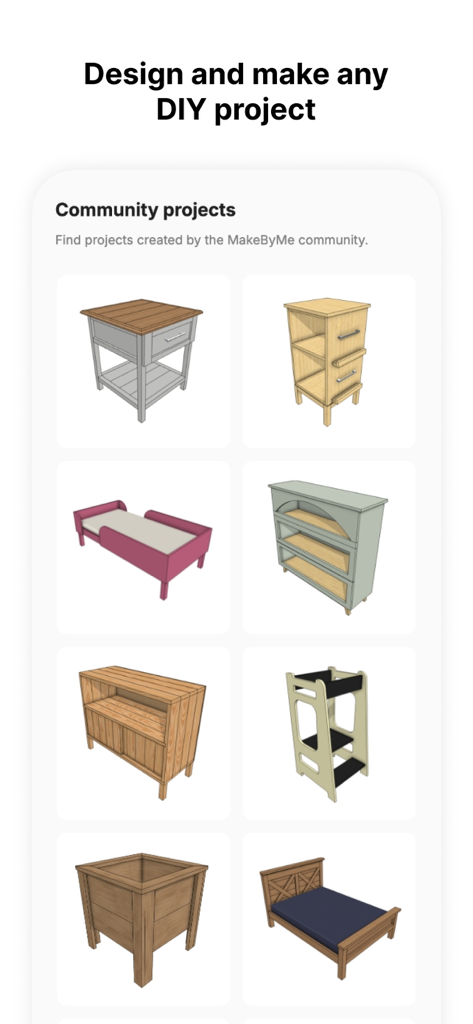
ベッドやテーブルなど、MakeByMeコミュニティによってデザインされた3D家具モデルのコレクション。

ベッドやテーブルなど、MakeByMeコミュニティによってデザインされた3D家具モデルのコレクション。

自信を持ってカスタム家具を製作

このアプリを際立たせるツール、 15K+ 人のユーザーが選択.

🪵

ドラッグ&ドロップ3Dデザイン

2x4材や合板などの実際の素材を使用します。ピースをスナップするだけで、あなたの家にぴったり合うカスタムピースを作成できます。

💰

最適化された材料リスト

必要なものだけを購入し、高価な間違いを避けるための自動生成された買い物リストとカットリストで、金物店での節約になります。

📱

デジタルワークショップの設計図

わかりにくい紙の図面を、インタラクティブな3D組み立て手順に置き換えましょう。ガレージで作業しながらiPadでフォローするのに最適です。

アプリについて

について知っておくべきこと MakeByMe: 3D Furniture Design.

説明

Do you want to design furniture for your home in 3D? Make something for your workshop? or create DIY furniture plans that you can share with family and friends? Whether you are a beginner or an experienced DIYer, you can use MakeByMe software to quickly create your furniture design in 3D , view your furniture in the context of your home then easily bring your ideas to life with automatically generated DIY plans that helps make DIY stress free. Supported languages are currently English, French and Spanish. More to come soon! **Design your next DIY furniture project** Easy and intuitive to use, MakeByMe allows you to design any DIY project using real material, tools and joinery methods. Simple add from the library of standard DIY materials such as 2x4 or plywood, then drag, rotate and snap your material quickly into position. Some design features are; - Add standard material like 2x4 lumber, plywood, metal tubing, glass - Drag and drop material and snap into place - Use common join methods such as pocket holes, hinges, drawer rails and dados - Realistic animated behaviour such as doors and drawers - Cut straight or miter cuts with the cut tool - Add detailing using holes and common shape cut tool - Add colour and style to your design **Make with auto generated cut list plans** With MakeByMe, DIY plans have never been simpler. Interactive 3D assembly steps, stock materials, cut list and cut list diagrams are automatically updated as you design to help you start making and building your furniture. Some plan features are; - Visualise the DIY build sequence with 3d steps - Buy only the material you need with optimised materials lists - Visualise and plan your cuts with cut diagrams and cut lists - Make sure you have the right tools with a tools list **Share your furniture project and plans** Once your design is finished, you can add your project to a HomeByMe room to visualise or render or share your DIY projects and plans and inspire the MakeByMe community to start designing and making their own projects. MakeByMe is also available as a web/desktop app allowing you to access your data in the way most convenient way to you, whether on your phone, tablet or laptop. Try it today! and let us know how you get on.

最新バージョン

5.5.0

サイズ

1.2 MB

リリース日

2025年2月4日

カスタム家具を製作する準備はできましたか?

数千人のメイカーが2x4材を傑作に変えています。MakeByMeを今すぐダウンロードして、即時3Dプラン、最適化されたカットリスト、そしてストレスフリーなDIYを手に入れましょう。

ダウンロード: App Store

App information, icons, screenshots, and descriptions displayed on this page are sourced from the Apple App Store and are the property of their respective developers. Download estimates and rankings are based on MWM's proprietary models and may not reflect actual figures. This page is provided for informational and analytical purposes only.

Believe this page infringes your intellectual property? File a dispute