MakeMyMovie-Movie maker
ダウンロード: App Store

このページはアプリまたはその開発者の公式ページではなく、情報提供および論評を目的として作成された独立した編集出版物です。明示的に別段の記載がない限り、アプリおよびその開発者は、MWM、Apple、Google Play、アプリのパブリッシャー、またはアプリの開発者と提携、承認、後援、認可、またはその他の公式的な関係はなく、このページのいかなる内容も、アプリがMWMのサービスを使用して開発されたことを意味するものではありません。すべての商標、ロゴ、スクリーンショット、その他のコンテンツはそれぞれの所有者の財産です。


ロゴ: MakeMyMovie-Movie maker
ダウンロード: App Store

MakeMyMovie-Movie maker

忙しい家族や旅行者が、デジタルな思い出を音楽付きの感動的なスライドショーに変える最も簡単な方法です。編集スキルは不要—写真を選び、テーマを選んで、大切な人たちと感動を共有しましょう。

主要数値

ダウンロード

426K+

ユーザー評価

4.1/5

評価数

40K+

開発元

out thinking private limited

カテゴリ

Photo & Video

対応言語

31

最新バージョン

5.6

サイズ

107.4 MB

リリース日

2014年4月1日
機能

思い出をシネマティックな keepsake に

忙しい家族が、写真の山を美しく、音楽がいっぱいのムービーに変え、永遠に共有し、大切にするための最も簡単な方法です。

ワンタップでムービーマジック

複雑なタイムラインは忘れてください。写真を選び、テーマを選び、あなたのストーリーが瞬時に生き生きとすることを見てください。

常にフォーカスオン

インテリジェントな顔認識により、子供やペットが自動的に中央に配置されるため、すべての思い出がプロのようにフレーミングされます。

以下のスクリーンショットと説明は、アプリの公式ストアリスティングから直接取得されたものであり、アプリ開発者の所有物です。

アプリストア

スクリーンショット

MakeMyMovie-Movie maker - MakeMyMovieアプリのインターフェースが、ビーチでの家族写真を、スライドショー作成のための様々なビジュアルテーマと共に表示しています
MakeMyMovieアプリのインターフェースが、ビーチでの家族写真を、スライドショー作成のための様々なビジュアルテーマと共に表示しています

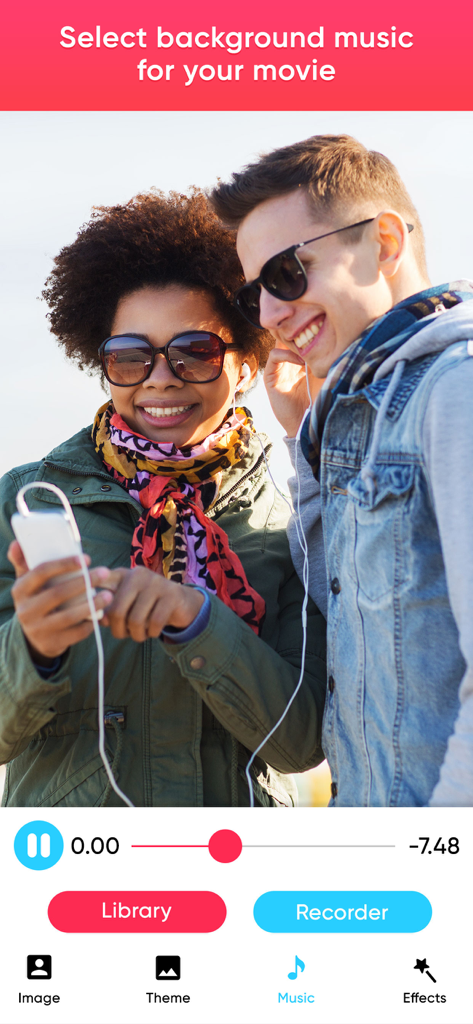
MakeMyMovie-Movie maker - ビデオにBGMを追加するためのMakeMyMovieアプリのインターフェース
ビデオにBGMを追加するためのMakeMyMovieアプリのインターフェース

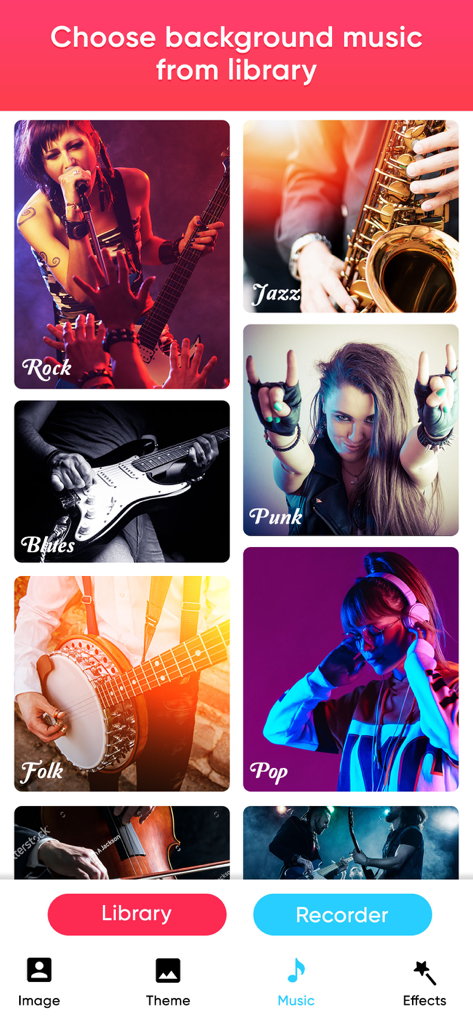
MakeMyMovie-Movie maker - ビデオ作成のために、ジャズ、ロック、ポップなどの様々なBGMジャンルを表示するMakeMyMovieアプリのメニュー。
ビデオ作成のために、ジャズ、ロック、ポップなどの様々なBGMジャンルを表示するMakeMyMovieアプリのメニュー。

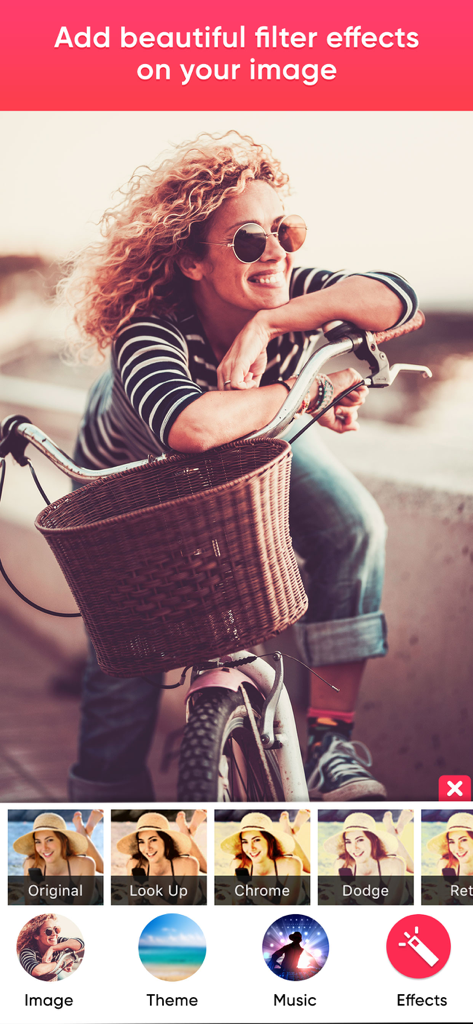
MakeMyMovie-Movie maker - MakeMyMovieアプリで写真の様々なフィルターオプションを表示するインターフェース
MakeMyMovieアプリで写真の様々なフィルターオプションを表示するインターフェース

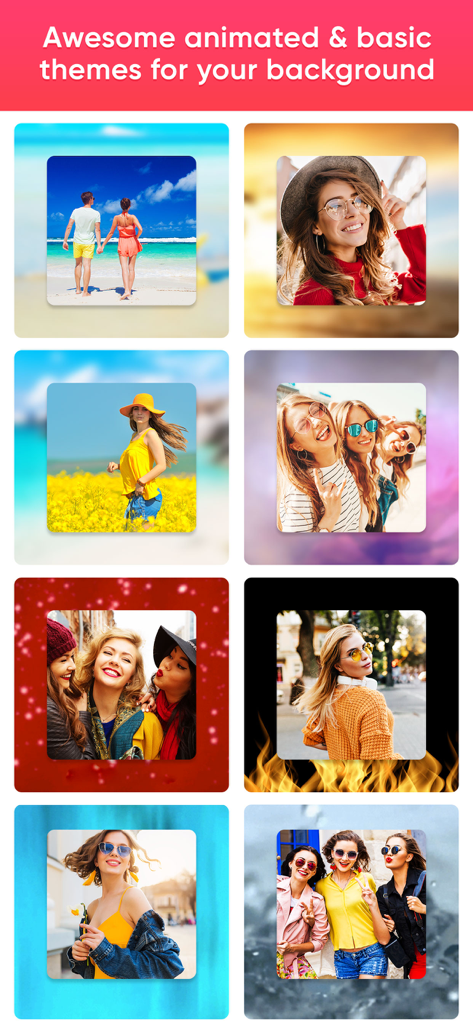
MakeMyMovie-Movie maker - 写真スライドショー用の、アニメーションおよび基本的な背景テーマのグリッド表示
写真スライドショー用の、アニメーションおよび基本的な背景テーマのグリッド表示

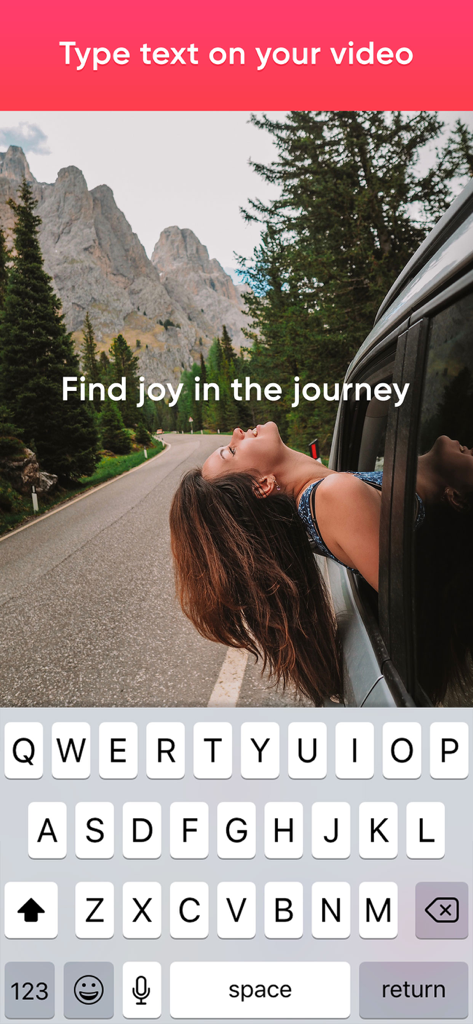
MakeMyMovie-Movie maker - カスタムテキストオーバーレイとスマートフォンキーボードで編集中の旅行ビデオ

カスタムテキストオーバーレイとスマートフォンキーボードで編集中の旅行ビデオ

MakeMyMovie-Movie maker - ビーチでの家族ビデオと保存および共有オプションを表示するインターフェース

ビーチでの家族ビデオと保存および共有オプションを表示するインターフェース

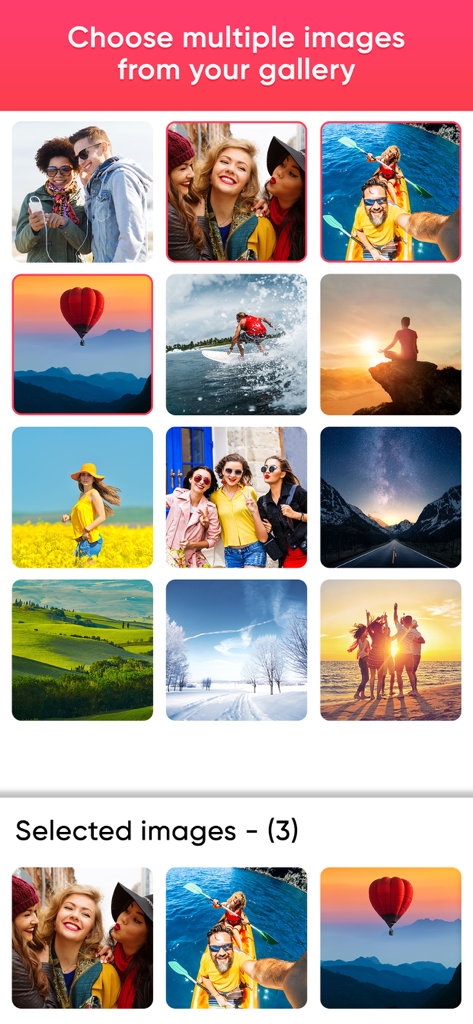
MakeMyMovie-Movie maker - ギャラリーから複数の写真を選択してムービースライドショーを作成するためのモバイルアプリインターフェース
ギャラリーから複数の写真を選択してムービースライドショーを作成するためのモバイルアプリインターフェース

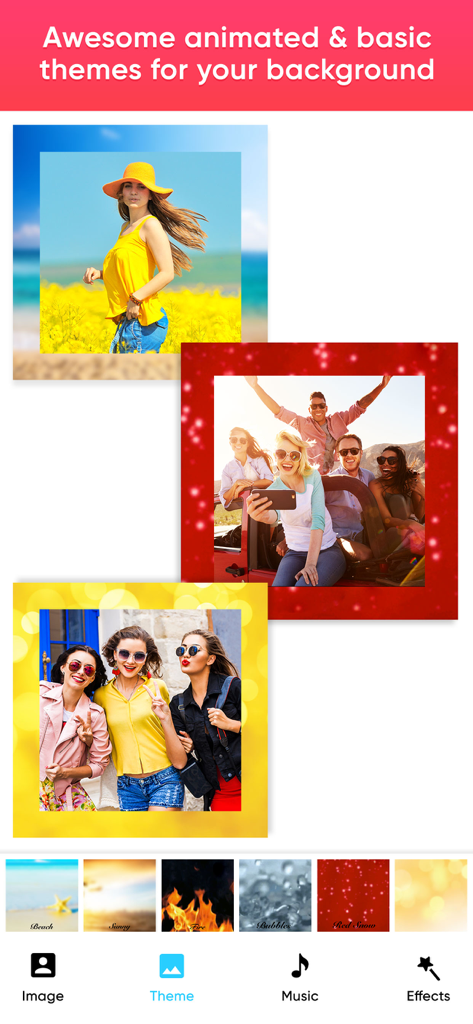
MakeMyMovie-Movie maker - 写真スライドショー作成用の、アニメーションおよび基本的な背景テーマを表示するMakeMyMovieアプリ画面
写真スライドショー作成用の、アニメーションおよび基本的な背景テーマを表示するMakeMyMovieアプリ画面

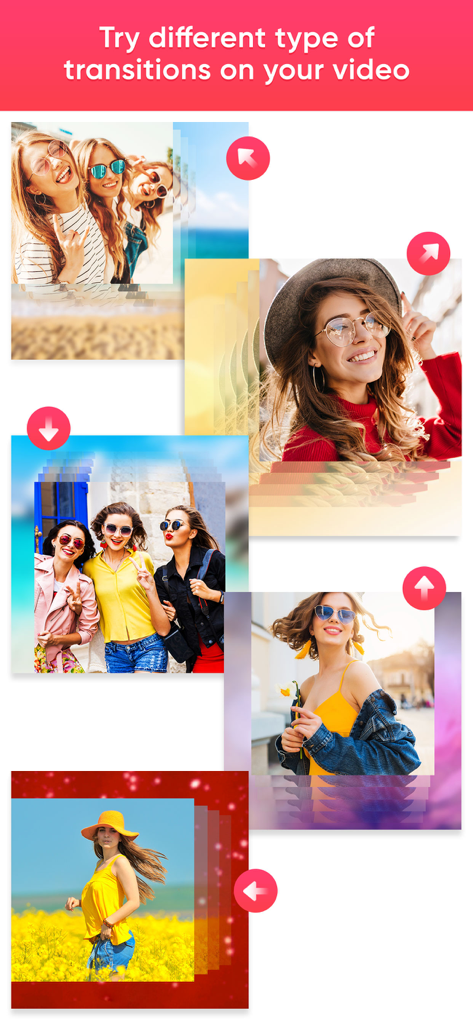
MakeMyMovie-Movie maker - ムービーメーカーアプリでの様々な写真トランジションの例

ムービーメーカーアプリでの様々な写真トランジションの例

説明

Slide show maker with music, convert photos to video using slideshow maker. Create slideshow using different themes and transitions. Tired of plenty of slide show apps? Here is a solution to all your photo to movie problems. “MakeMyMovie” is the answer to all those problem. Make My Movie App will turn your photos into a sensational movies by adding beautiful animations and music to your beautiful photos. It allows you to select the Theme/effects and Audio of your Choice, and allows you to create & Share your stunning video. It's never been easier like this before to make videos from your images. Key Features:- * Awesome UI design * Create Stunning Video from your Photos * Add our in-built effects to your photos * Add Music from our in-built library * You can choose song or music of your own choice if you wish * You can arrange the images according to your choice * Add Title to your Video/Photo * This app will auto recognize your face to focus on your face. * Option to choose photos from your camera roll * In-built option to share your Awesome video with social networking sites * You can share on Facebook, Instagram, email, YouTube, Viddy etc Steps to create your movie 1. Select all photos from your album. 2. Alter photo order by pressing on image and drag to another position to change the location 3. Select your theme 4. Select music from music library or from our app 5. Add effects to photos 6. Enter your movie title 7. Click on done button to create your movie 8. Share with your friends(supports Facebook,Instagram, email,YouTube ,Viddy etc) New Features: 1. Focus or Crop: After choosing photos now you can focus the image easily. To do that, just single click on photo to open zoom or crop panel 2. Delete Photo: After choosing photo you may feel you want to delete one photo, that time you can press on delete button and it will shows image selection option. Select any image and click delete button again It will give you an option to select effect and music according to your Choice/mood and make your video even more interesting/Compiling. Subscription Terms - Subscribe to get unlimited video collage app access to all features. - Upon confirmation of purchase, the payment will be charged to the iTunes account. - Until you turn off the auto-renew at least 24 hours before the end of the current. period it will be automatically renewed. - If you decide to turn off auto-renewal, you can turn it off maybe by going to account settings after purchase. -The renewal amount will be charged from the account within 24 hours before the end of the current period. -As per the policy, cancellation of the current subscription is not allowed during the active subscription period. Once purchased, refunds will not be returned for any unused portion of the subscription period. Terms of use - https://www.outthinkingindia.com/terms-of-use/ Privacy policy - https://www.outthinkingindia.com/privacy-policy/

Download

ダウンロード: App Store

このページはアプリまたはその開発者の公式ページではなく、情報提供および論評を目的として作成された独立した編集出版物です。明示的に別段の記載がない限り、アプリおよびその開発者は、MWM、Apple、Google Play、アプリのパブリッシャー、またはアプリの開発者と提携、承認、後援、認可、またはその他の公式的な関係はなく、このページのいかなる内容も、アプリがMWMのサービスを使用して開発されたことを意味するものではありません。すべての商標、ロゴ、スクリーンショット、その他のコンテンツはそれぞれの所有者の財産です。