
このページはアプリまたはその開発者の公式ページではなく、情報提供および論評を目的として作成された独立した編集出版物です。明示的に別段の記載がない限り、アプリおよびその開発者は、MWM、Apple、Google Play、アプリのパブリッシャー、またはアプリの開発者と提携、承認、後援、認可、またはその他の公式的な関係はなく、このページのいかなる内容も、アプリがMWMのサービスを使用して開発されたことを意味するものではありません。すべての商標、ロゴ、スクリーンショット、その他のコンテンツはそれぞれの所有者の財産です。


ダウンロード
1M+ユーザー評価
評価数
23.3K開発元
カテゴリ
Entertainment対応言語
33最新バージョン
1.9.0サイズ
605.7 MBリリース日
2025年4月2日包括的なレトロゲーム体験を再定義する主要機能の評価
アプリケーション分析: Manic EMU - ゲームエミュレータ
広範なエミュレーションプラットフォーム対応
幅広いクラシックゲームを1つのアプリで楽しめるため、レトロゲーム愛好家にとって究極の選択肢となります。
iCloud同期機能
複数のAppleデバイス間でゲーム、セーブデータ、設定をシームレスに同期し、中断のないゲーム体験を保証します。進捗状況の損失を防ぎ、どこでもプレイ可能にします。
多機能コントローラーサポート
Joy-Con、DUALSHOCK、Xboxコントローラーなど、ネイティブおよびBluetooth接続による多様なコントローラーをサポートし、本格的な操作感を提供します。
クラウドサービス連携によるROMインポート
Google Drive、Dropboxなどの主要クラウドストレージからワンクリックでゲームをインポートでき、ROM管理とアクセスを簡素化します。
RetroAchievements対応
クラシックゲームに新しい挑戦と達成感をもたらし、トロフィー獲得を通じてゲーム体験を深化させ、リプレイ性を高めます。
時間操作(5倍速)機能
ゲームプレイ速度を最大5倍に調整できるため、退屈な部分を早送りしたり、難しいセクションをゆっくり攻略したりすることが可能になります。
無制限のセーブスロットと自動セーブ
手動セーブと50個の自動セーブスロットにより、進行状況の損失リスクを最小限に抑え、プレイヤーが安心してゲームを楽しめるようにします。
チートコードライブラリ
無制限のチートコードライブラリを提供し、プレイヤーがゲームをカスタマイズして、完璧なプレイスルーや単なる楽しみのために使用できるようにします。
レトロフィルターとカスタムスキン
レトロフィルターで没入感のある視覚効果を提供し、カスタムスキンでエミュレーターの見た目を変更して、パーソナライズされた体験を可能にします。
クロススクリーンプレイ
AirPlayミラーリングにより、携帯デバイスから大画面テレビへのストリーミングを可能にし、より没入感のある家庭でのゲーム体験を提供します。
よくある質問
について知っておくべきこと Manic EMU - Game Emulator
What gaming platforms does Manic EMU support?
Manic EMU supports Nintendo (3DS, N64, DS, GBA, GBC, GB, NES, SNES, VB, PokeMini), SONY (PS1, PSP), SEGA (Dreamcast, Saturn, Master System, Game Gear, SG-1000, 32X, MCD, Genesis), and Atari consoles.
Does Manic EMU offer cloud saving and syncing?
Yes, Manic EMU features iCloud Sync for cross-device game, save, and settings synchronization. It includes encrypted storage and cloud backups to prevent progress loss.
Can I import games into Manic EMU from cloud services?
Yes, Manic EMU supports one-click import from Google Drive, Dropbox, OneDrive, Baidu Cloud, and Aliyun. It also supports WebDAV/SMB protocols for broader access.
What controller types are compatible with Manic EMU?
Manic EMU provides controller freedom with native support for Joy-Con, DUALSHOCK, and Xbox controllers. It also connects with Bluetooth controllers, keyboards, and is Mac compatible.
Does Manic EMU allow screen mirroring to a TV?
Yes, Manic EMU supports Cross-Screen Play with AirPlay mirroring. This allows lag-free streaming from your phone to a TV for an enhanced big-screen gaming experience.
How can I customize my Manic EMU experience?
Manic EMU offers custom skins, which are third-party compatible, for an authentic feel. Users can also define custom shortcuts to redefine their controls for personalized gameplay.
Does Manic EMU provide unlimited game saves?
Yes, Manic EMU offers unlimited save capabilities. It includes both manual saves and 50 auto-save slots to ensure game progress is always preserved.
Are there any premium features or subscriptions in Manic EMU?
Yes, Manic EMU offers premium features unlocked via iTunes auto-renewal. Users can choose Monthly, Yearly, or Lifetime subscription plans for access to these enhancements.
How do I cancel a Manic EMU subscription?
To cancel your Manic EMU subscription, go to Settings, then Apple ID, and navigate to Subscriptions to manage your plan. Cancellation must occur at least 24 hours before renewal.
Can I use cheat codes in Manic EMU?
Yes, Manic EMU provides an unlimited library of cheat codes. These codes enable perfect playthroughs and offer additional options for enhancing your gaming experience.
以下のスクリーンショットと説明は、アプリの公式ストアリスティングから直接取得されたものであり、アプリ開発者の所有物です。
アプリストア
スクリーンショット
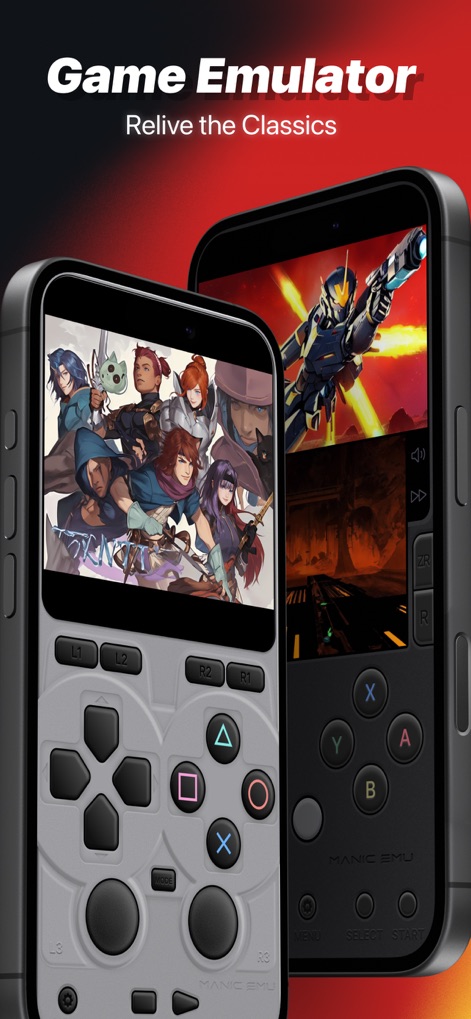
このアプリは、PlayStation風やXbox風の仮想コントローラースキンを通じて、ユーザーに直感的で本格的な操作感を提供し、様々なレトロゲームをデバイス上で快適にプレイできることを示しています。
往年のゲーム体験
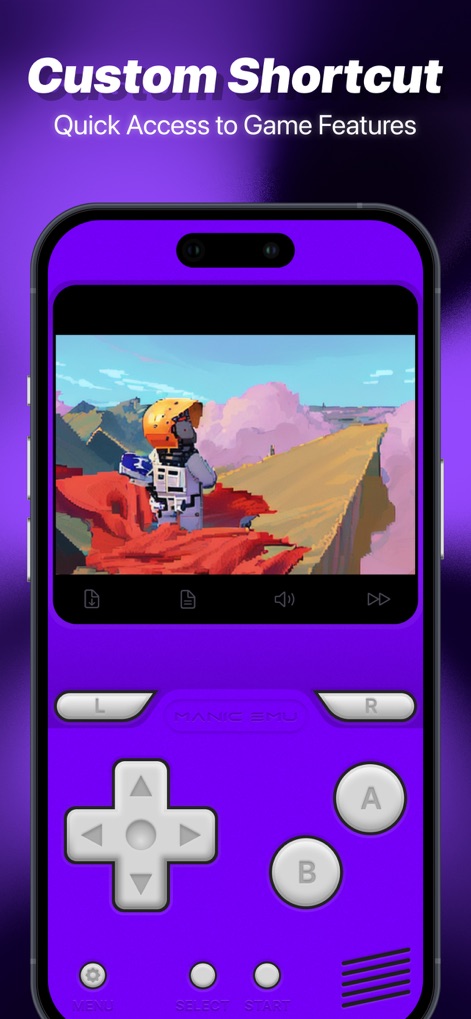
このスクリーンショットは、鮮やかなパープルのカスタムコントローラースキンと、ゲーム画面下部に表示される速度調整やファイルアクセスといった便利なインゲームショートカット機能を通じて、ユーザーがプレイ体験を自由に最適化できることを示しています。
カスタム操作設定
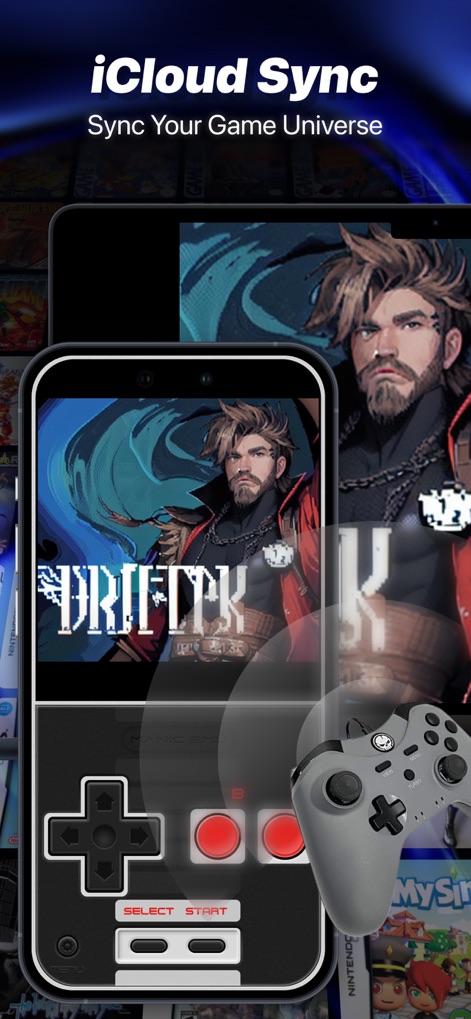
物理コントローラーと仮想コントローラーが共存し、さらに複数のデバイスで同一のゲーム「DRIFTR」が表示されていることから、本アプリが提供するiCloudによるシームレスなゲームデータの同期機能と柔軟な操作オプションが確認できます。
iCloud連携同期
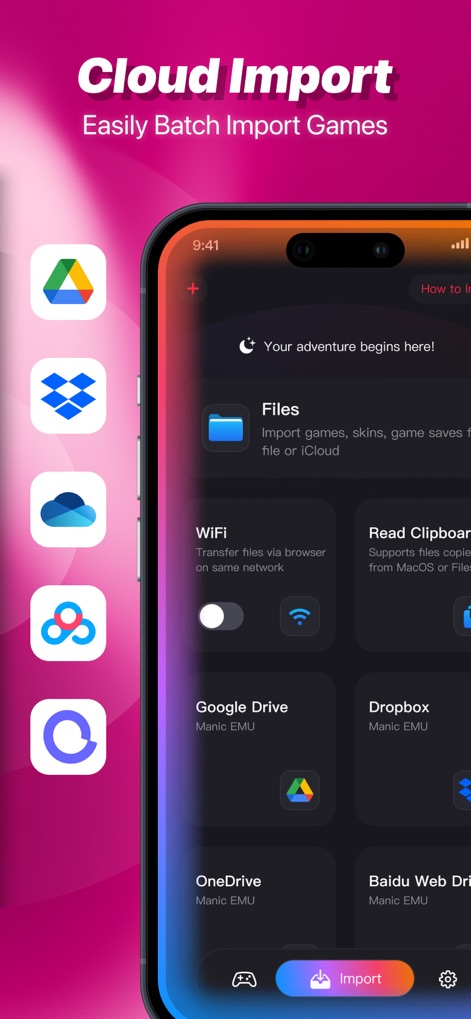
この画面では、Google DriveやDropboxといった複数の主要なクラウドサービスアイコンが鮮明に表示されており、ユーザーがゲームROMやセーブデータを手軽に一括インポートできる本アプリの優れたクラウド連携機能を示しています。
シームレスな連携
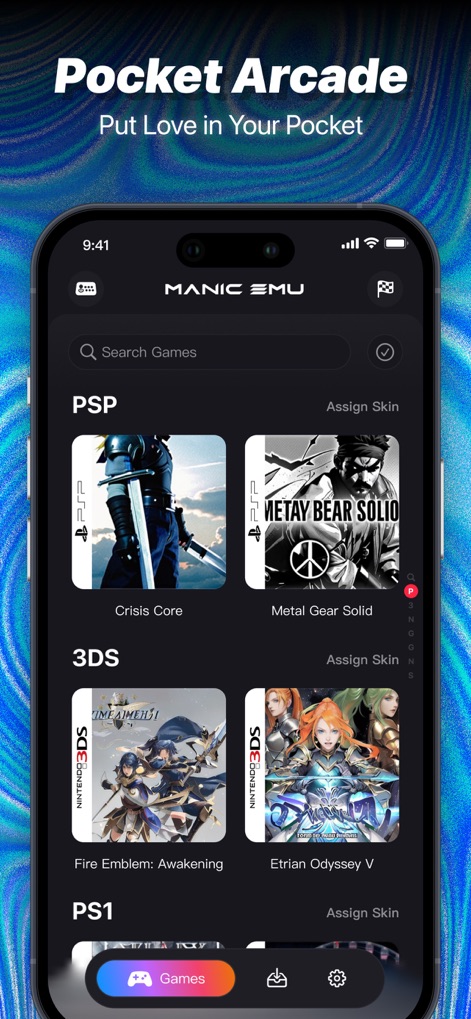
ゲームライブラリ画面には、PSPや3DSといった複数の異なるプラットフォームのタイトルが美しく表示されており、ユーザーは膨大なコレクションの中から、直感的なインターフェースを通じてお気に入りのレトロゲームを簡単に探索し、選択することができます。
充実のゲームコレクション
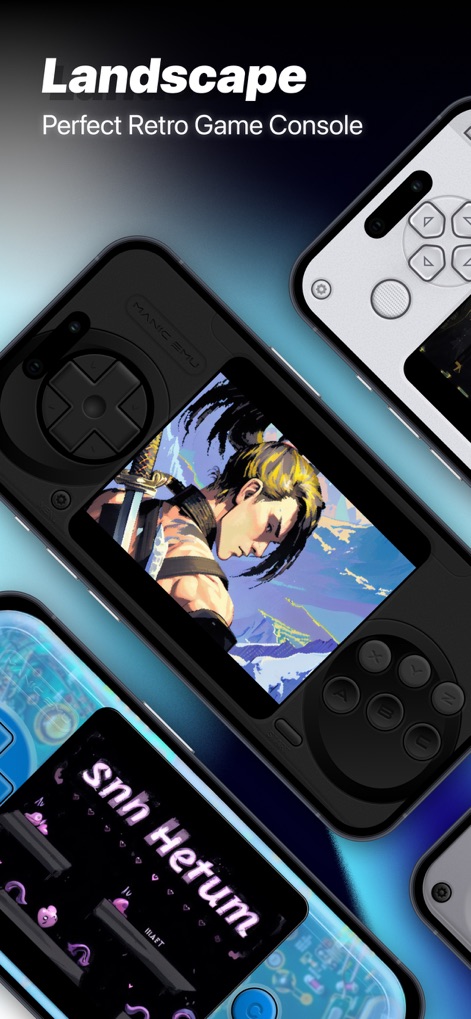
この視覚的な構成は、複数のデバイスがランドスケープモードでゲームを表示している様子を捉えており、それぞれ異なるカスタムハンドヘルドコンソールスキンが適用されていることで、ユーザーはより広々とした画面とパーソナライズされたデザインで、没入感のあるゲームプレイを楽しめます。
大画面で遊ぶ
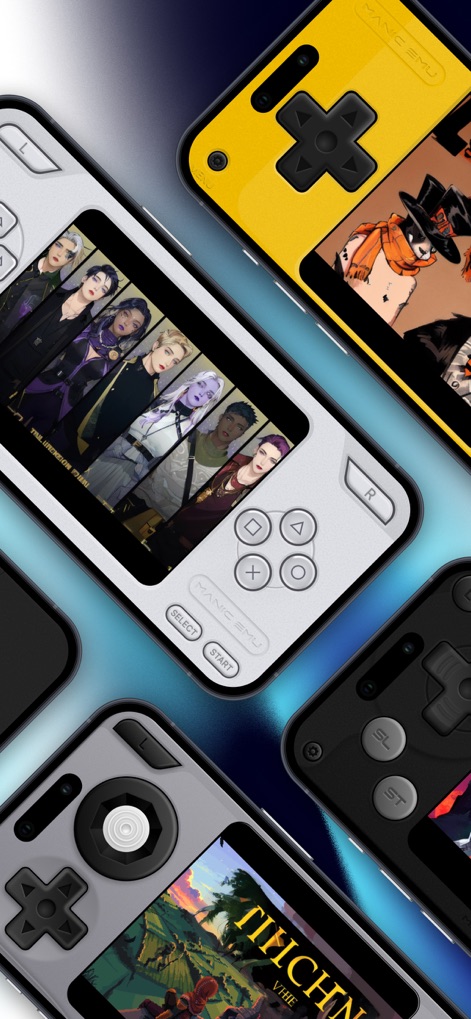
さまざまなカラーリングやデザインのカスタムコントローラースキンが複数のデバイスに適用されており、これによりユーザーは好みに合わせてエミュレーターの外観を自由にパーソナライズし、独自のレトロゲーム体験を創造できることが強調されています。
自由なカスタマイズ
説明
Download
類似アプリ
似た機能とユーザー体験を持つアプリ
Retra - app console emulator
MODERN DEV LP
Game Emulator: GamePod Emu
Aytek Sokmen
Gamuroid: All Game Emulator
UNIVERSAL TECHLAB COMPANY LIMITED

Lucky Emulator – GBA & DS
LUCKY MUSHROOM LIMITED
MyBoyGame-All in one Emulator
明 李

Game Emulator - RePlay
彩连 刘

Delta - Game Emulator
Yvette Testut
Emu — Game Consoles App
METRONOM YAZILIM LIMITED SIRKETI
Gamebyte
TE-DE GROUP doo
このページはアプリまたはその開発者の公式ページではなく、情報提供および論評を目的として作成された独立した編集出版物です。明示的に別段の記載がない限り、アプリおよびその開発者は、MWM、Apple、Google Play、アプリのパブリッシャー、またはアプリの開発者と提携、承認、後援、認可、またはその他の公式的な関係はなく、このページのいかなる内容も、アプリがMWMのサービスを使用して開発されたことを意味するものではありません。すべての商標、ロゴ、スクリーンショット、その他のコンテンツはそれぞれの所有者の財産です。