
このページはアプリまたはその開発者の公式ページではなく、情報提供および論評を目的として作成された独立した編集出版物です。明示的に別段の記載がない限り、アプリおよびその開発者は、MWM、Apple、Google Play、アプリのパブリッシャー、またはアプリの開発者と提携、承認、後援、認可、またはその他の公式的な関係はなく、このページのいかなる内容も、アプリがMWMのサービスを使用して開発されたことを意味するものではありません。すべての商標、ロゴ、スクリーンショット、その他のコンテンツはそれぞれの所有者の財産です。


MyBoyGame-All in one Emulator
MyBoyGameは、かつてのゲーム機をポケットに詰め込み、時間と場所の制約を打ち破る。思い出のゲームが持つ力をユーザーに与えている。
ダウンロード
500k+ユーザー評価
評価数
7.7K開発元
カテゴリ
Utilities対応言語
10最新バージョン
4.3サイズ
128.9 MBリリース日
2024年5月14日レトロゲーマーのニーズに応える主要機能の評価
「MyBoyGame-All in one Emulator」機能分析
複数レトロゲーム機対応
このアプリは、GBA、GB、GBC、SFC、MD、NESなど、複数のクラシックゲームフォーマットに対応しており、ユーザーは幅広い懐かしいゲームを簡単に楽しむことが可能です。
強力なセーブ機能と複数スロット
本ツールは強力なセーブ機能を備え、複数のセーブスロットをサポートしているため、ユーザーはゲームの進行状況をいつでも安心して保存できます。
よくある質問
について知っておくべきこと MyBoyGame-All in one Emulator
What is MyBoyGame-All in one Emulator?
MyBoyGame-All in one Emulator is an iOS app designed for gaming enthusiasts. It allows users to relive classic gaming moments by emulating multiple retro game formats, providing an ultimate gaming experience.
What classic game formats does MyBoyGame-All in one Emulator support?
MyBoyGame-All in one Emulator supports multiple classic game formats. These include GBA, GB, GBC, SFC, MD, and NES. This allows users to enjoy a wide range of nostalgic games.
Does MyBoyGame-All in one Emulator include a save functionality?
Yes, MyBoyGame-All in one Emulator includes powerful save functionality. It supports multiple save slots, enabling users to save their game progress anytime without worries. Screenshot #8 also shows "快速保存" (Quick Save).
Can users fast-forward through games in MyBoyGame-All in one Emulator?
Yes, MyBoyGame-All in one Emulator features a unique fast-forward function. This allows users to skip lengthy dialogues or tedious sections, directly engaging in the exciting parts of a game.
How can I subscribe to exclusive features in MyBoyGame-All in one Emulator?
Users can unlock exclusive member features via iTunes auto-renewal subscriptions within MyBoyGame-All in one Emulator. Fees are charged to your iTunes account upon purchase confirmation.
What are the available subscription plans for MyBoyGame-All in one Emulator?
MyBoyGame-All in one Emulator offers several subscription plans. These include a "Monthly Subscription," a "Yearly Subscription," and a "Lifetime Membership" for exclusive member features.
How do I cancel my MyBoyGame-All in one Emulator subscription?
To cancel your MyBoyGame-All in one Emulator subscription, go to your iOS device's Settings, then Apple ID, and tap "Subscriptions." Select the auto-renewing VIP subscription and cancel it at least 24 hours before the billing cycle ends.
Is MyBoyGame-All in one Emulator officially affiliated with game manufacturers?
No, MyBoyGame-All in one Emulator is not affiliated with any game manufacturers. The names of gaming consoles mentioned are solely used to describe the supported game environments.
Where can I find the Privacy Policy for MyBoyGame-All in one Emulator?
The Privacy Policy for MyBoyGame-All in one Emulator is available at https://sites.google.com/view/huajiu-terms/. This link is provided within the app's description.
Does MyBoyGame-All in one Emulator support different screen orientations?
Yes, MyBoyGame-All in one Emulator supports different screen orientations. Screenshot #9 shows options for "Landscape (Small Screen)" and "Landscape (Large Screen)" under display settings.
以下のスクリーンショットと説明は、アプリの公式ストアリスティングから直接取得されたものであり、アプリ開発者の所有物です。
アプリストア
スクリーンショット
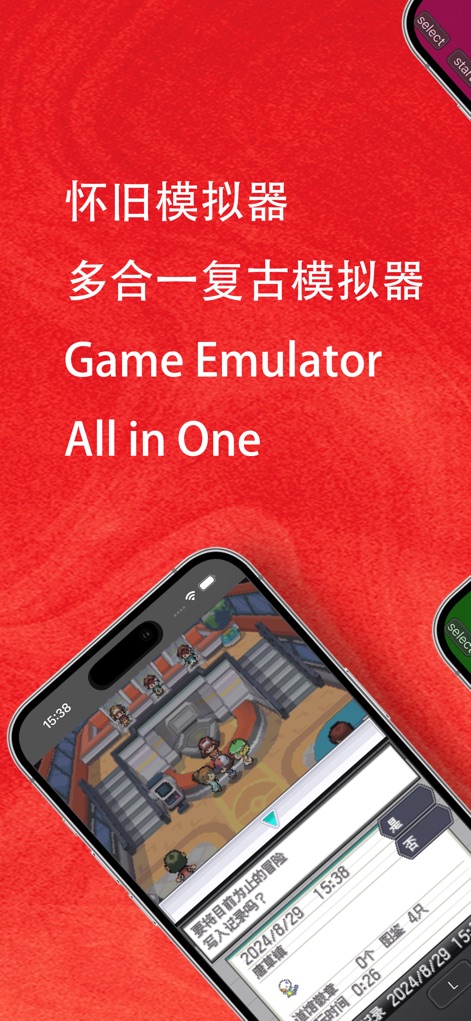
本アプリは、クラシックなGBAゲームのプレイ画面と、ゲーム進行を保存・再開できるセーブ/ロードの選択肢を提供し、ユーザーに懐かしい体験を届けます。
全能エミュレーション

ユーザーは、仮想の方向キーとアクションボタンを介して、様々なレトロゲームを快適に操作できます。画面下部の「fast」ボタンは、ゲームの早送りを可能にします。
多様なゲーム体験
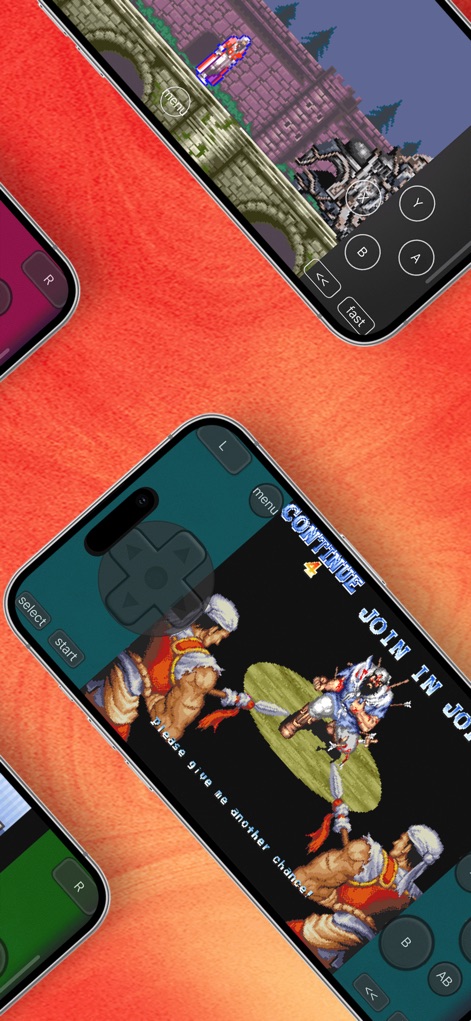
このアプリでは、アクションゲームのダイナミックな戦闘と、対戦型ゲームの臨場感あふれるシーンを楽しむことができます。仮想パッドとA/B/X/Yボタンが直感的な操作をサポートします。
レトロゲームの饗宴

本アプリは、レトロゲームを全画面表示でプレイする体験を提供します。画面上部には常にステータスバーが表示され、ユーザーはゲームに集中しながらデバイスの状態を確認できます。
没入感の追求
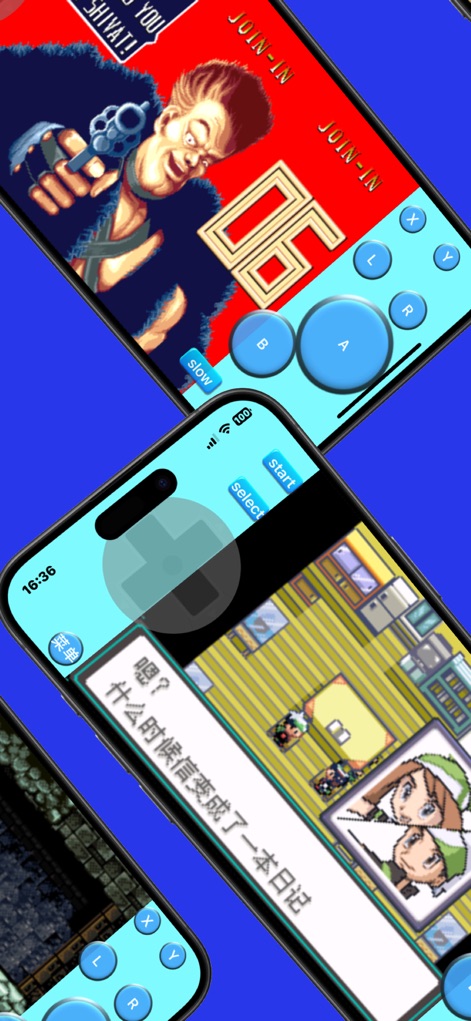
シューターゲームのスリリングなアクションと、RPGの深みのある物語がこのアプリで共存します。画面に配置された仮想ジョイスティックと主要なアクションボタンにより、スムーズな操作が可能です。
戦略と物語

ユーザーは、広大なフィールドを探索する冒険ゲームの魅力を堪能できます。画面には仮想十字キーとA/Bボタンが配置されており、快適なキャラクター操作をサポートします。
広がる冒険世界

この画面は、複数のセーブスロットでゲーム進行を管理できる機能を示しています。クイックセーブとクイックロードの選択肢が、ユーザーの利便性を高め、中断した場所からすぐに再開を可能にします。
充実の管理機能

ユーザーは、ゲームプレイ中に画面表示方法を柔軟にカスタマイズできます。特に、横画面の「小画面」と「大画面」の切り替えオプションは、好みに合わせた最適な視覚体験を提供します。
自在な画面設定

このスクリーンショットは、シンプルで直感的なユーザーインターフェースデザインを強調しています。仮想十字キーと主要なアクションボタンが画面下部に配置され、快適なゲーム操作を約束します。
直感的な操作盤
説明
Download
類似アプリ
似た機能とユーザー体験を持つアプリ
Retra - app console emulator
MODERN DEV LP

Manic EMU - Game Emulator
傲霜 李
Game Emulator: GamePod Emu
Aytek Sokmen

Gamuroid: All Game Emulator
UNIVERSAL TECHLAB COMPANY LIMITED

Lucky Emulator – GBA & DS
LUCKY MUSHROOM LIMITED

Game Emulator - RePlay
彩连 刘

Delta - Game Emulator
Yvette Testut

Emu — Game Consoles App
METRONOM YAZILIM LIMITED SIRKETI

Gamebyte
TE-DE GROUP doo
このページはアプリまたはその開発者の公式ページではなく、情報提供および論評を目的として作成された独立した編集出版物です。明示的に別段の記載がない限り、アプリおよびその開発者は、MWM、Apple、Google Play、アプリのパブリッシャー、またはアプリの開発者と提携、承認、後援、認可、またはその他の公式的な関係はなく、このページのいかなる内容も、アプリがMWMのサービスを使用して開発されたことを意味するものではありません。すべての商標、ロゴ、スクリーンショット、その他のコンテンツはそれぞれの所有者の財産です。