Manual Camera Pro + RAW Photo
ダウンロード: App Store

このページはアプリまたはその開発者の公式ページではなく、情報提供および論評を目的として作成された独立した編集出版物です。明示的に別段の記載がない限り、アプリおよびその開発者は、MWM、Apple、Google Play、アプリのパブリッシャー、またはアプリの開発者と提携、承認、後援、認可、またはその他の公式的な関係はなく、このページのいかなる内容も、アプリがMWMのサービスを使用して開発されたことを意味するものではありません。すべての商標、ロゴ、スクリーンショット、その他のコンテンツはそれぞれの所有者の財産です。

ロゴ: Manual Camera Pro + RAW Photo
ダウンロード: App Store

Manual Camera Pro + RAW Photo

オートモードから解放されよう。完全なマニュアルコントロールで魅力的なRAW画像を撮影し、プロ仕様のフィルムプリセットで独自の美学を追求しましょう。

主要数値

ダウンロード

1M+

ユーザー評価

4.6/5

評価数

33K+

開発元

Onelight Apps CY Ltd

カテゴリ

Photo & Video

対応言語

2

最新バージョン

1.6.5

サイズ

101.7 MB

リリース日

2016年5月19日
機能

モバイルフォトグラフィーを格上げ

現代のクリエイター向けに設計された、プロ仕様のマニュアルコントロールと洗練されたフィルム風編集ツールで、iPhoneのポテンシャルを最大限に引き出します。

精密なマニュアル撮影

ISO、シャッタースピード、フォーカスを個別に制御して、どんなライティングでもデジタル一眼レフ品質のショットを撮影できます。

本物のフィルム美学

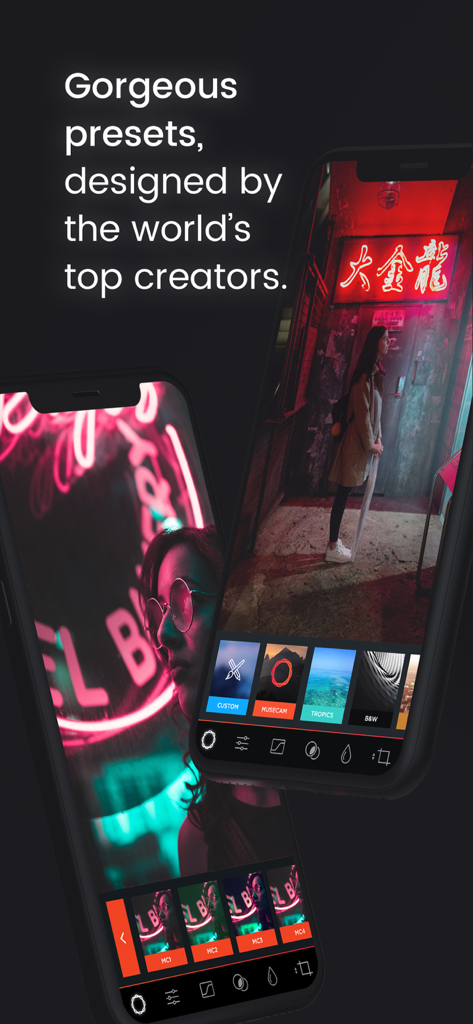
フィルムをエミュレートしたプリセットとプロ仕様のRGBカーブで、スマホ特有の無機質な外観を排除し、タイムレスで有機的な質感を与えます。

以下のスクリーンショットと説明は、アプリの公式ストアリスティングから直接取得されたものであり、アプリ開発者の所有物です。

アプリストア

スクリーンショット
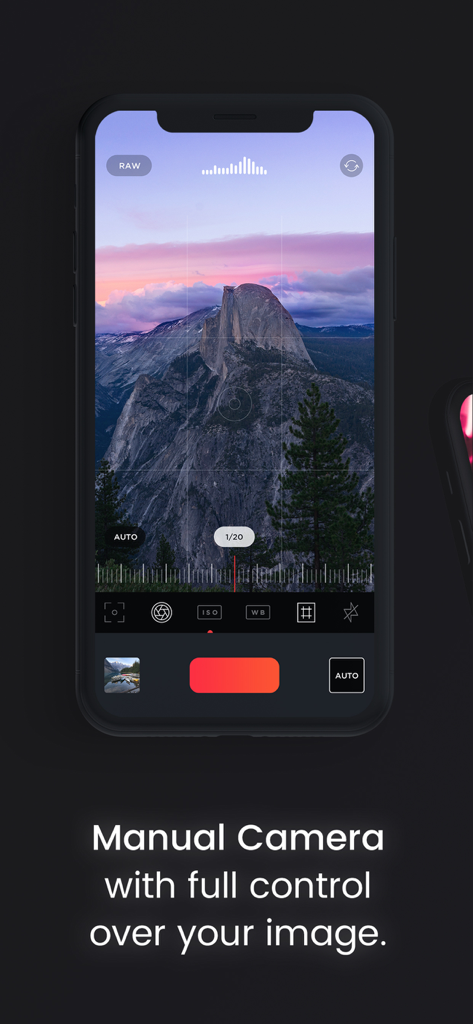
Manual Camera Pro + RAW Photo - ISOとシャッタースピードのプロフェッショナルなマニュアルコントロールを表示するiPhone上のManual Camera Proアプリのインターフェース
ISOとシャッタースピードのプロフェッショナルなマニュアルコントロールを表示するiPhone上のManual Camera Proアプリのインターフェース

Manual Camera Pro + RAW Photo - iPhone上でプロの写真プリセットを表示するManual Camera Proアプリのインターフェース
iPhone上でプロの写真プリセットを表示するManual Camera Proアプリのインターフェース

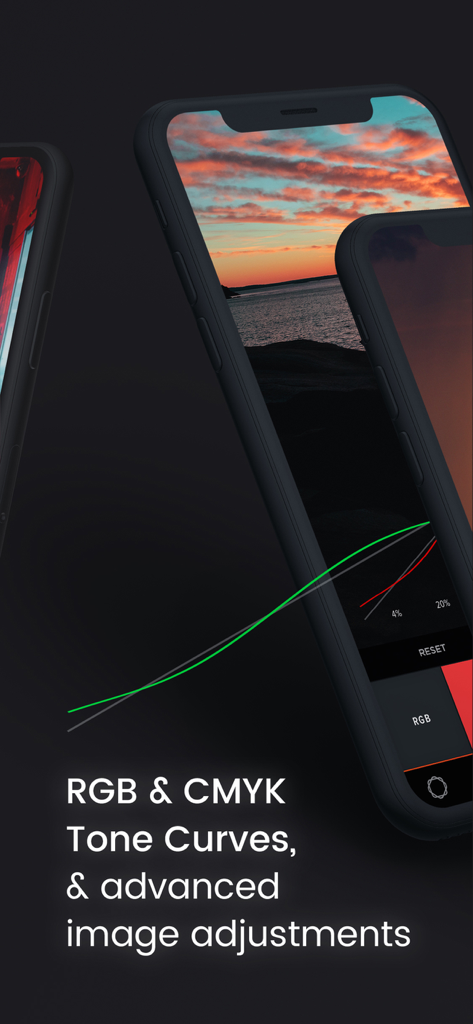
Manual Camera Pro + RAW Photo - プロの写真編集のための高度なRGBおよびCMYKトーンカーブを表示するiPhoneの画面
プロの写真編集のための高度なRGBおよびCMYKトーンカーブを表示するiPhoneの画面

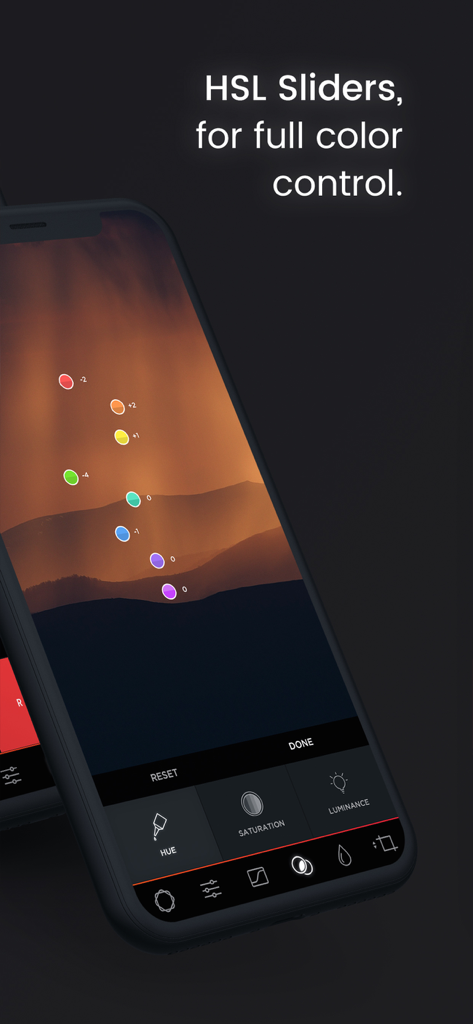
Manual Camera Pro + RAW Photo - 山の風景写真でフルカラーコントロールを行うためのHSLスライダー

山の風景写真でフルカラーコントロールを行うためのHSLスライダー

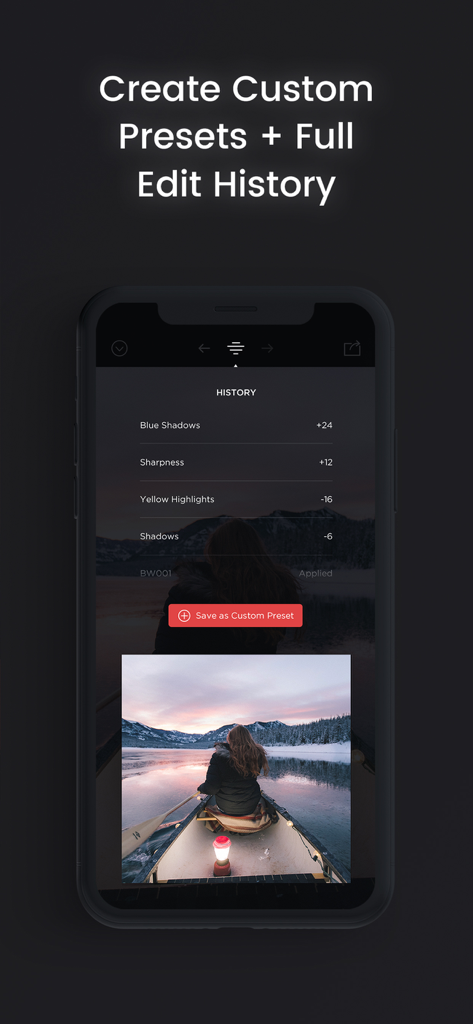
Manual Camera Pro + RAW Photo - 写真の編集履歴とカスタムプリセットオプションを表示するManual Camera Proアプリのインターフェース

写真の編集履歴とカスタムプリセットオプションを表示するManual Camera Proアプリのインターフェース

説明

Try the App Store Editor's Choice manual camera app - make quality RAW photos, take pictures of the moon and edit your photos using unique presets and color settings. Capture the perfect look for your photos with the next generation image editor MuseCam! Shoot and edit your images using film-emulating presets, pro grade tools, and advanced camera controls. Discover advanced MuseCam features: • Manual Camera Custom exposure for your iPhone camera with independent control of shutter, ISO, white balance & focus. • Gorgeous, Film-Inspired Presets MuseCam features a superior collection of presets, diverse in nature. Some of the world's finest photographers have contributed their secret formulas that emulate film in a timeless, and beautifully subtle way. • No-Import Editing Speed is the name of the game. Forget the slow, multi-tap import process. Your photos are ready to edit right away. • RGB Tone Curves Capture the perfect tone with the Curves tool, allowing independent access to the red, green and blue color channels. • CMYK Tone Curves Further tweak your photos with precision with independent access to the Cyan, Magenta, Yellow and Black color channels. • Create Custom Presets & Filters Create a custom preset from scratch, or edit existing ones to perfect the look you're after. Quickly apply them to any other photo in your library. • Color Tool Adjust the hue, saturation, and luminance of different colors. • Complete Edit History MuseCam stores your full edit history, allowing you to come back at any time to make changes to your workflow. • Split Toning Infuse color into the shadows or the highlights of your photo, or both. • Depth of Field Tool Simulate depth of field by applying a lens blur to your photo. Intensify the blur with multiple swipes, or by taking advantage of Apple’s 3D Touch technology. • Professional Image Adjustments Edit every detail on your photo using professional adjustment tools such as exposure, brightness, saturation and more. Payment will be charged to your Apple ID account at the time of purchase confirmation. Subscription renews automatically unless it is canceled at least 24 hours before the end of the current period. Your account will be charged for renewal within 24 hours prior to the end of the current period. You can manage and cancel your subscriptions by going to your account settings on the App Store after purchase. Privacy Policy: https://onelightapps.io/privacy-policy Terms of Use: https://onelightapps.io/terms-of-use

Download

ダウンロード: App Store

このページはアプリまたはその開発者の公式ページではなく、情報提供および論評を目的として作成された独立した編集出版物です。明示的に別段の記載がない限り、アプリおよびその開発者は、MWM、Apple、Google Play、アプリのパブリッシャー、またはアプリの開発者と提携、承認、後援、認可、またはその他の公式的な関係はなく、このページのいかなる内容も、アプリがMWMのサービスを使用して開発されたことを意味するものではありません。すべての商標、ロゴ、スクリーンショット、その他のコンテンツはそれぞれの所有者の財産です。