
このページはアプリまたはその開発者の公式ページではなく、情報提供および論評を目的として作成された独立した編集出版物です。明示的に別段の記載がない限り、アプリおよびその開発者は、MWM、Apple、Google Play、アプリのパブリッシャー、またはアプリの開発者と提携、承認、後援、認可、またはその他の公式的な関係はなく、このページのいかなる内容も、アプリがMWMのサービスを使用して開発されたことを意味するものではありません。すべての商標、ロゴ、スクリーンショット、その他のコンテンツはそれぞれの所有者の財産です。


Mark II Artist's Viewfinder
業界で最も正確なビジュアライゼーションツールで、構図をマスターし、ロケーションを偵察しましょう。800以上のカメラとプロフェッショナルレンズをシミュレートして、ギアを梱包する前に完璧なフレームを見つけましょう。
ダウンロード
93K+ユーザー評価
評価数
300開発元
カテゴリ
Photo & Video対応言語
3最新バージョン
8.0サイズ
5.1 MBリリース日
2013年12月14日プリプロダクションワークフローをマスターしましょう
推測を排除し、セットでの時間を節約しましょう。業界で最も信頼されているビューファインダーアプリで、プロの機材をシミュレートし、技術的なロケーションデータを管理し、芸術的なビジョンを洗練させましょう。
800以上のカメラシミュレーション
Arri、RED、Leicaなどの実際のレンズとセンサーデータの広範なデータベースにアクセスして、ギアを1つも運ぶ前に正確なフレームを視覚化しましょう。
スマートテクニカルスカウティング
ロケーションメタデータとGPXトラックを自動的にキャプチャして、正確な技術ショットパッケージとGPS座標をディレクターまたはレンタルハウスに直接共有します。
よくある質問
について知っておくべきこと Mark II Artist's Viewfinder
Mark II Artist's Viewfinder の主な機能は何ですか?
Mark II Artist's Viewfinder は、写真家や映画製作者が物理的な機材をセットアップすることなく、カメラとレンズの組み合わせをシミュレートして構図を視覚化するのを支援します。最適なカメラ配置のためのさまざまな場所や角度を検討するのに役立ちます。
Mark II Artist's Viewfinder は高解像度の写真を保存しますか?
はい、Mark II Artist's Viewfinder は高解像度の写真を保存します。この機能により、ユーザーはアプリを通常のカメラとして利用できます。
Mark II アプリは広角レンズをシミュレートできますか?
はい、0.5 倍クラスのスーパーワイドコンバーターレンズと組み合わせることで、Mark II Artist's Viewfinder はフルフレーム 35mm フォーマットで 16mm までのスーパーワイドレンズをシミュレートします。リアルタイムで歪みも補正します。
Mark II Artist's Viewfinder には白黒モードが含まれていますか?
はい、Mark II Artist's Viewfinder には白黒モードが搭載されています。このモードは輝度情報のみを表示し、ユーザーが白黒写真のトーン構造を検討するのを支援します。
Mark II Artist's Viewfinder はどのようなカメラとレンズのデータをサポートしていますか?
Mark II Artist's Viewfinder は、800 台以上のスチル/ムービーカメラ、180 台の中判/大判バック、および ALPA、Hartblei、Hasselblad、Leica、Rodenstock、Schneider、Zeiss などのブランドの多数のレンズをサポートしています。ユーザーはカスタム機器を定義することもできます。
ユーザーは Mark II Artist's Viewfinder で独自のカメラとレンズを定義できますか?
はい、Mark II Artist's Viewfinder では、ユーザーは独自のカメラとレンズを定義できます。この機能は、特定のジョブ要件に柔軟性を提供します。
Mark II Artist's Viewfinder はロケーションスカウティングをどのように支援しますか?
Mark II Artist's Viewfinder は、ロケーションとシミュレーションのメタデータを写真とともに保存します。これにより、ユーザーはロケーションスカウトの結果をコンピューターで評価したり、クルーやレンタルハウスとアプリから直接情報を共有したりできます。
Mark II Artist's Viewfinder は GPS データを記録しますか?
はい、Mark II Artist's Viewfinder は標準の GPX 形式のトラックログを記録します。これにより、ロケーションスカウティング中に個別のロギングデバイスが不要になります。
Mark II Artist's Viewfinder でフレーム表示に利用できるカスタマイズオプションは何ですか?
Mark II Artist's Viewfinder では、非アクティブなフレームの非表示、アクティブなフレームへのズーム、フレームラインの調整、フレームサイズの調整など、フレーム表示のカスタマイズが可能です。
Mark II Artist's Viewfinder は画像を自動的にエクスポートできますか?
はい、Mark II Artist's Viewfinder は自動画像エクスポートをサポートしています。ユーザーは、Hi-Res JPG への自動エクスポート用にアプリを構成し、保存するアルバムを指定できます。
以下のスクリーンショットと説明は、アプリの公式ストアリスティングから直接取得されたものであり、アプリ開発者の所有物です。
アプリストア
スクリーンショット
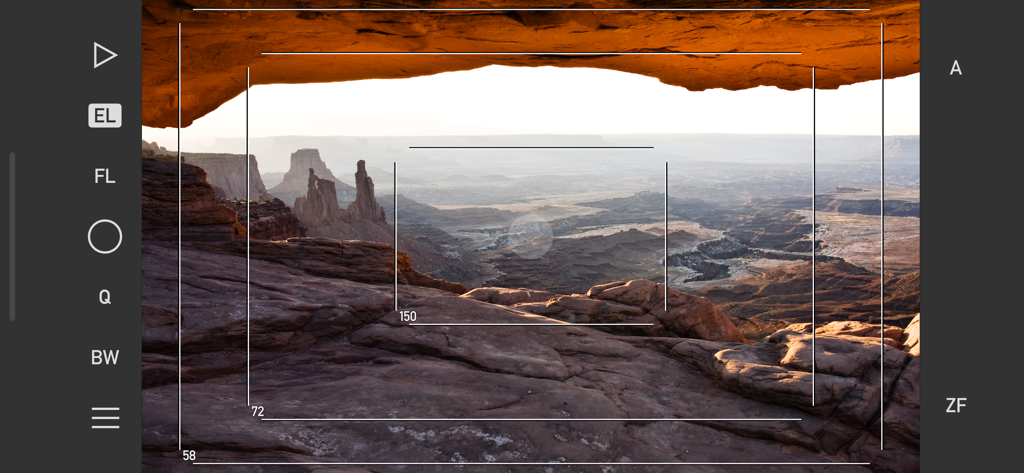
砂漠の渓谷の風景に技術的なフレームラインと焦点距離シミュレーションを示すMark II Artist's Viewfinderアプリインターフェイス。
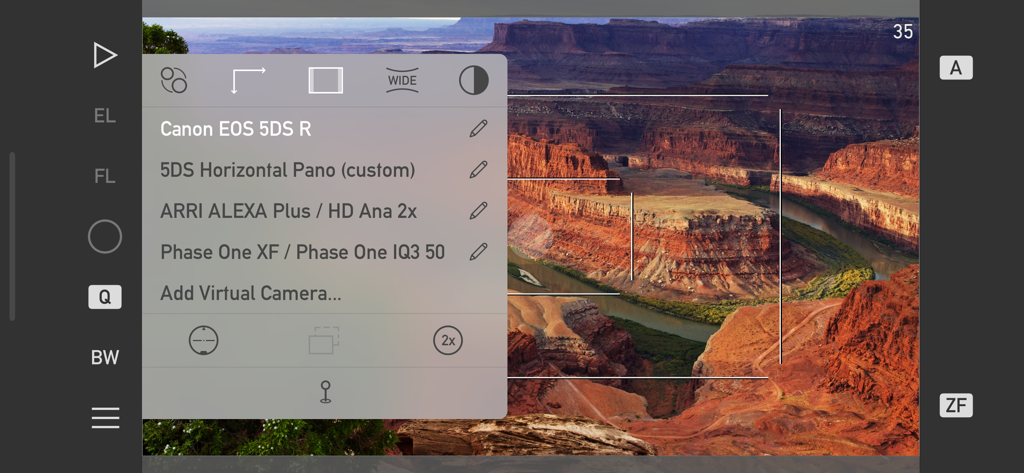
渓谷の風景にCanon EOS 5DS RやARRI ALEXAなどのプロフェッショナルカメラシミュレーションのリストを示すMark II Artist's Viewfinderアプリインターフェイス。
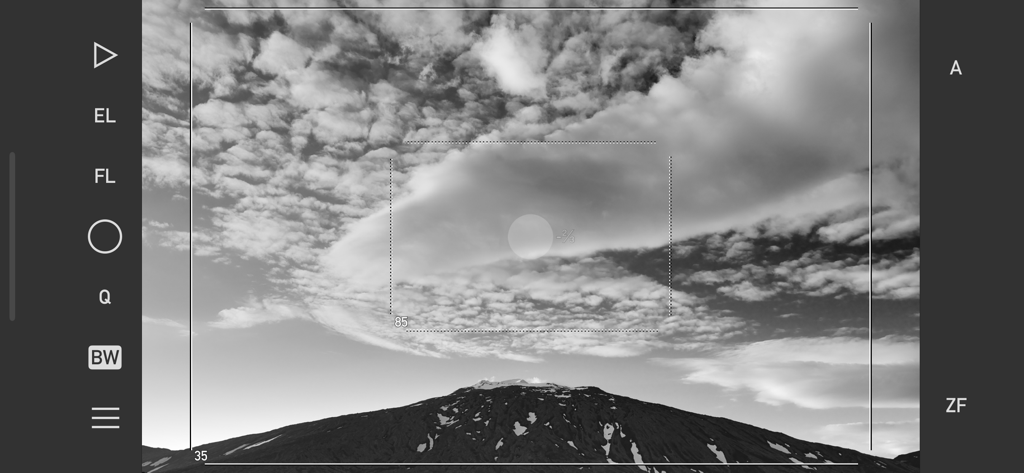
フレームラインとカメラコントロールを示すMark II Artist's Viewfinderアプリインターフェイスを通した山の風景の白黒表示。
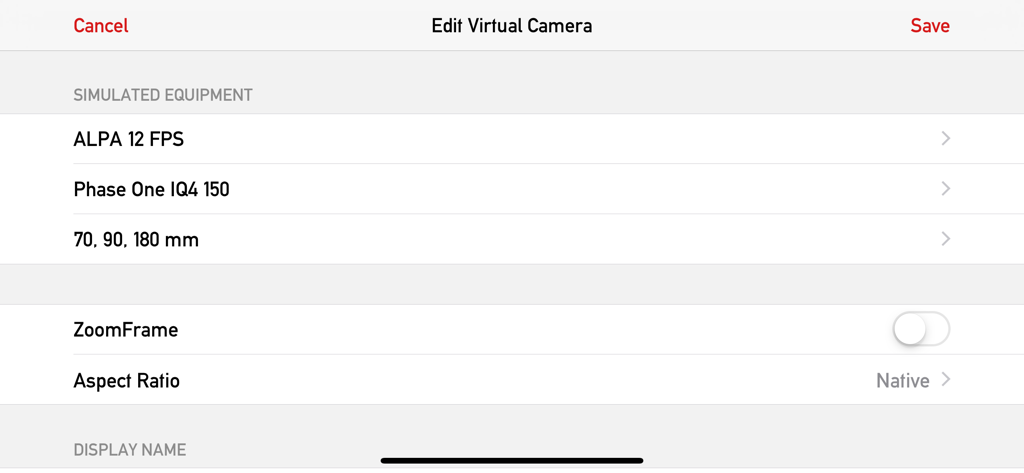
ALPAおよびPhase Oneのシミュレートされた機器設定を示す、Mark II Artist Viewfinderアプリの仮想カメラ編集画面のインターフェイス。
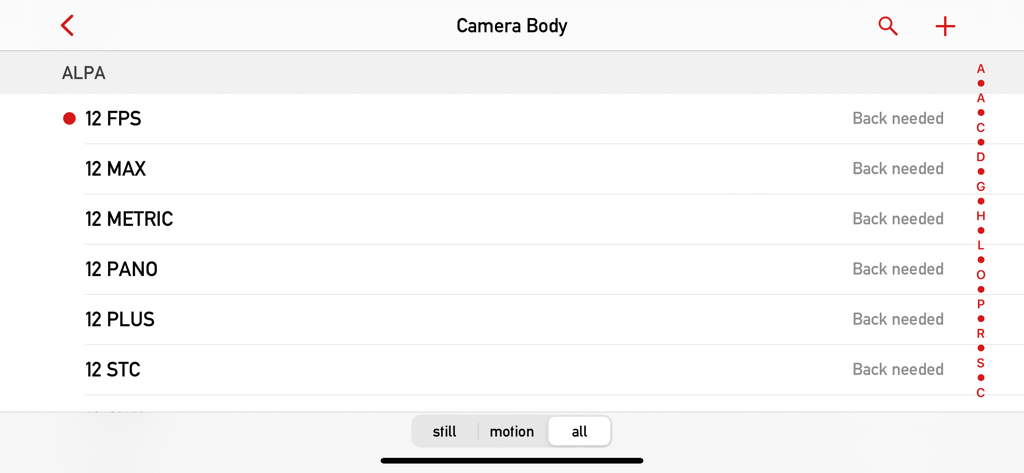
Mark II Artist ViewfinderアプリデータベースのALPAカメラボディの選択画面。
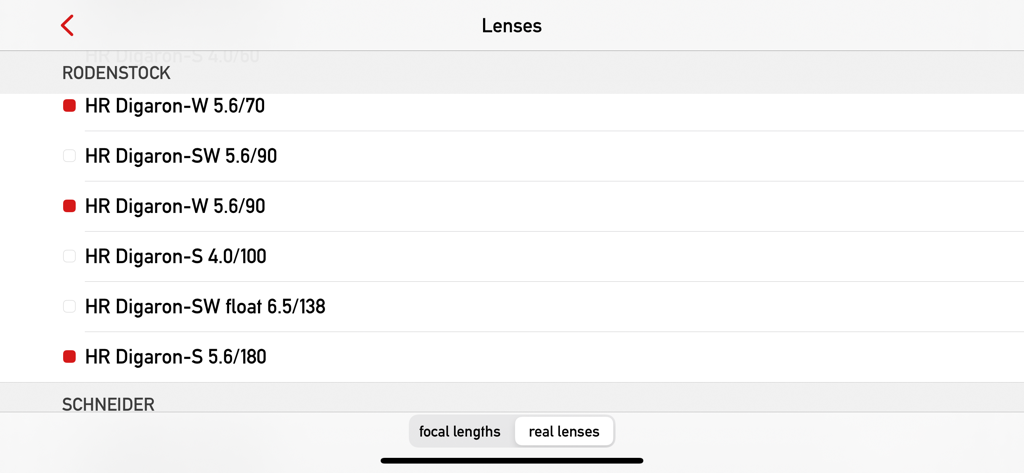
Mark II Artist's ViewfinderアプリデータベースのRodenstockレンズのリスト。
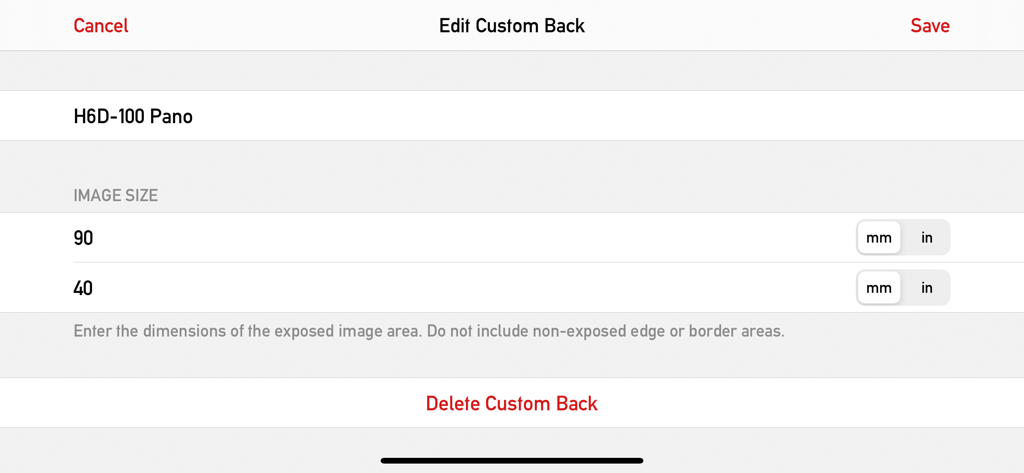
Mark II Artists Viewfinderアプリのカスタムカメラバックおよびセンサー寸法の編集用インターフェイス。
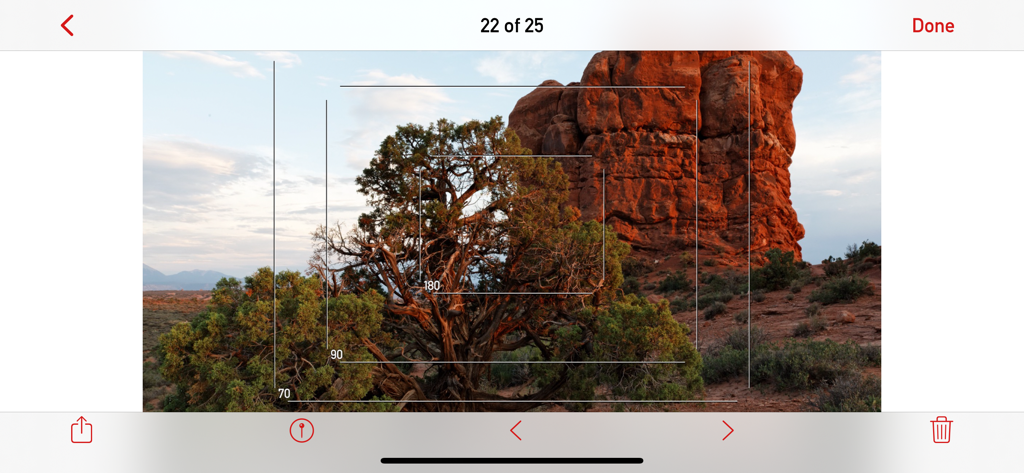
砂漠の風景に複数のカメラフレームラインを示すMark II Artist's Viewfinderアプリインターフェイス。
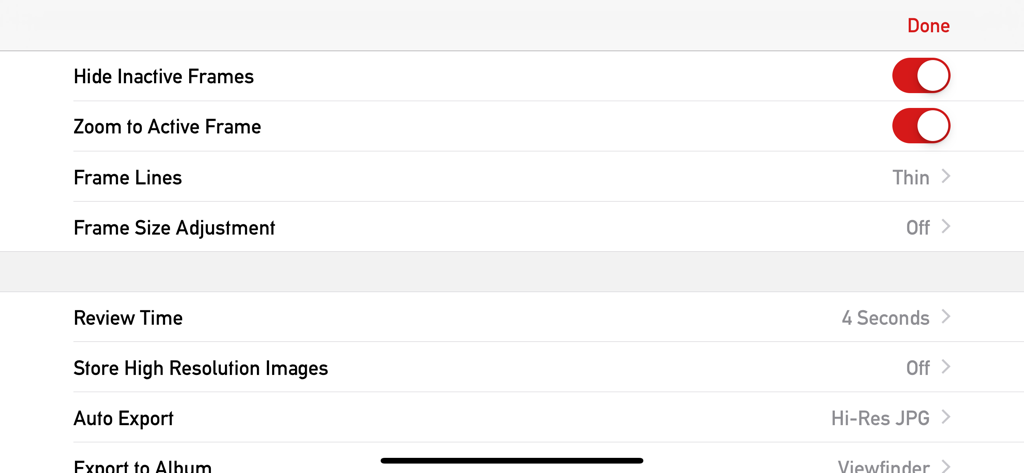
フレームカスタマイズとエクスポートオプションを示すMark II Artist's Viewfinderアプリの設定メニュー。
説明
Download
類似アプリ
同じカテゴリのトップランクアプリ

CapCut: Photo & Video Editor
BYTEDANCE PTE. LTD.

Instagram, Inc.

YouTube
Google LLC

Canva: AI Photo & Video Editor
Canva Pty Ltd

Snapchat
Snap, Inc.

快手
Beijing Kwai Technology Co., Ltd.

Edits: Video Editor
Instagram, Inc.

Meitu- AI Photo & Video Editor
Xiamen Meitu Technology Co., Ltd.

Google Photos: Backup & Edit
Google LLC
このページはアプリまたはその開発者の公式ページではなく、情報提供および論評を目的として作成された独立した編集出版物です。明示的に別段の記載がない限り、アプリおよびその開発者は、MWM、Apple、Google Play、アプリのパブリッシャー、またはアプリの開発者と提携、承認、後援、認可、またはその他の公式的な関係はなく、このページのいかなる内容も、アプリがMWMのサービスを使用して開発されたことを意味するものではありません。すべての商標、ロゴ、スクリーンショット、その他のコンテンツはそれぞれの所有者の財産です。