Markdown+ Text & Code Editor
ダウンロード: App Store

このページはアプリまたはその開発者の公式ページではなく、情報提供および論評を目的として作成された独立した編集出版物です。明示的に別段の記載がない限り、アプリおよびその開発者は、MWM、Apple、Google Play、アプリのパブリッシャー、またはアプリの開発者と提携、承認、後援、認可、またはその他の公式的な関係はなく、このページのいかなる内容も、アプリがMWMのサービスを使用して開発されたことを意味するものではありません。すべての商標、ロゴ、スクリーンショット、その他のコンテンツはそれぞれの所有者の財産です。


ロゴ: Markdown+ Text & Code Editor
ダウンロード: App Store

Markdown+ Text & Code Editor

リアルタイム数式レンダリング、スマート変数、140以上の言語に対応したシンタックスハイライトでワークフローをマスターしましょう。Vision Pro、Mac、iPad、iPhoneで一度購入すれば永久に利用可能。

主要数値

ダウンロード

400

ユーザー評価

1.0/5

評価数

0

開発元

Zetegy LLC

カテゴリ

Productivity

対応言語

1

最新バージョン

1.8.9

サイズ

25.2 MB

リリース日

2023年4月1日
機能

技術的卓越性のために設計

Webベースのエディターの遅延をなくしましょう。Markdown+は、純粋なネイティブパフォーマンスと、STEM専門家およびパワーユーザー向けに特別に設計された高度なツールを組み合わせます。

スマート変数とライブ数式

再利用可能な変数を定義し、ドキュメント内で直接数学的計算を実行します。リアルタイムLaTeXレンダリングが複雑な数式を生き生きとさせます。

純粋なネイティブパフォーマンス

Vision Pro、Mac、iOS向けに最適化されています。大規模な技術ファイルでも、インスタントプレビュー、同期スクロール、低バッテリー消費をお楽しみください。

一度購入すれば永久に所有

サブスクリプション疲れを解消しましょう。単一の購入で、Family Sharingを含むすべてのAppleデバイスで、全機能スイートへの生涯アクセスが得られます。

以下のスクリーンショットと説明は、アプリの公式ストアリスティングから直接取得されたものであり、アプリ開発者の所有物です。

アプリストア

スクリーンショット
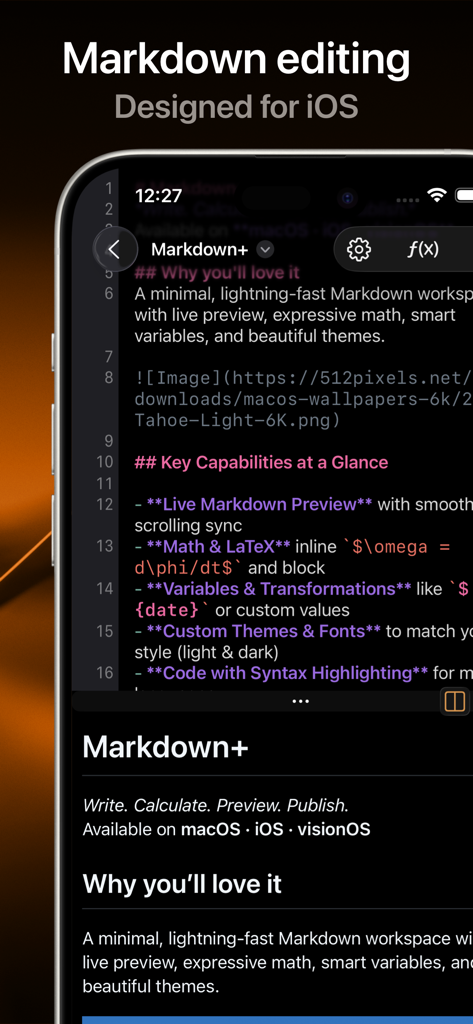
Markdown+ Text & Code Editor - iPhone上のMarkdownプラスアプリのインターフェイス。コードエディターとライブプレビューが表示されています。
iPhone上のMarkdownプラスアプリのインターフェイス。コードエディターとライブプレビューが表示されています。

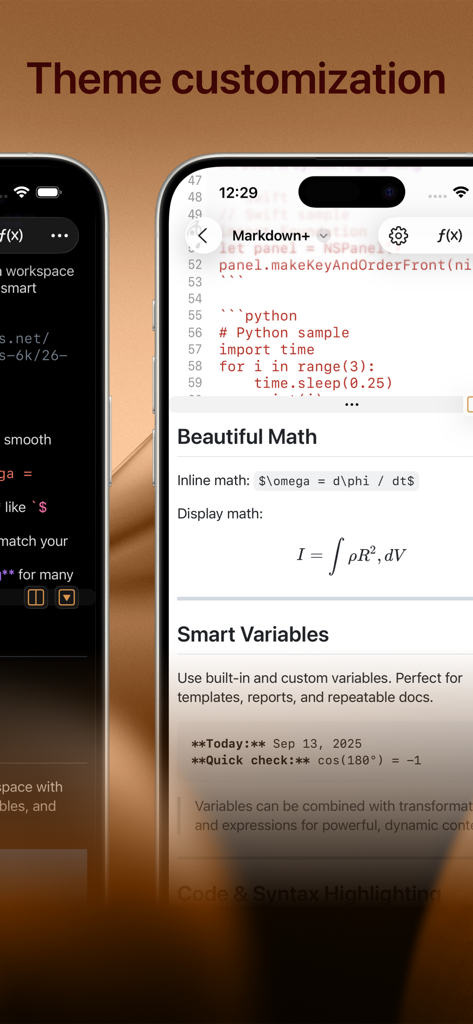
Markdown+ Text & Code Editor - Markdownプラステキストエディターが、iPhone上でテーマカスタマイズ、数式、スマート変数などを表示しています。
Markdownプラステキストエディターが、iPhone上でテーマカスタマイズ、数式、スマート変数などを表示しています。

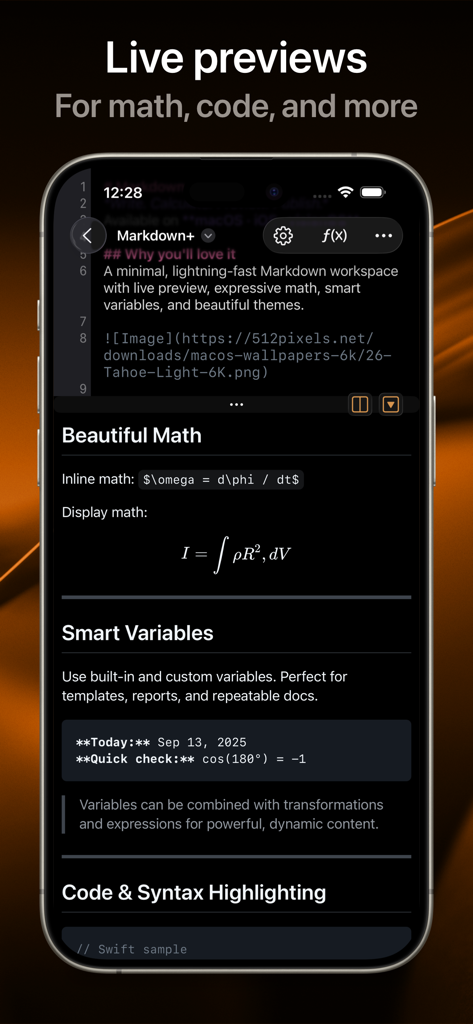
Markdown+ Text & Code Editor - Markdownプラスアプリは、数式とコードブロックのライブプレビューを示しています。
Markdownプラスアプリは、数式とコードブロックのライブプレビューを示しています。

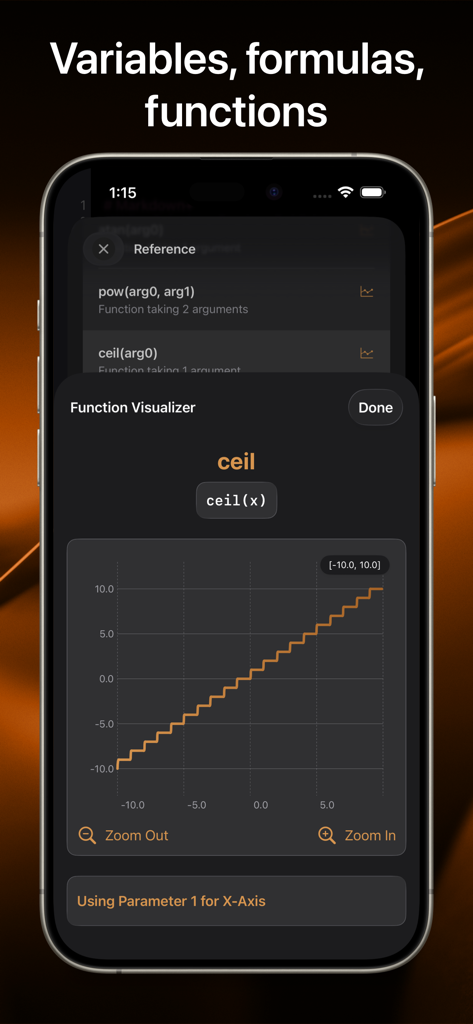
Markdown+ Text & Code Editor - iPhone画面上で、ceil関数のステップグラフを含む数式関数ビジュアライザーを表示するMarkdown Plusアプリ。
iPhone画面上で、ceil関数のステップグラフを含む数式関数ビジュアライザーを表示するMarkdown Plusアプリ。

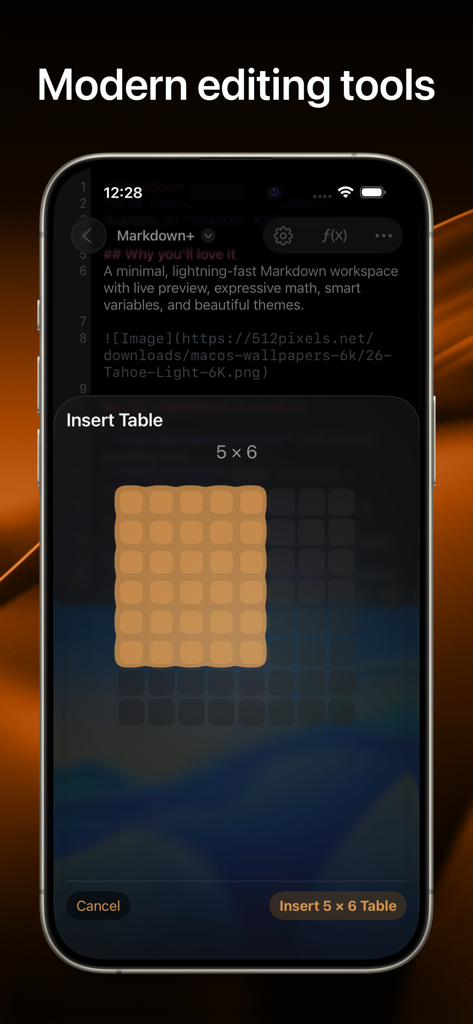
Markdown+ Text & Code Editor - iPhone上のMarkdownプラスアプリのスクリーンショット。ドキュメントに5x6のテーブルを挿入するための視覚的なグリッドセレクターが表示されています。

iPhone上のMarkdownプラスアプリのスクリーンショット。ドキュメントに5x6のテーブルを挿入するための視覚的なグリッドセレクターが表示されています。

説明

Introducing the native, real-time Markdown editor with superpowers. Markdown+ has been meticulously crafted for Vision Pro, iPhone, iPad, and Mac. With blazing-fast performance and powerful features like dynamic variables and real-time math rendering, Markdown+ delivers an unparalleled experience across all your Apple devices. Modern Editing Tools Experience the perfect balance of simplicity and power with our distraction-free interface. The split-view design lets you edit Markdown on one side while watching your content come alive instantly on the other—with perfect synchronized scrolling and jump-to-selection capabilities. Tables, Images, Links Easily create embed tables, images, and links, without having to memorize the markup. Live Code & Math Highlighting Create beautiful documents with advanced syntax highlighting for code blocks across 140+ programming languages. Write complex mathematical formulas with LaTeX-style syntax and watch them render in real-time with professional typesetting. Smart Variables System Transform your documents with the unique Variables feature. Create reusable components for names, dates, and complex expressions. Need to calculate sin(90)+cos(80)? Simply define it once, then reference it throughout your document—changes update everywhere automatically. Use Variables to evaluate or chain multiple mathematical expression right within your document, and use the vast library of built-in functions. Dark Mode & Custom Themes Work comfortably day or night with full dark mode support and customizable themes that perfectly complement your workflow and personal style. Performance Without Compromise Built with a native-first approach, Markdown+ delivers exceptional speed even with massive documents. Our optimized parsing engine ensures real-time previews update instantly as you type, without draining your battery or slowing down your device. Seamless Cross-Device Experience Whether you're working on Vision Pro, Mac, iPad, or iPhone, Markdown+ adapts perfectly to each screen with device-specific optimizations. Start a document on your Mac and seamlessly continue on your iPhone—your experience remains consistently excellent. One-Time Purchase, Lifetime Value No subscriptions. No in-app purchases. No hidden costs. Buy Markdown+ once and use it forever on all your devices with Family Sharing included. All future updates and features are yours at no additional cost. Learn more: EULA: https://zetegy.com/eula/markdown/ Privacy policy: https://zetegy.com/privacy/markdown/ Terms of use: https://zetegy.com/terms/markdown/

Download

ダウンロード: App Store

このページはアプリまたはその開発者の公式ページではなく、情報提供および論評を目的として作成された独立した編集出版物です。明示的に別段の記載がない限り、アプリおよびその開発者は、MWM、Apple、Google Play、アプリのパブリッシャー、またはアプリの開発者と提携、承認、後援、認可、またはその他の公式的な関係はなく、このページのいかなる内容も、アプリがMWMのサービスを使用して開発されたことを意味するものではありません。すべての商標、ロゴ、スクリーンショット、その他のコンテンツはそれぞれの所有者の財産です。








