Marklist - Manage Later Things
ダウンロード: App Store

このページはアプリまたはその開発者の公式ページではなく、情報提供および論評を目的として作成された独立した編集出版物です。明示的に別段の記載がない限り、アプリおよびその開発者は、MWM、Apple、Google Play、アプリのパブリッシャー、またはアプリの開発者と提携、承認、後援、認可、またはその他の公式的な関係はなく、このページのいかなる内容も、アプリがMWMのサービスを使用して開発されたことを意味するものではありません。すべての商標、ロゴ、スクリーンショット、その他のコンテンツはそれぞれの所有者の財産です。


ロゴ: Marklist - Manage Later Things
ダウンロード: App Store

Marklist - Manage Later Things

タブを溜め込んだり、集中力を失うのをやめましょう。あらゆるひらめき、記事、検索クエリを、すべてのAppleデバイス間で同期される一つの整理されたリストに即座にキャプチャします。

主要数値

ダウンロード

62K+

ユーザー評価

4.8/5

評価数

1K+

開発元

思朴 宋

カテゴリ

Productivity

対応言語

3

最新バージョン

1.62

サイズ

15.4 MB

リリース日

2017年4月3日
機能

今集中し、後で処理する

デジタルの邪魔を構造化されたキューに変えましょう。Marklistは、あなたのウェブリンク、突然のひらめき、検索クエリを一つのクリーンで集中できる空間に集約します。

インスタントリンクキャプチャ

コピーするだけで、どんなアプリからでも記事やスレッドを保存できます。何十もの開かれたタブの不安から解放され、モバイルブラウザをすっきりと保ちましょう。

摩擦ゼロの脳内ダンプ

ワンタップでひらめきや簡単なタスクを記録できます。すぐに精神的な負担を取り除き、深い作業に戻ることができます。

以下のスクリーンショットと説明は、アプリの公式ストアリスティングから直接取得されたものであり、アプリ開発者の所有物です。

アプリストア

スクリーンショット
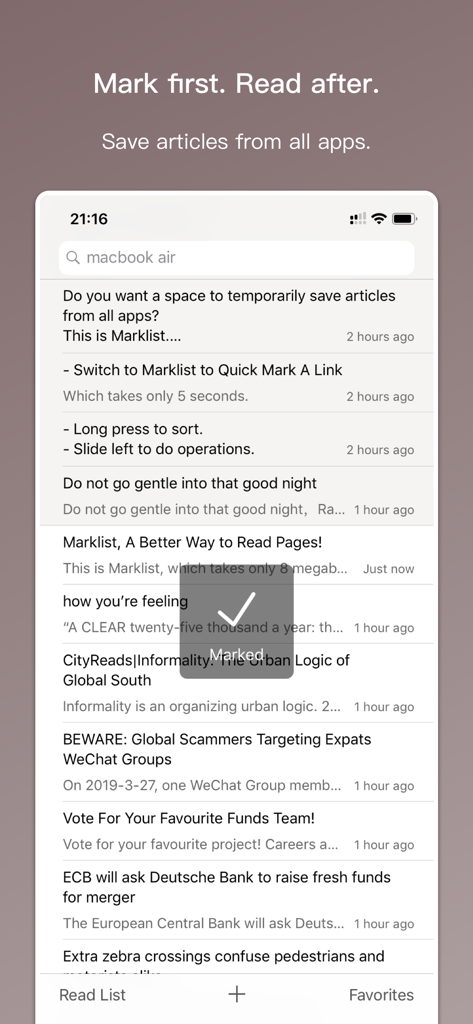
Marklist - Manage Later Things - Marklistアプリのインターフェースで、後で読むために保存された記事のリストと、マークされた確認表示を示しています。
Marklistアプリのインターフェースで、後で読むために保存された記事のリストと、マークされた確認表示を示しています。

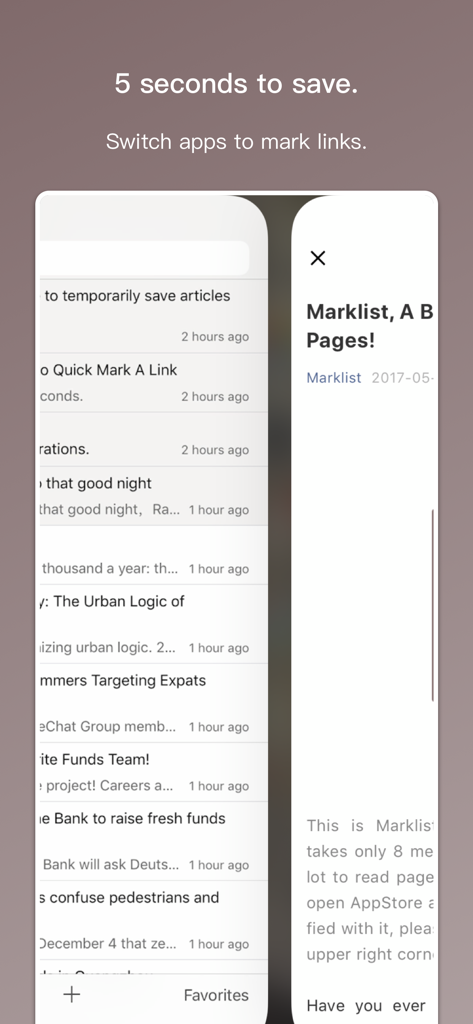
Marklist - Manage Later Things - Marklistアプリのインターフェースで、アプリを切り替えることによるクイック保存機能を表示しています。
Marklistアプリのインターフェースで、アプリを切り替えることによるクイック保存機能を表示しています。

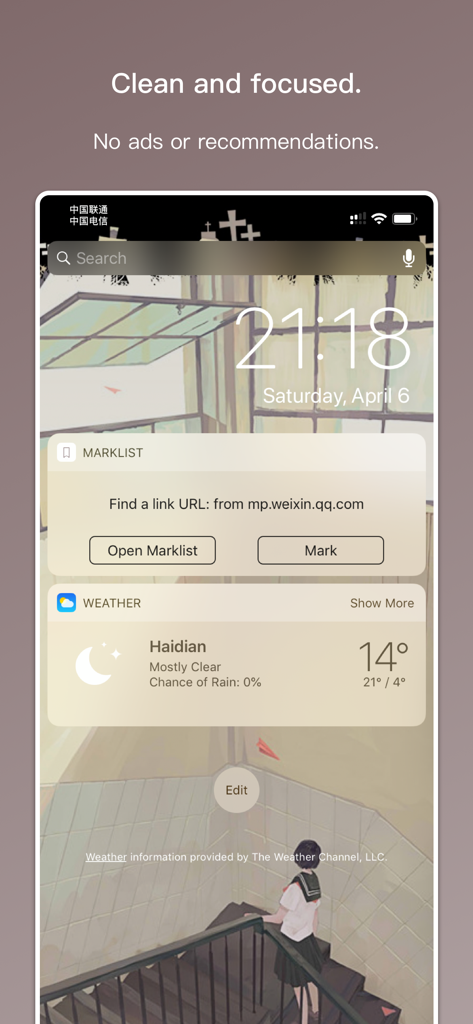
Marklist - Manage Later Things - iPhoneのロック画面で、Marklistウィジェットがクリップボードからリンクを検出し、素早く保存する様子を示しています。
iPhoneのロック画面で、Marklistウィジェットがクリップボードからリンクを検出し、素早く保存する様子を示しています。

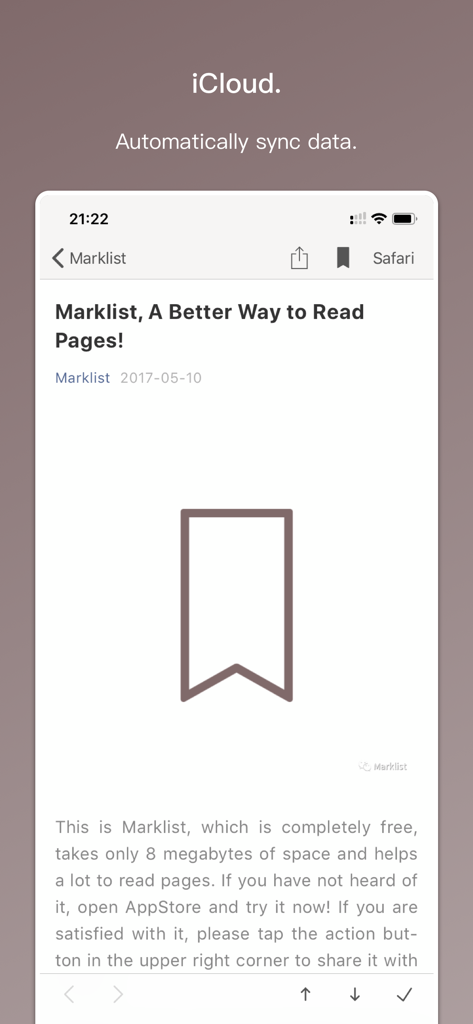
Marklist - Manage Later Things - Marklistアプリのインターフェースで、iCloudデータの自動同期と、ブックマークアイコン付きで保存されたページの読書ビューを示しています。
Marklistアプリのインターフェースで、iCloudデータの自動同期と、ブックマークアイコン付きで保存されたページの読書ビューを示しています。

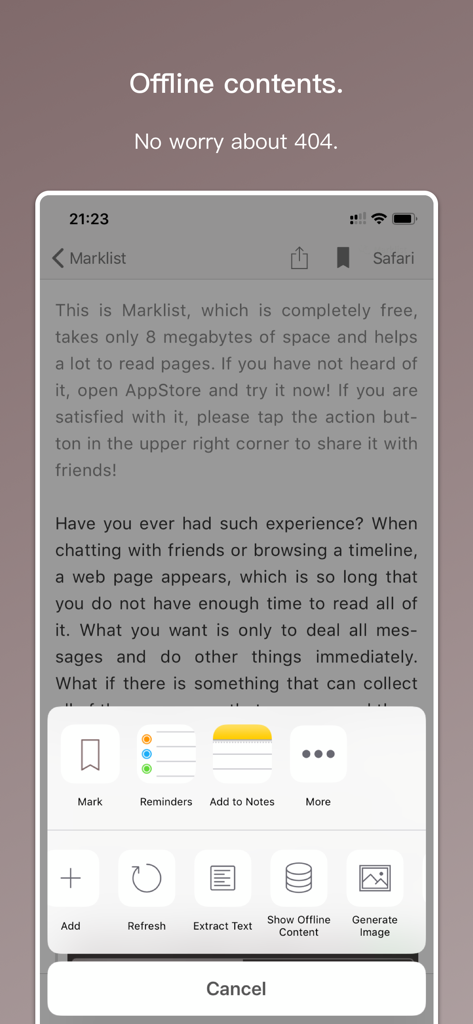
Marklist - Manage Later Things - Marklistアプリのインターフェースで、モバイルデバイス上でのオフラインコンテンツ保存および管理機能を示しています。
Marklistアプリのインターフェースで、モバイルデバイス上でのオフラインコンテンツ保存および管理機能を示しています。

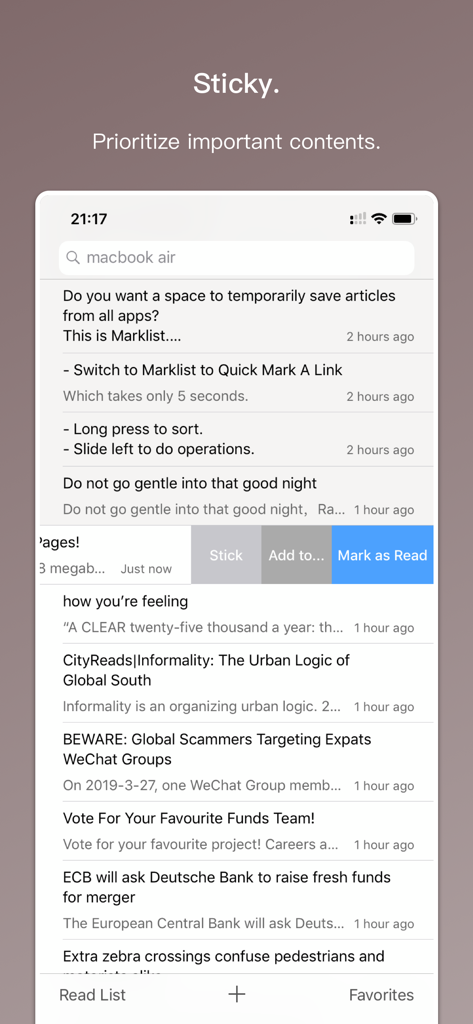
Marklist - Manage Later Things - Marklistアプリのインターフェースで、重要な保存コンテンツを優先するためのスティッキー機能を表示しています。
Marklistアプリのインターフェースで、重要な保存コンテンツを優先するためのスティッキー機能を表示しています。

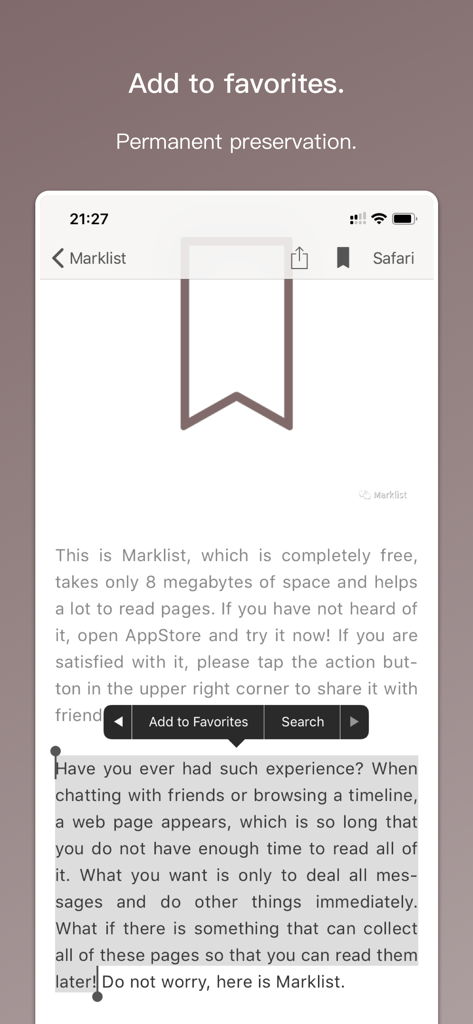
Marklist - Manage Later Things - Marklistアプリのインターフェースで、テキスト選択と、永続的な保存のためにお気に入りに追加するオプションを示しています。
Marklistアプリのインターフェースで、テキスト選択と、永続的な保存のためにお気に入りに追加するオプションを示しています。

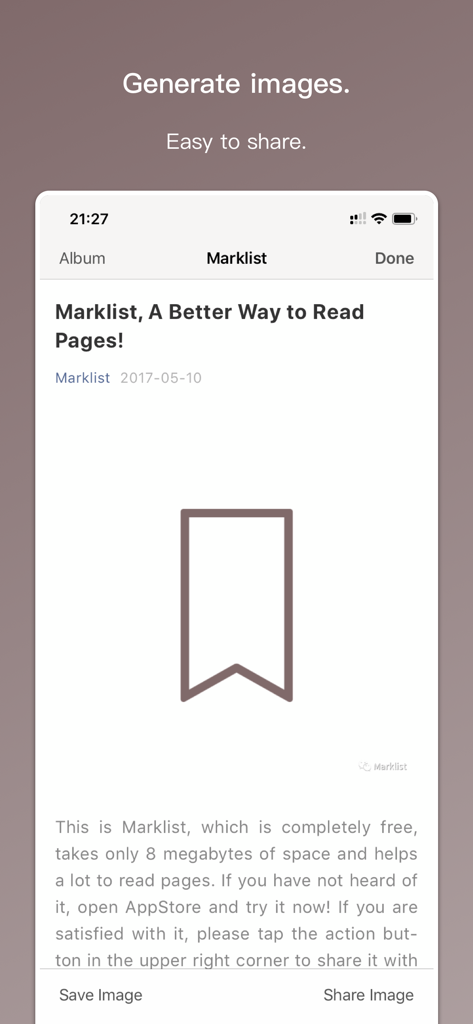
Marklist - Manage Later Things - Marklistアプリのインターフェースで、コンテンツを画像として生成および共有する機能を紹介しています。
Marklistアプリのインターフェースで、コンテンツを画像として生成および共有する機能を紹介しています。

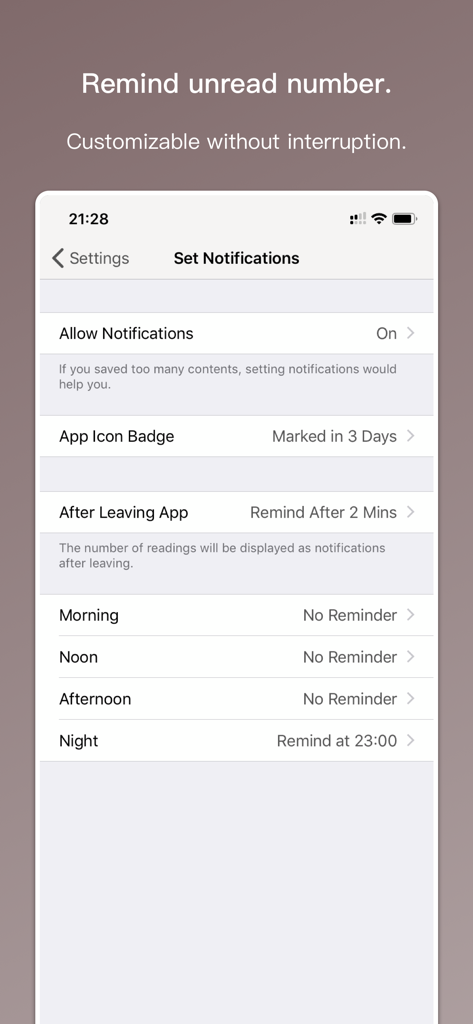
Marklist - Manage Later Things - Marklistアプリの通知設定画面で、未読アイテムに対するカスタマイズ可能なリマインダーオプションを示しています。

Marklistアプリの通知設定画面で、未読アイテムに対するカスタマイズ可能なリマインダーオプションを示しています。

説明

This is an app helps you manage later things in life. It must have occurred to you that at some moment, you suddenly want to learn about something, suddenly have some burst of inspiration, or suddenly see an interesting article...... But you are in the midst of other things and have to let these exciting moments fade away. Marklist is just made for this. It provides a simple list to help you store all these later things and remind you to deal with them later. ——————————————— Generally, there are three kinds of later things, 1. a keyword that needs to be looked up with a search engine, 2. an inspiration or a to-do item that needs to be recorded as a clue, 3. an article from another app that you have not finished reading. These later things are perfectly integrated into Marklist, and they correspond to three features in the main interface, 1. configurable search engine, 2. one-tap note, 3. auto-mark by copying other app links and switching to Marklist. It is not a single search engine, a single to-do list/notebook, or a single read-it-later tool. It consolidates all these later things into a single list, so you always use one tool to manage them, always keeping focused and efficient. After each later thing is dealt, you move it to the completed list. This way your main interface always stays clean and you do not have to worry about losing anything. ——————————————— In addition to above, Marklist also provides, 1. very good favorites and favorites grouping features, 2. free web page snapshots, 3. real-time iCloud backup and sync, no more worrying about data loss, 4. sticky and sorting features, so you can prioritize later things, 5. love feature that can distinguish the importance of favorites, 6. configurable notifications and widgets to remind you of recorded later things for your situation, 7. flexible search and filter, 8. QR code scanning for contents from your computer, 9. long screenshots for all kinds of contents, 10. daily and weekly statistics, 11. and countless other details not mentioned yet. The Mac version of Marklist is also available on the Mac App Store, so if you are a Mac user, you can install it together and the data will be automatically synced through iCloud in real time. ——————————————— As a developer, I want to provide a product that is easy to use, stable, and powerful. Now I think Marklist has succeeded in doing all of these. If you approve of my work, please give me a 5-star review, or recommend it to your friends. If you think Marklist still needs improvement, please contact me by email: sspsx@163.com. Anyway, thanks for using!

Download

ダウンロード: App Store

このページはアプリまたはその開発者の公式ページではなく、情報提供および論評を目的として作成された独立した編集出版物です。明示的に別段の記載がない限り、アプリおよびその開発者は、MWM、Apple、Google Play、アプリのパブリッシャー、またはアプリの開発者と提携、承認、後援、認可、またはその他の公式的な関係はなく、このページのいかなる内容も、アプリがMWMのサービスを使用して開発されたことを意味するものではありません。すべての商標、ロゴ、スクリーンショット、その他のコンテンツはそれぞれの所有者の財産です。








