Mavis - Camera
Mavis - Camera
ダウンロード: App Store

このページはアプリまたはその開発者の公式ページではなく、情報提供および論評を目的として作成された独立した編集出版物です。明示的に別段の記載がない限り、アプリおよびその開発者は、MWM、Apple、Google Play、アプリのパブリッシャー、またはアプリの開発者と提携、承認、後援、認可、またはその他の公式的な関係はなく、このページのいかなる内容も、アプリがMWMのサービスを使用して開発されたことを意味するものではありません。すべての商標、ロゴ、スクリーンショット、その他のコンテンツはそれぞれの所有者の財産です。

ロゴ: Mavis - Camera
ダウンロード: App Store

Mavis - Camera

フルマニュアルコントロール、ProRes録画、NDI®ストリーミングを解放。インディーズ映画からライブブロードキャストまで、業界で最も高度な撮影ツールをiPhoneに装備しましょう。

主要数値

ダウンロード

363K+

ユーザー評価

4.3/5

評価数

2K+

開発元

Mavis Broadcast Ltd

カテゴリ

Photo & Video

対応言語

7

最新バージョン

7.4.3

サイズ

231.4 MB

リリース日

2015年4月16日
機能

ポケットの中のプロフェッショナルシネマスタジオ

業界標準のマニュアルコントロール、リアルタイムモニタリング、シームレスなクラウドファーストワークフローで、iPhoneハードウェアの可能性を最大限に引き出しましょう。

シネマグレード録画

ProResと10ビットHEVCをサポートし、Open GateとカスタムLUTを活用して、カメラ内で完璧な映像ルックを実現し、あなたの技術をマスターしましょう。

接続されたクラウドワークフロー

Adobe Frame.ioとの直接統合とNDI® HX3認定ブロードキャスト機能で、セットとポストプロダクションのギャップを埋めましょう。

以下のスクリーンショットと説明は、アプリの公式ストアリスティングから直接取得されたものであり、アプリ開発者の所有物です。

アプリストア

スクリーンショット
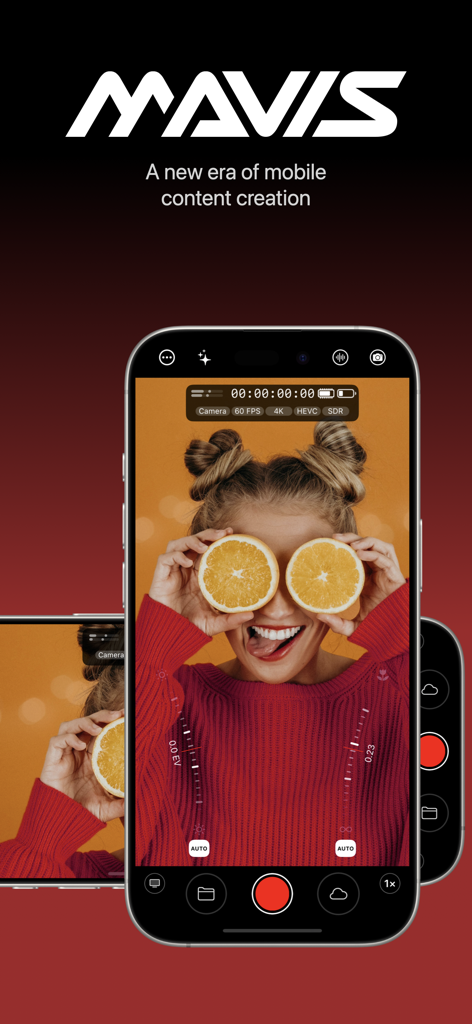
Mavis - Camera - MavisカメラアプリのプロフェッショナルインターフェースをiPhoneに表示し、シネマティックコンテンツ制作用
MavisカメラアプリのプロフェッショナルインターフェースをiPhoneに表示し、シネマティックコンテンツ制作用

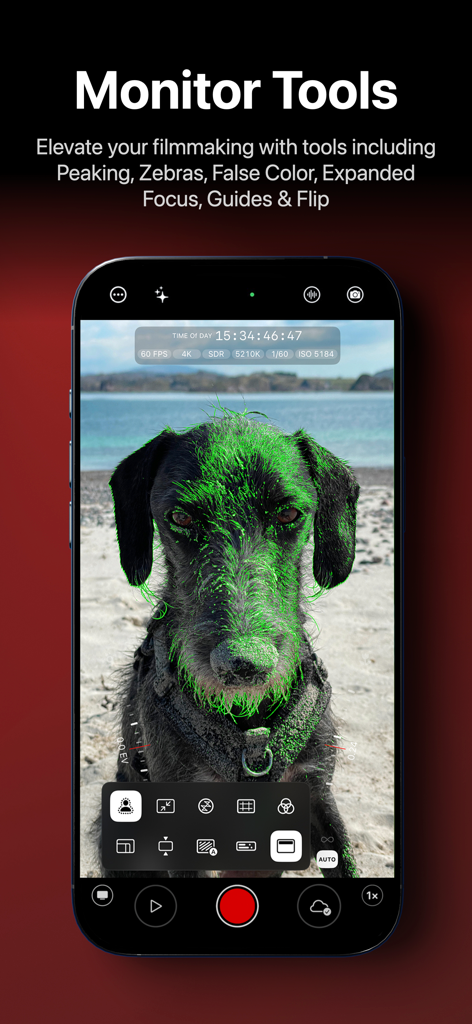
Mavis - Camera - Mavis Cameraのモニタリングツールを表示するスマートフォンの画面、犬に緑のフォーカスピーキングを表示
Mavis Cameraのモニタリングツールを表示するスマートフォンの画面、犬に緑のフォーカスピーキングを表示

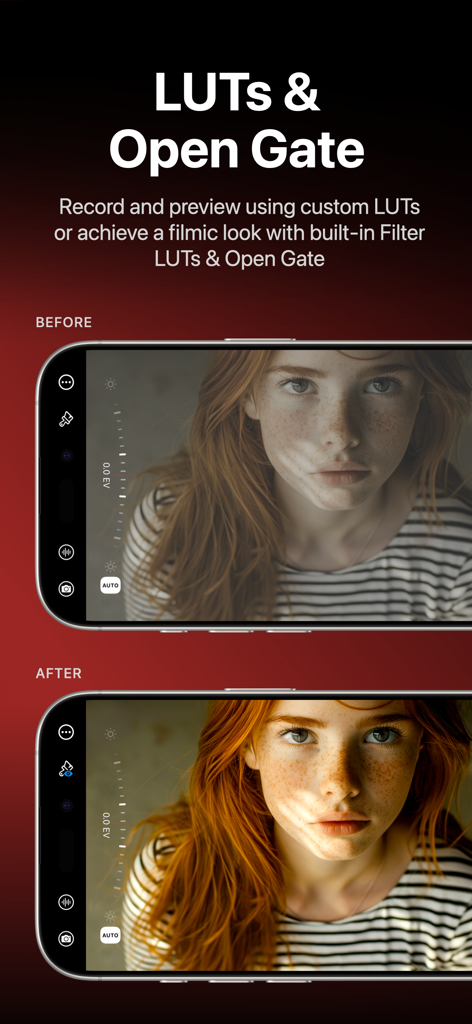
Mavis - Camera - Mavis CameraアプリインターフェースにおけるフィルムルックLUTの適用前と適用後の比較
Mavis CameraアプリインターフェースにおけるフィルムルックLUTの適用前と適用後の比較

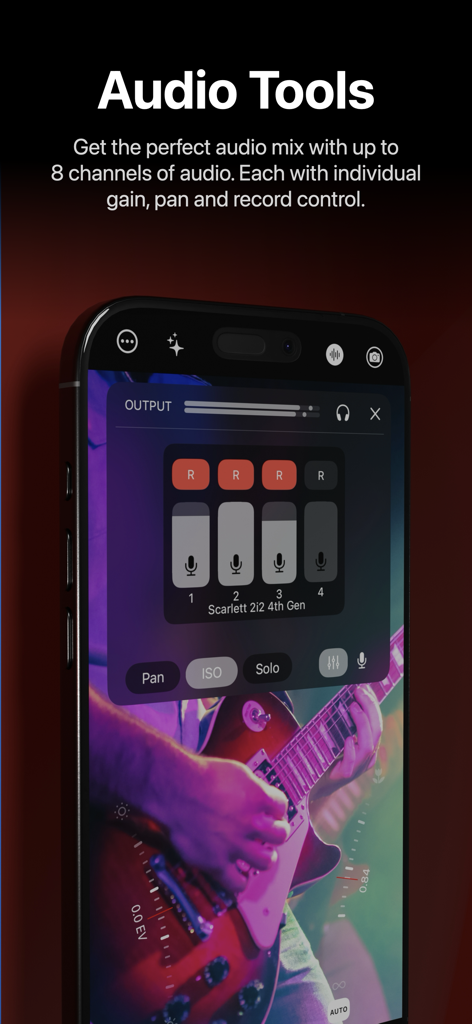
Mavis - Camera - Mavis Cameraのプロフェッショナルオーディオミキサー、マルチチャンネルゲインと録画コントロールを表示
Mavis Cameraのプロフェッショナルオーディオミキサー、マルチチャンネルゲインと録画コントロールを表示

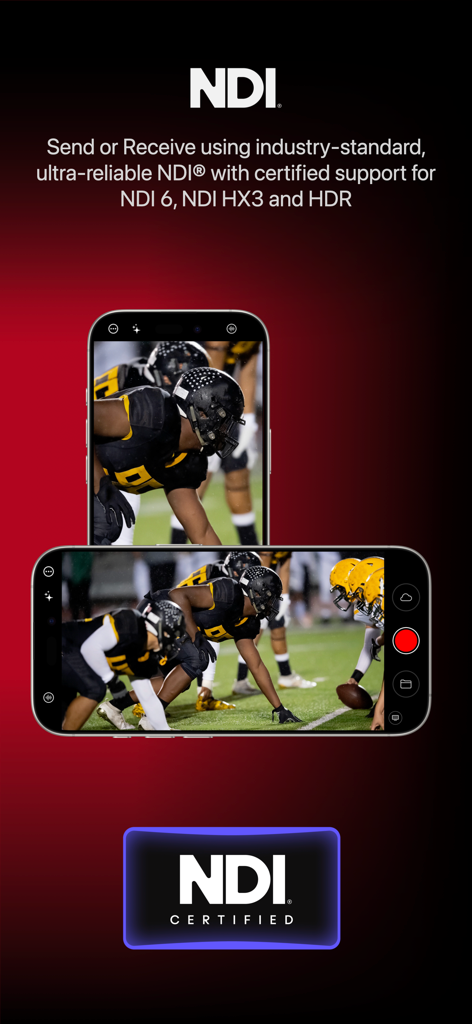
Mavis - Camera - Mavis Cameraアプリ、プロフェッショナルビデオブロードキャストとストリーミングのためのNDI認定サポートを特集
Mavis Cameraアプリ、プロフェッショナルビデオブロードキャストとストリーミングのためのNDI認定サポートを特集

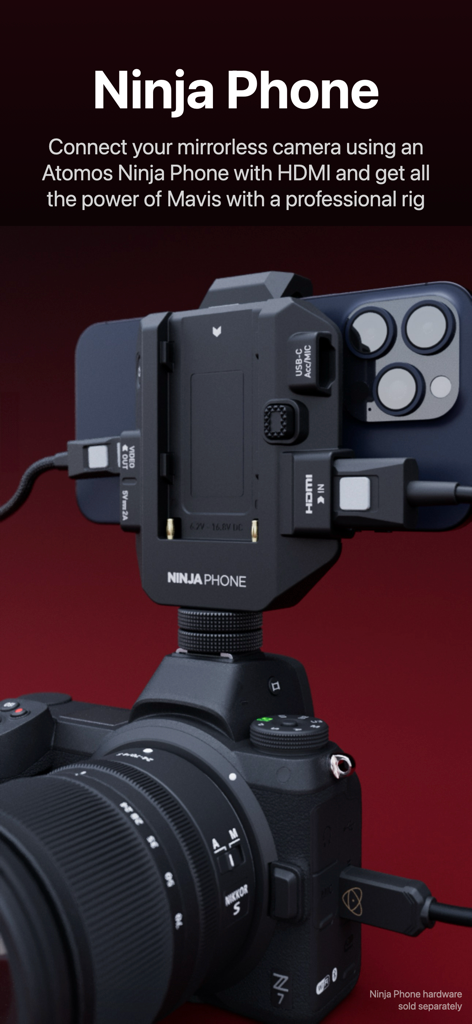
Mavis - Camera - プロフェッショナル撮影のためにAtomos Ninja Phoneハードウェアに取り付けられたミラーレスカメラにマウントされたiPhone。
プロフェッショナル撮影のためにAtomos Ninja Phoneハードウェアに取り付けられたミラーレスカメラにマウントされたiPhone。

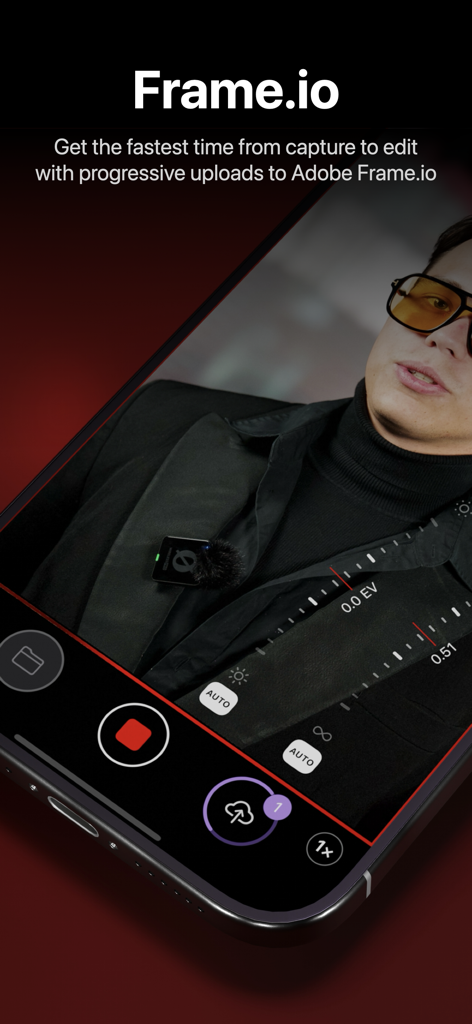
Mavis - Camera - Mavis Cameraアプリ、キャプチャから編集までの高速クラウドアップロードのためのAdobe Frame.ioとの統合を表示
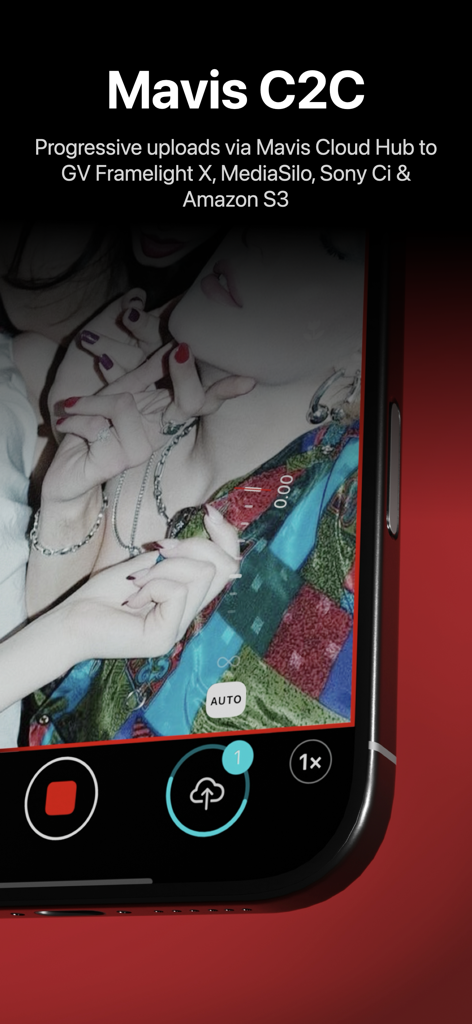
Mavis Cameraアプリ、キャプチャから編集までの高速クラウドアップロードのためのAdobe Frame.ioとの統合を表示

Mavis - Camera - ビデオ録画中に進行中のクラウドアップロードを示すMavis Cameraアプリのインターフェース
ビデオ録画中に進行中のクラウドアップロードを示すMavis Cameraアプリのインターフェース

Mavis - Camera - YouTubeブロードキャストのためのライブストリーミング設定を表示するiPhone上のMavis Cameraアプリインターフェース
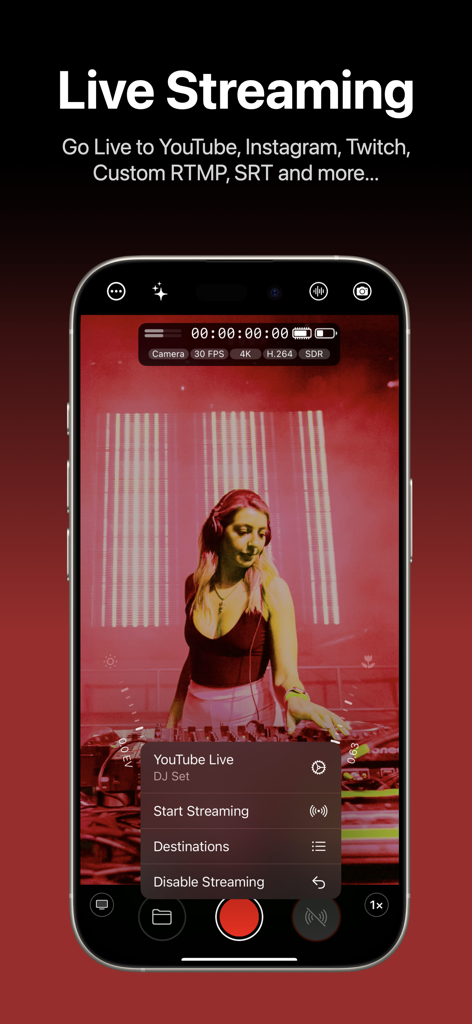
YouTubeブロードキャストのためのライブストリーミング設定を表示するiPhone上のMavis Cameraアプリインターフェース

Mavis - Camera - 青いUltraSync BLUEデバイスとのタイムコード同期を示すMavis Cameraアプリを実行するiPhone

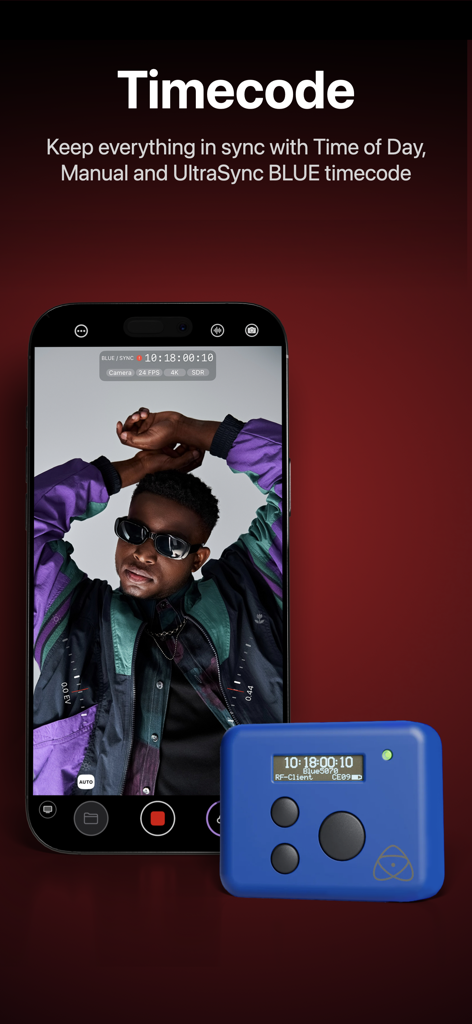
青いUltraSync BLUEデバイスとのタイムコード同期を示すMavis Cameraアプリを実行するiPhone

説明

Mavis Camera has been built from the ground up to equip you with the tools you'll need for the next era of content creation. Whether you're a streamer building a channel, an industry veteran looking for new ways of working or a creator with a passion for filmmaking, Mavis Camera has something for you. -- MAIN FEATURES -- • Record in a range of resolutions, frame rates, and codecs including Open Gate, HEVC 10-bit and ProRes • Record and preview using custom LUTs, and achieve a filmic look with built-in Filter LUTs • Monitor tools including focus peaking, zebras, false color, expanded focus, guides, flip • Manual camera controls including focus, exposure, shutter and color • NDI® HX3 Certified • Atomos Ninja Phone input support • Adobe Frame.io Camera to Cloud • Streaming including YouTube, Twitch, Instagram and Facebook • Custom audio inputs • Audio mixer including gain, pan and solo controls for individual channels • Real-time audio passthrough for monitoring in headphones • HDR video pipeline • Custom RTMP destination & SRT (TX Caller) streaming • Mavis C2C including Framelight X, MediaSilo, Sony Ci & Amazon S3 • Mavis Cloud Hub remote configuration for Mavis C2C and streaming settings • Timecode including Time-of-Day, Offset and UltraSync BLUE • Vertical and landscape recording and streaming -- AUDIO TOOLS -- • Integrated audio mixer with stereo output • Gain & pan control per input channel • External mic inputs • Internal mic selection • Multi-track ISO recording • Bluetooth monitoring -- CONNECTED WORKFLOWS -- NDI • Send or Receive with NDI • NDI HX3 Certified • Automatically find all NDI sources on local network • Set NDI Groups, Discovery Server, UDP/TCP Mode Camera to Cloud • Mavis C2C integrations with Framelight X, MediaSilo, Sony Ci & Amazon S3 • Direct integration with Adobe Frame.io • Direct integration with Atomos ATOMOSphere • Progressive uploads while you record • Manage Mavis C2C devices from hub.mavis.cloud Live Streaming • Vertical and landscape streaming • Simultaneously record and stream • Custom RTMP and SRT Caller destinations • Manage Streaming devices from hub.mavis.cloud -- CAMERA CONTROLS -- Manual controls including • Focus • Exposure • ISO • Shutter • Color temperature • Shutter lock • Custom frame rates • Range of resolutions • Range of bitrates • Codecs including ProRes -- MONITOR TOOLS -- What they do • Mavis LUTs let you record or preview your footage with a filmic grade, helping you visualise the final look while you shoot • Focus peaking and expanded focus features help you achieve consistently sharp and precise shots • Zebras help ensure your shots are never overexposed • Guides help you frame your shot • Aspect Ratio overlay lets you preview your image in a different width/height • Waveform monitor helps you shoot with the optimal dynamic range • Vectorscope helps maintain consistent colors and ensures accurate white balance Notable settings • Record and preview LUTs • Focus peaking color and sensitivity • Guides including thirds, portrait safe and square • Zebras, color and sensitivity range • Aspect Ratio overlay cross hairs, safe area and transparency -- USER INTERFACE -- • Vertical and landscape layouts • Designed with DSLR familiarity • Monitor toolbar • Internal Camera Control Wheel • Shutter displayed in angle or speed • Custom Function (FN) button • Support for Camera Control Device restrictions apply. Some features require In-App Purchase or App Subscription. Check out the support pages for full details - support.mavis.cloud EULA - https://www.apple.com/legal/internet-services/itunes/dev/stdeula/ Mavis Camera was developed by people who love what they do. We hope you enjoy it as much as we do! :-)

Download

ダウンロード: App Store

このページはアプリまたはその開発者の公式ページではなく、情報提供および論評を目的として作成された独立した編集出版物です。明示的に別段の記載がない限り、アプリおよびその開発者は、MWM、Apple、Google Play、アプリのパブリッシャー、またはアプリの開発者と提携、承認、後援、認可、またはその他の公式的な関係はなく、このページのいかなる内容も、アプリがMWMのサービスを使用して開発されたことを意味するものではありません。すべての商標、ロゴ、スクリーンショット、その他のコンテンツはそれぞれの所有者の財産です。








