
This page is not an official page of the app or its developer, but an independent editorial publication created for informational and commentary purposes. Unless expressly stated otherwise, neither the app nor its developer is affiliated with, endorsed by, sponsored by, authorized by, or otherwise officially connected with MWM, Apple, Google Play, the app publisher, or the app's developer, and nothing on this page implies that the app was developed using MWM's services. Any trademarks, logos, screenshots, and other content remain the property of their respective owners.


Medical Rescue Sim AED Remote
The essential tool for medical instructors and EMS educators. Take full remote control of your AED simulations with real-time rhythm manipulation, multi-device management, and automated performance tracking.
Downloads
100User Rating
Total Ratings
0Publisher
Category
MedicalLocales
2Latest Version
1.3Size
9.6 MBFirst Released
Jan 9, 2025Elevate Your Medical Simulations
Take complete control of your training environment with a professional-grade remote interface designed for instructors who demand clinical precision and real-time adaptability.
Dynamic Rhythm Management
Instantly switch between 30 ECG rhythms and pre-set scenarios to challenge your trainees' diagnostic skills without breaking the realism of the scene.
Scalable Classroom Control
Command up to 10 AED units simultaneously while monitoring high-quality CPR metrics to ensure your students meet AHA resuscitation standards.
The following screenshots and description are sourced directly from the app's official store listing and are the property of the app developer.
App Store
Screenshots
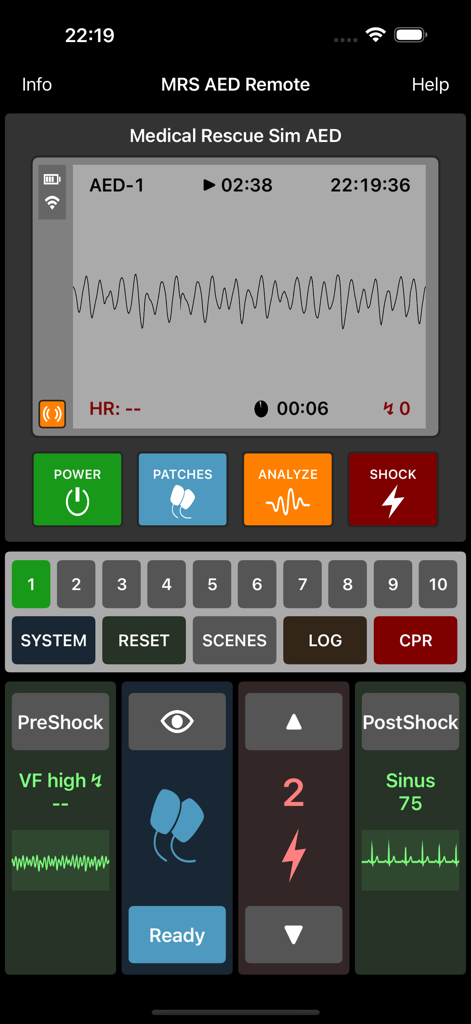
Interface of the Medical Rescue Sim AED Remote app showing simulated ECG rhythms and medical training controls
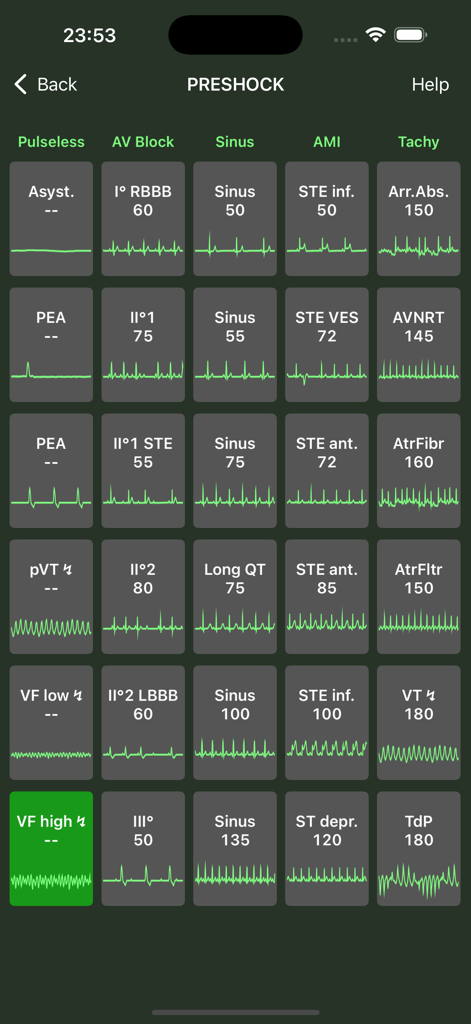
Grid of ECG rhythm waveforms for medical simulation training
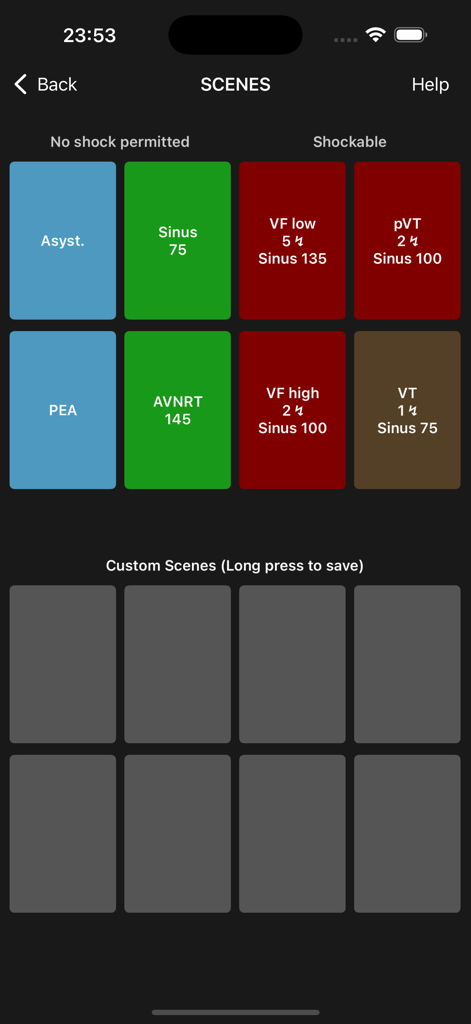
Medical simulation app scenes screen displaying shockable and non-shockable ECG rhythms for training.
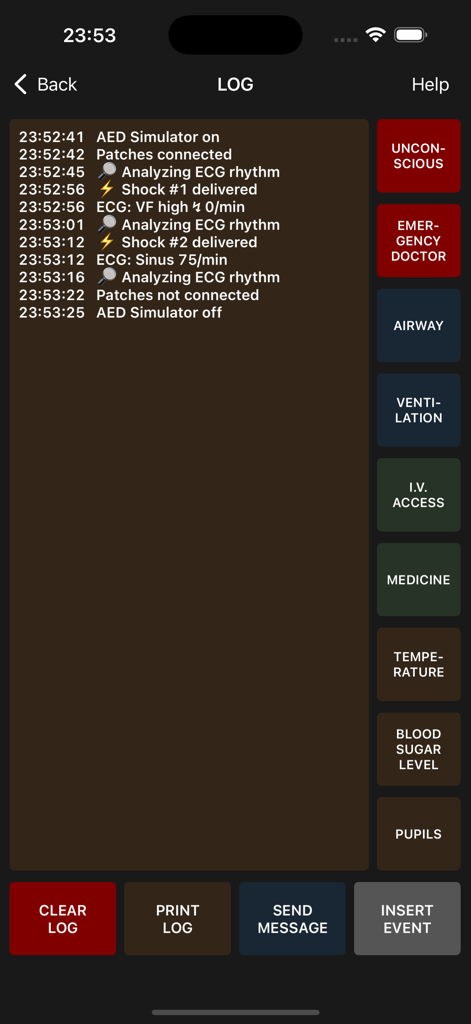
AED simulator log screen showing time stamped training events and medical intervention buttons
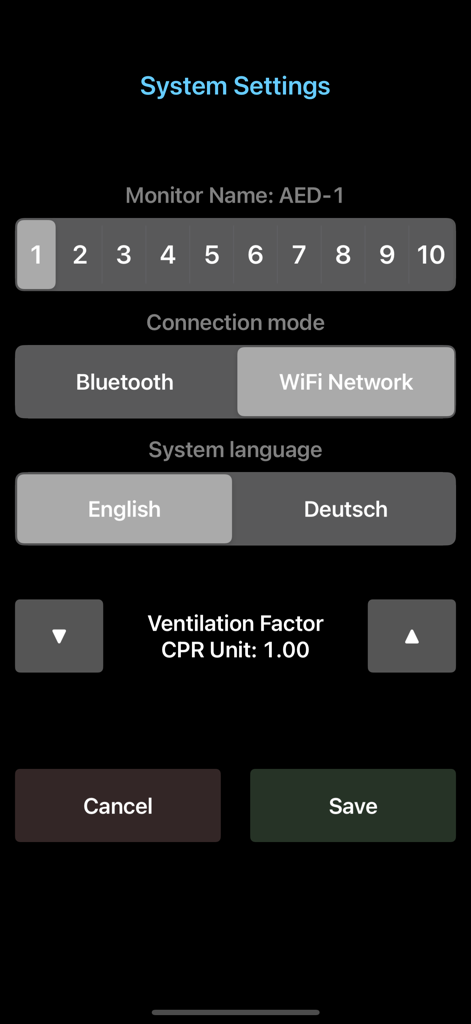
System settings menu for the AED remote simulator showing connection and language options.
Description
Download
More Like This
Top-ranked apps in the same category

国家医保服务平台
National Healthcare Security Administration

MyChart
Epic Systems Corporation

Doctolib - Your health partner
Doctolib

Pregnancy + | Tracker App
Philips Digital UK Limited

CVS Health
CVS Pharmacy

江苏医保云
Jiangsu Healthcare Security Bureau

Meu SUS Digital
Servicos e Informacoes do Brasil

UnitedHealthcare
UNITED HEALTHCARE SERVICES, INC.

京东健康
BEIJING JINGDONG 360 DU E-COMMERCE LTD.
This page is not an official page of the app or its developer, but an independent editorial publication created for informational and commentary purposes. Unless expressly stated otherwise, neither the app nor its developer is affiliated with, endorsed by, sponsored by, authorized by, or otherwise officially connected with MWM, Apple, Google Play, the app publisher, or the app's developer, and nothing on this page implies that the app was developed using MWM's services. Any trademarks, logos, screenshots, and other content remain the property of their respective owners.