Meeting Point Digital Signage

Meeting Point Digital Signage

ダウンロード: App Store
ロゴ: Meeting Point Digital Signage

会議室デジタルサイネージ Meeting Point:モダンなワークスペースのためのプロフェッショナルな会議室管理

ゴーストミーティングをなくし、オフィス効率を最適化します。iPadをプロ仕様の会議室ディスプレイに変換し、自動チェックイン、アドホック予約、Apple中心のワークプレイス向けの完全なMDMサポートを利用しましょう。

ダウンロード: App Store

開発元

Joachim von Caron

カテゴリ

Productivity

ダウンロード

0

ユーザー評価

1.0/5

評価数

0

対応言語

1

あなたのオフィスをデジタル化

このインターフェースを利用する 0 人のユーザー.

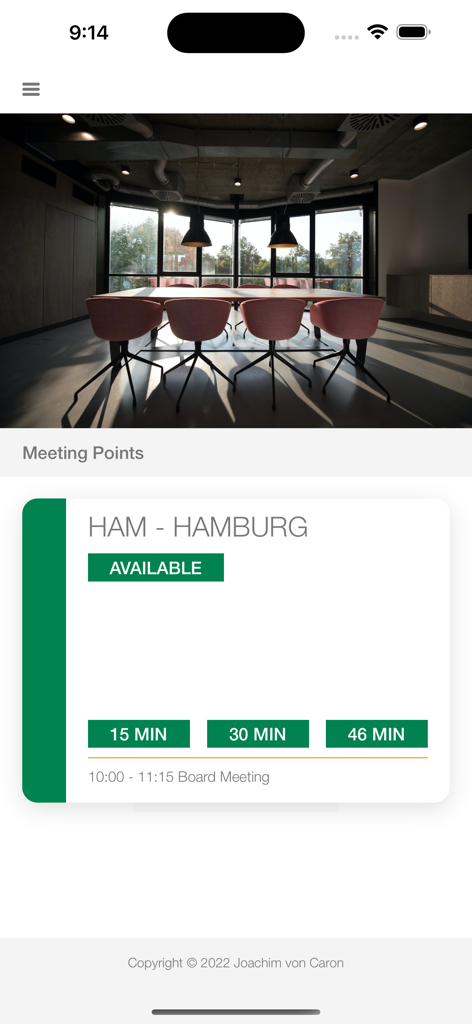
Meeting Pointアプリ内で、ハンブルクの利用可能な会議室を表示するiPhone画面
Meeting Pointアプリ内で、ハンブルクの利用可能な会議室を表示するiPhone画面

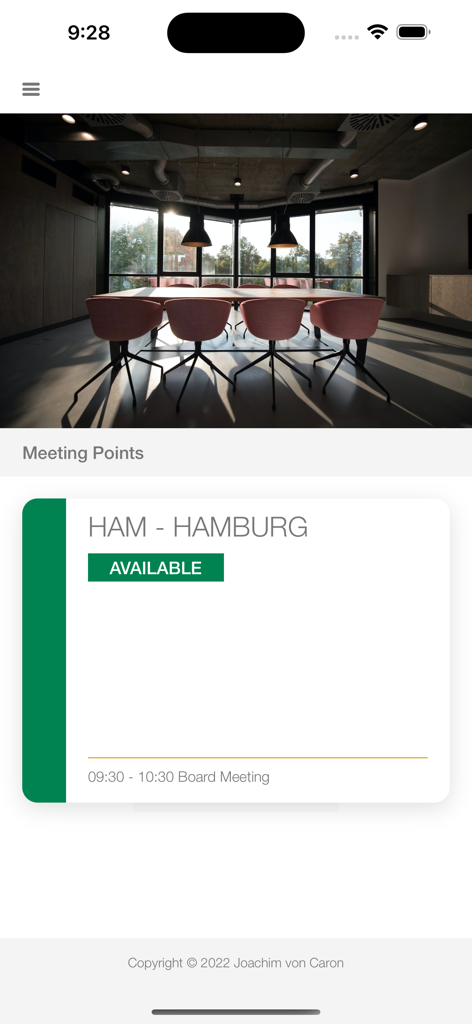
緑色のステータスバッジが付いた、ハンブルクという名前の利用可能な会議室を示すデジタルサイネージアプリインターフェース。
緑色のステータスバッジが付いた、ハンブルクという名前の利用可能な会議室を示すデジタルサイネージアプリインターフェース。

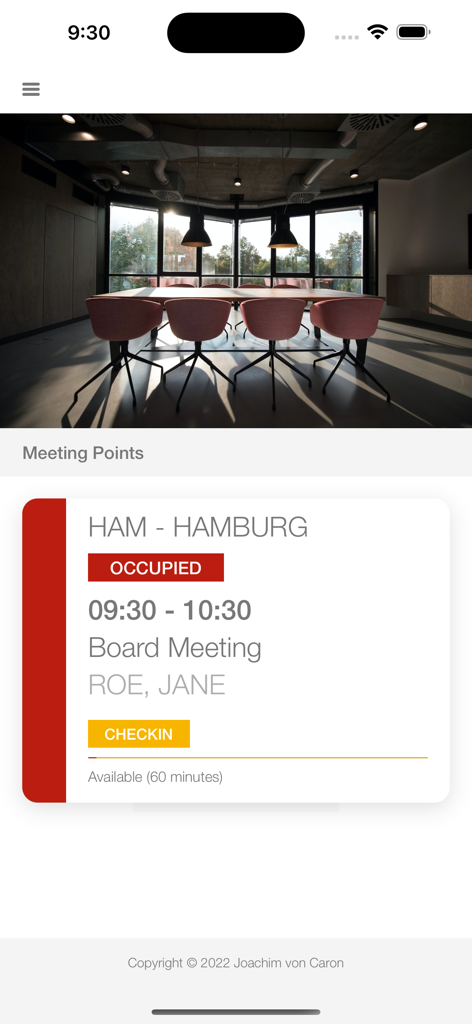
チェックインボタンが黄色になった、役員会議用の会議室の占有ステータスを示すiPhone画面
チェックインボタンが黄色になった、役員会議用の会議室の占有ステータスを示すiPhone画面

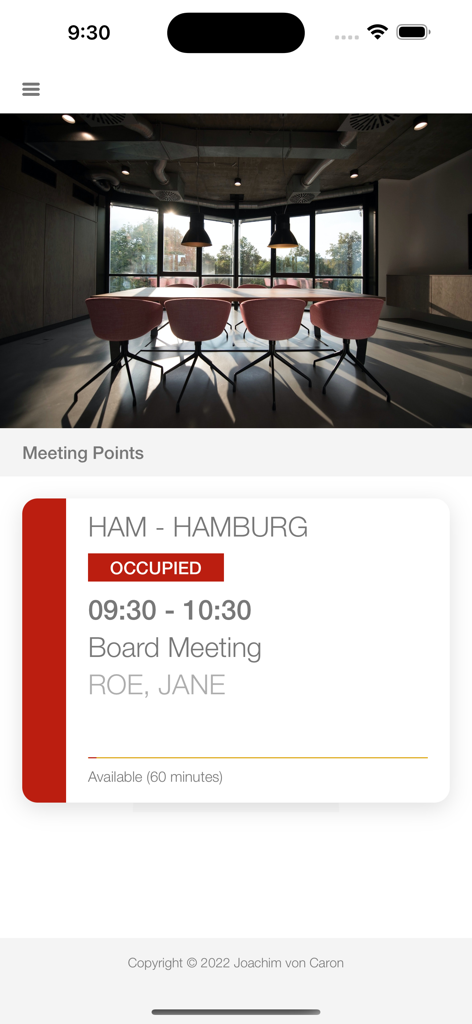
役員会議用の会議室の占有ステータスを示すMeeting Point iPhoneアプリインターフェース
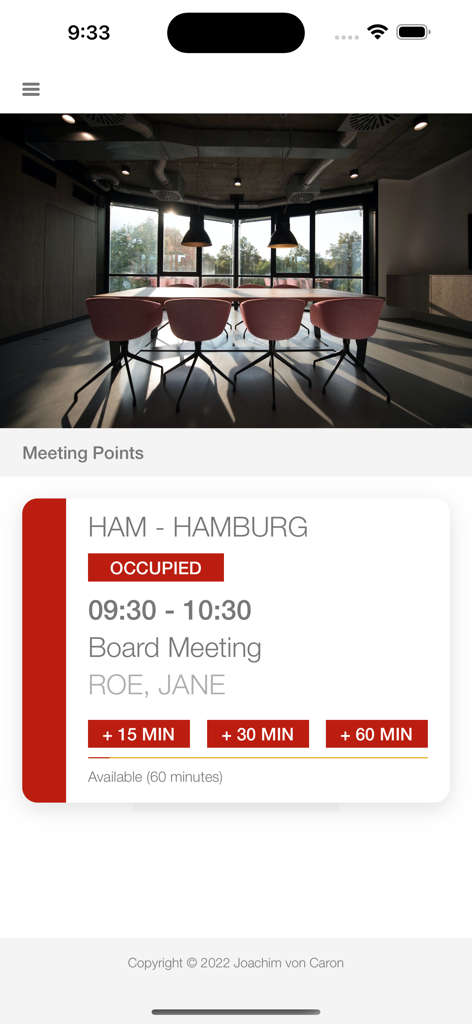
役員会議用の会議室の占有ステータスを示すMeeting Point iPhoneアプリインターフェース

延長オプションが付いた、役員会議用の会議室の占有ステータスを示すiPhone画面
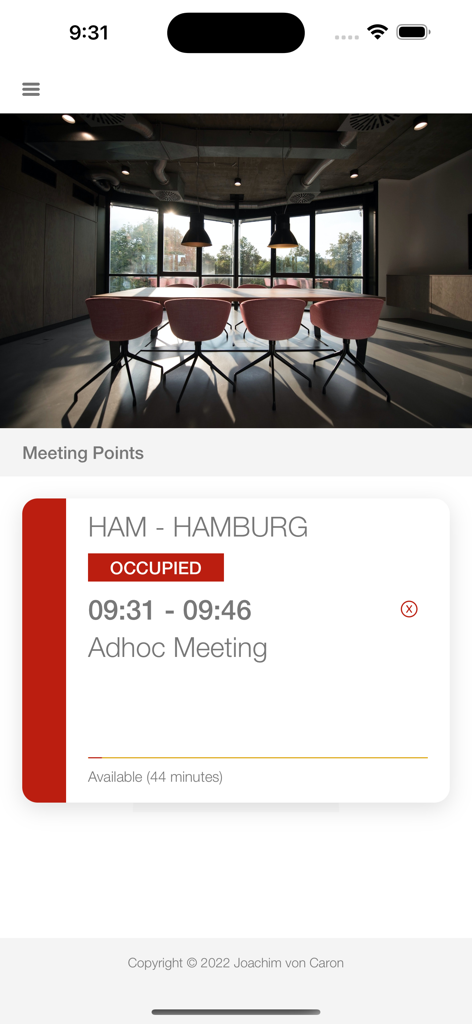
延長オプションが付いた、役員会議用の会議室の占有ステータスを示すiPhone画面

ハンブルクでのアドホック会議のために、会議室が占有されているステータスを示すiPhoneインターフェース

ハンブルクでのアドホック会議のために、会議室が占有されているステータスを示すiPhoneインターフェース

オフィス不動産を最適化

このアプリを際立たせるツール、 0 人のユーザーが選択.

🔄

自動会議室リカバリ

参加者がチェックインしない場合に会議室を自動的に解放することで、ゴーストミーティングをなくし、利用可能なワークスペースを最大化します。

📍

近接自動チェックイン

iPhoneクライアントアプリ経由での出席を認識する近接ベースのチェックインで、スムーズな従業員体験を提供します。

🛠️

エンタープライズグレードの制御

MDMサポート、カスタマイズ可能なブランディング、複雑なカレンダー設定のための高度なRegEx設定により、大規模展開が可能です。

アプリについて

について知っておくべきこと Meeting Point Digital Signage.

説明

The iPad display for Meeting Points supports the following: - Full function in the free version (only an additional "purchase" button on the display) - Full MDM support for all settings, e.g. for single mode - Full support of all calendars supported by iOS (based on locally available calendars) - Several displays per room possible - Freely selectable room name or name of the calendar - RegEx expression to change the calendar name to use as a room name - Display private appointments by identifier - Possibility of extending meetings on the display - Check-in on the display (even if the meeting hasn't started yet) - Automatic check-in when the participant is near the room (install client app on iPhone) - Automatically cancel meetings not checked in - Creation of ad hoc meetings on the display - Support of the iPhone client app to display available meeting points - Internal web server (JSON query and display) incl. possibility to integrate a certificate - Calling up a URL to transmit the current status - Set orientation - Display your own logo at the bottom right - Definition of colors for free, busy, overdue - Soft reset and hard reset (e.g. for single mode) On the iPhone, the app supports the following: - Free to use without subscription - Display of nearby meeting points - Check in - Ad hoc booking - Extension of a meeting - Own logo - Automatic check-in when near a display and an invitation for a meeting exists - Notification of nearby auto check-in and Meeting Points Usage of Meeting Point App - Define a default calendar in calendar settings - Open the iPad Settings and configure the App - Define an Meeting Point name - Define an Meeting Point secret - Define Display settings (auto cancel, auto checkin, colors, logo, etc.) - Enable the services you want to use in thew settings On the iPhone - Minimum define the same secret to see the Meeting Points --- Privacy Policy: https://von.caron.de/apps/meetingpoint_privacy Terms of Use: https://www.apple.com/legal/internet-services/itunes/dev/stdeula/

最新バージョン

1.6.0

サイズ

7.1 MB

リリース日

2022年10月18日

会議室の混乱を終わらせる準備はできましたか?

MDM対応の自動サイネージでワークスペースを効率化しているITプロフェッショナルに加わりましょう。今日からiPadを再利用し、ゴーストミーティングを永遠に排除しましょう。

ダウンロード: App Store

App information, icons, screenshots, and descriptions displayed on this page are sourced from the Apple App Store and are the property of their respective developers. Download estimates and rankings are based on MWM's proprietary models and may not reflect actual figures. This page is provided for informational and analytical purposes only.

Believe this page infringes your intellectual property? File a dispute