Merge PDF - Combine PDF

Merge PDF - Combine PDF

ダウンロード: App Store
ロゴ: Merge PDF - Combine PDF

PDFを結合 - PDFをまとめる:安全なドキュメント管理のための究極のオールインワンツール

デバイス上でローカルにPDFを結合、分割、圧縮する最速の方法。高額なサブスクリプションなしで、プライベートかつ高速なドキュメント処理のために、42,000人以上の専門家や学生に信頼されています。

開発元

talha rehman

カテゴリ

Productivity

ダウンロード

42K+

ユーザー評価

4.7/5

評価数

1K+

対応言語

1

効率を一目で確認

このインターフェースを利用する 42K+ 人のユーザー.

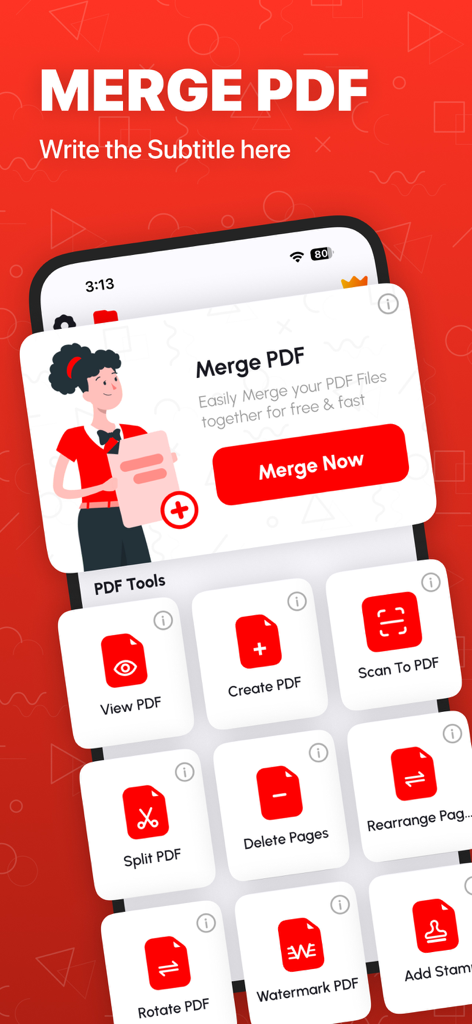
様々なドキュメント管理ツールが表示されたMerge PDFアプリのインターフェイスを示すiPhone画面
様々なドキュメント管理ツールが表示されたMerge PDFアプリのインターフェイスを示すiPhone画面

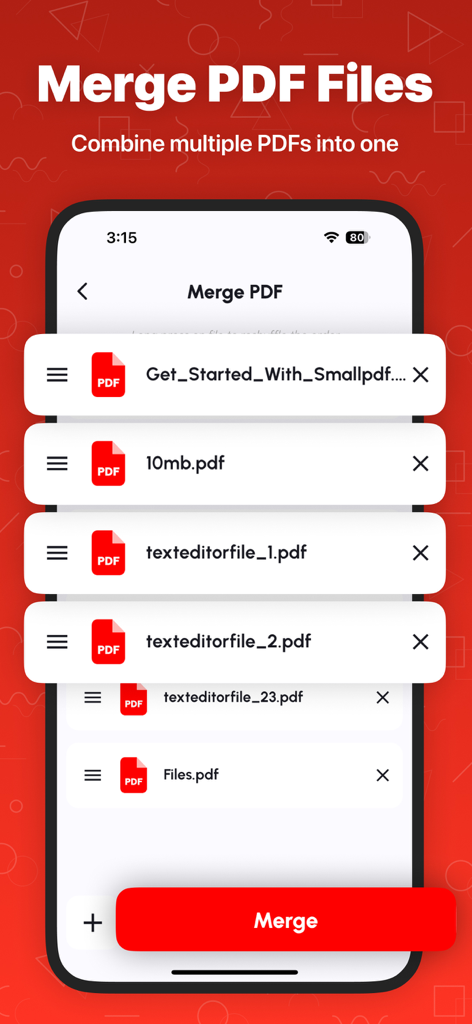
PDFドキュメントのリストとそれらを結合するための赤い結合ボタンが表示されたiPhoneアプリ画面
PDFドキュメントのリストとそれらを結合するための赤い結合ボタンが表示されたiPhoneアプリ画面

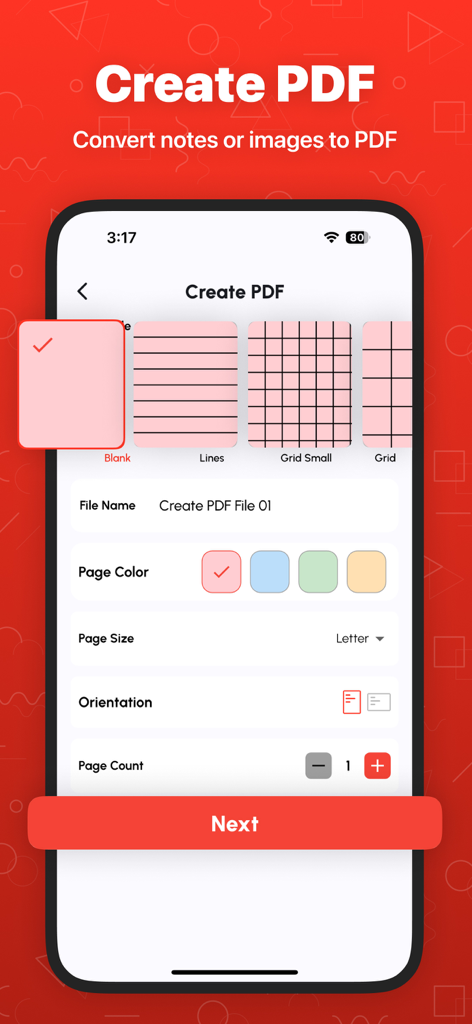
テンプレートとページ設定を備えたメモや画像からカスタムPDFを作成するためのモバイルインターフェイス
テンプレートとページ設定を備えたメモや画像からカスタムPDFを作成するためのモバイルインターフェイス

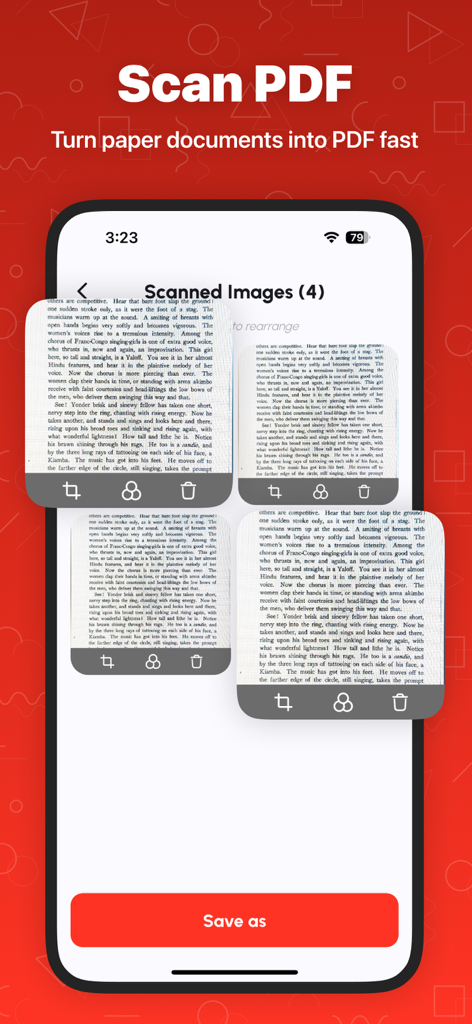
PDFファイルに変換される準備ができたスキャンされたドキュメントページを示すモバイルアプリインターフェイス
PDFファイルに変換される準備ができたスキャンされたドキュメントページを示すモバイルアプリインターフェイス

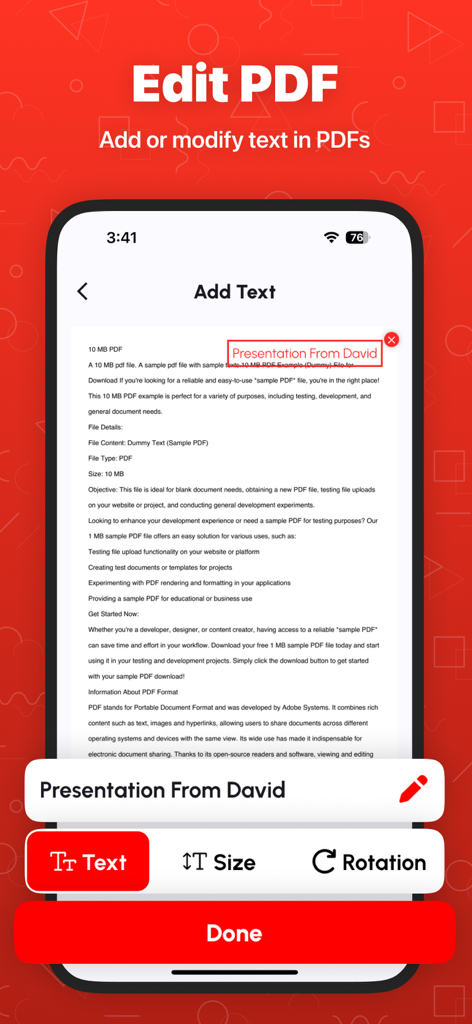
iPhone上でPDFドキュメントにテキストを追加および編集する方法を示すモバイルアプリインターフェイス
iPhone上でPDFドキュメントにテキストを追加および編集する方法を示すモバイルアプリインターフェイス

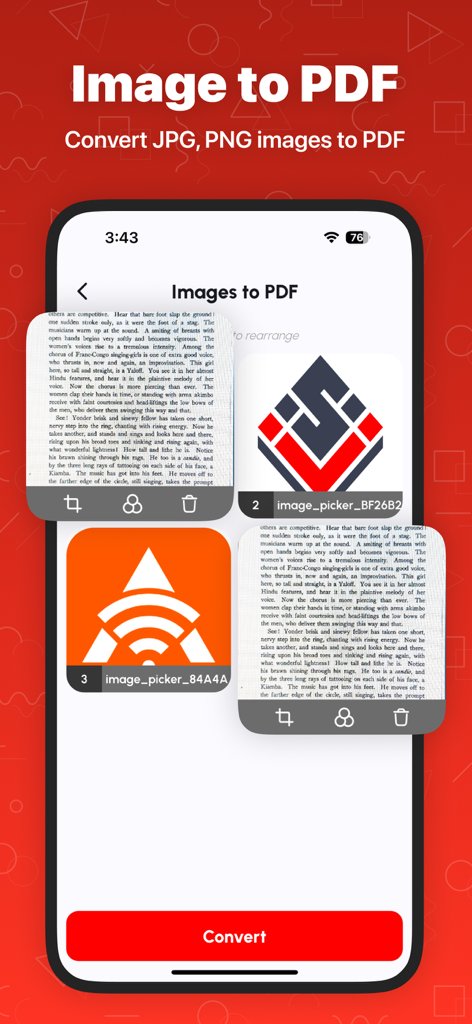
JPGおよびPNG画像をPDFドキュメントに変換するプロセスを示すモバイルアプリインターフェイス。
JPGおよびPNG画像をPDFドキュメントに変換するプロセスを示すモバイルアプリインターフェイス。

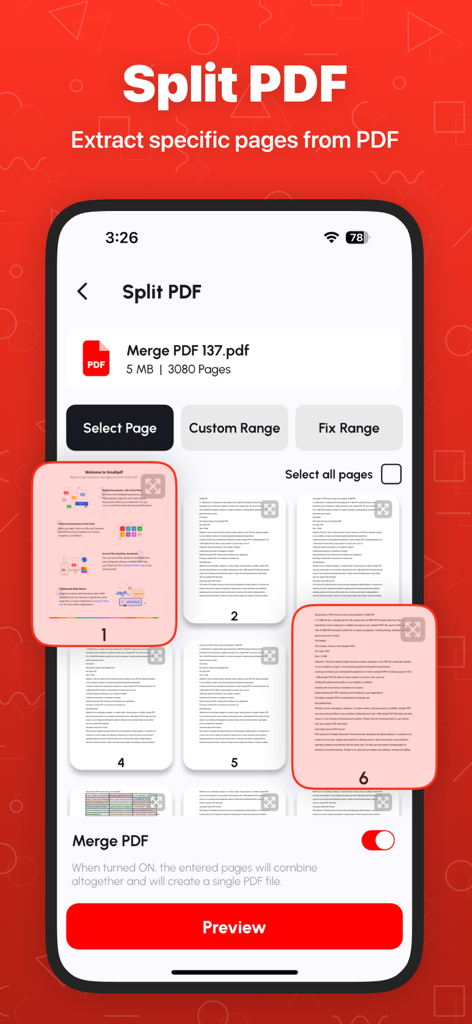
PDFドキュメントを分割し、特定のページを抽出するためのモバイルアプリインターフェイス
PDFドキュメントを分割し、特定のページを抽出するためのモバイルアプリインターフェイス

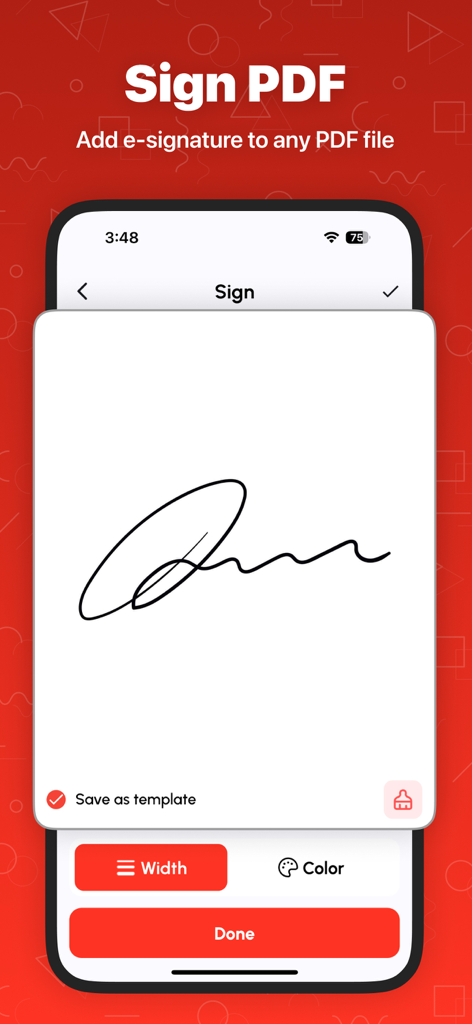
PDFドキュメントに電子署名を追加する機能が表示されたモバイル画面
PDFドキュメントに電子署名を追加する機能が表示されたモバイル画面

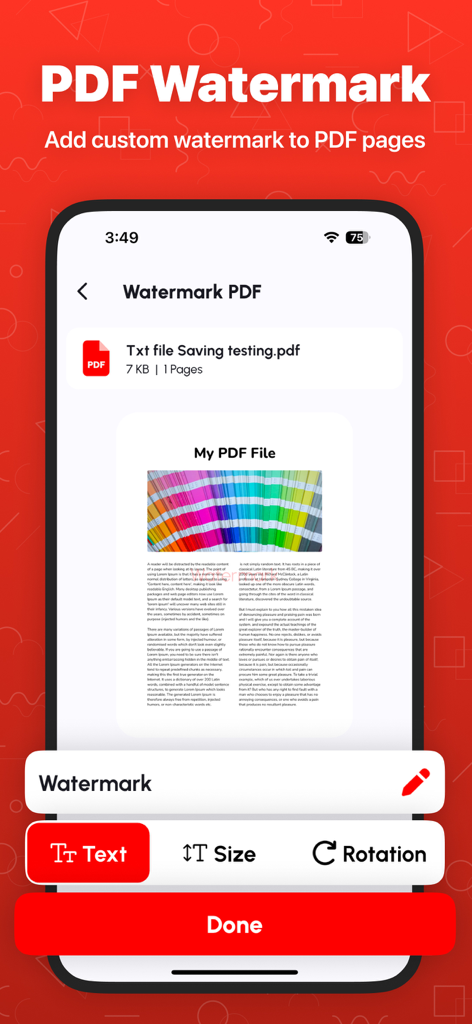
テキストサイズと回転オプションが表示されたPDF透かし機能を示すiPhone画面
テキストサイズと回転オプションが表示されたPDF透かし機能を示すiPhone画面

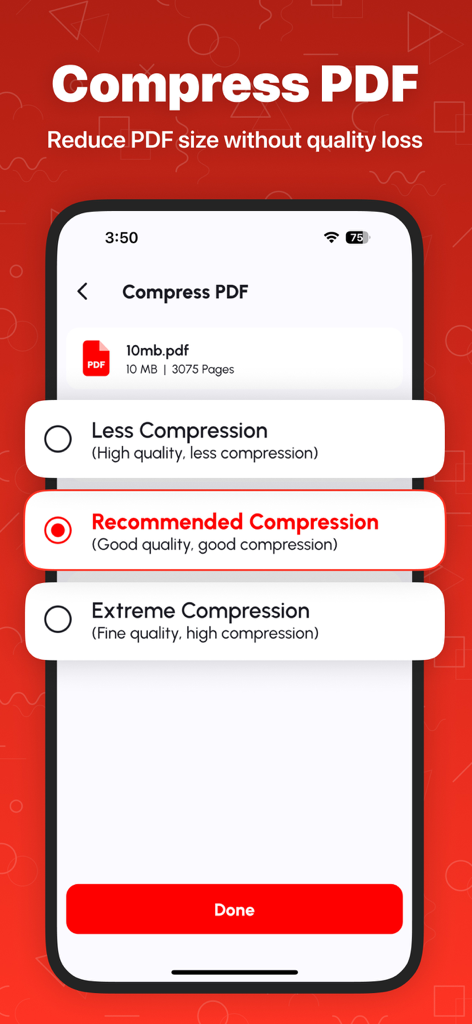
推奨および極端な設定を含むPDF圧縮オプションが表示されたiPhoneアプリ画面

推奨および極端な設定を含むPDF圧縮オプションが表示されたiPhoneアプリ画面

PDFワークフローをマスターする

このアプリを際立たせるツール、 42K+ 人のユーザーが選択.

🛡️

プライバシー重視の処理

機密データはデバイス上に留まります。すべてのファイルをローカルで処理するため、税務フォーム、契約書、IDがサードパーティサーバーに触れることはありません。

📂

シームレスなPDF結合

講義ノート、請求書、プロジェクトファイルを1つのプロフェッショナルなドキュメントにまとめます。ページを簡単に並べ替えたり削除したりして、デジタルライフを整理整頓できます。

スマートファイル圧縮

メール添付ファイルの制限を即座に回避します。品質を損なうことなく重いPDFファイルを縮小し、Slack、Teams、Gmail経由でのレポート共有を容易にします。

アプリについて

について知っておくべきこと Merge PDF - Combine PDF.

説明

Merge PDF - Combine PDF: All-in-One PDF Management Tool Looking for a fast, simple, and reliable way to manage your PDFs? Merge PDF - Combine PDF is your complete PDF solution! Whether you want to merge, split, compress, or convert PDFs, this app makes document management effortless for students, professionals, and everyday users. Why Choose Merge PDF - Combine PDF? More than just a PDF merger, our app is a full-featured PDF toolkit. With advanced PDF tools, light & dark modes, and secure file handling, it’s the only app you’ll need to manage all your PDF files efficiently. Fast, easy, and reliable! Key Features: Merge PDF Files – Combine multiple PDFs into one file quickly and rearrange pages as you like. - Split PDF Files – Extract only the pages you need and save them as a new PDF. - Rearrange PDF Pages – Organize your documents by moving pages effortlessly. - Delete PDF Pages – Remove unwanted pages for cleaner, professional files. - Compress PDF – Reduce large PDFs without losing quality. - Lock & Unlock PDF – Protect your files with a password or unlock secured PDFs. - View & Print PDF – Open, navigate, and print your documents smoothly. - Convert PDF to PNG – Extract high-quality images from your PDFs. - Image to PDF – Turn JPG, PNG, or BMP images into PDF documents in seconds. - BMP to PDF – Convert BMP files to PDFs with ease. - History Section – Quickly access previously managed files. - Light & Dark Mode – Switch modes to reduce eye strain and improve reading comfort. Who Can Benefit? - Students: Merge lecture notes, compress files, or create PDFs from scanned assignments. - Professionals: Rearrange reports, delete unnecessary pages, or protect sensitive files. - Everyday Users: Combine bills, receipts, certificates, and more into a single PDF for easy sharing. Why It’s Convenient: - Fast & Efficient – Optimized for speed, saving you time. - User-Friendly Interface – Simple navigation for everyone. - Secure – All files are processed locally on your device. - Why Our App Stands Out - Free to Use – Unlimited access to essential PDF tools. - Lightweight – Won’t take up too much device storage. - Regular Updates – New features and improvements added frequently. How It Works: - Open the app and select your tool. - Upload your PDF or image file. - Follow the on-screen instructions. - Save, share, or print your file instantly. Multi-Language Support Enjoy our tools in multiple languages, making it accessible worldwide. Privacy First All files are processed locally on your device. Your documents stay secure and private. Download Now! Join thousands of satisfied users and simplify your PDF management today. Merge, split, compress, and secure PDFs easily with Merge PDF - Combine PDF. Make document handling hassle-free—download now! Terms of Use: https://techboeing.blogspot.com/2023/03/terms-of-use.html

最新バージョン

1.2.6

サイズ

103.7 MB

リリース日

2022年3月8日

PDFワークフローを即座に効率化

当社の安全なオールインワンツールキットを信頼する42,000人以上の専門家や学生の仲間入りをしましょう。今すぐダウンロードして、iPhone、iPad、またはMac上でローカルにドキュメントを結合、圧縮、整理しましょう。

ダウンロード: App Store

App information, icons, screenshots, and descriptions displayed on this page are sourced from the Apple App Store and are the property of their respective developers. Download estimates and rankings are based on MWM's proprietary models and may not reflect actual figures. This page is provided for informational and analytical purposes only.

Believe this page infringes your intellectual property? File a dispute