Merge PDF Files-Split PDF Docs
ダウンロード: App Store

このページはアプリまたはその開発者の公式ページではなく、情報提供および論評を目的として作成された独立した編集出版物です。明示的に別段の記載がない限り、アプリおよびその開発者は、MWM、Apple、Google Play、アプリのパブリッシャー、またはアプリの開発者と提携、承認、後援、認可、またはその他の公式的な関係はなく、このページのいかなる内容も、アプリがMWMのサービスを使用して開発されたことを意味するものではありません。すべての商標、ロゴ、スクリーンショット、その他のコンテンツはそれぞれの所有者の財産です。

ロゴ: Merge PDF Files-Split PDF Docs
ダウンロード: App Store

Merge PDF Files-Split PDF Docs

数秒でドキュメントをシームレスに結合、分割、保護。モバイルファーストのプロフェッショナル向けに、高速、オフライン、無制限のPDF管理を体験してください。

主要数値

ダウンロード

13K+

ユーザー評価

4.8/5

評価数

300

開発元

Asad Ahsan

カテゴリ

Productivity

対応言語

68

最新バージョン

1.0.13

サイズ

62.7 MB

リリース日

2024年12月18日
機能

ドキュメントワークフローをマスターする

モバイルファーストのプロフェッショナル向けに設計されたプロフェッショナルグレードのツール。スピード、精度、完全なセキュリティで事務処理を合理化します。

シームレスなPDF結合

複数のドキュメント、契約書、ギャラリー画像を数秒で単一の高品質ファイルに結合します。外出先での洗練されたポートフォリオやレポート作成に最適です。

高度なドキュメントセキュリティ

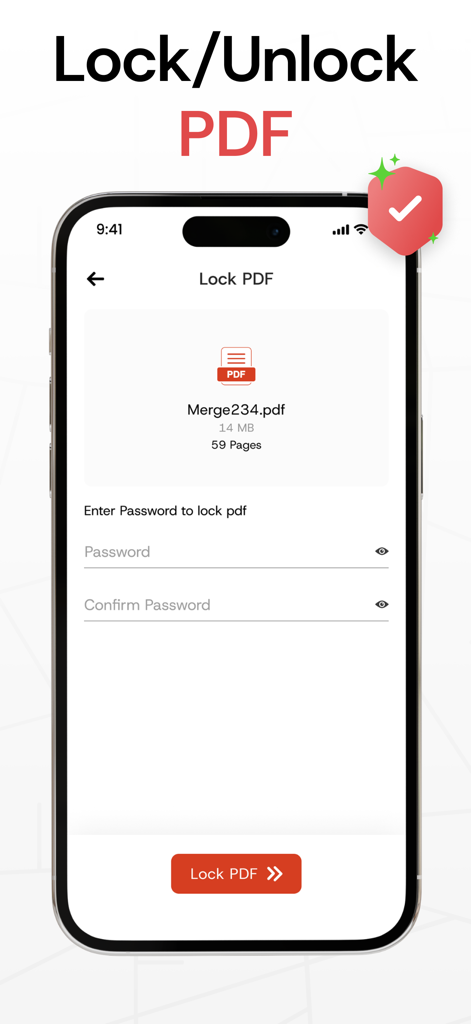
暗号化されたパスワードでPDFをロックし、機密性の高いクライアントデータや個人記録を保護します。数回のタップでアクセスを管理し、プライバシーを保護します。

以下のスクリーンショットと説明は、アプリの公式ストアリスティングから直接取得されたものであり、アプリ開発者の所有物です。

アプリストア

スクリーンショット
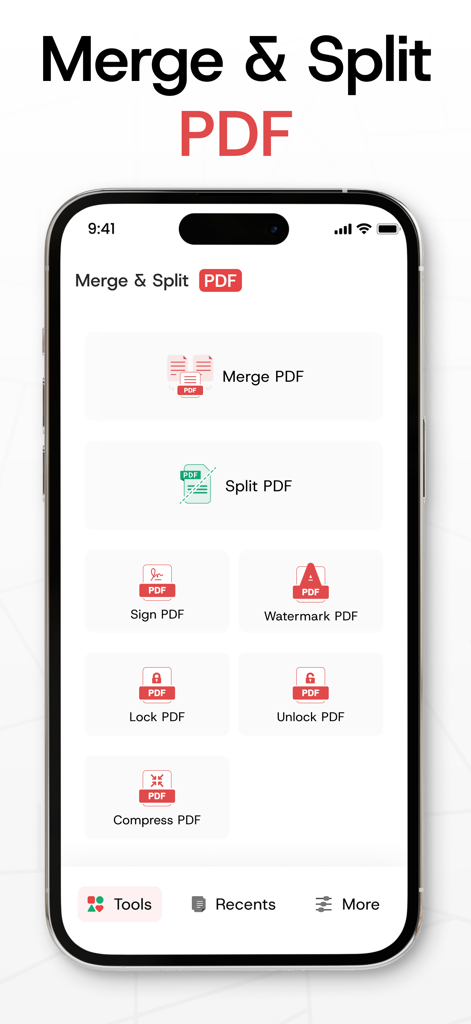
Merge PDF Files-Split PDF Docs - PDFドキュメントの結合、分割、署名、ロックツールを備えたPDF管理アプリのメインダッシュボード。
PDFドキュメントの結合、分割、署名、ロックツールを備えたPDF管理アプリのメインダッシュボード。

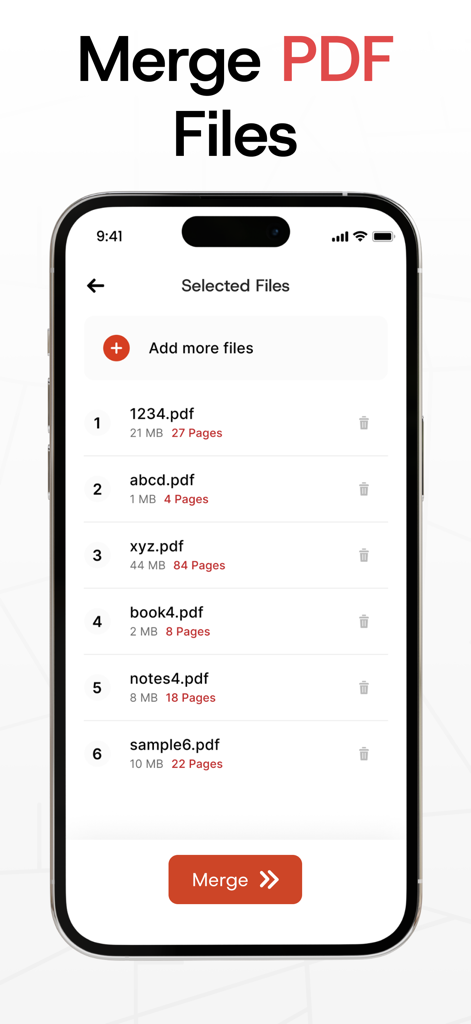
Merge PDF Files-Split PDF Docs - 1つのファイルに結合される予定の選択されたPDFドキュメントのリストを表示するモバイルアプリインターフェース。
1つのファイルに結合される予定の選択されたPDFドキュメントのリストを表示するモバイルアプリインターフェース。

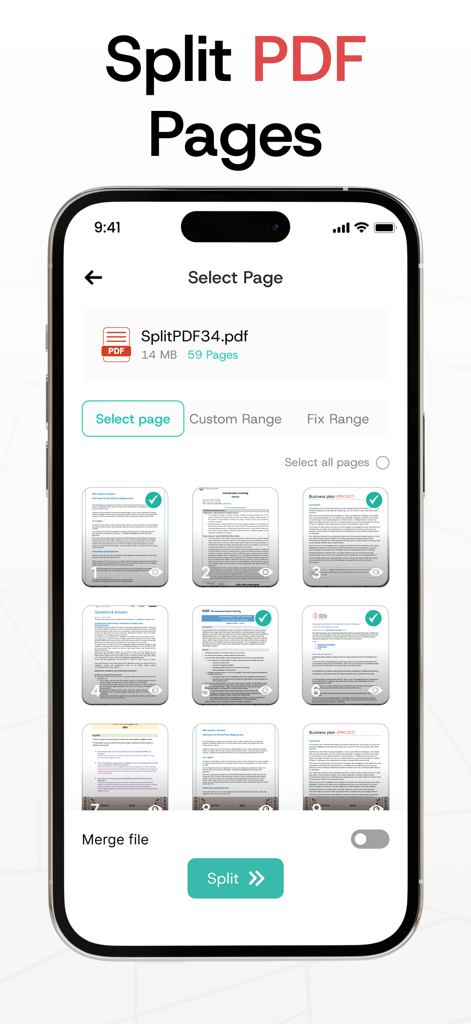
Merge PDF Files-Split PDF Docs - 分割または抽出されるPDFドキュメントの個々のページの選択を表示するiPhone画面。
分割または抽出されるPDFドキュメントの個々のページの選択を表示するiPhone画面。

Merge PDF Files-Split PDF Docs - ドキュメントの保護のためにパスワード入力フィールドが表示されているロックPDF機能のモバイルアプリインターフェース。
ドキュメントの保護のためにパスワード入力フィールドが表示されているロックPDF機能のモバイルアプリインターフェース。

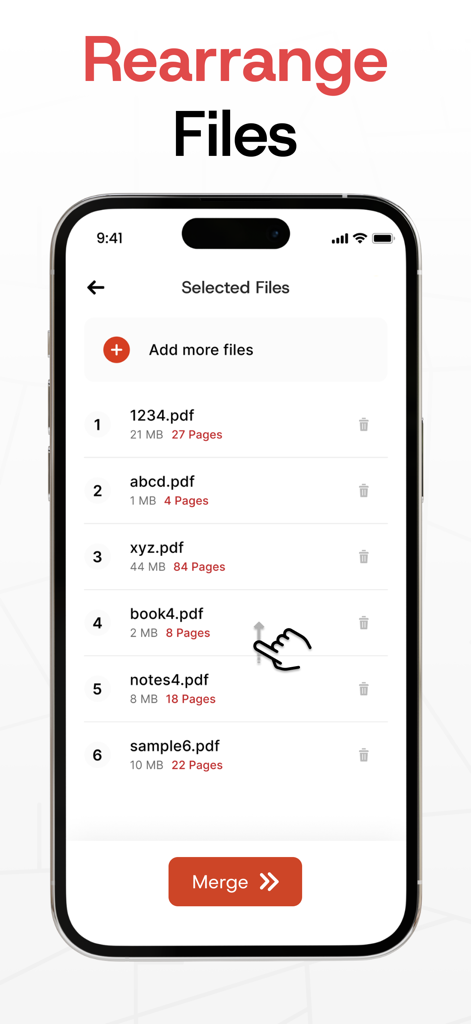
Merge PDF Files-Split PDF Docs - 1つのファイルに結合する前にPDFドキュメントのリストを並べ替えるユーザーを示すインターフェース。
1つのファイルに結合する前にPDFドキュメントのリストを並べ替えるユーザーを示すインターフェース。

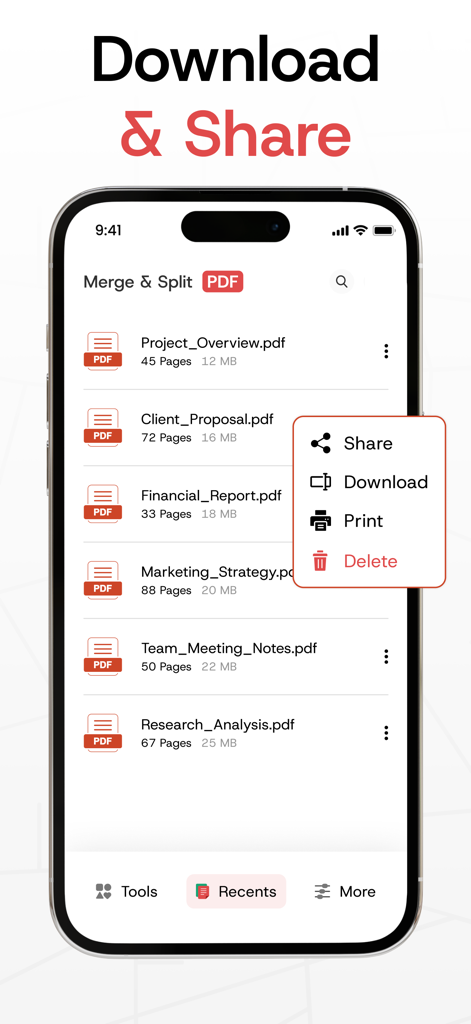
Merge PDF Files-Split PDF Docs - Merge PDFアプリで共有、ダウンロード、印刷オプションのメニューが表示されたPDFファイルのリストを示すiPhone画面。
Merge PDFアプリで共有、ダウンロード、印刷オプションのメニューが表示されたPDFファイルのリストを示すiPhone画面。

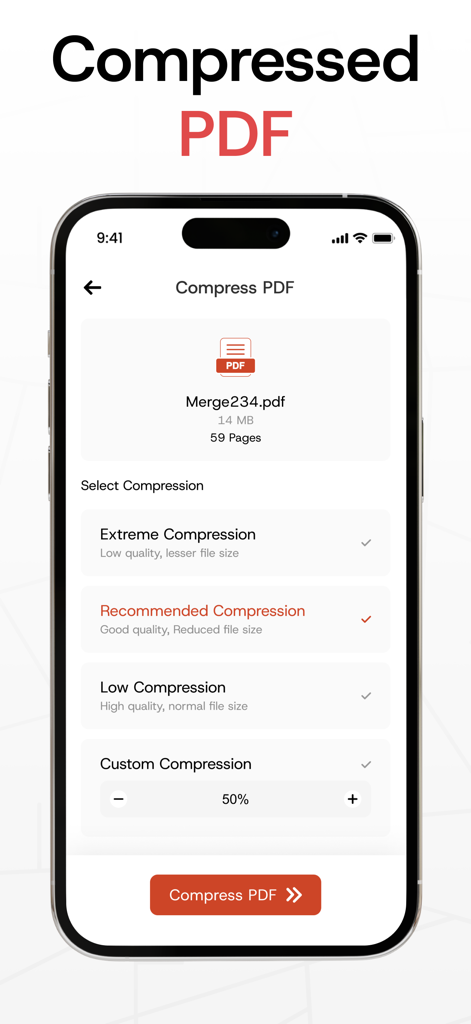
Merge PDF Files-Split PDF Docs - 複数の品質設定でPDFファイルを圧縮するためのモバイルアプリインターフェース。
複数の品質設定でPDFファイルを圧縮するためのモバイルアプリインターフェース。

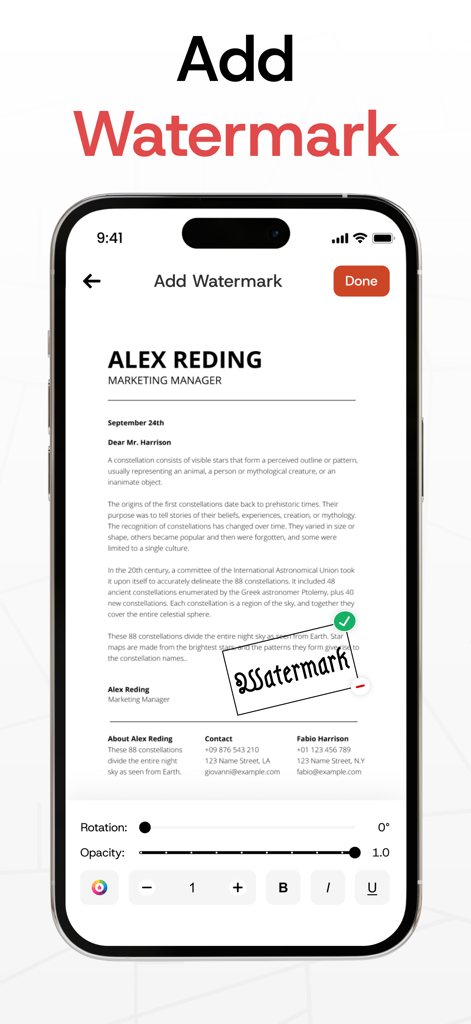
Merge PDF Files-Split PDF Docs - 回転および透明度コントロールを使用してPDFドキュメントにウォーターマークを追加および編集するためのインターフェースを示すiPhone画面。
回転および透明度コントロールを使用してPDFドキュメントにウォーターマークを追加および編集するためのインターフェースを示すiPhone画面。

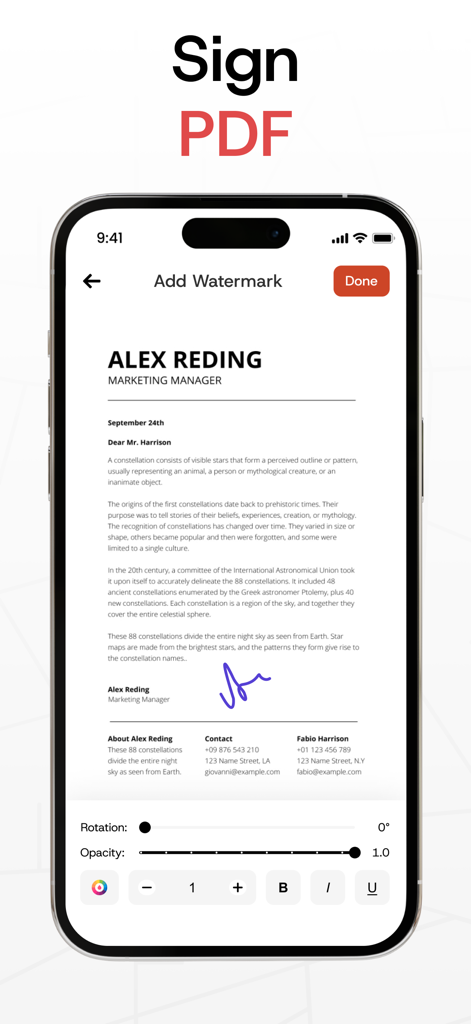
Merge PDF Files-Split PDF Docs - モバイルでPDFドキュメントにデジタル署名とウォーターマークを追加する。

モバイルでPDFドキュメントにデジタル署名とウォーターマークを追加する。
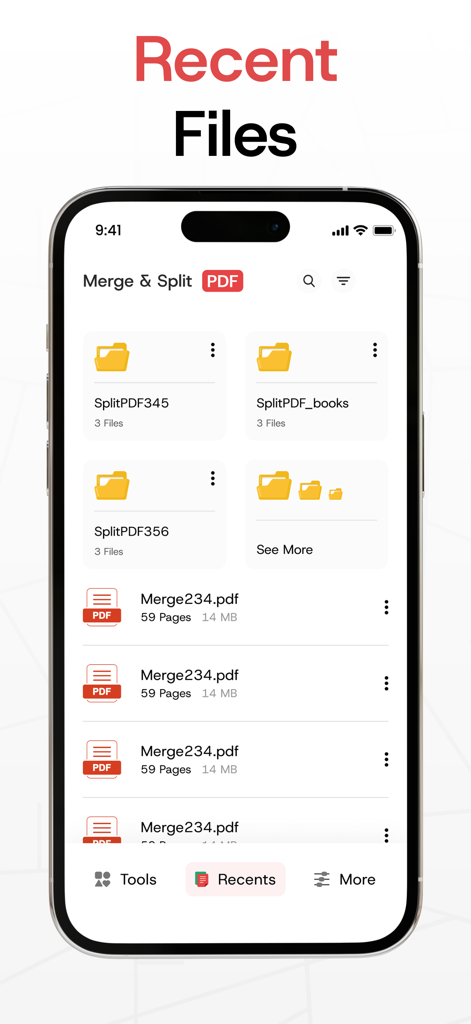
Merge PDF Files-Split PDF Docs - Merge PDFアプリの最近使用したファイルインターフェース。フォルダとドキュメントが表示されます。

Merge PDFアプリの最近使用したファイルインターフェース。フォルダとドキュメントが表示されます。

説明

Our PDF Merger app makes it effortless to merge PDF files or combine two or more PDFs into a single, neatly organized document. With its fast merging speed, you can confidently combine PDF files into one file, knowing that all your PDFs will be seamlessly merged without losing any content or quality. Plus, it’s secure, allowing you to keep your merged PDFs safe and private. In addition, This Merge PDF app offers a complete suite of tools for managing your documents. You can split PDF files into smaller, manageable sections or extract specific pages with ease. The app also lets you lock and unlock PDFs, giving you full control over document access while protecting sensitive information. How to Use? Choose PDF files directly from your gallery or create a new text-based PDF. Use the PDF Merger & PDF Combiner to effortlessly join PDF files with just a few taps. - Key Features of the PDF Merger App: * Combine PDF Files into One Easily combine multiple PDF files into one. Import PDFs from your gallery or create a new text-based PDF to merge PDF files seamlessly into a single document. * Split PDF Files Need to divide a large document? Use the PDF Splitter feature to break your PDF into smaller sections or extract specific pages to suit your needs. * Lock and Unlock PDFs Secure your files by locking them with a password, or remove restrictions to unlock PDFs when needed. Safeguard your sensitive information with ease. * Delete Pages from PDFs Remove unnecessary pages from your document effortlessly to streamline your PDF. * Share Across Platforms Quickly share your merged PDFs using the PDF Joiner via email, messaging apps, or cloud services. * Unlimited Merging Merge as many files as you want, whenever you want, with no limitations. - Why Choose Us? The Merge PDF app is built for simplicity and efficiency, making it easy to combine PDF files, manage documents, and save time. Whether you're organizing work files, creating presentations, or consolidating class notes, this app is the perfect tool. Our PDF combiner is ideal for professionals, students, and anyone dealing with multiple PDFs. Plus, it works seamlessly offline or online. - Who Can Use It? * Teachers & Educators Merge lesson plans and materials into a single document with the PDF Merger. * Business Professionals Use the app to combine PDF files like reports and presentations into polished documents. * Legal Professionals Consolidate contracts and legal filings using the PDF Joiner for secure submissions. * Real Estate Agents Create a comprehensive property profile by merging listings and contracts. * Healthcare Professionals Organize and share patient records securely with the PDF Combiner app. * Freelancers Send invoices, contracts, and project deliverables as organized, professional PDFs using the Join PDF feature. Take control of your documents today! Download Merge PDF - Combine PDF Files now and simplify your PDF management tasks for free. With its intuitive tools, including PDF Splitter, PDF Joiner, and security features, this app is your all-in-one solution for managing PDFs efficiently. Disclaimer: Our app is independently developed and fully original. We take your privacy seriously and never share your personal data with any third parties. Privacy Policy: https://www.itspdf.com/policy Terms of Service https://www.itspdf.com/termsandconditions Support Email: eclix.suport@gmail.com

Download

ダウンロード: App Store

このページはアプリまたはその開発者の公式ページではなく、情報提供および論評を目的として作成された独立した編集出版物です。明示的に別段の記載がない限り、アプリおよびその開発者は、MWM、Apple、Google Play、アプリのパブリッシャー、またはアプリの開発者と提携、承認、後援、認可、またはその他の公式的な関係はなく、このページのいかなる内容も、アプリがMWMのサービスを使用して開発されたことを意味するものではありません。すべての商標、ロゴ、スクリーンショット、その他のコンテンツはそれぞれの所有者の財産です。








