Mobileraker - Klipper UI
ダウンロード: App Store

このページはアプリまたはその開発者の公式ページではなく、情報提供および論評を目的として作成された独立した編集出版物です。明示的に別段の記載がない限り、アプリおよびその開発者は、MWM、Apple、Google Play、アプリのパブリッシャー、またはアプリの開発者と提携、承認、後援、認可、またはその他の公式的な関係はなく、このページのいかなる内容も、アプリがMWMのサービスを使用して開発されたことを意味するものではありません。すべての商標、ロゴ、スクリーンショット、その他のコンテンツはそれぞれの所有者の財産です。

ロゴ: Mobileraker - Klipper UI
ダウンロード: App Store

Mobileraker - Klipper UI

ネイティブモバイル体験でプリンター群を操作しましょう。プロレベルの精度で、リアルタイムの進捗状況を監視し、マクロを管理し、ベッドメッシュを視覚化します—いつでも、どこでも。

主要数値

ダウンロード

2K+

ユーザー評価

4.9/5

評価数

200

開発元

Patrick Schmidt

カテゴリ

Productivity

対応言語

1

最新バージョン

2.9.6

サイズ

109.4 MB

リリース日

2022年5月10日
機能

3Dプリントワークフローをマスターする

使いにくいウェブブラウザはもう不要です。Mobilerakerは、Klipper搭載マシンを総ての精度で監視および制御するための、ネイティブで高性能なUIを提供します。

リモート監視と安心感

いつでもどこでもライブカメラフィードを視聴し、即時のステータスアラートを受け取れます。失敗したプリントを即座に停止し、時間、エネルギー、フィラメントを節約しましょう。

3Dベッドメッシュデータを視覚化し、温度を正確に管理します。外出先でプロレベルの診断ツールを使用して、最初のレイヤーを完璧に仕上げましょう。

3Dベッドメッシュデータを視覚化し、温度を正確に管理します。外出先でプロレベルの診断ツールを使用して、最初のレイヤーを完璧に仕上げましょう。

以下のスクリーンショットと説明は、アプリの公式ストアリスティングから直接取得されたものであり、アプリ開発者の所有物です。

アプリストア

スクリーンショット
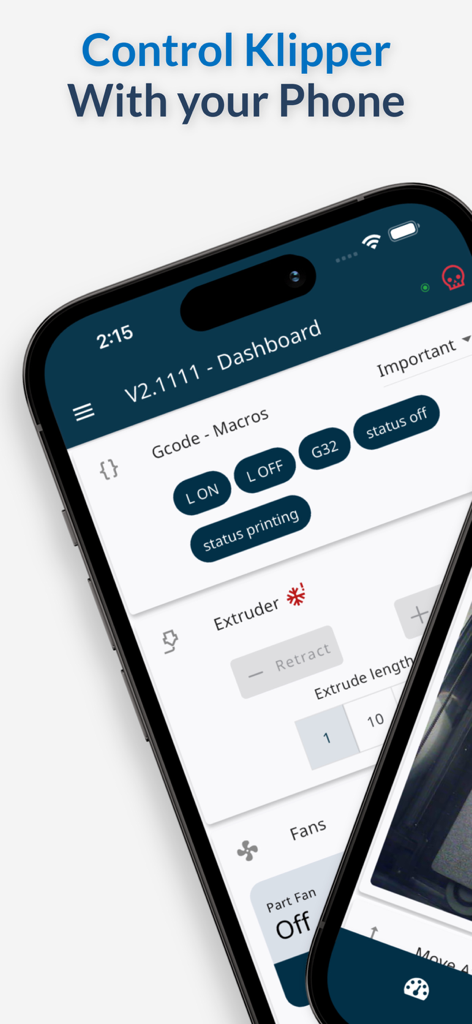
Mobileraker - Klipper UI - Klipper 3Dプリンターを制御するためのMobilerakerアプリのモバイルインターフェイス。ダッシュボードとマクロが表示されています。
Klipper 3Dプリンターを制御するためのMobilerakerアプリのモバイルインターフェイス。ダッシュボードとマクロが表示されています。

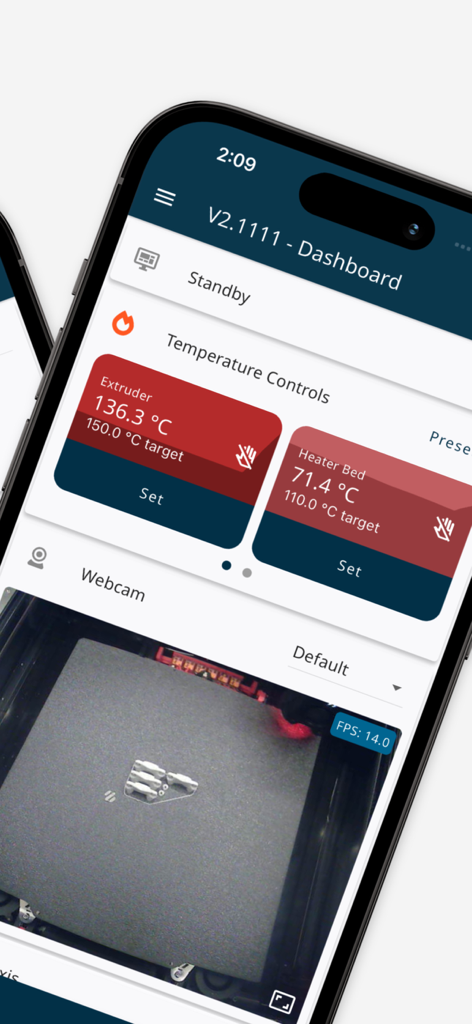
Mobileraker - Klipper UI - Klipper 3Dプリンター監視のためのモバイルアプリインターフェイス。温度制御とライブウェブカメラフィードが表示されています。
Klipper 3Dプリンター監視のためのモバイルアプリインターフェイス。温度制御とライブウェブカメラフィードが表示されています。

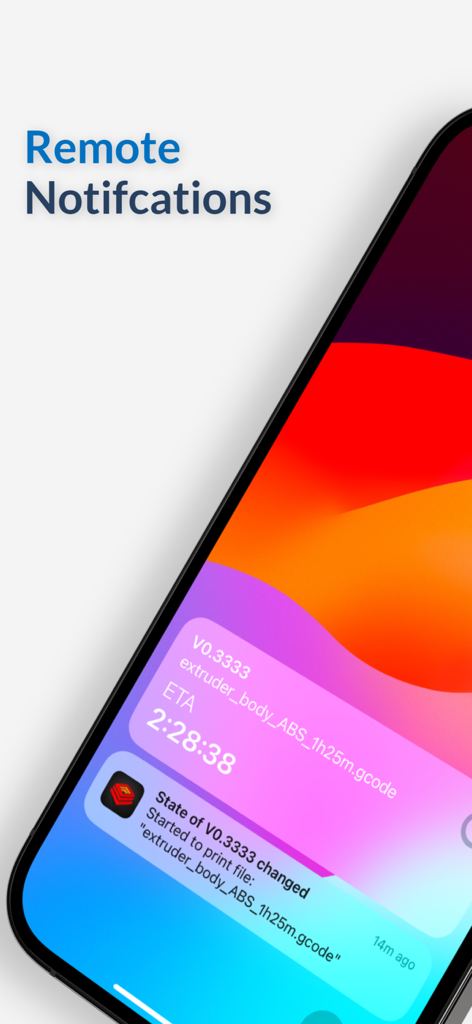
Mobileraker - Klipper UI - iPhone上のMobilerakerアプリ。3DプリンターのステータスとETAに関するリモートプッシュ通知が表示されています。
iPhone上のMobilerakerアプリ。3DプリンターのステータスとETAに関するリモートプッシュ通知が表示されています。

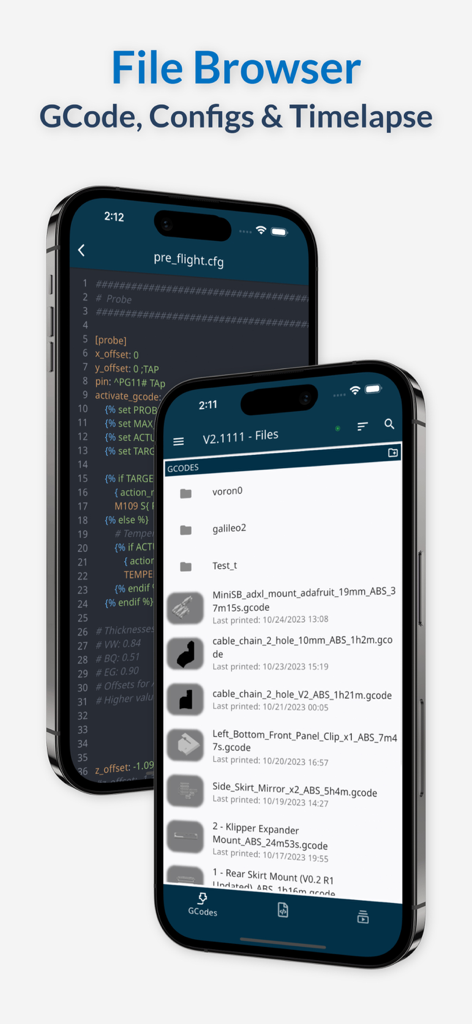
Mobileraker - Klipper UI - Mobilerakerアプリインターフェイス。2台のiPhoneデバイスでGCodeファイルブラウザと設定ファイルエディタが表示されています。
Mobilerakerアプリインターフェイス。2台のiPhoneデバイスでGCodeファイルブラウザと設定ファイルエディタが表示されています。

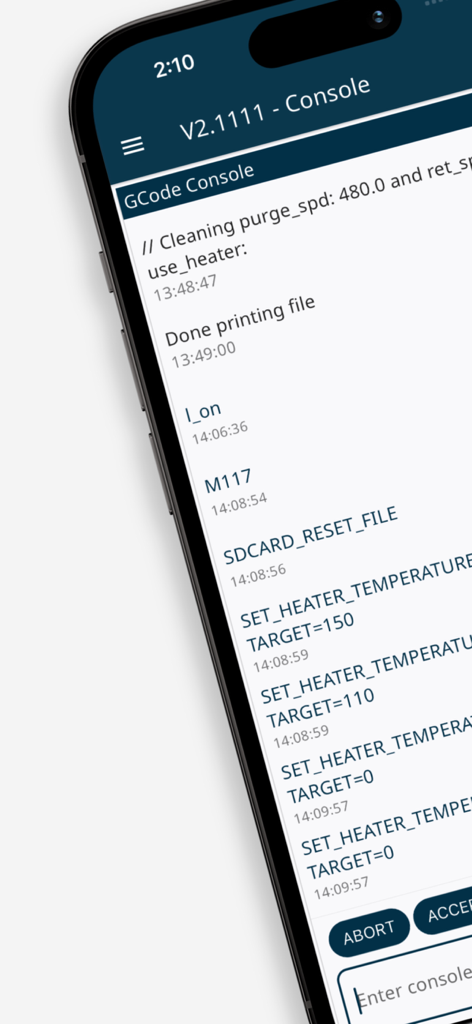
Mobileraker - Klipper UI - スマートフォン画面。MobilerakerのGCodeコンソールインターフェイスが表示され、3Dプリンターのコマンドログとステータス更新が表示されています。
スマートフォン画面。MobilerakerのGCodeコンソールインターフェイスが表示され、3Dプリンターのコマンドログとステータス更新が表示されています。

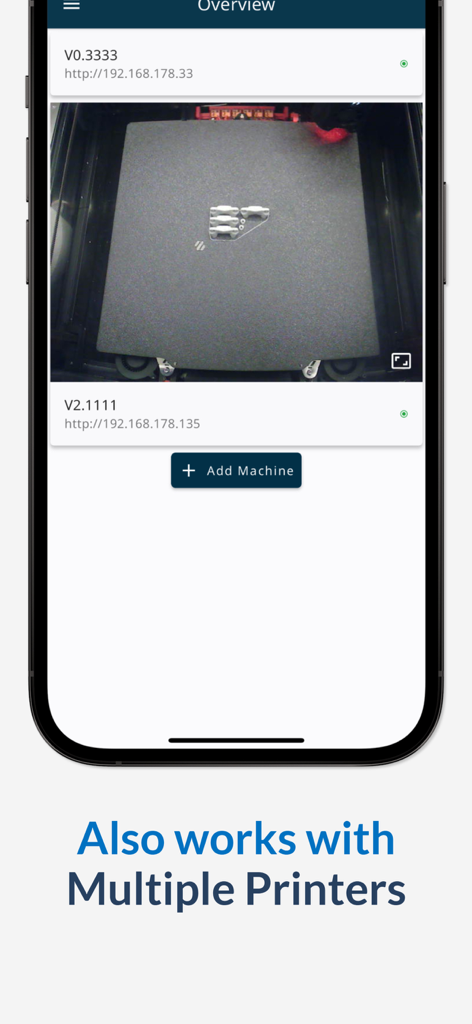
Mobileraker - Klipper UI - Mobilerakerモバイルアプリインターフェイス。複数の3Dプリンターのリストと、進行中のプリントのライブカメラフィードが表示されています。

Mobilerakerモバイルアプリインターフェイス。複数の3Dプリンターのリストと、進行中のプリントのライブカメラフィードが表示されています。

説明

Take control of your Klipper 3D printing experience like never before! Mobileraker puts professional-grade monitoring and precision control right in your pocket, transforming how you interact with your printer. REVOLUTIONARY PRINTING CONTROL Unleash the full potential of your Klipper-powered printer with an intuitive interface that gives you complete command over every aspect of your printing process. From anywhere, anytime! POWERFUL FEATURES AT YOUR FINGERTIPS • Real-Time Print Visualization: Watch your designs come to life with GCode preview and live print tracking • Smart Print Management: Control jobs instantly with pause, resume, or stop functions while getting real-time progress updates • Precision Control Suite: Command all axes with pinpoint accuracy and perfectly manage temperatures across multiple extruders • Advanced Monitoring Dashboard: Visualize bed mesh data in stunning detail and track temperature fluctuations in real-time • Intelligent Filament System: Master your inventory with Spoolman integration and stay ahead of issues with filament sensor alerts • Fully Customizable Interface: Create your perfect command center by arranging controls exactly how you want them • Complete File Command: Upload, download, zip, edit, and manage files with unprecedented ease • Macro Mastery: Streamline complex operations with grouped GCode macros at your command • Multi-Printer Fleet Control: Manage your entire printing ecosystem from one powerful interface ENHANCED PRINTING EXPERIENCE • Multi-Camera Monitoring: Keep eyes on your print from every angle with advanced camera integration • Interactive GCode Console: Communicate directly with your printer through an intuitive command interface • Smart Notifications: Stay informed with customizable alerts about your print status, no matter where you are • Temperature Preset System: Switch between your most-used settings with lightning speed • Secure Remote Access*: Maintain rock-solid connections through Octoeverywhere, Obico, or your custom setup LEARN MORE Discover all capabilities and latest updates on Mobileraker's GitHub page. LEGAL INFORMATION Terms of Use: https://www.apple.com/legal/internet-services/itunes/dev/stdeula/ Privacy Policy: https://www.iubenda.com/privacy-policy/19183925/full-legal *Remote access requires connection through Octoeverywhere, Obico, or manual setup with VPN, reverse proxy, or similar.

Download

ダウンロード: App Store

このページはアプリまたはその開発者の公式ページではなく、情報提供および論評を目的として作成された独立した編集出版物です。明示的に別段の記載がない限り、アプリおよびその開発者は、MWM、Apple、Google Play、アプリのパブリッシャー、またはアプリの開発者と提携、承認、後援、認可、またはその他の公式的な関係はなく、このページのいかなる内容も、アプリがMWMのサービスを使用して開発されたことを意味するものではありません。すべての商標、ロゴ、スクリーンショット、その他のコンテンツはそれぞれの所有者の財産です。








