MonCal
MonCal
ダウンロード: App Store

このページはアプリまたはその開発者の公式ページではなく、情報提供および論評を目的として作成された独立した編集出版物です。明示的に別段の記載がない限り、アプリおよびその開発者は、MWM、Apple、Google Play、アプリのパブリッシャー、またはアプリの開発者と提携、承認、後援、認可、またはその他の公式的な関係はなく、このページのいかなる内容も、アプリがMWMのサービスを使用して開発されたことを意味するものではありません。すべての商標、ロゴ、スクリーンショット、その他のコンテンツはそれぞれの所有者の財産です。

ロゴ: MonCal
ダウンロード: App Store

MonCal

紙の手帳愛好家のためのデジタルコンパニオン。iPhoneカレンダーと完全に同期し、カスタマイズ可能なフォントと色で、すっきりとしたレイアウトで1ヶ月全体を表示できます。

主要数値

ダウンロード

25K+

ユーザー評価

4.1/5

評価数

400

開発元

Masaki Mori

カテゴリ

Productivity

対応言語

2

最新バージョン

2.9.1

サイズ

64.8 MB

リリース日

2012年3月5日
機能

月間マスターをひと目で

デジタル同期のパワーで、紙の手帳のような直感的な使い心地を体験してください。MonCalは、複雑な自動化よりも視覚的な整理を重視する方のために作られています。

伝統的な月間レイアウト

お気に入りの卓上カレンダーのロジックを再現します。物理的な日記を模倣した、高解像度で空間的なビューで、1ヶ月の予定全体を表示できます。

読みやすさを追求

もう目を細める必要はありません。7つのフォントサイズと太字オプションから選択して、月間全体を一度に表示しても、スケジュールが完璧に読みやすいことを確認してください。

以下のスクリーンショットと説明は、アプリの公式ストアリスティングから直接取得されたものであり、アプリ開発者の所有物です。

アプリストア

スクリーンショット
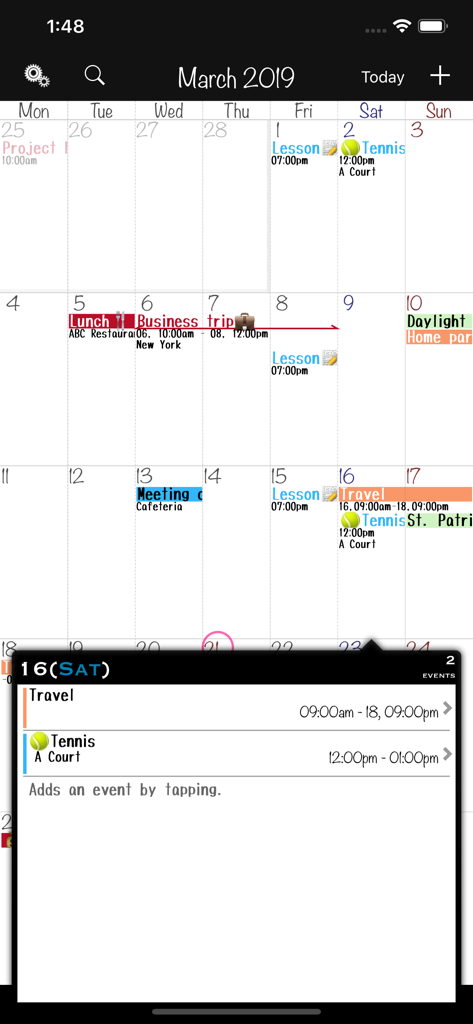
MonCal - カラーコーディングされたイベントと詳細なデイリーイベントポップアップが表示された月間カレンダービュー
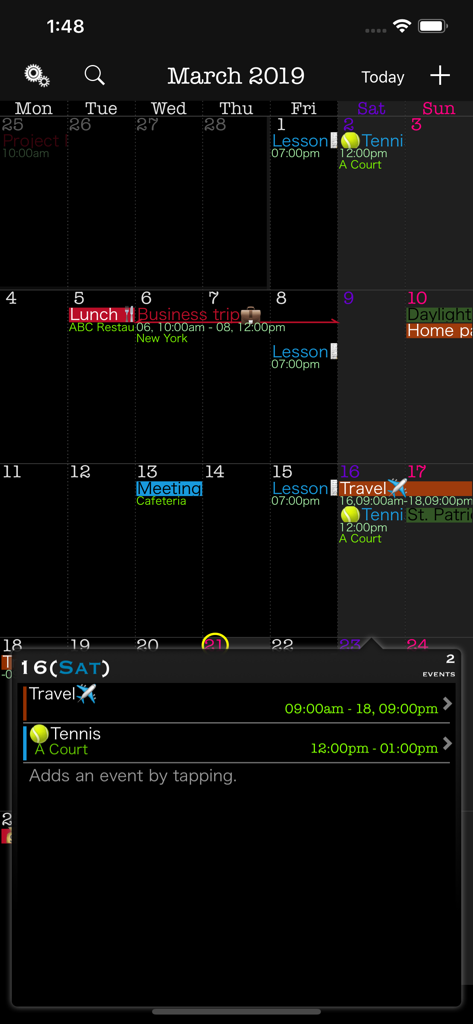
カラーコーディングされたイベントと詳細なデイリーイベントポップアップが表示された月間カレンダービュー

MonCal - カラーラベル付きイベントと詳細なデイリースケジュールポップアップが表示されたダークモードの月間カレンダーグリッドを示すMonCalアプリ
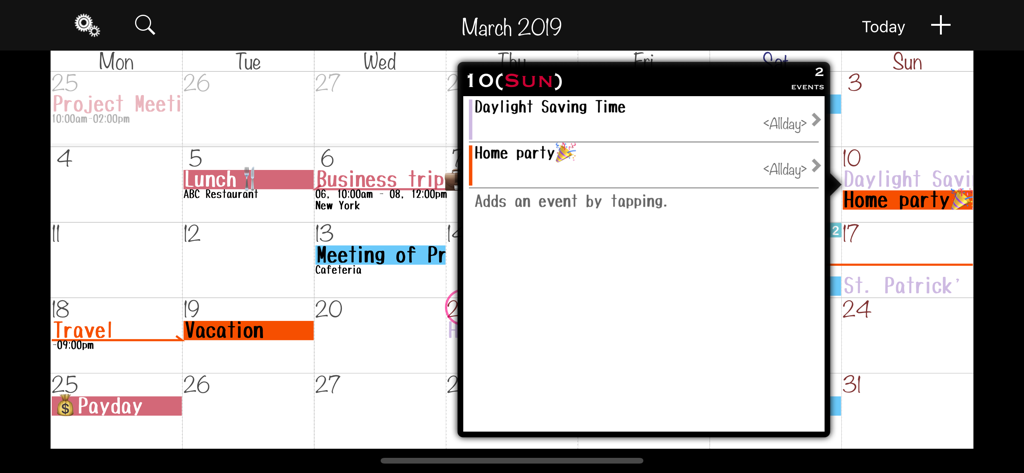
カラーラベル付きイベントと詳細なデイリースケジュールポップアップが表示されたダークモードの月間カレンダーグリッドを示すMonCalアプリ

MonCal - カラーコーディングされたイベントとデイリースケジュールポップアップを特徴とするランドスケープモードのMonCalアプリ月間カレンダーインターフェース
カラーコーディングされたイベントとデイリースケジュールポップアップを特徴とするランドスケープモードのMonCalアプリ月間カレンダーインターフェース

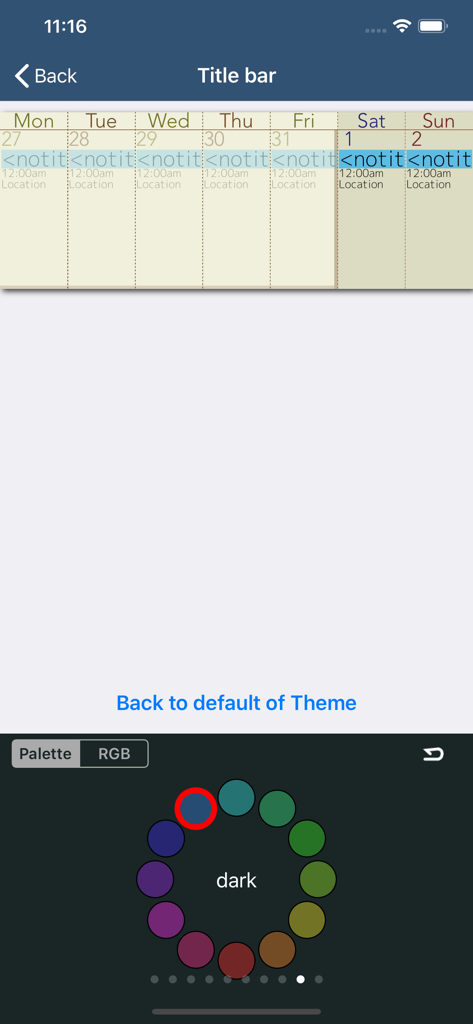
MonCal - 円形のカラーパレットホイールでテーマカラーのカスタマイズオプションを示すMonCalアプリインターフェース
円形のカラーパレットホイールでテーマカラーのカスタマイズオプションを示すMonCalアプリインターフェース

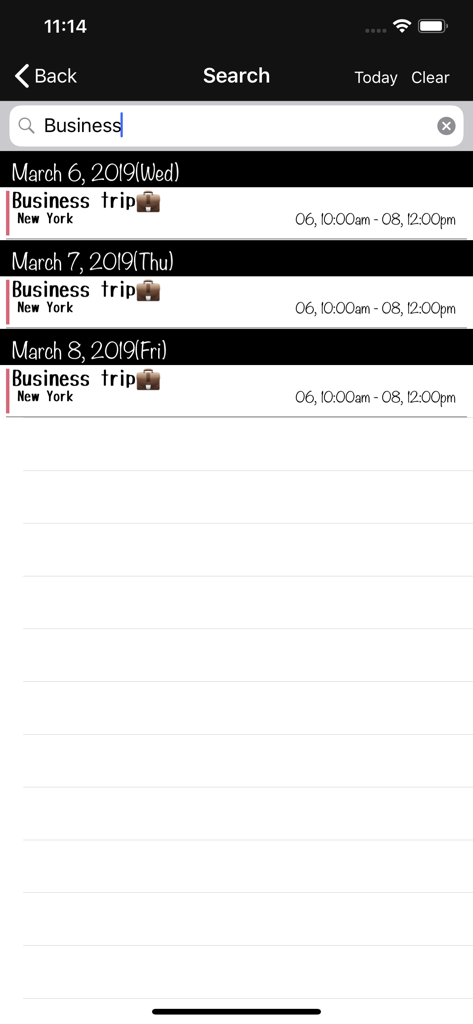
MonCal - 場所と時間情報を含むフィルタリングされた出張イベントを示すMonCalアプリ検索画面

場所と時間情報を含むフィルタリングされた出張イベントを示すMonCalアプリ検索画面

説明

Thanks for visiting MonCal. MonCal is a software dedicated to monitor your schedule on and only on a monthly basis. It was developed to mimic the actual usage of schedule paper notes, with a view of your monthly schedule at a glance. This software is suitable for those: Who writes the plan to manage desk calendar or diary of the month view. Who tried many scheduler but ended up using monthly view only. Registered schedules will be synchronized with your iPhone via standard calendar app. If other calendar apps such as iCloud Calendar and MS Exchange are set to sync with the standard calendar app., they will be reflected as well. The fonts used are relatively small but with the Retina display, you will be able to view both the time and place without a stress. In addition, you can choose the fonts from 7 different size variations for a better view. Your daily schedule will be displayed in a popup by tapping the date. MonCal is designed with minimum number of taps and/or flicks in mind in a simplest manner and is not considered to expand its functions or capabilities. *This is the paid version of MonCalite. In the free version the following functions are different. + Color labeling per event is not support + show Ad banner If you are interested, please try the free version. Functions: + Monthly calendar view + Detailed Event view + Launching the maps from a location text + Launching the browser from a URL in notes + Sync with the standard calendar app. + Create a event from input histories. + Color labeling per event + Naming color labels + Color selection per calendar (Text color also available in black and white) + Event repeat (Yearly, Monthly, Weekly (multiple days can be selected), Bi-Weekly, Daily) + Alarm + Beginning of the week + Specifies holiday + Fonts (4 types, 7 size variations) And bold + Layout of an event display ( 3 types ) + Icon badge + Event copy + Landscape mode + Customizing the viewing colors + And other Customizing... + Supports for URL Scheme ('com.gggatelier.moncal://') + Supports iOS 12 / 13 / 14 / 15 / 16 / 17 / 18 + Supports multitasking(Slide Over & Split View) -------------------------- Feedback, requests are X(Twitter): @ gggatelier mail: gggatelier.apps @ gmail.com

Download

ダウンロード: App Store

このページはアプリまたはその開発者の公式ページではなく、情報提供および論評を目的として作成された独立した編集出版物です。明示的に別段の記載がない限り、アプリおよびその開発者は、MWM、Apple、Google Play、アプリのパブリッシャー、またはアプリの開発者と提携、承認、後援、認可、またはその他の公式的な関係はなく、このページのいかなる内容も、アプリがMWMのサービスを使用して開発されたことを意味するものではありません。すべての商標、ロゴ、スクリーンショット、その他のコンテンツはそれぞれの所有者の財産です。








