
このページはアプリまたはその開発者の公式ページではなく、情報提供および論評を目的として作成された独立した編集出版物です。明示的に別段の記載がない限り、アプリおよびその開発者は、MWM、Apple、Google Play、アプリのパブリッシャー、またはアプリの開発者と提携、承認、後援、認可、またはその他の公式的な関係はなく、このページのいかなる内容も、アプリがMWMのサービスを使用して開発されたことを意味するものではありません。すべての商標、ロゴ、スクリーンショット、その他のコンテンツはそれぞれの所有者の財産です。


MP3 Converter - Extract MP3
動画を高音質なオーディオに変換し、トレンドのGIFを作成し、その場でコンテンツを編集。次世代クリエイターのために設計された、高速でパワフルなモバイルファーストツールキット。
ダウンロード
153K+ユーザー評価
評価数
0開発元
カテゴリ
Productivity対応言語
20最新バージョン
3.0.0サイズ
97.3 MBリリース日
2024年6月20日1つのアプリで、無限のクリエイティブな可能性
アプリ間を行き来するのはもうやめましょう。モバイルファーストのライフスタイルに合わせて構築されたパワフルなツールキットで、高品質なメディアを編集、変換、作成しましょう。
プロ級オーディオ抽出
あらゆる動画を即座に高品質MP3またはWAVに変換。トレンドのサウンドを保存したり、カスタム着信音を作成したりするのに最適です。
ユニバーサルフォーマット変換
「ファイルがサポートされていません」というエラーはもうありません。MP4、MOV、MKVなどを、解像度とファイルサイズを最適化しながら変換します。
よくある質問
について知っておくべきこと MP3 Converter - Extract MP3
MP3コンバーター - MP3抽出アプリの主な機能は何ですか?
ユニバーサルメディアワークショップとしても知られるMP3コンバーター - MP3抽出アプリは、包括的なマルチメディアソリューションを提供します。ビデオおよびオーディオ変換、ビデオ編集、GIF作成機能を提供します。
ユニバーサルメディアワークショップは、どのようなビデオ形式の変換をサポートしていますか?
ユニバーサルメディアワークショップは、MP4、AMV、AVI、MOV、TS、GIF、MPG、M4V、MKV、WMV、3GPなどの形式からビデオを変換します。解像度やビットレートの調整も提供します。
MP3コンバーター - MP3抽出アプリは、オーディオをMP3形式に変換できますか?
はい、ユニバーサルメディアワークショップアプリは、オーディオをMP3、WAV、AACなどの形式に変換します。カスタマイズ可能な設定で、最大10種類のターゲットオーディオ形式をサポートしています。
ユニバーサルメディアワークショップは、ビデオからGIFをどのように作成しますか?
このアプリは、ループ、巻き戻し、可変速オプションを使用して、ビデオクリップをダイナミックなGIF画像に変換します。クリエイティブなGIFのために、カスタム解像度、フレームレート、クロッピングを許可します。
MP3コンバーター - MP3抽出アプリには、どのようなビデオ編集ツールがありますか?
ユニバーサルメディアワークショップは、編集、スプライス、クロップ、ビデオダブリング、ミュート、キャプションのツールを提供します。プロフェッショナルなクリエイティブ体験のために、GIFおよびオーディオ変換機能も統合しています。
ユニバーサルメディアワークショップアプリは、過去の変換と編集の記録を保持していますか?
はい、このアプリは、処理されたすべてのビデオファイルの明確な記録を維持します。ユーザーは、過去の変換および編集プロジェクトを簡単に表示、名前変更、共有、またはダウンロードできます。
ユニバーサルメディアワークショップアプリで、ビデオとオーディオの再生速度を調整できますか?
はい、ユニバーサルメディアワークショップアプリは、オーディオとビデオの両方の再生速度の調整をサポートしています。ユーザーは、0.1倍から10倍までの速度を正確に制御できます。
MP3コンバーター - MP3抽出アプリを使用して、ビデオやオーディオをカットまたはトリミングすることは可能ですか?
はい、ユニバーサルメディアワークショップアプリを使用すると、ビデオファイルとオーディオファイルの両方を自由にカットおよびトリミングできます。この機能は、目的のセグメントの正確な編集をサポートします。
以下のスクリーンショットと説明は、アプリの公式ストアリスティングから直接取得されたものであり、アプリ開発者の所有物です。
アプリストア
スクリーンショット
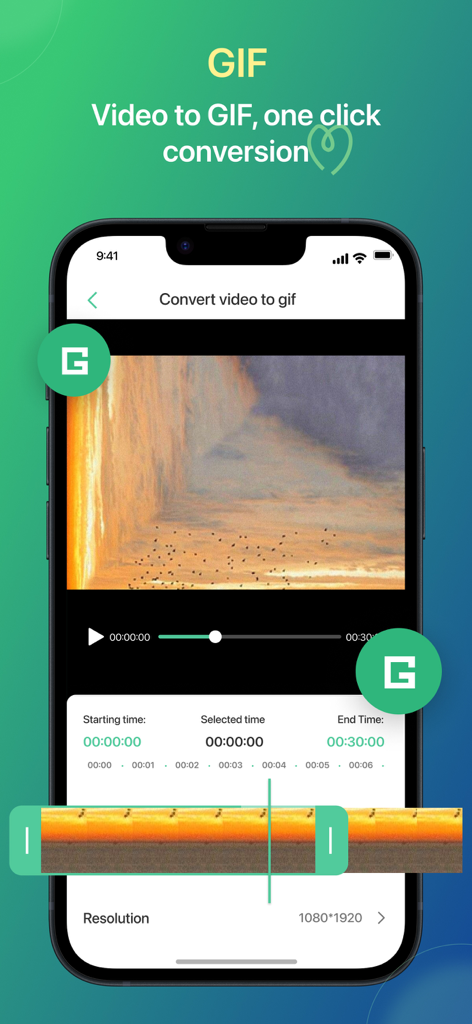
トリミングと解像度設定を備えた、動画からGIFへの変換を行うモバイルアプリのインターフェース
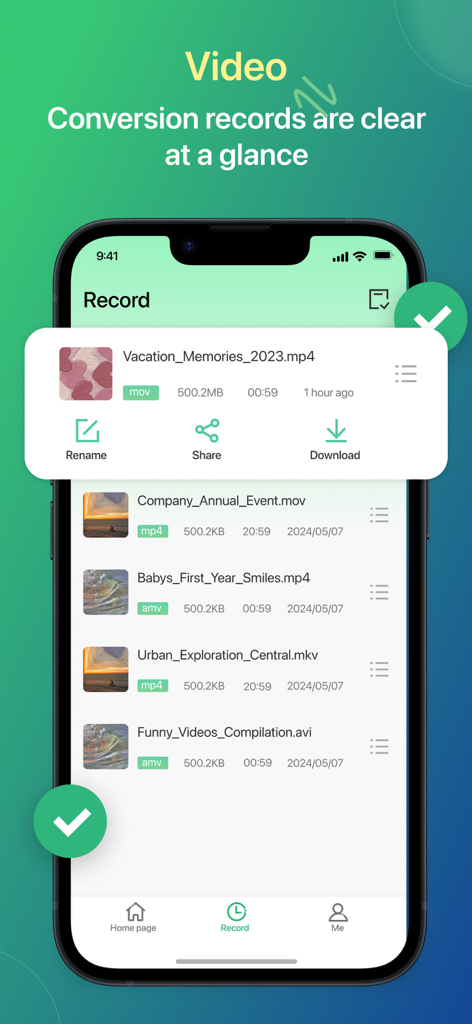
名前変更、共有、ダウンロードのオプションが表示された変換済み動画ファイルのリストを示すモバイルアプリ画面
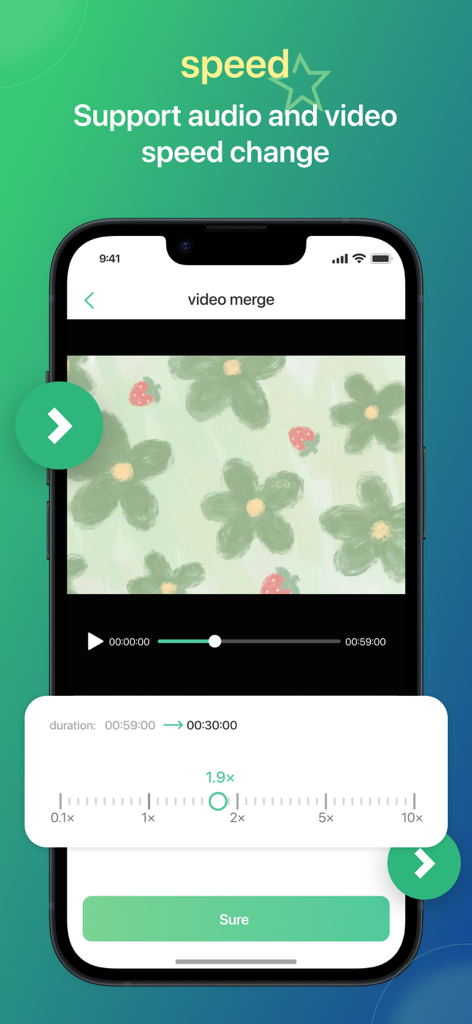
スライダーが1.9倍速に設定された動画速度調整ツールを示すモバイルアプリ画面
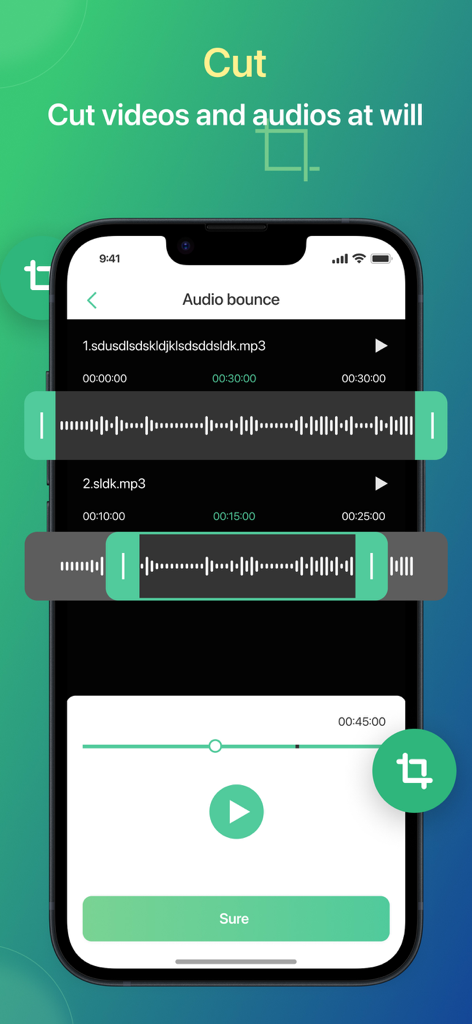
波形とともにオーディオファイルをカットおよびトリミングするためのモバイルアプリインターフェース
説明
Download
類似アプリ
似た機能とユーザー体験を持つアプリ

iConv - Video & PDF Converter
琛 王

Convert PDF to Word OCR
Tu Phan

PDF Converter – Photos to PDF
SMDA GROUP SP. Z OO

Toolbox by Paperclip
WuHan Paperclip Technology Co., Ltd.

Video Converter and Compressor
Inverse.AI

Video Converter & Compressor
WEBDIA INC.

全能格式转换王-视频音频转换图片文件格式处理
大为 方

PDF Converter: Convert to PDFㅤ
Roberto Hayes

The Document Converter
Float Tech, LLC
このページはアプリまたはその開発者の公式ページではなく、情報提供および論評を目的として作成された独立した編集出版物です。明示的に別段の記載がない限り、アプリおよびその開発者は、MWM、Apple、Google Play、アプリのパブリッシャー、またはアプリの開発者と提携、承認、後援、認可、またはその他の公式的な関係はなく、このページのいかなる内容も、アプリがMWMのサービスを使用して開発されたことを意味するものではありません。すべての商標、ロゴ、スクリーンショット、その他のコンテンツはそれぞれの所有者の財産です。