
このページはアプリまたはその開発者の公式ページではなく、情報提供および論評を目的として作成された独立した編集出版物です。明示的に別段の記載がない限り、アプリおよびその開発者は、MWM、Apple、Google Play、アプリのパブリッシャー、またはアプリの開発者と提携、承認、後援、認可、またはその他の公式的な関係はなく、このページのいかなる内容も、アプリがMWMのサービスを使用して開発されたことを意味するものではありません。すべての商標、ロゴ、スクリーンショット、その他のコンテンツはそれぞれの所有者の財産です。

PDF Converter – Photos to PDF
紙の束を過去のものにする。このアプリは、あらゆる視覚情報を瞬時にPDFへ、そしてPDFから自在に操る力を提供する。
ダウンロード
100k+ユーザー評価
評価数
2.3K開発元
カテゴリ
Utilities対応言語
20最新バージョン
2.0.22サイズ
80.9 MBリリース日
2023年6月16日効率的なファイル管理と変換ニーズに対応する主要機能の評価
アプリケーション「PDF Converter – Photos to PDF」の機能分析
PDFから編集可能なファイルへの変換
フォーマットを維持したまま、PDFをWordやExcelなどの編集可能な文書にエクスポートできます。
写真からPDFへの変換
スマートフォンで撮影した写真を瞬時に高品質なPDFファイルに変換できます。
直感的でシンプルな操作性
クリーンなインターフェースにより、誰でも数タップで簡単にファイルや画像を変換できます。
文書からPDFへの変換
Word、Excelなどの主要な文書ファイルを迅速かつ正確にPDF形式に変換できます。
多様な画像形式のサポート
JPG、PNG、HEICなど多岐にわたる画像形式間で、品質を損なうことなく変換を実行できます。
オリジナル品質の維持
変換プロセスを通じて、元の文書や画像の鮮明度と品質が完全に保持されます。
よくある質問
について知っておくべきこと PDF Converter – Photos to PDF
What is PDF Converter – Photos to PDF app?
PDF Converter is an all-in-one file and image converter. It quickly transforms photos and documents to PDF, converts PDFs to editable files, and supports conversions between various image formats without quality loss.
Can I convert photos to PDF with PDF Converter?
Yes, PDF Converter instantly converts photos into PDF files in a few taps. It supports various image formats such as JPG, JPEG, PNG, HEIC, TIFF, WEBP, RAW, GIF, and BMP for conversion to PDF.
What document types can PDF Converter convert?
PDF Converter converts Word, Excel, and other documents into PDF. It also converts PDF files back into editable Word or Excel documents, ensuring the original formatting is maintained during the process.
Does PDF Converter convert PDF to editable Word or Excel files?
Yes, PDF Converter allows users to export PDF files back to editable Word (.DOCX) or Excel (.XLSX) documents. The app maintains the original formatting of the document during this conversion.
What image formats does PDF Converter support for conversion?
PDF Converter supports comprehensive image conversion for formats including JPG, JPEG, PNG, HEIC, HEIF, PDF, SVG, TIFF, WEBP, RAW, GIF, and BMP. It converts between these formats fast and without quality loss.
How do I manage my PDF Converter subscription and auto-renewal?
You manage your PDF Converter subscription and auto-renewal through your Apple ID account settings after purchase. Subscriptions can be canceled at any time from these settings.
Is there a free trial period for PDF Converter?
Yes, if a free trial is offered, the PDF Converter subscription automatically renews after the 3-day trial period. Users must cancel the subscription before the trial ends to avoid charges.
Does PDF Converter maintain file quality during conversion?
PDF Converter maintains the original quality of all documents and images during conversion. Files remain crisp and intact, ensuring no quality loss throughout the process.
Where can I find the Privacy Policy for PDF Converter?
The Privacy Policy for PDF Converter is accessible via the link provided in the app's description: https://sdmagroop.eu/privacy.html. Users can review the terms there.
以下のスクリーンショットと説明は、アプリの公式ストアリスティングから直接取得されたものであり、アプリ開発者の所有物です。
アプリストア
スクリーンショット
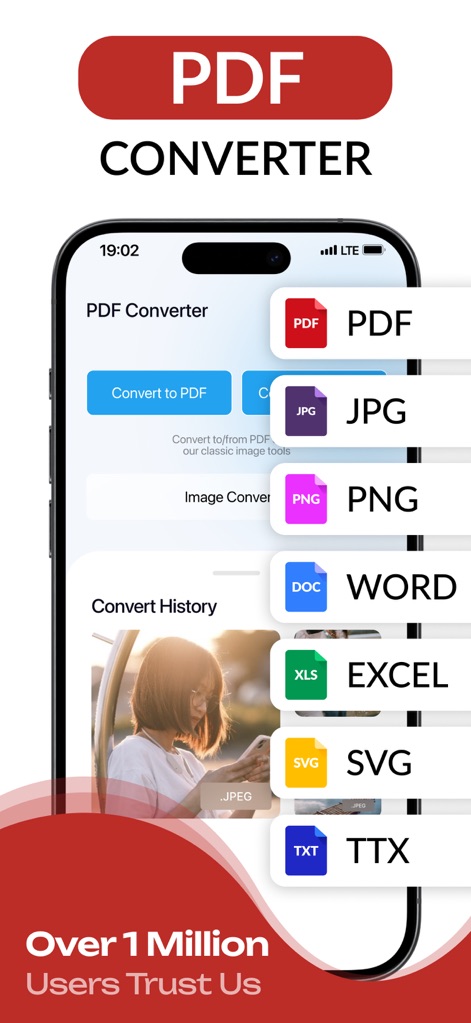
このアプリはPDF、JPG、PNGなどの多様なファイル形式に対応し、ユーザーはPDFへの変換や他の画像形式との相互変換を直感的に行えます。また、WORDやEXCELなどのオフィスファイルもサポートされています。
多彩なファイル変換
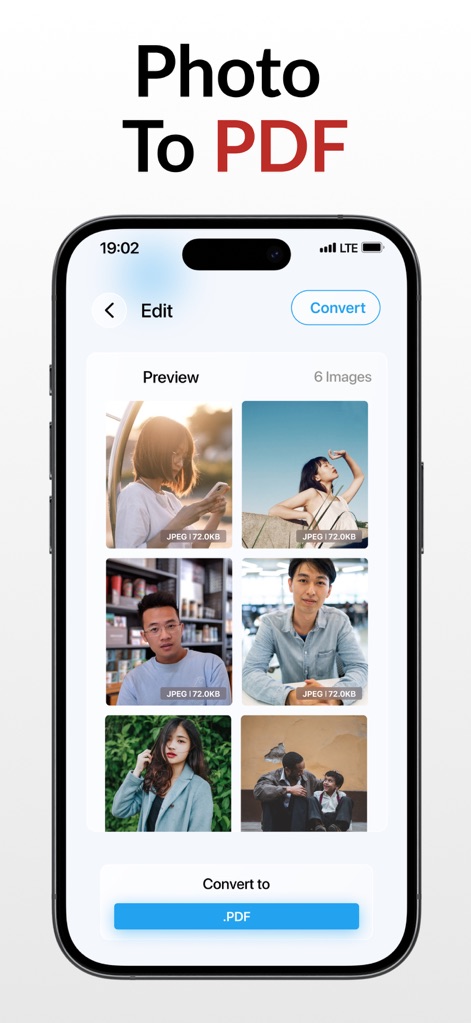
ユーザーは複数の写真を選択し、瞬時にPDFファイルに変換できます。各画像は変換前にプレビュー表示され、サイズ(例: 72.0KB)も確認可能です。
写真をPDFに
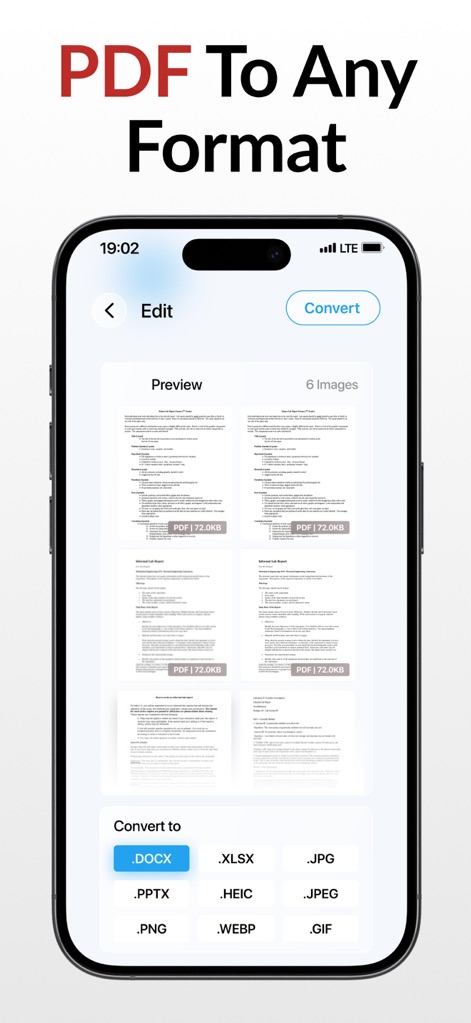
ユーザーは既存のPDFファイルを、.DOCXや.XLSXのような編集可能なドキュメント形式、または.JPGや.PNGなどの画像形式に変換できます。変換先の豊富な選択肢が提供されます。
PDFを多様な形式へ
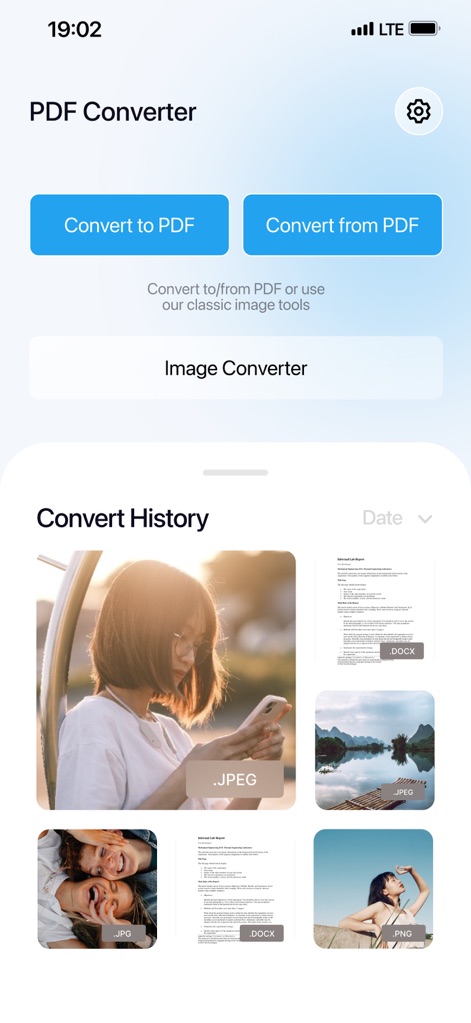
ユーザーは過去の変換履歴を一覧で確認でき、画像ファイル (.JPEG) やドキュメントファイル (.DOCX) など、変換されたファイルのサムネイルが表示されます。主要な変換機能へのアクセスも容易です。
変換履歴を管理
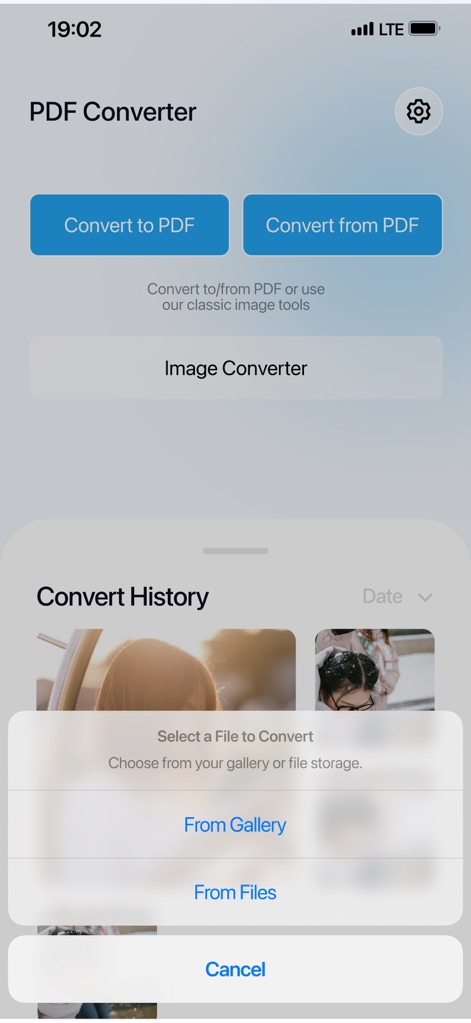
ファイル変換を開始する際、ユーザーはギャラリーから写真を選択したり、デバイスのファイルストレージから直接ファイルを選んだりできます。直感的な選択オプションが提供されます。
ファイル選択が簡単
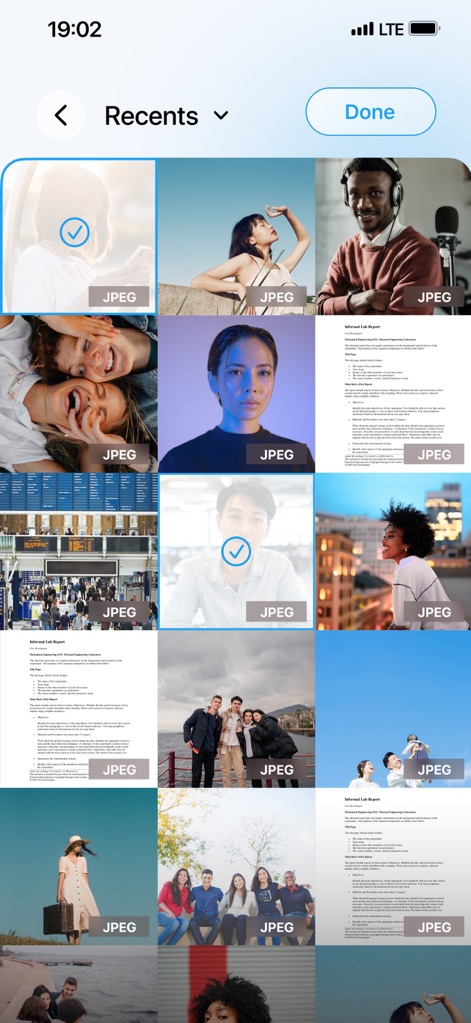
ユーザーはデバイスのギャラリーから複数の画像を一度に選択でき、選択された画像にはチェックマークが表示されます。これにより、効率的な一括処理が可能です。
ギャラリーから画像選択
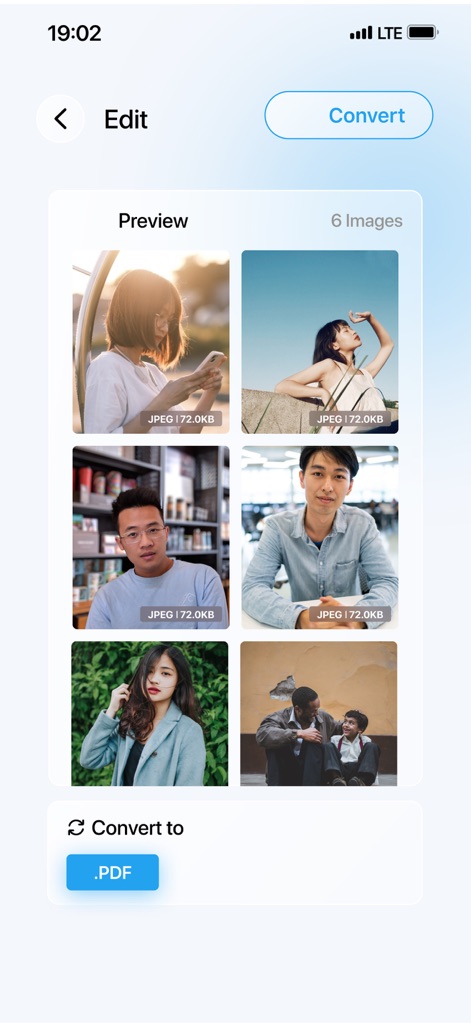
この画面では、ユーザーが選択した複数の画像ファイル(例:6枚)がプレビュー表示され、一括でPDFに変換するための準備が整います。各画像にはファイルサイズ (.JPEG 72.0KB) が示されています。
画像の一括変換
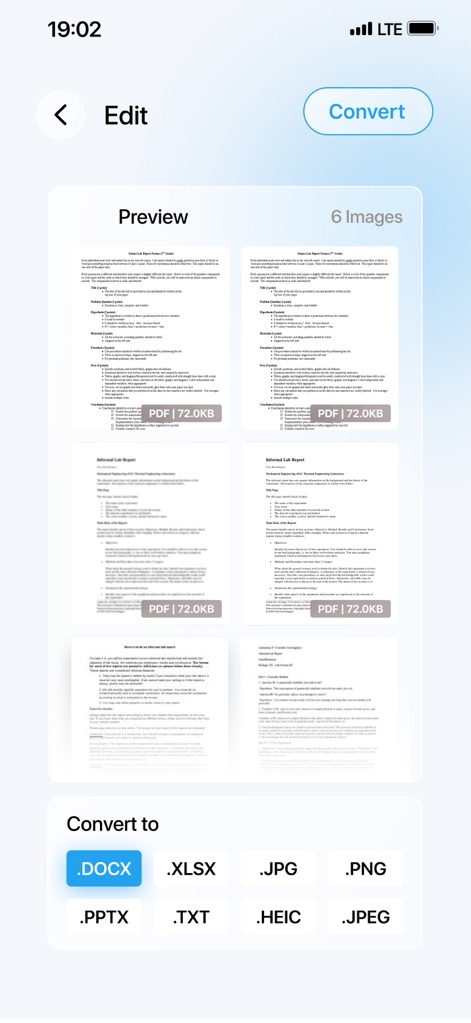
PDFファイルがプレビューされ、ユーザーはこれを.DOCX、.XLSXといった編集可能な形式や、.JPG、.PNGといった画像形式など、多様な形式へ変換できます。
PDFを柔軟に変換
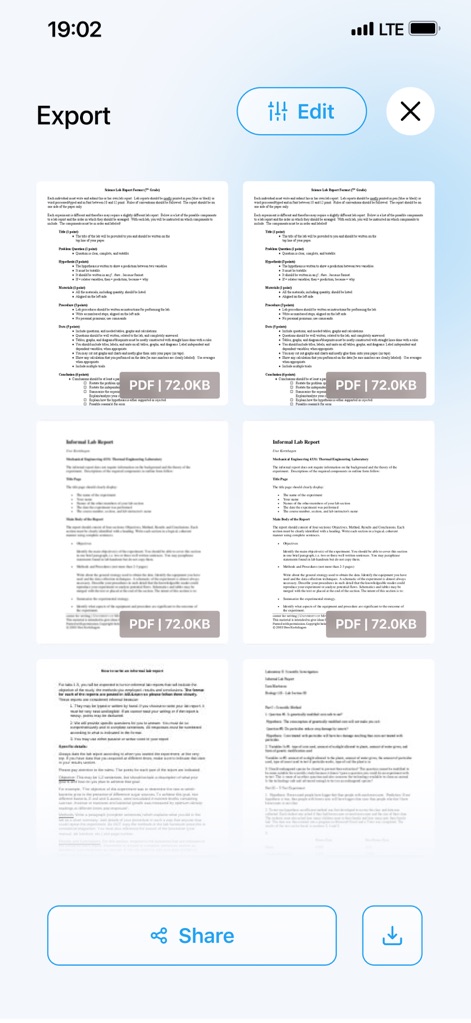
変換されたPDFドキュメントがプレビュー表示され、ユーザーは「共有」ボタンから他のアプリへ送ったり、「ダウンロード」ボタンでデバイスに保存したりできます。視覚的にドキュメントの内容を確認できます。
変換結果を共有
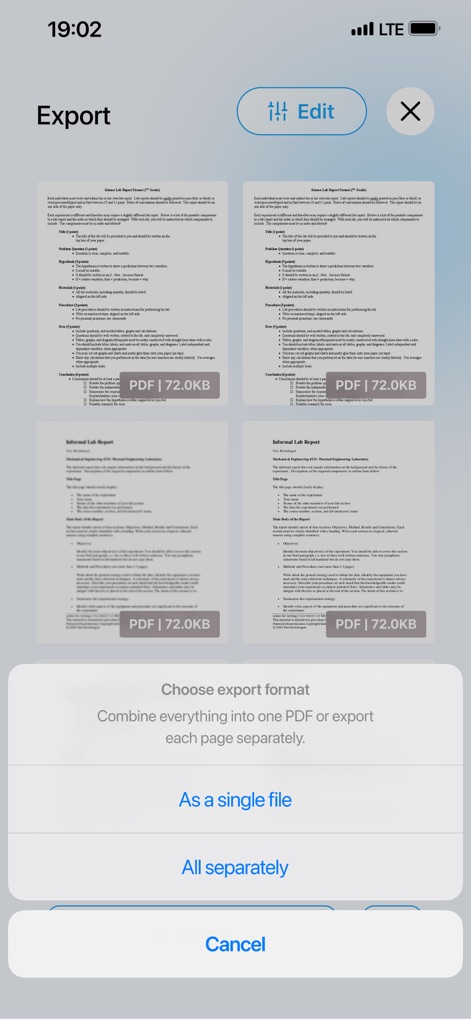
ユーザーは変換した複数のファイルを、単一のファイルとしてまとめるか、または個別のファイルとしてエクスポートするかを選択できます。これにより、用途に応じた保存方法が提供されます。
柔軟なエクスポート形式
説明
Download
類似アプリ
似た機能とユーザー体験を持つアプリ

iConv - Video & PDF Converter
琛 王

Convert PDF to Word OCR
Tu Phan

Toolbox by Paperclip
WuHan Paperclip Technology Co., Ltd.

Video Converter and Compressor
Inverse.AI

Video Converter & Compressor
WEBDIA INC.

全能格式转换王-视频音频转换图片文件格式处理
大为 方

PDF Converter: Convert to PDFㅤ
Roberto Hayes

The Document Converter
Float Tech, LLC
word文档手机版-办公文档,办公软件
雪 杨
このページはアプリまたはその開発者の公式ページではなく、情報提供および論評を目的として作成された独立した編集出版物です。明示的に別段の記載がない限り、アプリおよびその開発者は、MWM、Apple、Google Play、アプリのパブリッシャー、またはアプリの開発者と提携、承認、後援、認可、またはその他の公式的な関係はなく、このページのいかなる内容も、アプリがMWMのサービスを使用して開発されたことを意味するものではありません。すべての商標、ロゴ、スクリーンショット、その他のコンテンツはそれぞれの所有者の財産です。