MP3 Converter : Video To MP3

MP3 Converter : Video To MP3

ダウンロード: App Store
ロゴ: MP3 Converter : Video To MP3

MP3コンバーター: 動画からMP3へ – お気に入りの動画を高音質オーディオに変換

音楽の抽出、クリップのトリミング、カスタム着信音の作成ができるオールインワンツール。ストレージを節約し、メディアライブラリをワンタップでオフライン化。

開発元

Jogani Bhavesh Keshubhai

カテゴリ

Music

ダウンロード

401K+

ユーザー評価

4.4/5

評価数

600

対応言語

1

変換のビジュアルガイド

このインターフェースを利用する 401K+ 人のユーザー.

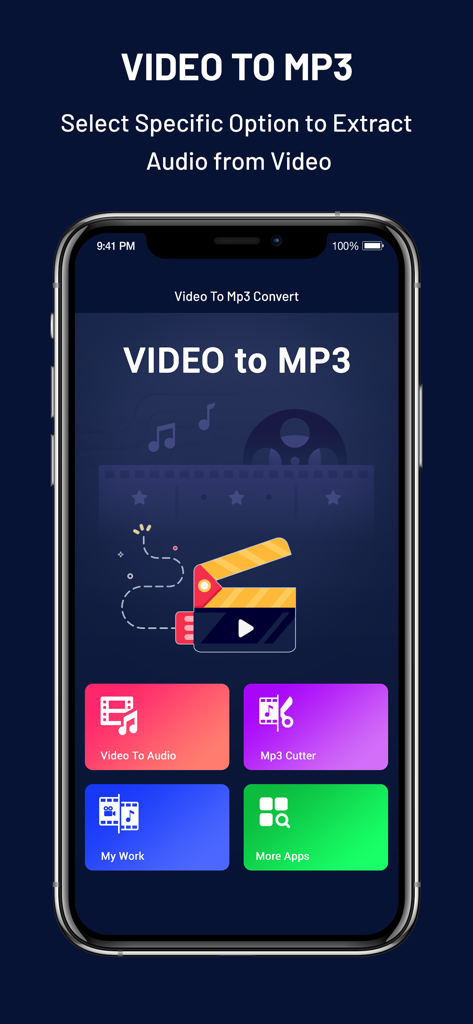
MP3コンバーターアプリのメインインターフェイス。動画からオーディオへの変換やMP3カットのオプションが表示されています
MP3コンバーターアプリのメインインターフェイス。動画からオーディオへの変換やMP3カットのオプションが表示されています

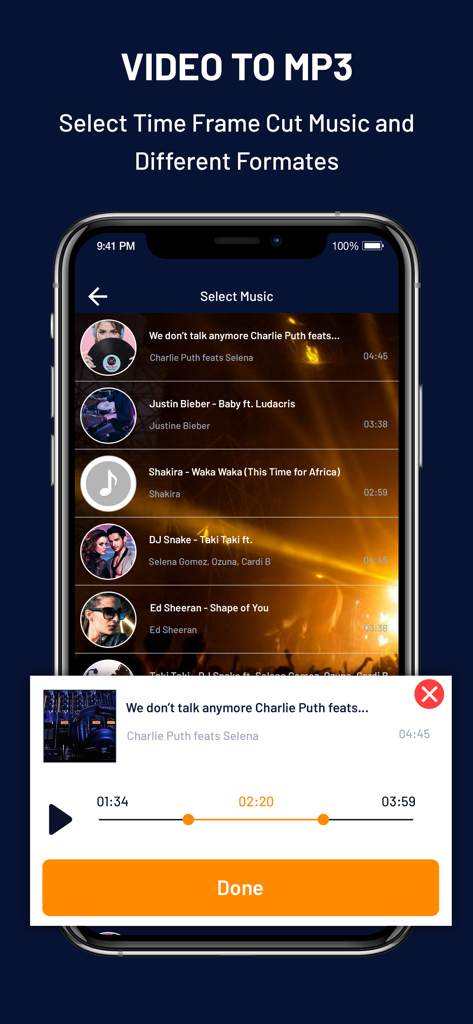
MP3コンバーターアプリのインターフェイス。オーディオトリミングや曲選択機能が表示されています
MP3コンバーターアプリのインターフェイス。オーディオトリミングや曲選択機能が表示されています

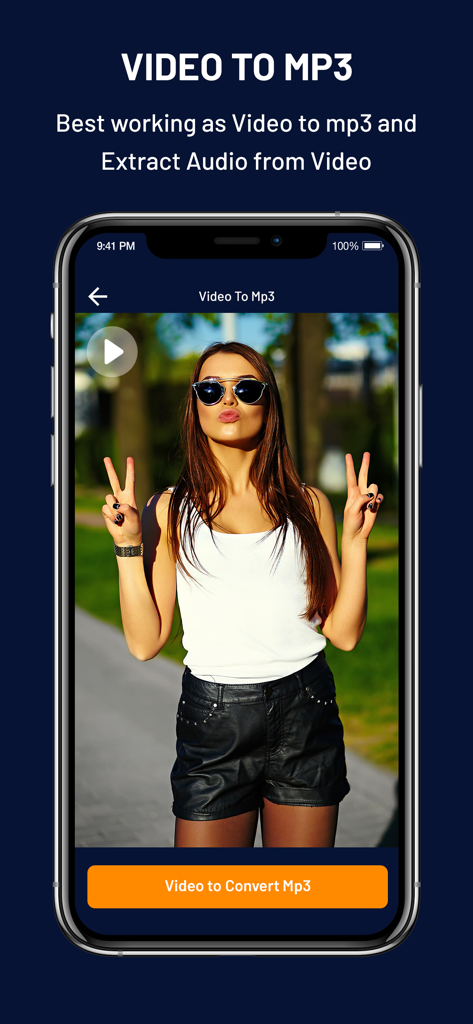
スマートフォン画面に、動画プレビューと変換ボタンが表示されたVideo to MP3アプリのインターフェイスが表示されています
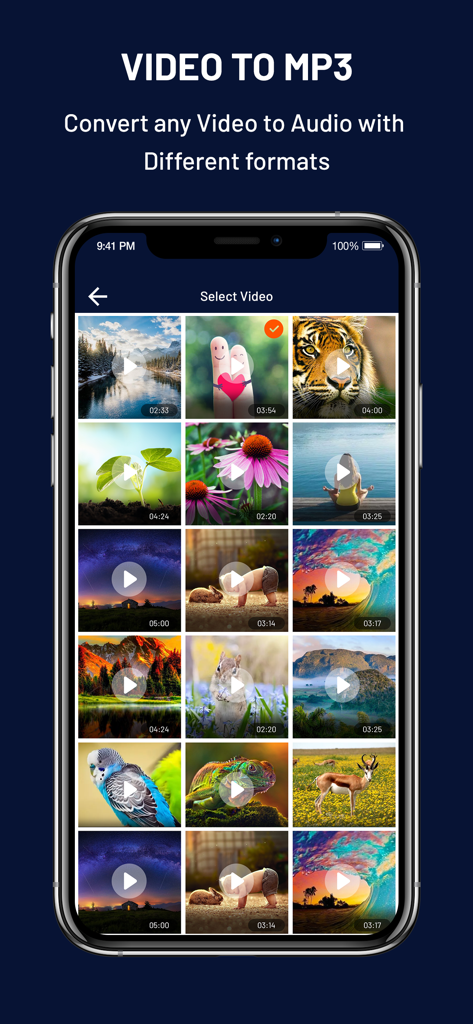
スマートフォン画面に、動画プレビューと変換ボタンが表示されたVideo to MP3アプリのインターフェイスが表示されています

スマートフォン画面に、Video to MP3コンバーターアプリの動画選択メニューが表示されています
スマートフォン画面に、Video to MP3コンバーターアプリの動画選択メニューが表示されています

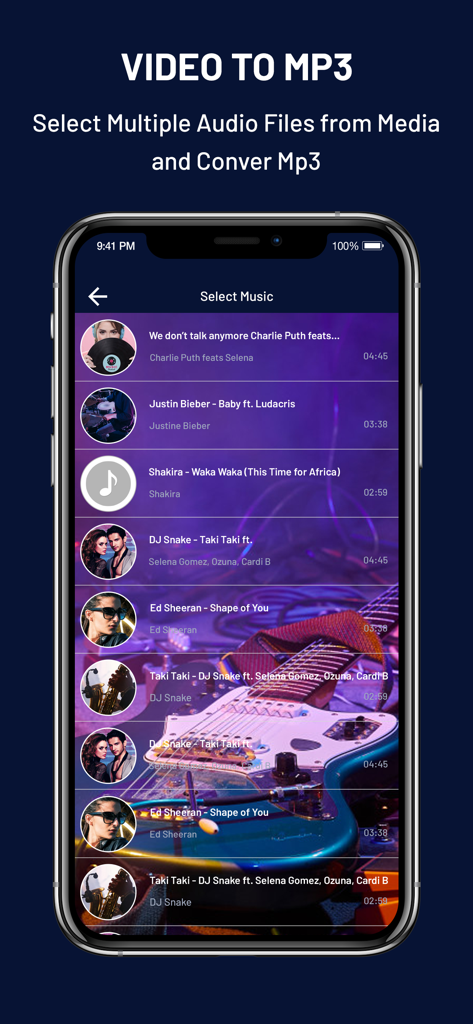
モバイルアプリのインターフェイスに、MP3変換用に選択する曲のリストが表示されています

モバイルアプリのインターフェイスに、MP3変換用に選択する曲のリストが表示されています

メディアをマスターするために必要なすべて

このアプリを際立たせるツール、 401K+ 人のユーザーが選択.

インスタントオーディオ抽出

MP4やMOVなどのあらゆる動画フォーマットを高忠実度のMP3またはAACファイルに変換します。講義、ポッドキャスト、音楽を、かさばる動画ファイルなしでオフラインで聴くのに最適です。

🔔

カスタム着信音メーカー

バイラルクリップ、ミーム、お気に入りの映画のセリフをユニークな着信音や通知音に変えましょう。iPhoneをパーソナライズして、デフォルトのサウンドから際立たせましょう。

✂️

精密トリミング&カット

内蔵エディタを使用して、必要な正確なセグメントを切り取ります。長い動画をソーシャルメディアプロジェクトやカスタムアラームに最適なオーディオクリップにトリミングします。

アプリについて

について知っておくべきこと MP3 Converter : Video To MP3.

説明

MP3 converter is most beautiful application for your device. this application is very popular in app store. make mp3 songs from any type of video. This is powerful video to mp3 converter and this use for mp4 & other video convert in mp3. so, please download & take experience with this application. Video Trimmer & Video Cutter With this video cutter, you can trim and cut video files to get your favorite video clips fast. Then you can extract music from the video. Audio cutter & Ringtone Maker MP3 Video Converter is also a powerful audio cutter and ringtone maker. It is designed for video to audio editing, cutting, sharing and set as ringtone or notification sound. ALL in one media converter A must-have media converter tool with video cutter, mp3 cutter, audio editor, ringtone maker and mp4 to mp3 converter. Video to MP3 Converter Convert mp4 to mp3, video to audio, and save as music. You can listen high quality mp3 songs on your phone. Three steps to be a master of MP3 Converter 1. Video Selection: MP3 Converter will acquire and list the video file in your phone. 2. Format Setting: You can customize the audio format (MP3 /AAC), audio file name, and music file location in this step. 3. Convert in One Tap: Extract audio music file in one tap after setting finished. Features : • Support Various Video Format : MP3 Converter support the conventional video format such as MP4,FLV,3GP,AVI,MOV etc. • Quick mp3 Convert : Video Converter starts to extract audio in high speed after click Convert. As for the large music file, MP3 Converter will keep running and converting in background, ensures the normal use. • Work as Video Cutter/Editor/Converter and video compressor. • MP3 Cutter for editing audio files. • select your choice to convert into audio. • Select speed from very slow to very fast mode. • Extract music from movies and save them as ringtone. Useful when you want to set the greatest quotes of your favorite movies as ringtone. • Play mp3 in Apps Audio player and also share this file. Convert Your Favorite Videos to MP3 in Just moments With Video to MP3. Very Faster and reliable to convert your video mp3 files very easily. With MP3 Converter app you can convert video into mp3 with HD Music clarity. Convert Video to mp3 have a built in Ringtone maker functionality to make and set a ringtone. Video mp3 converter is totally free for all users. We want give you the best of application about Video to mp3 converter. Please install my application and enjoy it. Leave your comment , request or feedback help we make application better.

最新バージョン

1.7

サイズ

8.9 MB

リリース日

2020年4月7日

お気に入りの動画のサウンドを解除する準備はできましたか?

40万人以上のクリエイターがストレージを節約し、数秒でカスタム着信音を作成しています。今日から、iPhoneで最速のオールインワンメディアコンバーターを無料で入手しましょう。

ダウンロード: App Store

App information, icons, screenshots, and descriptions displayed on this page are sourced from the Apple App Store and are the property of their respective developers. Download estimates and rankings are based on MWM's proprietary models and may not reflect actual figures. This page is provided for informational and analytical purposes only.

Believe this page infringes your intellectual property? File a dispute