myLightMeter PRO
myLightMeter PRO
ダウンロード: App Store

このページはアプリまたはその開発者の公式ページではなく、情報提供および論評を目的として作成された独立した編集出版物です。明示的に別段の記載がない限り、アプリおよびその開発者は、MWM、Apple、Google Play、アプリのパブリッシャー、またはアプリの開発者と提携、承認、後援、認可、またはその他の公式的な関係はなく、このページのいかなる内容も、アプリがMWMのサービスを使用して開発されたことを意味するものではありません。すべての商標、ロゴ、スクリーンショット、その他のコンテンツはそれぞれの所有者の財産です。

ロゴ: myLightMeter PRO
ダウンロード: App Store

myLightMeter PRO

写真家のために写真家が設計。ヴィンテージフィルムと最新デジタルワークフローの両方の要求に応える、入射光・反射光測光における比類なき精度を体験してください。

主要数値

ダウンロード

343K+

ユーザー評価

4.7/5

評価数

2K+

開発元

David Quiles

カテゴリ

Photo & Video

対応言語

2

最新バージョン

1.9.105

サイズ

50.1 MB

リリース日

2012年12月14日
機能

すべてのショットにプロレベルの精度を

スタンドアロン露出計のかさばることなく、ラボグレードの精度を要求するフィルム愛好家およびデジタルプロフェッショナルのための必須ツールキット。

ラボグレードの精度

入射光測光と反射光測光を1/3段刻みで切り替え、高価なフィルムを保護し、常に完璧なハイライトを確保します。

ヴィンテージの魂、現代の頭脳

最大5本のカスタムレンズを管理できる内蔵ハイパーフォーカル計算機により、ヴィンテージのライカやハッセルブラッドに最新のパワフルな精度をもたらします。

以下のスクリーンショットと説明は、アプリの公式ストアリスティングから直接取得されたものであり、アプリ開発者の所有物です。

アプリストア

スクリーンショット
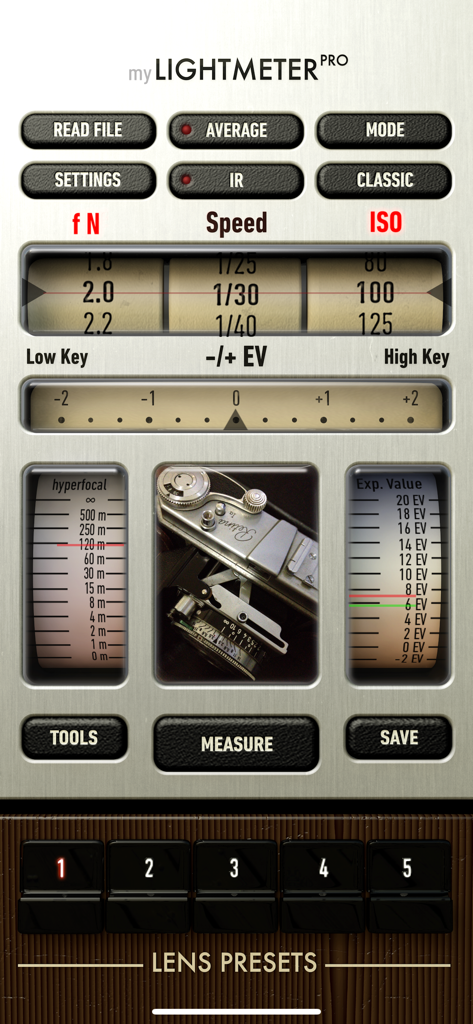
myLightMeter PRO - myLightMeter PROアプリのメインインターフェース。露出設定とヴィンテージカメラ風のデザインが表示されています。
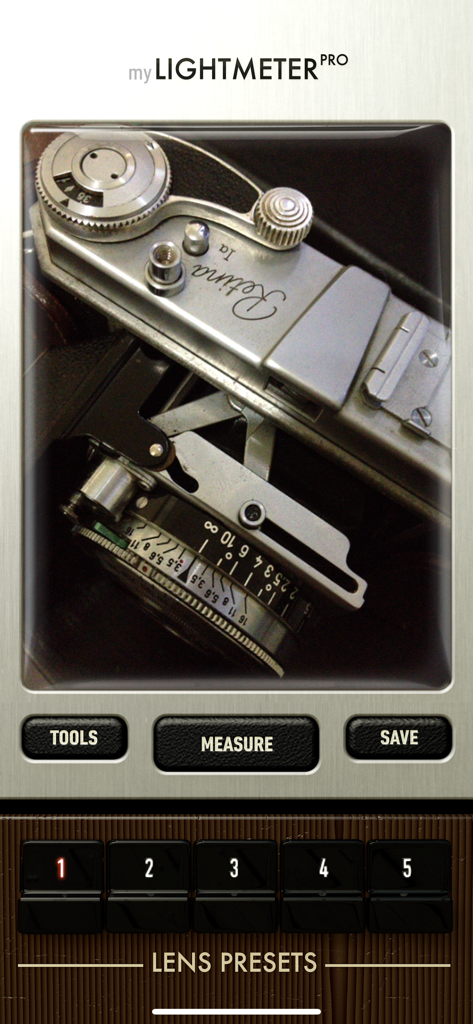
myLightMeter PROアプリのメインインターフェース。露出設定とヴィンテージカメラ風のデザインが表示されています。

myLightMeter PRO - myLightMeter PROアプリのインターフェース。ファインダー越しにヴィンテージカメラが表示され、測定ボタンとレンズプリセットボタンがあります。
myLightMeter PROアプリのインターフェース。ファインダー越しにヴィンテージカメラが表示され、測定ボタンとレンズプリセットボタンがあります。

myLightMeter PRO - 絞り、シャッタースピード、ISO設定を表示するクラシックなシュルレアリスム調のアナログ露出計インターフェース。
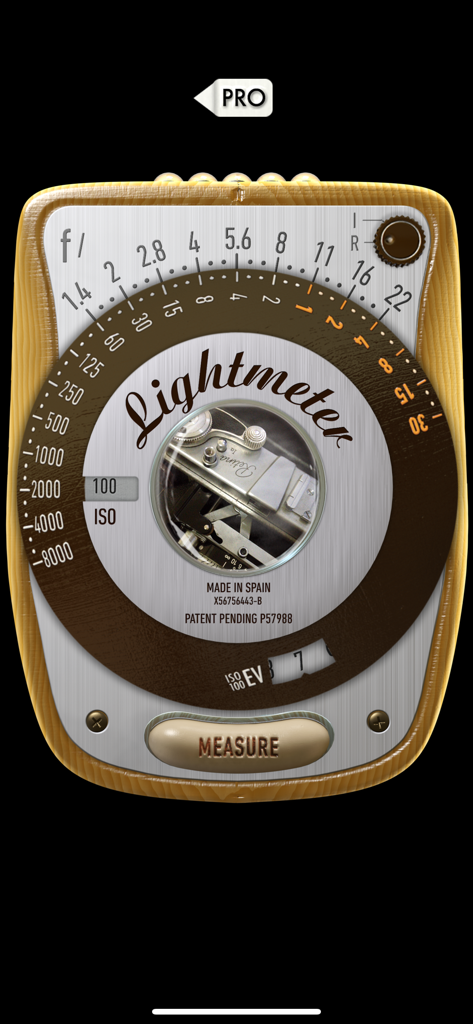
絞り、シャッタースピード、ISO設定を表示するクラシックなシュルレアリスム調のアナログ露出計インターフェース。

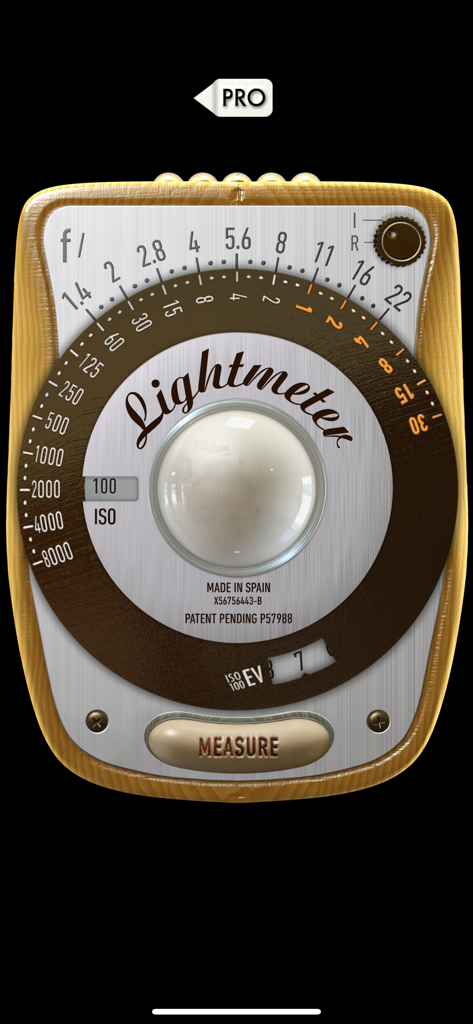
myLightMeter PRO - 絞りとシャッタースピードのダイヤルを備えた、ヴィンテージのシュルレアリスム調露出計インターフェース。

絞りとシャッタースピードのダイヤルを備えた、ヴィンテージのシュルレアリスム調露出計インターフェース。

説明

Designed by a photographer for photographers, focused on RELIABILITY and PRECISION for digital and analog photography. • Extended sensitivity as low as -2/-4EV (dark scenes) • Two different convenient interface designs. • Incident and reflected light metering modes. • Save exposure data. • f/Tools connection. • Independent calibration for the two metering modes. • Independent selection of aperture, speed, ISO and exposure compensation with 1/3 resolution. From 4 hours to 1/8000 sec., aperture from 1.0 to 512 and ISO from 0.8 to 6400. • Automatic priority for aperture or speed. (Automatic Av and Tv modes). • Automatic ISO or locked ISO options. • Point metering in camera view. • Maximum aperture limited by the selected lens. • Calculate the average of any number of measurements you want. • Read the exposure data of any photo from the gallery. • Calculate hyperfocal distance for 5 memorized lenses. Which also blocks maximum aperture. • Memory for 5 lenses with maximum aperture, focal length and film/sensor size for calculating hyperfocal distance and aperture. • Hyperfocal distance also for infrared light. (IR button) • Exposure value EV on an analog scale or right up front. • On 3.5 " displays preset lens buttons tilting the device or tapping at the bottom. • Be advised that accurate incident light reading needs a diffuser attached to the front camera. Without the diffuser still can be used but think about it, it will be a reflected reading taken with the front camera. I'm an independent photographer/designer/developer and am very grateful for your support. Trying to do the best lightmeter app ever, a lot more to come. You can ask for any improvement and I'll be happy to help. This app is constantly reviewed and improved because it is my tool, if you have any questions or suggestions feel free to contact me by email at davidquiles@me.com Thank you! David Quiles

Download

ダウンロード: App Store

このページはアプリまたはその開発者の公式ページではなく、情報提供および論評を目的として作成された独立した編集出版物です。明示的に別段の記載がない限り、アプリおよびその開発者は、MWM、Apple、Google Play、アプリのパブリッシャー、またはアプリの開発者と提携、承認、後援、認可、またはその他の公式的な関係はなく、このページのいかなる内容も、アプリがMWMのサービスを使用して開発されたことを意味するものではありません。すべての商標、ロゴ、スクリーンショット、その他のコンテンツはそれぞれの所有者の財産です。








