MyStory.today
MyStory.today
ダウンロード: App Store

このページはアプリまたはその開発者の公式ページではなく、情報提供および論評を目的として作成された独立した編集出版物です。明示的に別段の記載がない限り、アプリおよびその開発者は、MWM、Apple、Google Play、アプリのパブリッシャー、またはアプリの開発者と提携、承認、後援、認可、またはその他の公式的な関係はなく、このページのいかなる内容も、アプリがMWMのサービスを使用して開発されたことを意味するものではありません。すべての商標、ロゴ、スクリーンショット、その他のコンテンツはそれぞれの所有者の財産です。


ロゴ: MyStory.today
ダウンロード: App Store

MyStory.today

意欲的な作家のためのプロフェッショナルライティングスイート。複雑なプロットを整理し、キャラクターを管理し、AI支援でライターズブロックを克服しましょう。すべてiPhone、iPad、Mac間で完璧に同期されます。

主要数値

ダウンロード

240K+

ユーザー評価

4.5/5

評価数

2K+

開発元

Richard Nespithal

カテゴリ

Productivity

対応言語

1

最新バージョン

1.28.6

サイズ

26.3 MB

リリース日

2018年4月9日
機能

初稿から最終章まで、あなたの物語をマスターする

基本的なテキストエディタ以上のものを求める作家のために設計されたプロフェッショナルグレードのツール。あなたの世界を構築し、進捗を追跡し、インスピレーションが湧いたときにどこでも執筆できます。

スマートなキャラクターと世界のリンク

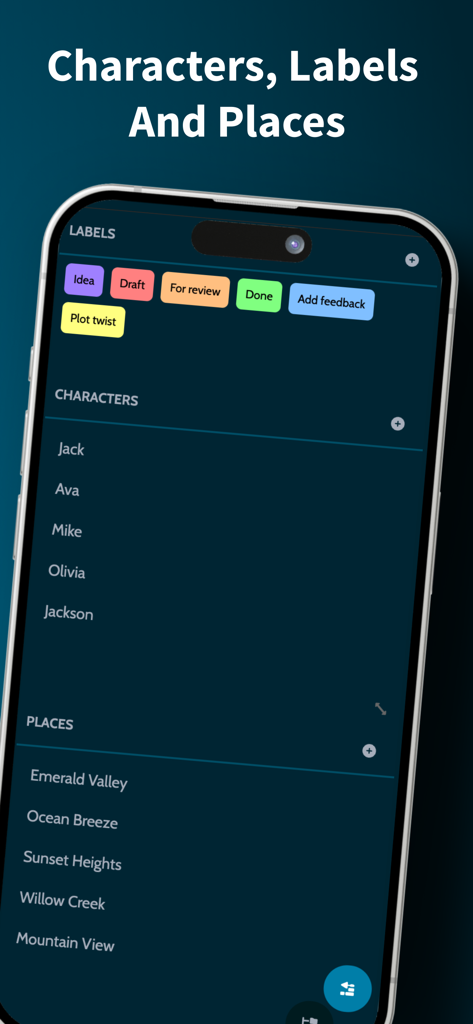
絶対的な一貫性を維持しましょう。キャラクターや場所をシーンにリンクし、詳細が変更されるたびに、原稿全体で自動更新されます。

ビジュアルストーリーマッピングとAI支援

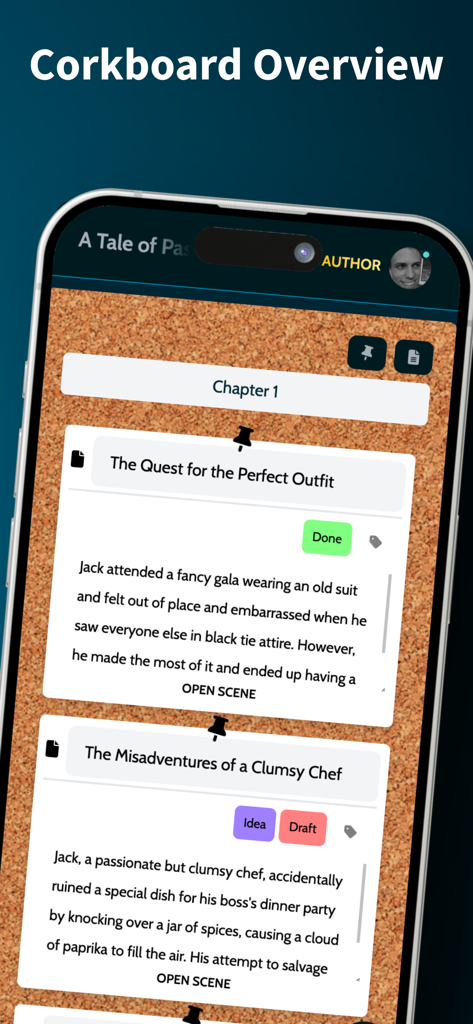
インタラクティブなコルクボードで俯瞰図を取得し、統合AIを使用してシーンの要約を生成したり、ライターズブロックを即座に解消したりできます。

以下のスクリーンショットと説明は、アプリの公式ストアリスティングから直接取得されたものであり、アプリ開発者の所有物です。

アプリストア

スクリーンショット
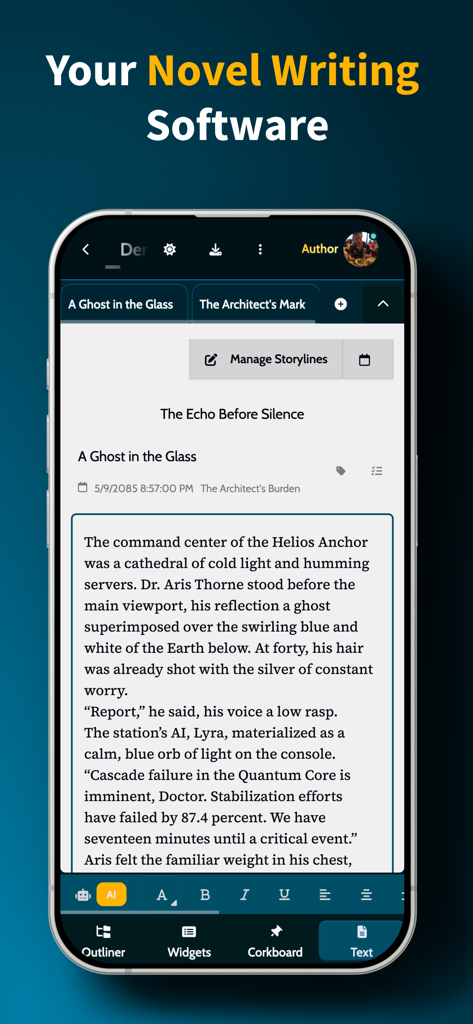
MyStory.today - MyStory.todayアプリのスマートフォン画面。小説の下書きと執筆ツールが表示されている。
MyStory.todayアプリのスマートフォン画面。小説の下書きと執筆ツールが表示されている。

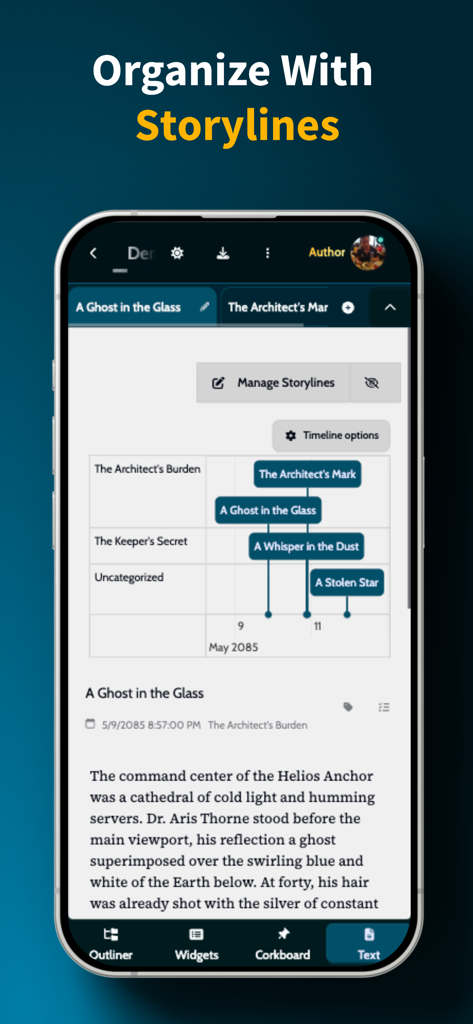
MyStory.today - MyStory.todayアプリのインターフェース。シーンと章のビジュアルタイムラインが表示されたストーリーライン整理機能を示している。
MyStory.todayアプリのインターフェース。シーンと章のビジュアルタイムラインが表示されたストーリーライン整理機能を示している。

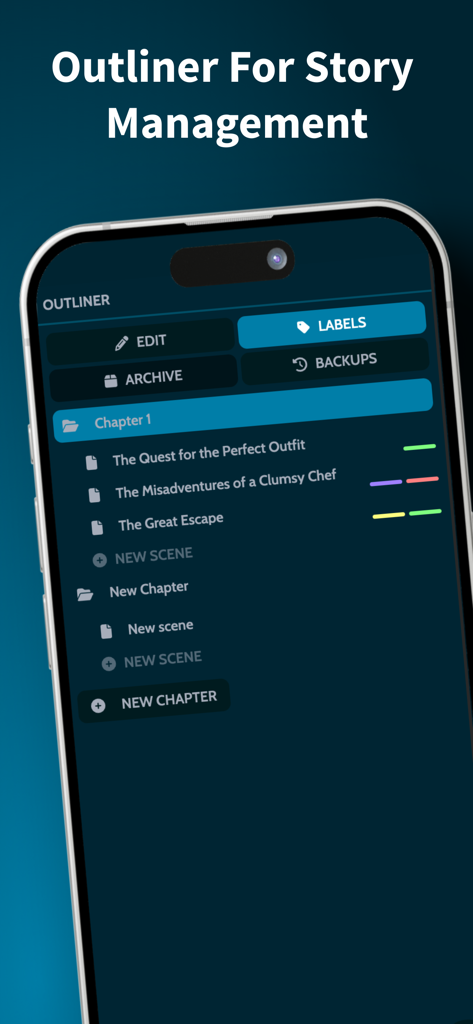
MyStory.today - MyStory.todayのアウトライナー。作家向けの章とシーンの整理が表示されている。
MyStory.todayのアウトライナー。作家向けの章とシーンの整理が表示されている。

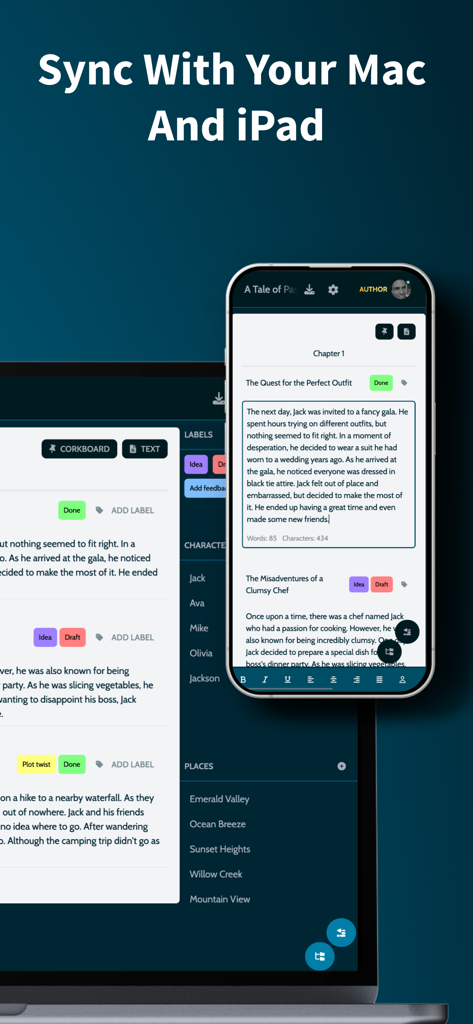
MyStory.today - MyStory.todayアプリのiPhoneとMacでのインターフェース。作家向けのクロスデバイス同期を示している。
MyStory.todayアプリのiPhoneとMacでのインターフェース。作家向けのクロスデバイス同期を示している。

MyStory.today - 仮想コルクボードが表示されたモバイルアプリのインターフェース。作家向けのシーン要約と章の整理が含まれている。
仮想コルクボードが表示されたモバイルアプリのインターフェース。作家向けのシーン要約と章の整理が含まれている。

MyStory.today - MyStory todayアプリのインターフェース。小説の整理のためのキャラクターと場所のラベルが表示されている。
MyStory todayアプリのインターフェース。小説の整理のためのキャラクターと場所のラベルが表示されている。

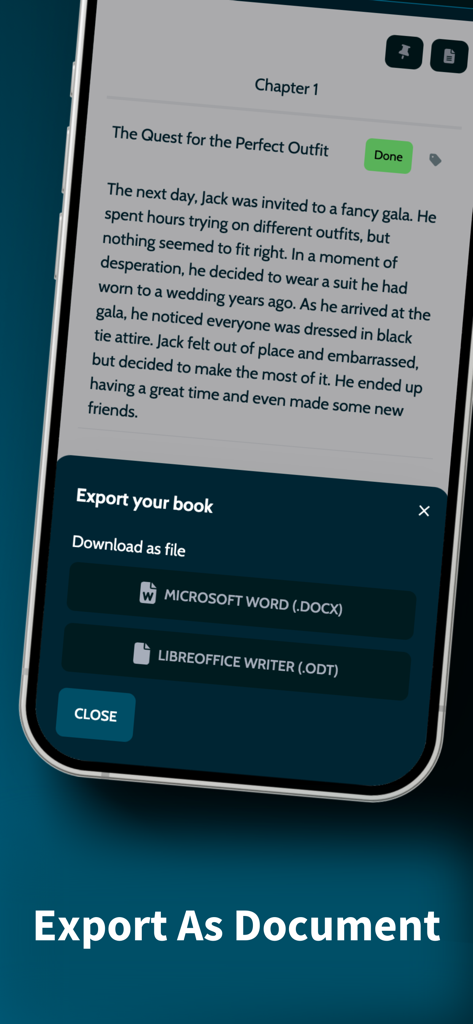
MyStory.today - MyStory.todayアプリのiPhoneでのインターフェース。Microsoft WordまたはLibreOffice形式で執筆プロジェクトをエクスポートするオプションが表示されている。

MyStory.todayアプリのiPhoneでのインターフェース。Microsoft WordまたはLibreOffice形式で執筆プロジェクトをエクスポートするオプションが表示されている。

説明

MyStory.today lets you write short stories and novels on your iPhone, iPad, and Mac. Write whenever you want, wherever you are. Features overview: - Story management with chapters and scenes - Interactive corkboard with AI summaries - Character and location management with smart linking - Rich text editor with customizable toolbar - AI assistant for writer's block - Timeline management for complex stories - Writing goals and progress tracking - Tasks and labels for organization - Automatic sync across Apple devices - Export to MS Word, LibreOffice Start writing your novel, short story or screenplay today. Write on any Apple device. Take your book with you - at home with your Mac, on the go with your iPhone, or relaxing with your iPad. Write when inspiration strikes. Organise your book with chapters and scenes: Navigate your story with intuitive chapter and scene organization. Get visual overview with automatic backups and real-time progress. - Visual chapter & scene listing - Smart label organization - Automatic backups - Real-time progress tracking Interactive corkboard with AI assistance: Get a bird's-eye view of your novel with interactive corkboard showing chapters and scenes. Let AI generate scene summaries while you focus on content and structure. - Visual overview of chapters and scenes - Scene summaries for quick reference - AI summary options - Focus on content while maintaining story structure AI-powered writing assistance: Overcome writer's block with integrated AI assistance. Transform your text with intelligent tools and auto-generate summaries. - Tone detection and analysis - Intelligent text transformation - Integrated text analysis tools - Generate scene summaries for corkboards Timeline management for complex stories: Create multiple storylines and organize scenes with temporal precision. Perfect for complex narratives. - Create multiple storylines for plot threads - Assign scenes to timelines with times or ranges - Visual timeline view showing scenes chronologically - Track events and maintain story continuity Character and location management: Create characters and locations with names and descriptions that you can link into scenes. When you rename them, all references update automatically across your project and Apple devices. - Simple character profiles with name and description - Location profiles with name and description - Link characters & places into scenes - Easy reference management with auto-update - Instant sync across iPhone, iPad, and Mac Rich text editor with smart linking: Write with the powerful built-in rich text editor. Format content with flexible options and link characters and locations dynamically. - Flexible scene formatting - Link characters & locations - Auto-update linked names - Customizable toolbar - Full screen mode - Dictation support Writing goals and task management: Track your progress and analyze your writing habits. Stay organized with task management and visual labeling system. - Daily progress tracking - Detailed writing statistics - Custom goals - Writing habit analysis & trends - Link tasks to chapters & scenes - Complete project overview with labels - Drag & drop labels into scenes - Quick navigation between elements Export your book: When ready, use built-in book export. Export all chapters with scenes to MS Word or LibreOffice. Use for sharing or backup. Apple ecosystem integration: With your free MyStory.today account, access your work across all Apple devices. Available on iPhone, iPad, and Mac - all synchronized and optimized for Apple silicon. Ready to bring your stories to life? Download MyStory.today from the App Store and start your writing journey across all your Apple devices. Your next great story is just a tap away.

Download

ダウンロード: App Store

このページはアプリまたはその開発者の公式ページではなく、情報提供および論評を目的として作成された独立した編集出版物です。明示的に別段の記載がない限り、アプリおよびその開発者は、MWM、Apple、Google Play、アプリのパブリッシャー、またはアプリの開発者と提携、承認、後援、認可、またはその他の公式的な関係はなく、このページのいかなる内容も、アプリがMWMのサービスを使用して開発されたことを意味するものではありません。すべての商標、ロゴ、スクリーンショット、その他のコンテンツはそれぞれの所有者の財産です。








