NDI Monitor
NDI Monitor
ダウンロード: App Store

このページはアプリまたはその開発者の公式ページではなく、情報提供および論評を目的として作成された独立した編集出版物です。明示的に別段の記載がない限り、アプリおよびその開発者は、MWM、Apple、Google Play、アプリのパブリッシャー、またはアプリの開発者と提携、承認、後援、認可、またはその他の公式的な関係はなく、このページのいかなる内容も、アプリがMWMのサービスを使用して開発されたことを意味するものではありません。すべての商標、ロゴ、スクリーンショット、その他のコンテンツはそれぞれの所有者の財産です。

ロゴ: NDI Monitor
ダウンロード: App Store

NDI Monitor

iPadまたはiPhoneを高パフォーマンスのポータブルコンフィデンスモニターに変えます。オートキューフリップや9x16縦型サポートなどのプロ機能により、サブネット全体でNDIおよびHX2/3ストリームにシームレスにアクセスできます。

主要数値

ダウンロード

142K+

ユーザー評価

2.8/5

評価数

100

開発元

Mark Gilbert

カテゴリ

Photo & Video

対応言語

1

最新バージョン

6.02

サイズ

7.6 MB

リリース日

2019年5月1日
機能

ポケットの中のプロフェッショナルモニター

iOSデバイスを高パフォーマンスのNDI®リファレンスモニターに変えます。精度、モビリティ、信頼性の高いIPビデオワークフローを要求する放送エンジニアやライブプロダクション担当者向けに設計されています。

ポータブルコンフィデンスモニター

重いケーブルはもう不要です。ローカルサブネットやリモートIP経由で高解像度NDIソースにアクセスし、スタジオフロアのどこからでもプロダクションを監視できます。

ネイティブ9x16縦型サポート

ソーシャルメディアのトレンドをリードしましょう。TikTokやInstagramのプロダクションワークフロー向けに、ポートレートモードストリームをネイティブで、フル解像度制御で監視できます。

以下のスクリーンショットと説明は、アプリの公式ストアリスティングから直接取得されたものであり、アプリ開発者の所有物です。

アプリストア

スクリーンショット
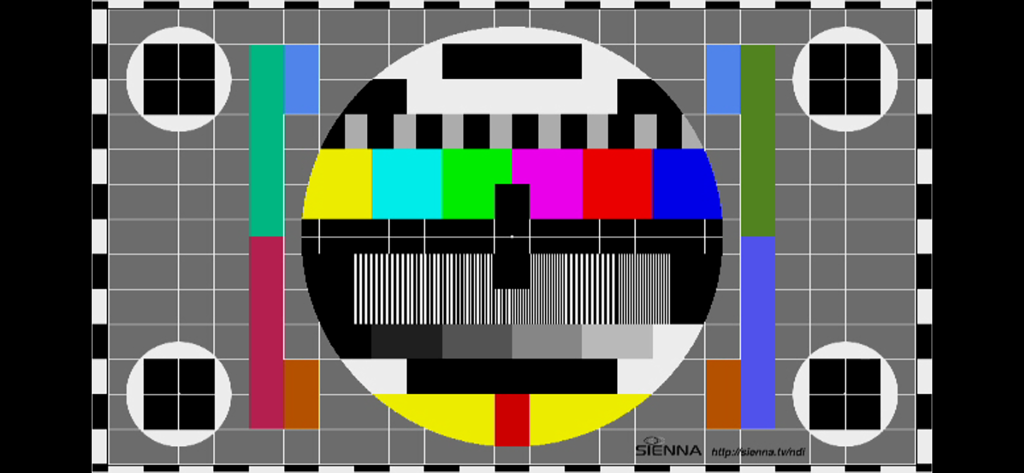
NDI Monitor - 放送キャリブレーション用のプロフェッショナルビデオテストパターン

放送キャリブレーション用のプロフェッショナルビデオテストパターン

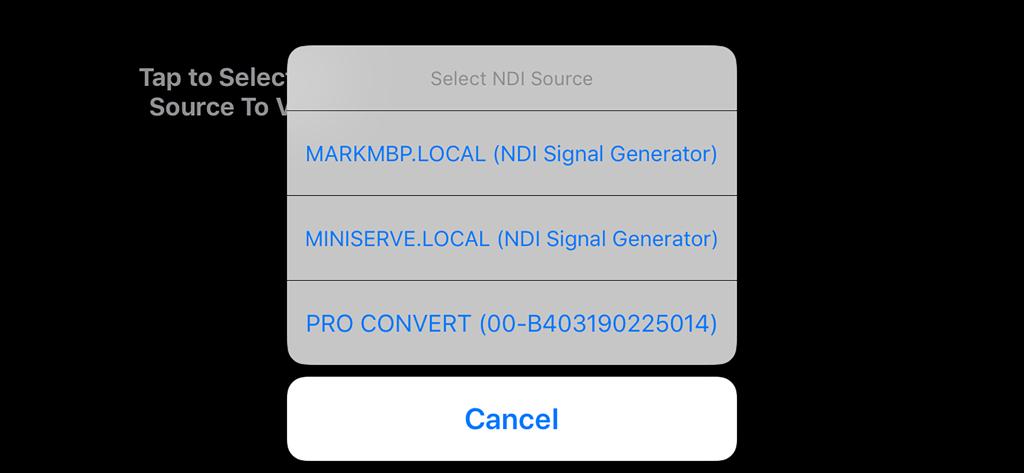
NDI Monitor - ローカルネットワーク上の利用可能なNDIビデオソースを選択するポップアップメニューを表示するNDI Monitorアプリのインターフェイス。

ローカルネットワーク上の利用可能なNDIビデオソースを選択するポップアップメニューを表示するNDI Monitorアプリのインターフェイス。

説明

Professional NDI Monitor from global IP Video leaders Sienna. NDI sources on your local subnet are presented in a pop up menu to select, when you tap on the screen. If you enter additional 'NDI Access' IP Addresses from other subnets into the system prefs panel for NDI Monitor, those NDI sources may also be accessed. Includes support for NDI Discovery server (see app settings), resolution control, video flip for autocue and control of NDI network Protocol for reliability. A preference allows 9x16 streams to be shown in portrait mode for social media production workflows. Notes: A very stable WIFI connection, or a wired ethernet connection are required for smooth playback of NDI Streams. Using a directional WIFI antenna and using the sweet spot of your wifi can help. If you experience glitching of audio or dropped video frames, the problem is very likely a wifi connection which is insufficiently stable to support smooth NDI video to iOS - in this case please try a wired ethernet to lightning adaptor. You should not expect perfect performance when selecting Hi Resolution NDI - which is offered as an experimental mode for users with very fast devices, on very fast, clean network connections. In some cases you may see great results in hi res. There are preferences in the System Settings app for NDI Monitor to setup application options. You can also use the app NDI Scanner as a stream selector - it will open NDI Monitor when you click on a selected stream. You can also now set the NDI Device name, required for multi device operations with iOS17 NB. This app does not support NDI | HX1 format streams - only NDI full bandwidth format or NDI HX2/3 Set the "NDI Device Name" in the app settings if you are using multiple devices on the same network - to give them unique names.

Download

ダウンロード: App Store

このページはアプリまたはその開発者の公式ページではなく、情報提供および論評を目的として作成された独立した編集出版物です。明示的に別段の記載がない限り、アプリおよびその開発者は、MWM、Apple、Google Play、アプリのパブリッシャー、またはアプリの開発者と提携、承認、後援、認可、またはその他の公式的な関係はなく、このページのいかなる内容も、アプリがMWMのサービスを使用して開発されたことを意味するものではありません。すべての商標、ロゴ、スクリーンショット、その他のコンテンツはそれぞれの所有者の財産です。