NetSketch
NetSketch
ダウンロード: App Store

このページはアプリまたはその開発者の公式ページではなく、情報提供および論評を目的として作成された独立した編集出版物です。明示的に別段の記載がない限り、アプリおよびその開発者は、MWM、Apple、Google Play、アプリのパブリッシャー、またはアプリの開発者と提携、承認、後援、認可、またはその他の公式的な関係はなく、このページのいかなる内容も、アプリがMWMのサービスを使用して開発されたことを意味するものではありません。すべての商標、ロゴ、スクリーンショット、その他のコンテンツはそれぞれの所有者の財産です。


ロゴ: NetSketch
ダウンロード: App Store

NetSketch

スマートルーティングとタッチファーストの精度で、クリーンでインテリジェントなトポロジーを数秒で作成。サブスクリプション不要、クラウドアカウント不要。移動中のIT専門家向けのプロフェッショナルツール。

主要数値

ダウンロード

0

ユーザー評価

1.0/5

評価数

0

開発元

William Butler

カテゴリ

Productivity

対応言語

1

最新バージョン

1.2

サイズ

1.8 MB

リリース日

2025年11月17日
機能

モダンネットワークプロのために構築

NetSketchは、タッチ最適化されたプライバシーファーストのインターフェースでiPadにプロフェッショナルグレードのネットワーク図作成機能をもたらし、ワークフローを効率化します。

タッチファーストのモビリティ

ノートパソコンはもう必要ありません。直感的なジェスチャーとApple Pencilを使用して、サーバー室やクライアントサイトで直接複雑なトポロジーを文書化します。

インテリジェントな接続ルーティング

自動直交ルーティングとグリッドスナップアライメントで、手動でのクリーンアップ時間を節約。図をプロフェッショナルで完璧に整理された状態に保ちます。

以下のスクリーンショットと説明は、アプリの公式ストアリスティングから直接取得されたものであり、アプリ開発者の所有物です。

アプリストア

スクリーンショット
NetSketch - iPad上のNetSketchネットワーク図アプリのウェルカムスクリーン、「ドキュメントを作成」ボタンが表示されています
iPad上のNetSketchネットワーク図アプリのウェルカムスクリーン、「ドキュメントを作成」ボタンが表示されています

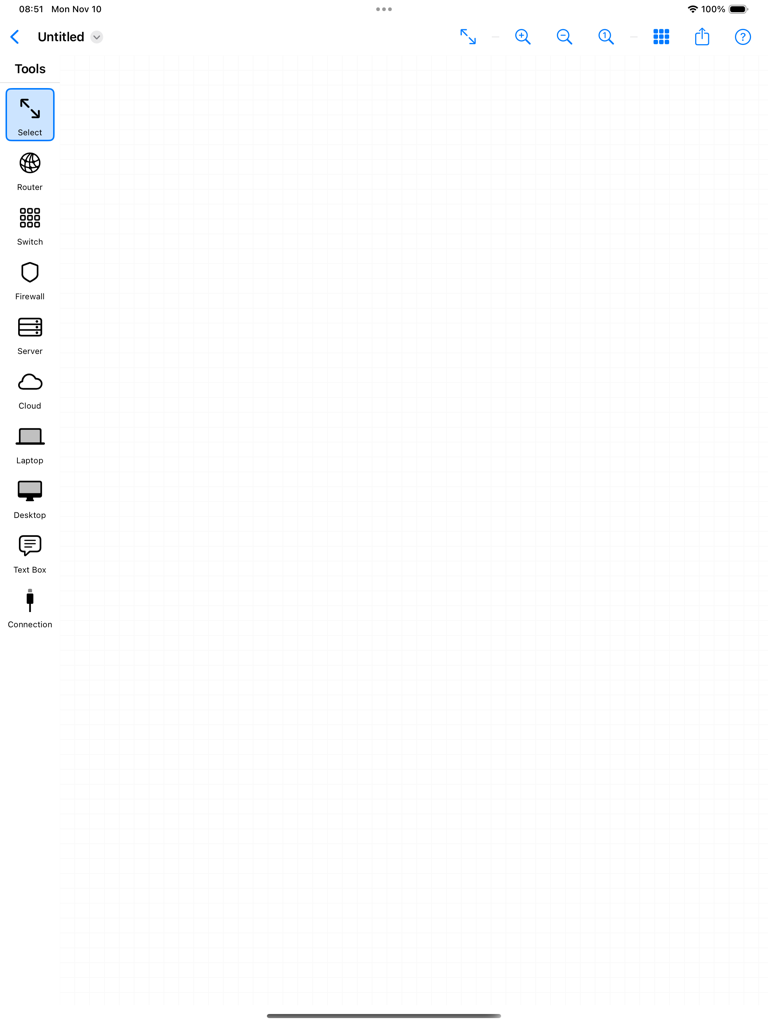
NetSketch - NetSketch iPadアプリの空白のネットワーク図キャンバスとツールサイドバー
NetSketch iPadアプリの空白のネットワーク図キャンバスとツールサイドバー

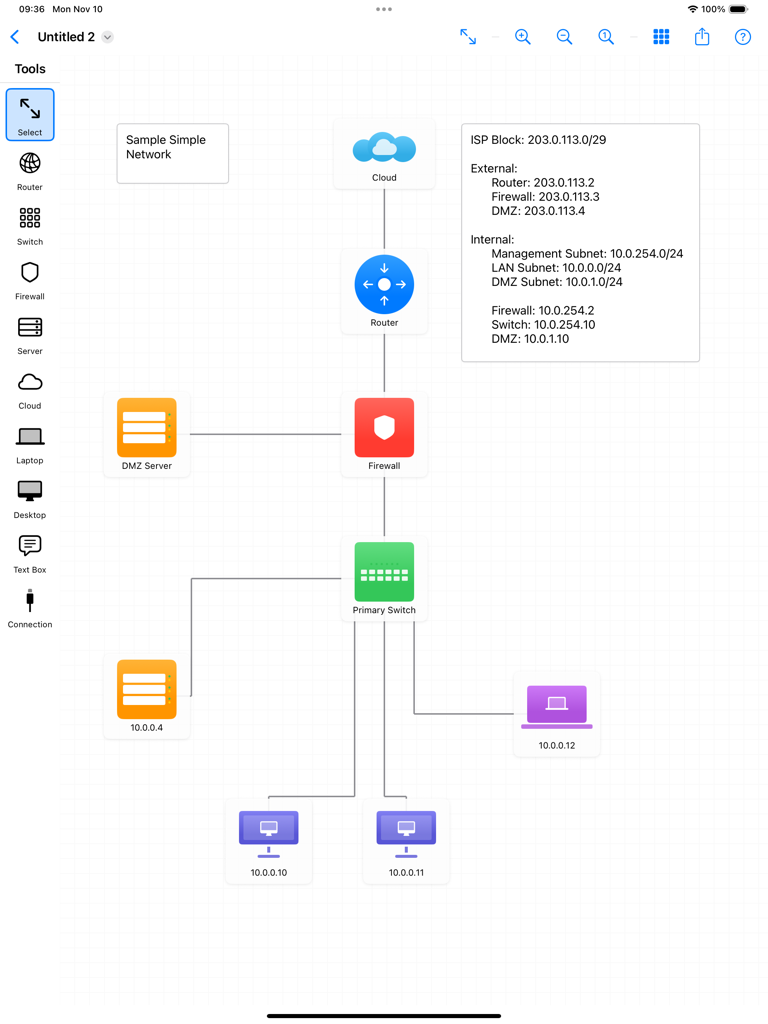
NetSketch - NetSketch iPadアプリで作成されたネットワークトポロジー図。クラウド、ルーター、ファイアウォール、スイッチ、エンドユーザーデバイスのアイコンがIPアドレスラベルで接続されています。
NetSketch iPadアプリで作成されたネットワークトポロジー図。クラウド、ルーター、ファイアウォール、スイッチ、エンドユーザーデバイスのアイコンがIPアドレスラベルで接続されています。

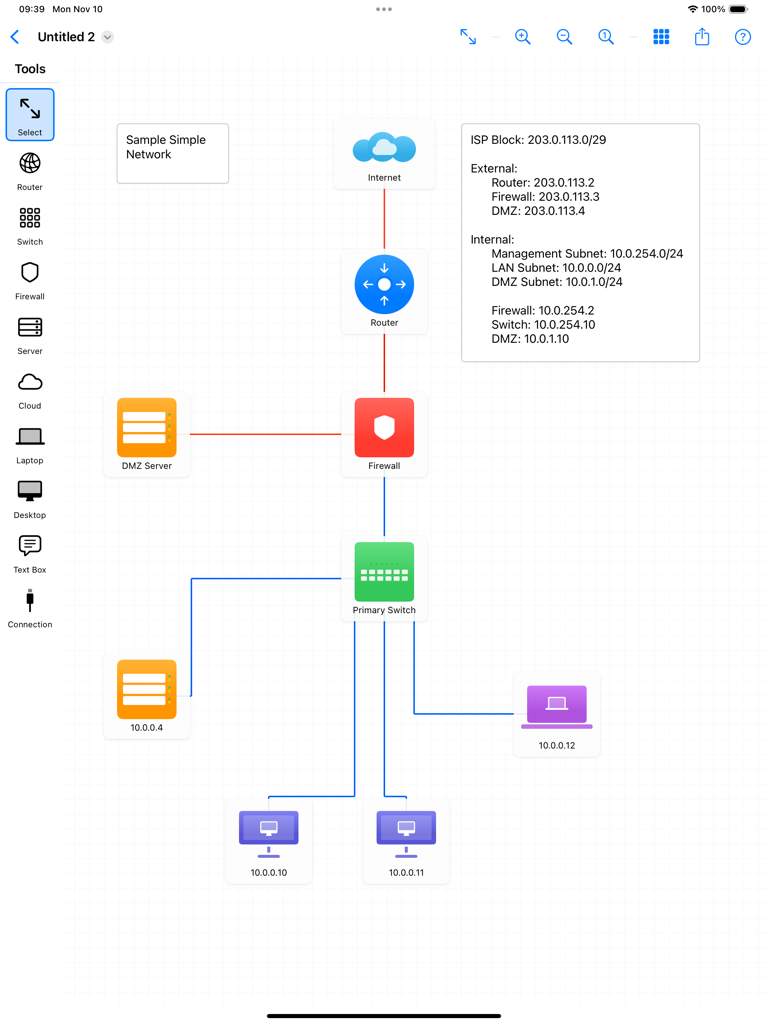
NetSketch - NetSketch iPadアプリで作成されたネットワークトポロジー図。ルーター、ファイアウォール、接続されたデバイスが表示されています。
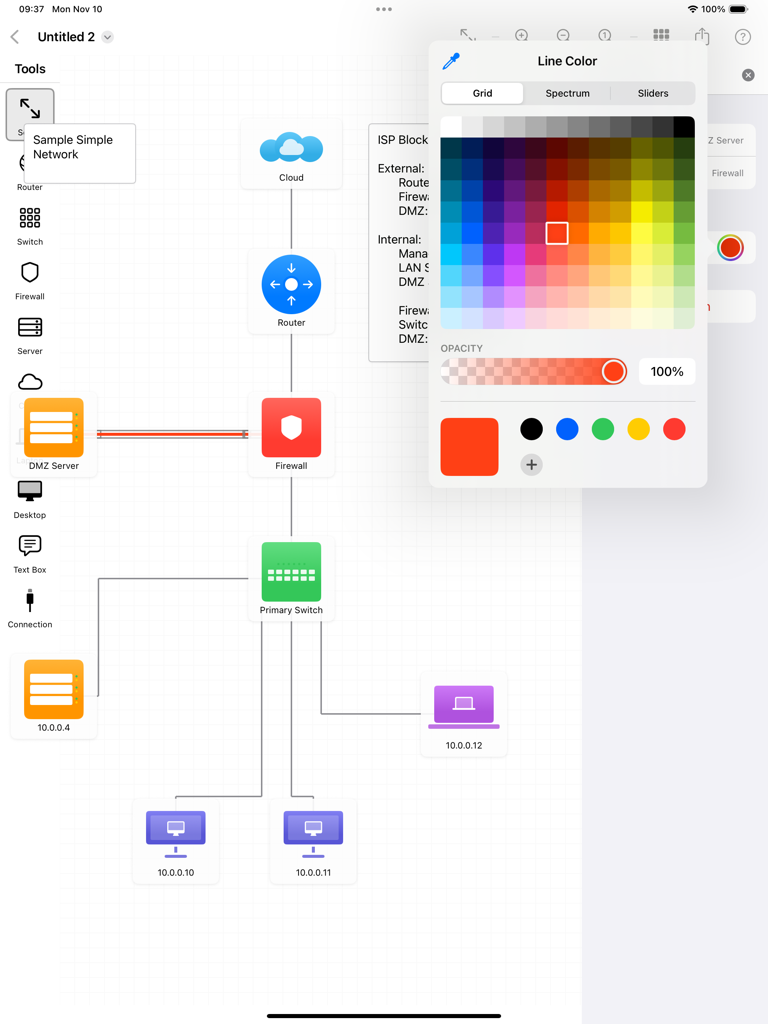
NetSketch iPadアプリで作成されたネットワークトポロジー図。ルーター、ファイアウォール、接続されたデバイスが表示されています。

NetSketch - NetSketch iPadインターフェース。ネットワークトポロジー図とカラーピッカーツールが表示されています
NetSketch iPadインターフェース。ネットワークトポロジー図とカラーピッカーツールが表示されています

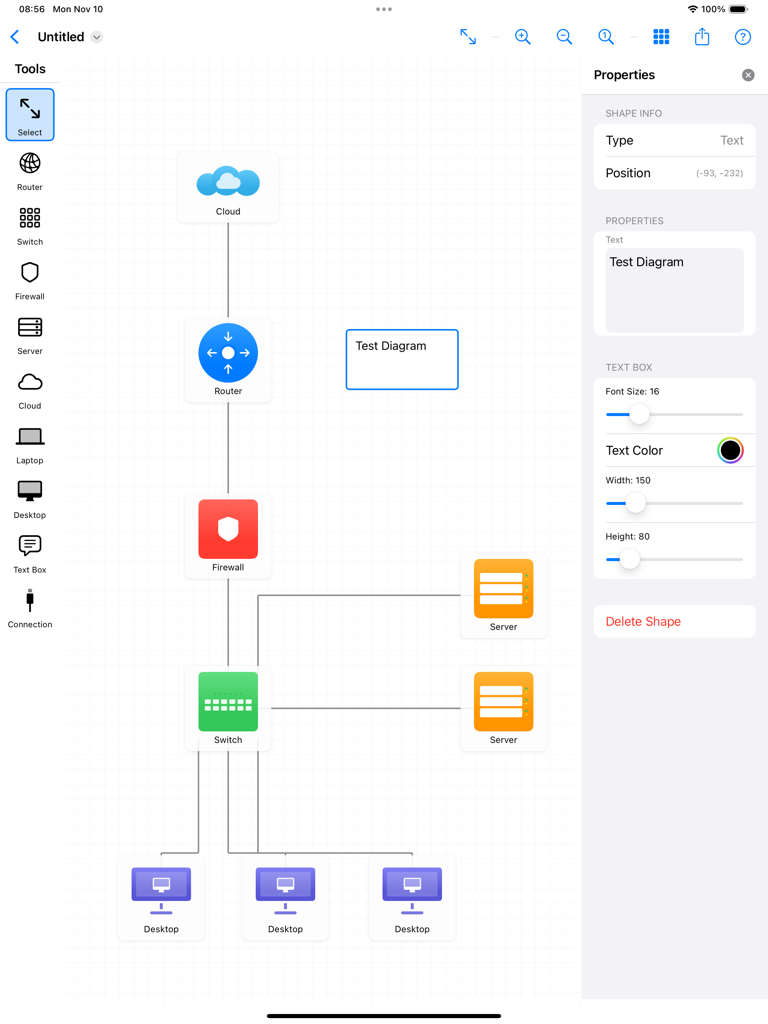
NetSketch - クラウド、ルーター、ファイアウォール、スイッチ、デスクトップアイコンを備えたネットワークトポロジー図が表示されているNetSketchアプリインターフェースのiPad画面。
クラウド、ルーター、ファイアウォール、スイッチ、デスクトップアイコンを備えたネットワークトポロジー図が表示されているNetSketchアプリインターフェースのiPad画面。

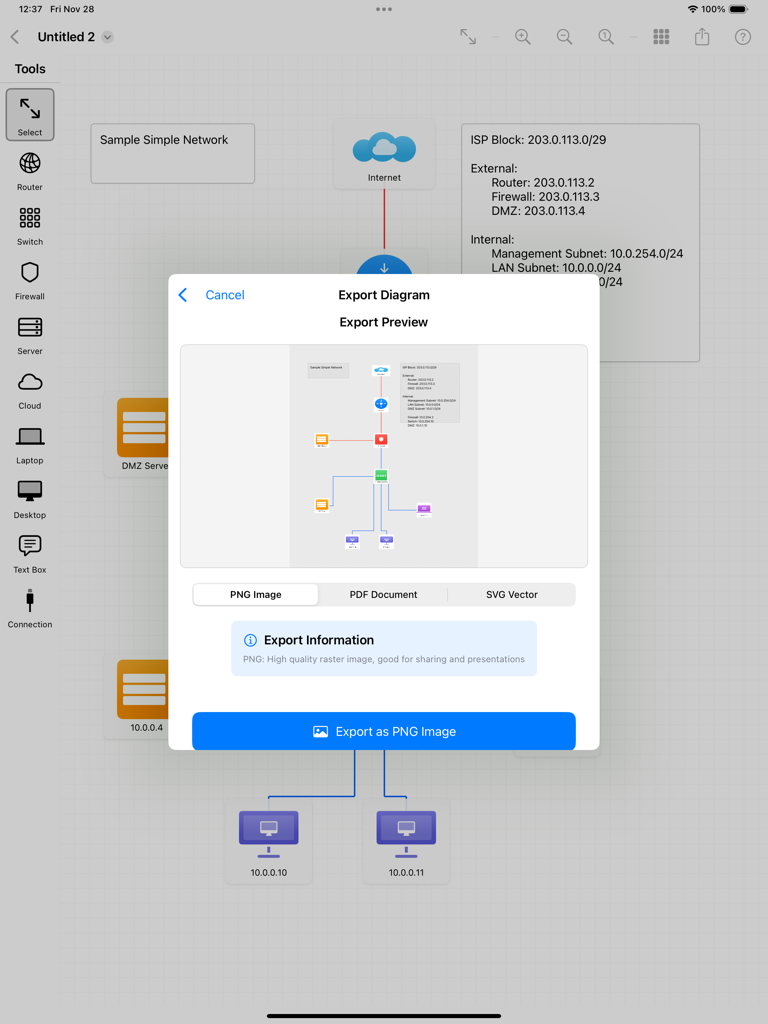
NetSketch - NetSketchアプリのiPadでのエクスポートメニュー。PNG、PDF、SVGファイルとしてネットワーク図をエクスポートするオプションが表示されています。
NetSketchアプリのiPadでのエクスポートメニュー。PNG、PDF、SVGファイルとしてネットワーク図をエクスポートするオプションが表示されています。

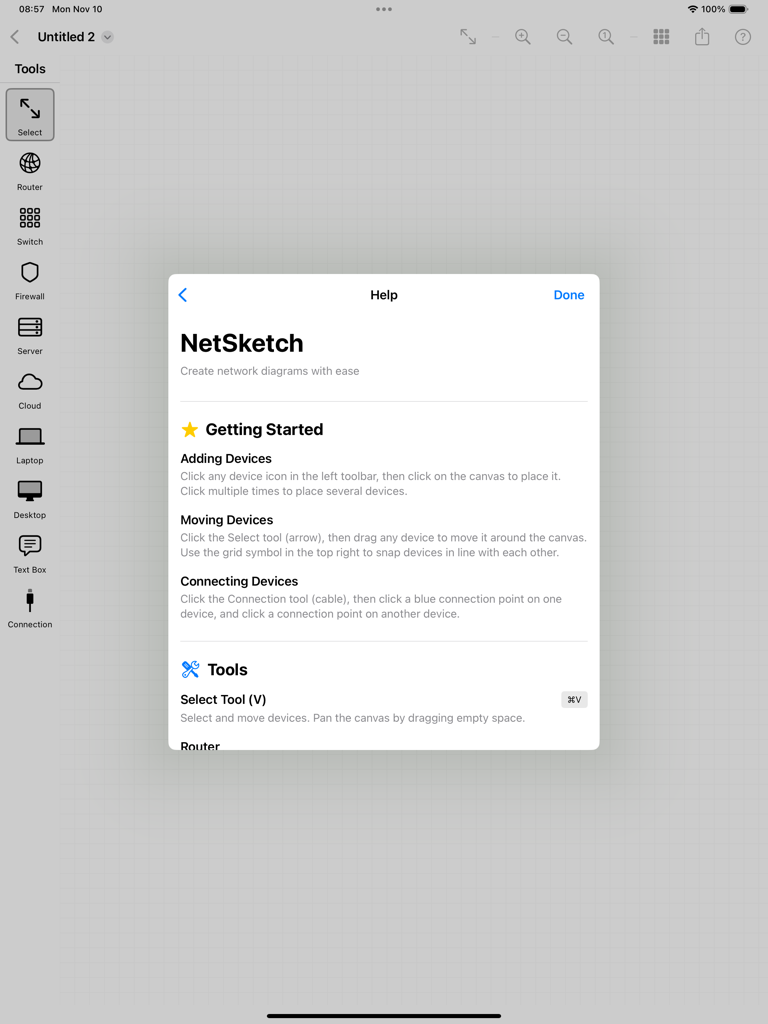
NetSketch - iPadでネットワーク図を作成するための手順が表示されているNetSketchアプリのヘルプウィンドウ

iPadでネットワーク図を作成するための手順が表示されているNetSketchアプリのヘルプウィンドウ

説明

Design Simple and Clean Network Diagrams on Your iPad NetSketch is a simple yet intuitive network diagram tool built specifically for iPad. Whether you're a network engineer, IT professional, system architect, or student, NetSketch helps you create simple, clear network topology diagrams without the need of cloud services or licenses. Perfect For: • Network engineers documenting infrastructure • IT professionals planning network upgrades • System architects designing new systems • Students learning network concepts • Consultants presenting network solutions • Anyone who needs to visualize network topology Key Features: Optimized for iPad Touch-optimized interface designed specifically for iPad. Enjoy the freedom of creating diagrams anywhere, without being tied to a desktop. Easy to Understand Network Symbols Simple network icons including routers, switches, firewalls, servers, cloud services, desktops, laptops, and more. Intelligent Connection Routing Automatic orthogonal (right-angle) line routing creates professional-looking diagrams. Lines intelligently avoid overlaps and route around obstacles. Choose from 8 connection points on each device for perfect alignment. Easy Editing • Move and arrange with simple gestures • Add labels and annotations with text boxes • Customize colors to organize by function or location • Adjust text size and formatting • Click to place symbols easily Snap-to-Align Grid Enable snap-to-align to automatically line up devices perfectly. Create clean, organized diagrams with consistent spacing. Full Document Support • Save unlimited network diagrams • Open and edit existing diagrams • iCloud sync across all your devices • Standard document-based app architecture Export & Share Export your diagrams as high-resolution PNG images or PDF documents. Perfect for presentations, documentation, or printing. Share via email, AirDrop, Messages, or save to Files. Zoom & Pan Zoom in for detailed work or zoom out to see the big picture. Smooth panning and pinch-to-zoom gestures make navigation effortless. Text Annotations Add detailed text boxes anywhere on your diagram. Perfect for labeling VLANs, IP subnets, network zones, or adding explanatory notes. Supports Apple Pencil. Color Customization Change device colors to create visual organization. Group by location, function, security zone, or any system that works for you. Why NetSketch? Unlike complex desktop diagramming tools, NetSketch is built from the ground up for touch interaction. No menus to dig through, no complicated toolbars—just natural, intuitive design that let you focus on your network design, not the software. NetSketch respects your privacy. All diagrams are stored locally on your device or in your personal iCloud storage. We don't collect, analyze, or store any of your data. Use Cases: • Document existing network infrastructure • Plan network upgrades and expansions • Create network diagrams quickly and easily • Design data center layouts • Visualize cloud architecture • Map security zones and firewall rules • Educational network topology diagrams • Quick whiteboard-style sketches No Subscription Required One-time purchase. Use forever. No monthly fees, no feature locks, no ads. Get Started in Seconds: 1. Select a device from the toolbar 2. Tap the canvas to place it 3. Add connections between devices 4. Customize labels and colors 5. Export and share

Download

ダウンロード: App Store

このページはアプリまたはその開発者の公式ページではなく、情報提供および論評を目的として作成された独立した編集出版物です。明示的に別段の記載がない限り、アプリおよびその開発者は、MWM、Apple、Google Play、アプリのパブリッシャー、またはアプリの開発者と提携、承認、後援、認可、またはその他の公式的な関係はなく、このページのいかなる内容も、アプリがMWMのサービスを使用して開発されたことを意味するものではありません。すべての商標、ロゴ、スクリーンショット、その他のコンテンツはそれぞれの所有者の財産です。








