NetSpot WiFi Analyzer

NetSpot WiFi Analyzer

ダウンロード: App Store
ロゴ: NetSpot WiFi Analyzer

NetSpot WiFi Analyzer:プロフェッショナルなヒートマップとネットワーク診断を指先で

信号がどこへ行くのか推測するのはやめましょう。iPhoneまたはiPadを強力なネットワークスキャナーに変えて、デッドゾーンを可視化し、ルーターの配置を最適化し、ホームオフィスやスマートホームでの完璧な接続を保証します。

開発元

Etwok Inc

カテゴリ

Utilities

ダウンロード

352K+

ユーザー評価

2.1/5

評価数

300

対応言語

8

あなたのネットワークを可視化

このインターフェースを利用する 352K+ 人のユーザー.

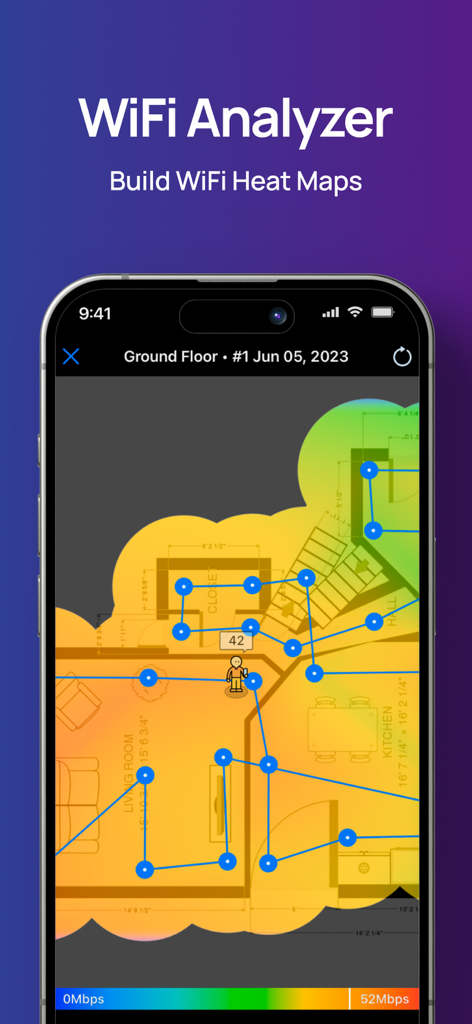
NetSpotアプリの家の間取り図でのWiFiヒートマップの可視化

NetSpotアプリの家の間取り図でのWiFiヒートマップの可視化

NetSpotアプリのインターフェースでWiFiのアップロードとダウンロードのスピードテスト結果を表示
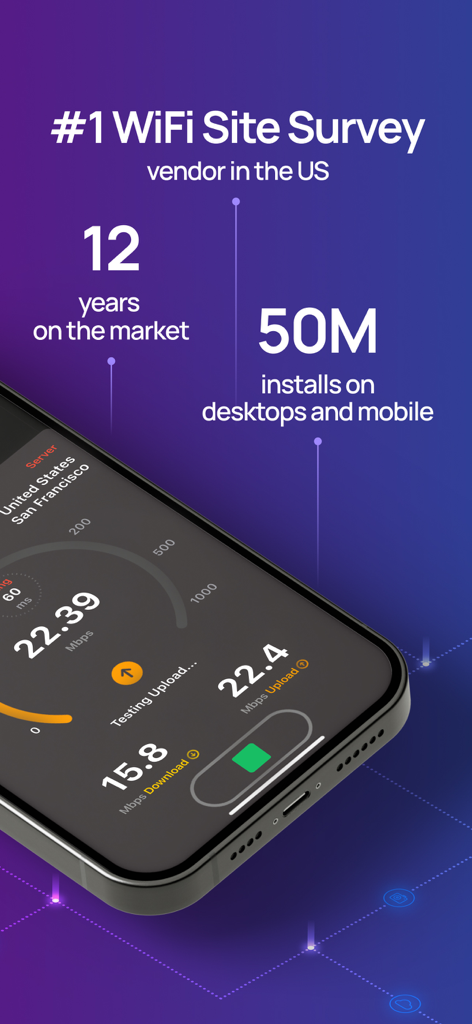
NetSpotアプリのインターフェースでWiFiのアップロードとダウンロードのスピードテスト結果を表示

NetSpotアプリのインターフェースでWiFiスピードテストの結果と、5000万回のインストールのような市場統計を表示
NetSpotアプリのインターフェースでWiFiスピードテストの結果と、5000万回のインストールのような市場統計を表示

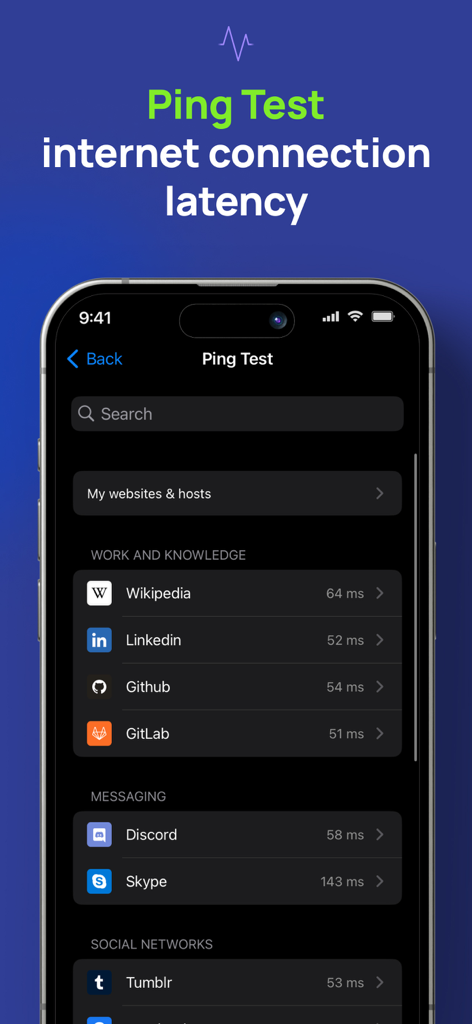
NetSpot WiFi Analyzerのpingテスト画面でインターネット接続の遅延を表示
NetSpot WiFi Analyzerのpingテスト画面でインターネット接続の遅延を表示

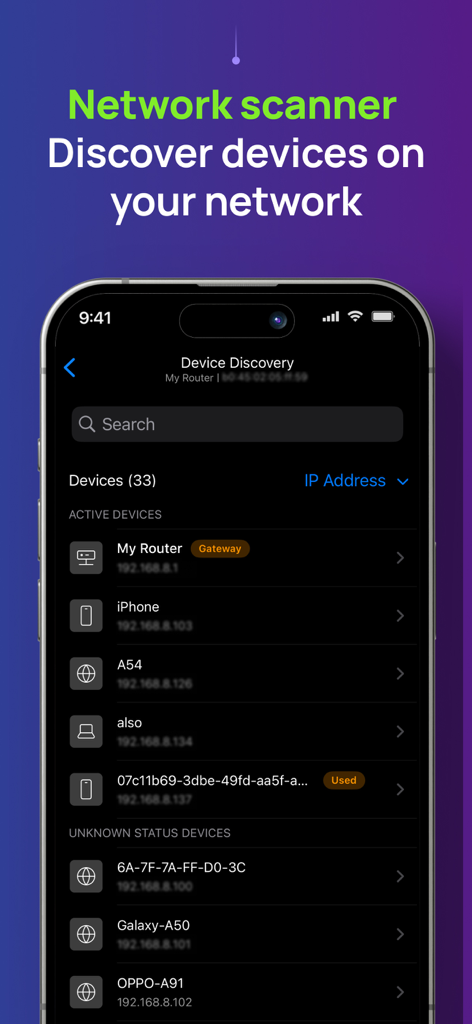
NetSpot WiFi Analyzerアプリの画面で、ネットワークスキャナーツール内の接続されているデバイスのリストとそのIPアドレスを表示
NetSpot WiFi Analyzerアプリの画面で、ネットワークスキャナーツール内の接続されているデバイスのリストとそのIPアドレスを表示

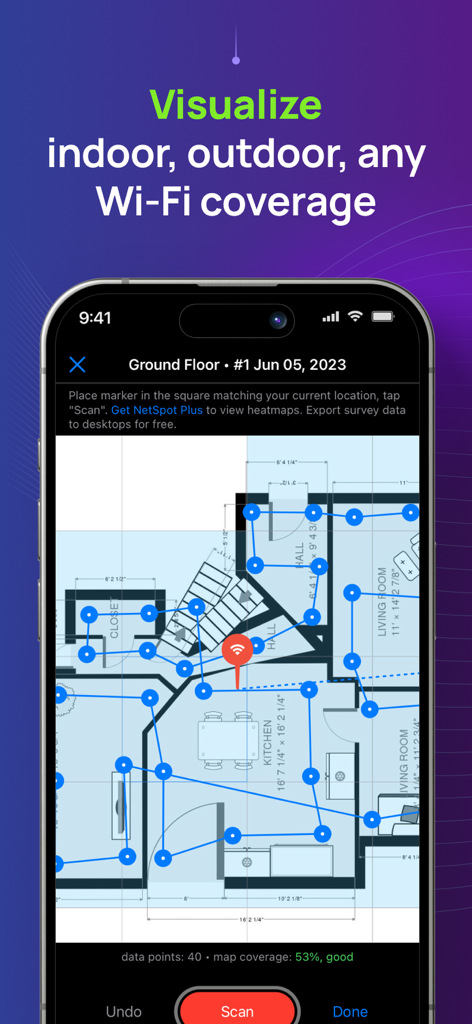
NetSpotアプリで家の間取り図上にWiFiカバレッジ調査を表示
NetSpotアプリで家の間取り図上にWiFiカバレッジ調査を表示

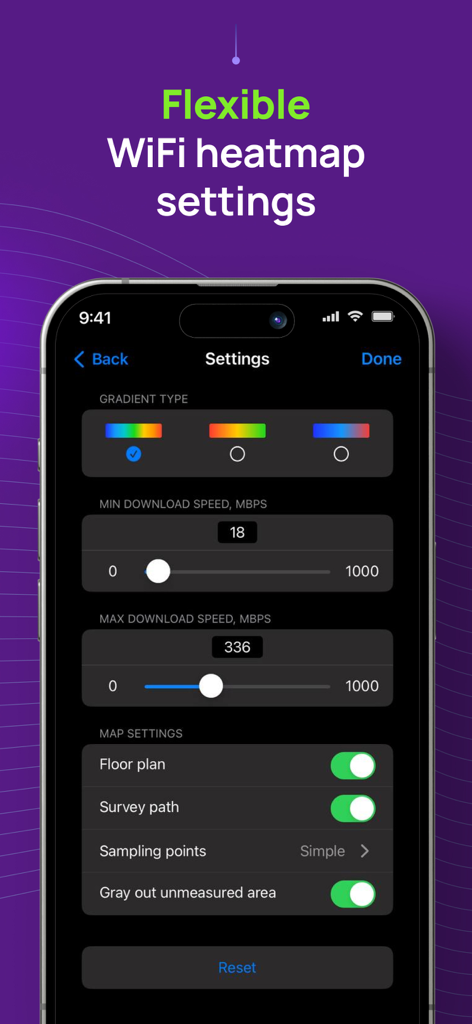
NetSpotアプリのインターフェースで、グラデーションタイプやダウンロード速度制限を含む柔軟なWiFiヒートマップ設定を表示
NetSpotアプリのインターフェースで、グラデーションタイプやダウンロード速度制限を含む柔軟なWiFiヒートマップ設定を表示

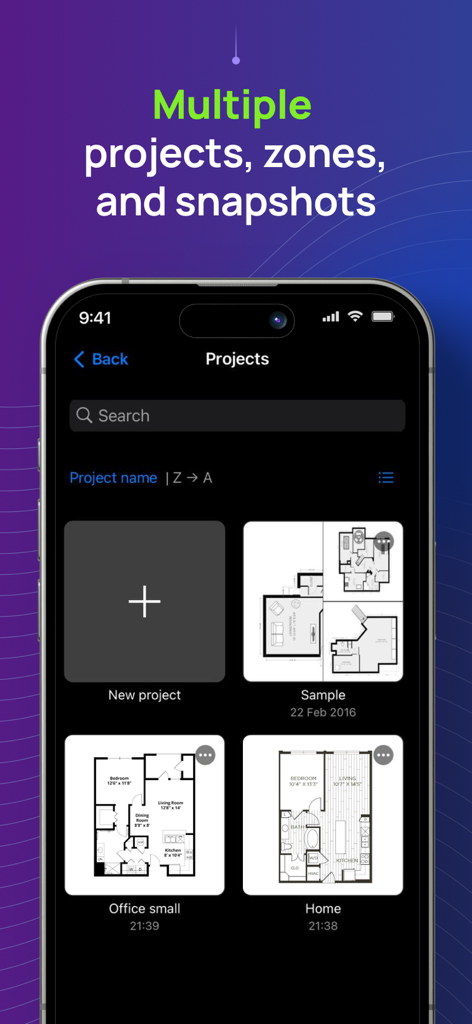
NetSpotアプリのインターフェースで、自宅やオフィス用のさまざまな間取り図を持つ複数のWiFi調査プロジェクトを表示

NetSpotアプリのインターフェースで、自宅やオフィス用のさまざまな間取り図を持つ複数のWiFi調査プロジェクトを表示

ホームネットワークをマスターする

このアプリを際立たせるツール、 352K+ 人のユーザーが選択.

🗺️

WiFiヒートマップの可視化

自宅やオフィスのインタラクティブなマップを作成して、デッドゾーンを特定し、高価なハードウェアなしでルーターに最適な場所を見つけましょう。

ラグのないスピードとPing

正確なテストでバッファリングやラグを解消し、リアルな遅延と帯域幅を測定して、よりスムーズな通話とゲームを実現します。

🔍

インスタントデバイス検出

ネットワークをスキャンして接続されているすべてのデバイスを特定し、帯域幅を大量に消費するデバイスを見つけ、不正なユーザーがシステムに侵入するのを防ぎます。

レビュー分析

ユーザーレビューの分析.

感情スコア

33%
ネガティブ

概要

The app receives mixed, but predominantly negative, feedback from users. Many appreciate its core functionality for basic WiFi analysis and speed measurement, with some highlighting its clear interface and fast data collection for certain heatmap types. However, a significant number of users express disappointment with the app's limited features on mobile devices compared to its desktop counterpart, particularly the absence of crucial signal strength heatmaps and advanced WiFi channel analysis. Users frequently criticize the app's pricing model, deeming it misleadingly advertised as 'free' when most useful features are locked behind paywalls or subscriptions, leading to feelings of wasted money and frustration with refund processes. Several reports also indicate stability issues, including crashing during scans, with one specific mention of general non-functionality on iPhone 11.

主なテーマ

Core Functionality(20)
Speed Measurement(4)
User Interface Clarity(3)
Desktop App Quality(2)
Heatmap Data Collection(2)
Free Features Availability(1)
App Improvement/Updates(1)

アプリについて

について知っておくべきこと NetSpot WiFi Analyzer.

説明

NetSpot 3 delivers powerful WiFi site surveys with internet speed, ping tests and device discovery to iPhone and iPad users. Build realistic WiFi heatmaps right on your iPhone or iPad in minutes, without additional expensive hardware! Analyze and troubleshoot your wireless networks with color-coded interactive heatmaps, very simple to create and interpret. NetSpot, famous for its versatile network tools with millions of business and home users across all platforms, is the only WiFi scanner app with heatmap visualizations on the App Store. Effortlessly manage your Wi-Fi survey projects by organizing them into multiple zones and snapshots for each surveyed area. Flexible configuration settings let you customize the look and feel of your WiFi map and choose the desired gradient to properly highlight areas with high WiFi speed and stable connection, as well as the areas with low WiFi signal that may need improvements. NetSpot’s WiFi speedtest is a great one-tap solution to verify and track performance of your wireless setups over time. NetSpot also offers Ping Tests. A ping test is a great way to check network connectivity for any underlying network issues and measure the latency. High latency may indicate slow or laggy internet, which affects gaming or video calls quality. NetSpot offers a handy Device Discovery mode, which basically turns the app into a network scanner collecting information on all devices connected to your network. It depends on devices, which information can be collected, but in general you can see such data as MAC address, IP address, device names, software and firmware versions, a class of device (e.g. smartphone, smart device or a laptop.), etc. The free version of NetSpot for iOS lets you use Device Discovery mode, as well as test the ping and Internet speed. WiFi Survey mode with heatmaps is available in NetSpot Plus - a one-time in-app purchase. USE NETSPOT AS... * WiFi analyzer - diagnose your wireless network connection speed and latency * WiFi scanner - collect and visualize your WiFi data * Speed tester - check your internet, WiFi or mobile download and upload speed, record historical results * WiFi mapper - conduct active WiFi site surveys for connected networks * Ping tester - verify your WiFi or mobile connection latency to major or custom websites * Network scanner – find and collect information about devices currently connected to your wireless network * WiFi troubleshooting app NetSpot WiFi heat mapper is fast, accurate and extremely simple. It helps you see the true coverage of your WiFi like never before, regardless of your mesh or no-mesh configuration, security settings, interfering networks or other factors. Every time you use NetSpot internet speed meter for WiFi site surveys, it delivers reliable interactive heatmaps that are easy to analyze. NETSPOT IS INCREDIBLY HELPFUL FOR... * WiFi network setup verification * WiFi signal, speed and ping test * Creating WiFi heat map to detect areas of weak signal (part of NetSpot Plus) * Find out who is on your Wi-Fi * Extending WiFi coverage and more

最新バージョン

3.1.6

サイズ

51.2 MB

リリース日

2020年5月4日

推測をやめて、マッピングを始めよう。

NetSpotを信頼してデッドゾーンを解消し、接続を最適化している35万人以上のユーザーに加わりましょう。今すぐiPhoneをプロ仕様のWiFiアナライザーに変えましょう。

ダウンロード: App Store

App information, icons, screenshots, and descriptions displayed on this page are sourced from the Apple App Store and are the property of their respective developers. Download estimates and rankings are based on MWM's proprietary models and may not reflect actual figures. This page is provided for informational and analytical purposes only.

Believe this page infringes your intellectual property? File a dispute