Network Toolbox Net security
ダウンロード: App Store

このページはアプリまたはその開発者の公式ページではなく、情報提供および論評を目的として作成された独立した編集出版物です。明示的に別段の記載がない限り、アプリおよびその開発者は、MWM、Apple、Google Play、アプリのパブリッシャー、またはアプリの開発者と提携、承認、後援、認可、またはその他の公式的な関係はなく、このページのいかなる内容も、アプリがMWMのサービスを使用して開発されたことを意味するものではありません。すべての商標、ロゴ、スクリーンショット、その他のコンテンツはそれぞれの所有者の財産です。


ロゴ: Network Toolbox Net security
ダウンロード: App Store

Network Toolbox Net security

50以上のプロフェッショナルグレードのユーティリティで、あらゆるネットワークをマスターしましょう。Shodanスキャンからポート分析まで、業界で最も信頼されているモバイルスイートで環境を診断・保護します。

主要数値

ダウンロード

280K+

ユーザー評価

4.6/5

評価数

3K+

開発元

Annalisa Bergonzi

カテゴリ

Productivity

対応言語

14

最新バージョン

16.7

サイズ

152.5 MB

リリース日

2013年6月12日
機能

プロフェッショナルグレードのネットワークトリアージ

推測はもうやめ、分析を始めましょう。1つのインターフェースに50以上の強力なツールを備え、ITプロフェッショナルやセキュリティ専門家がどこからでもネットワークを監査、トラブルシューティング、保護するのに役立ちます。

ディープネットワークディスカバリ

高度なWiFiスキャン、ポート分析、MACベンダー識別により、ネットワーク上のすべてのデバイスを発見し、セキュリティの盲点を排除します。

グローバルセキュリティインテリジェンス

ShodanおよびMorpheus検索の力を活用して、あらゆる場所やホスト名で公開されているオンラインデバイスや脆弱性を特定します。

以下のスクリーンショットと説明は、アプリの公式ストアリスティングから直接取得されたものであり、アプリ開発者の所有物です。

アプリストア

スクリーンショット
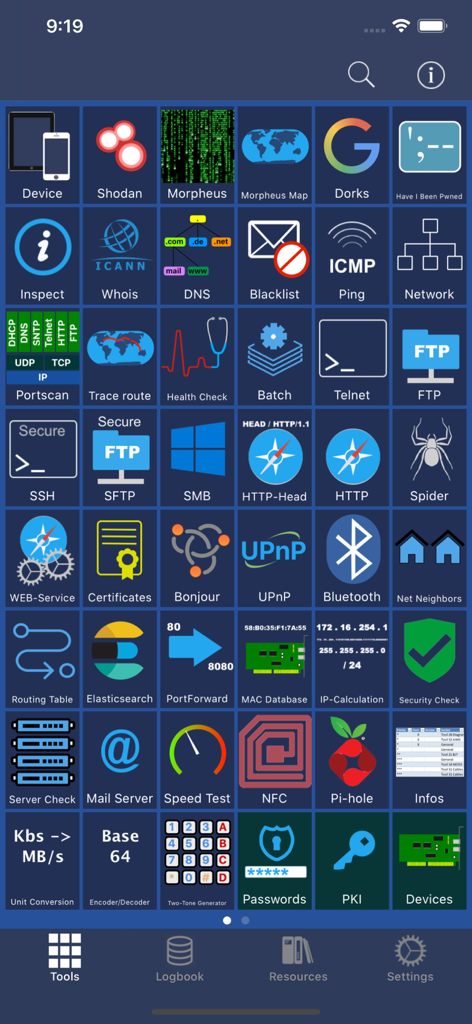
Network Toolbox Net security - Network Toolboxアプリのメインツールダッシュボード。さまざまなサイバーセキュリティユーティリティが表示されています。
Network Toolboxアプリのメインツールダッシュボード。さまざまなサイバーセキュリティユーティリティが表示されています。

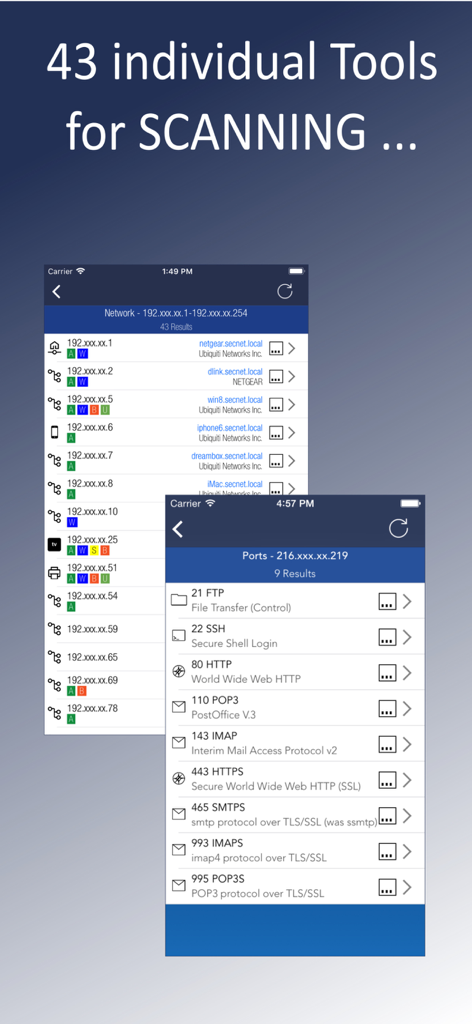
Network Toolbox Net security - Network Toolboxアプリのインターフェース。ネットワークデバイスの検出とオープンポートスキャンの結果が表示されています。
Network Toolboxアプリのインターフェース。ネットワークデバイスの検出とオープンポートスキャンの結果が表示されています。

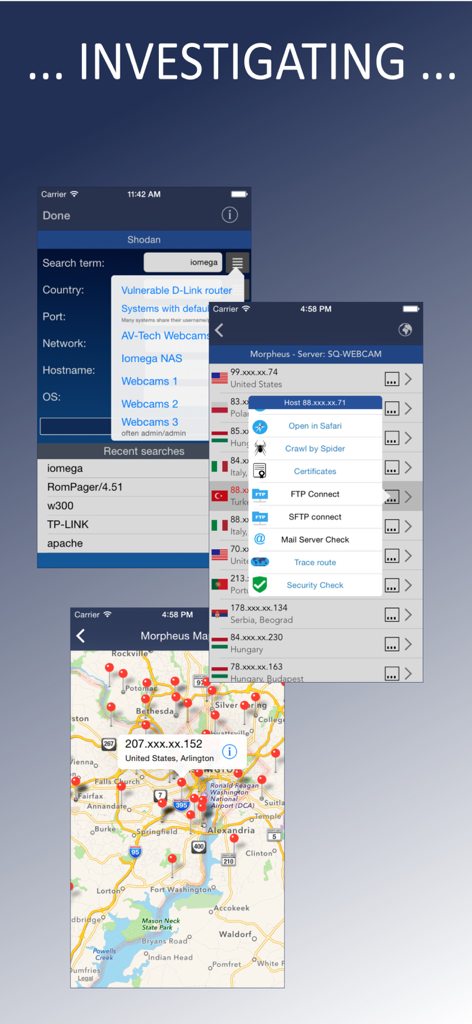
Network Toolbox Net security - サイバーセキュリティアプリのインターフェース。Shodanの検索結果とIP位置マッピングが表示されています。
サイバーセキュリティアプリのインターフェース。Shodanの検索結果とIP位置マッピングが表示されています。

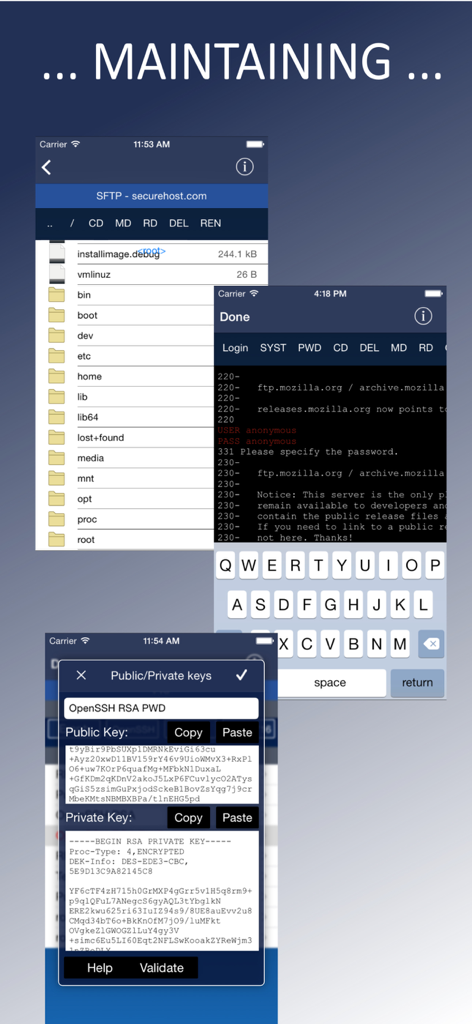
Network Toolbox Net security - SFTPファイル管理、FTPターミナルログイン、SSH公開鍵および秘密鍵管理を示すアプリ画面。
SFTPファイル管理、FTPターミナルログイン、SSH公開鍵および秘密鍵管理を示すアプリ画面。

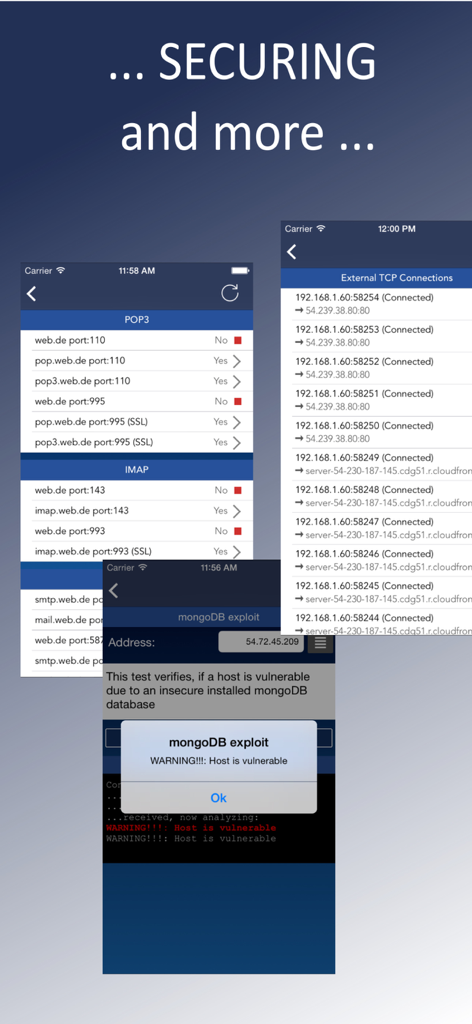
Network Toolbox Net security - Network Toolboxのスクリーンショット。セキュリティエクスプロイトアラートとネットワーク接続監視が表示されています。
Network Toolboxのスクリーンショット。セキュリティエクスプロイトアラートとネットワーク接続監視が表示されています。

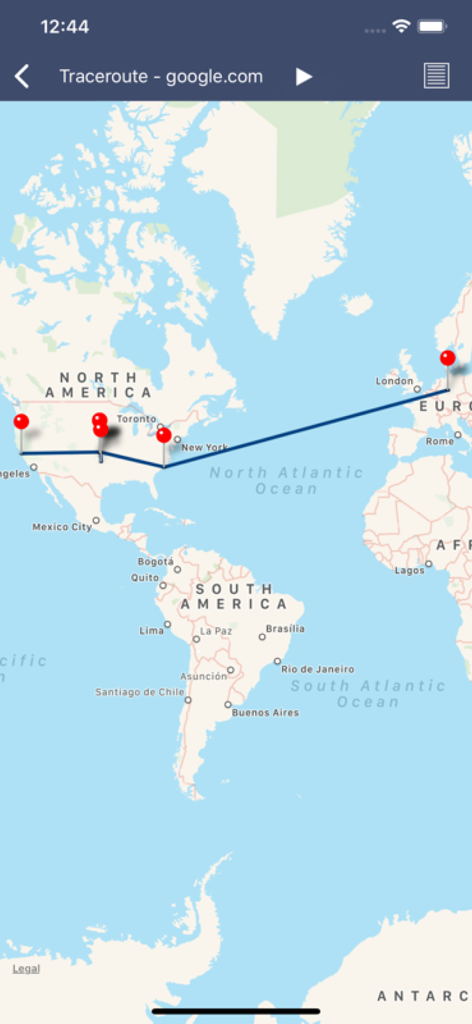
Network Toolbox Net security - 北米からヨーロッパへのgoogle.comのネットワークパスを示すビジュアルトレーサールートマップ。
北米からヨーロッパへのgoogle.comのネットワークパスを示すビジュアルトレーサールートマップ。

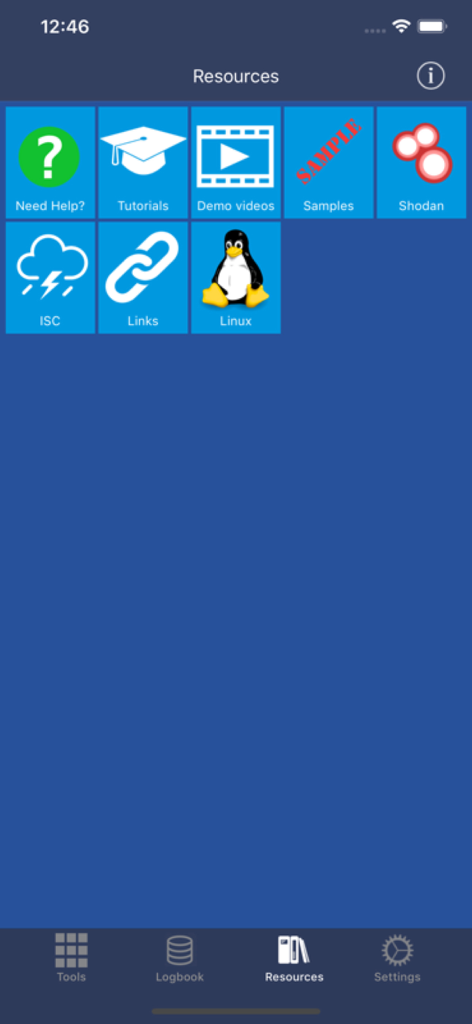
Network Toolbox Net security - Network Toolboxアプリのリソースタブ。チュートリアル、Shodan統合、Linuxガイドへのリンクが表示されています。
Network Toolboxアプリのリソースタブ。チュートリアル、Shodan統合、Linuxガイドへのリンクが表示されています。

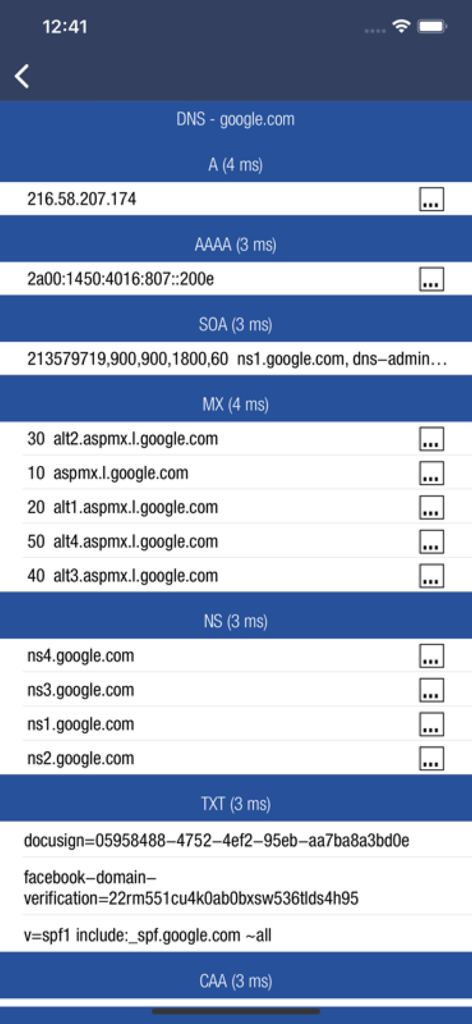
Network Toolbox Net security - Network Toolboxでのgoogle.comのDNSレコード分析。A、MX、TXTレコードが含まれます。

Network Toolboxでのgoogle.comのDNSレコード分析。A、MX、TXTレコードが含まれます。

説明

*** THE ORIGINAL - NetworkToolbox *** Read the Manual at: https://www.networktoolbox.de/ios-manual/ This App with its 50+ individual Tools helps to analyse local or public networks for security issues or wrong configurations. It provides various scanning options such as WiFi Network IP scanning, Port scanning and integrates the SHODAN scan engine, Security exploit tests and more. Feature summary: DEVICE INFORMATION ■ Device and public IP Address ■ Network interfaces (WiFi, 3G/4G) SHODAN AND MORPHEUS SEARCH ■ Expose online devices ■ Search by keyword, country, port, network, hostname MAP SEARCH ■ Search and expose online devices for on a given location NS-LOOKUP with DOMAIN INFORMATION ■ Provides information for a certain domain or ip ■ Provide information about the number of attacks (ISC) ■ Location of IP or Host display on a map ■ DNS records such as MX, A, TXT etc. WIFI NETWORK SCAN ■ Discover all devices on your network ■ Including IP, MAC, Vendor, Network Name PING ■ Ping IP or domain ■ Show Errors and RTT ■ Display results graphically WHOIS ■ Find out who is behind a certain domain DNS ■ Query ANY! DNS Server ■ See DNS record information such as A,TXT,CNAME,MX,SOA etc. ■ See and compare DNS Server response times VISUAL TRACEROUTE ■ Analyze how packets get to their destination SOCKETS ■ Socket analysis and terminal tool ■ Predefined protocols for Telnet, FTP, HTTP, POP3 and IMAP ■ Inspect server responses ■ Send arbitrarily data to the server FTP and SFTP CLIENT ■ Browse remote directory tree ■ Direct file viewing ■ File and directory operations ■ Upload and download of multiple files to device ■ Default password list check of FTP server ■ Public / Private Key support (New!) SSH CLIENT ■ Terminal client for SSL ■ Default password list check of server SFTP CLIENT ■ Same functionality as FTP MAC ADDRESS DB ■ Find out which vendor is responsible for which MAC address and v/v IP CALCULATION ■ Calculate net-masks, first-,last- addresses etc. HTTP BROWSER ■ Site Default password check ■ Possibility to select user agents from Blackberry over Firefox, IE, Safari and iOS ■ Display source code, plain text or hirachically browse XML SPIDER ■ Crawl website and collect all contained links ■ Analyze robots.txt ■ Both, websites and disallows robots content can be further analyzed BLUETOOTH ■ Scan and reveal Bluetooth LE devices CERTIFICATES ■ Inspect Server (e.g. HTTPS) certificates in a readable format BONJOUR and UPnP ■ Scan and discover Bonjour or UPnP services MAIL SERVER CHECK ■ Analyze issues with your mail settings LOCAL FILES ■ Handle files downloaded via FTP or SFTP or HTTP (New!) ■ File and directory operations ■ File viewer (PDF, Text, Image, HTML) ■ Open files in other apps, installed on your device ■ Send file via E-Mail HELP TEXTS ■ Each tool has a detailed description of their purpose and how to use Subscribe to access to premium app features; subscription details are the following: • Length: weekly, monthly, yearly • Your payment will be charged to your iTunes Account as soon as you confirm your purchase • You can manage your subscriptions and turn off auto-renewal from your Account Settings after the purchase • Your subscription will renew automatically, unless you turn off auto-renew at least 24 hours before the end of the current period • The cost of renewal will be charged to your account in the 24 hours prior to the end of the current period • When cancelling a subscription, your subscription will stay active until the end of the period. Auto-renewal will be disabled, but the current subscription will not be refunded • Any unused portion of a free trial period, if offered, will be forfeited when purchasing a subscription Terms of Use: https://www.apple.com/legal/internet-services/itunes/dev/stdeula/

Download

ダウンロード: App Store

このページはアプリまたはその開発者の公式ページではなく、情報提供および論評を目的として作成された独立した編集出版物です。明示的に別段の記載がない限り、アプリおよびその開発者は、MWM、Apple、Google Play、アプリのパブリッシャー、またはアプリの開発者と提携、承認、後援、認可、またはその他の公式的な関係はなく、このページのいかなる内容も、アプリがMWMのサービスを使用して開発されたことを意味するものではありません。すべての商標、ロゴ、スクリーンショット、その他のコンテンツはそれぞれの所有者の財産です。








