Notepad ++
Notepad ++
ダウンロード: App Store

このページはアプリまたはその開発者の公式ページではなく、情報提供および論評を目的として作成された独立した編集出版物です。明示的に別段の記載がない限り、アプリおよびその開発者は、MWM、Apple、Google Play、アプリのパブリッシャー、またはアプリの開発者と提携、承認、後援、認可、またはその他の公式的な関係はなく、このページのいかなる内容も、アプリがMWMのサービスを使用して開発されたことを意味するものではありません。すべての商標、ロゴ、スクリーンショット、その他のコンテンツはそれぞれの所有者の財産です。

ロゴ: Notepad ++
ダウンロード: App Store

Notepad ++

リッチテキストフォーマット、美しいカラーコーディング、PIN保護された保管庫で基本を超えましょう。あなたのユニークなクリエイティブワークフローにフィットするように設計されたオールインワンデジタルノートブックです。

主要数値

ダウンロード

7K+

ユーザー評価

1.2/5

評価数

0

開発元

Gaurav Kokne

カテゴリ

Productivity

対応言語

21

最新バージョン

1.4

サイズ

34.8 MB

リリース日

2024年12月18日
機能

整理整頓、スタイリッシュ、安全に

美的整理、完全なプライバシー、そして簡単なタスク管理のために設計されたプロフェッショナルグレードのメモ帳で、基本的なテキストを超えましょう。

美しいパーソナライゼーション

カスタムフォント、テキスト配置、カラーコード化されたカテゴリであなたのスタイルを表現し、デジタルワークスペースを自宅のように感じさせましょう。

プライベートセキュリティ保管庫

専用のパスワードまたはPIN保護されたプライベートノートで、機密データ、ジャーナル、ビジネスの秘密を保護しましょう。

以下のスクリーンショットと説明は、アプリの公式ストアリスティングから直接取得されたものであり、アプリ開発者の所有物です。

アプリストア

スクリーンショット

Notepad ++ - 笑顔の若い女性が、Notepad plus plusアプリでカラーコード化されたメモが表示されたスマートフォンを隣にポーズをとっている
笑顔の若い女性が、Notepad plus plusアプリでカラーコード化されたメモが表示されたスマートフォンを隣にポーズをとっている

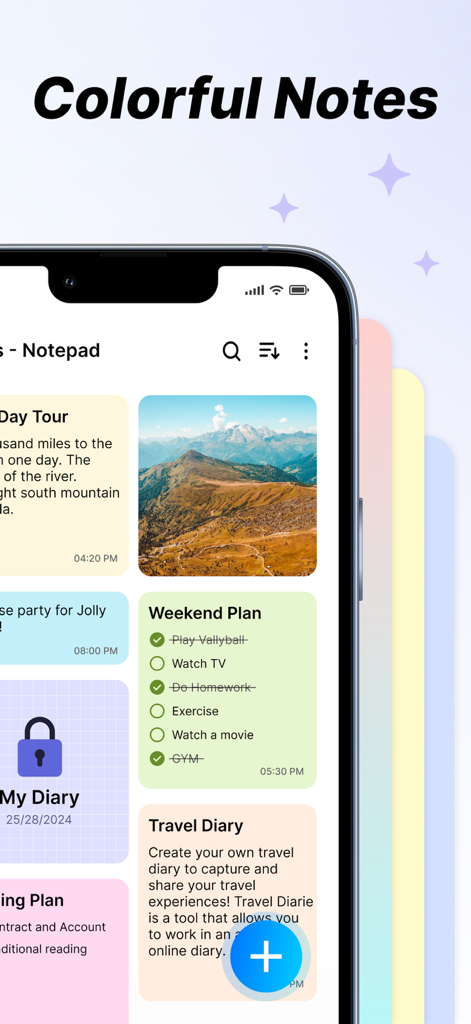
Notepad ++ - Notepad plus plusアプリのインターフェースには、カラフルで整理されたメモ、チェックリスト、プライベート保管庫が表示されている
Notepad plus plusアプリのインターフェースには、カラフルで整理されたメモ、チェックリスト、プライベート保管庫が表示されている

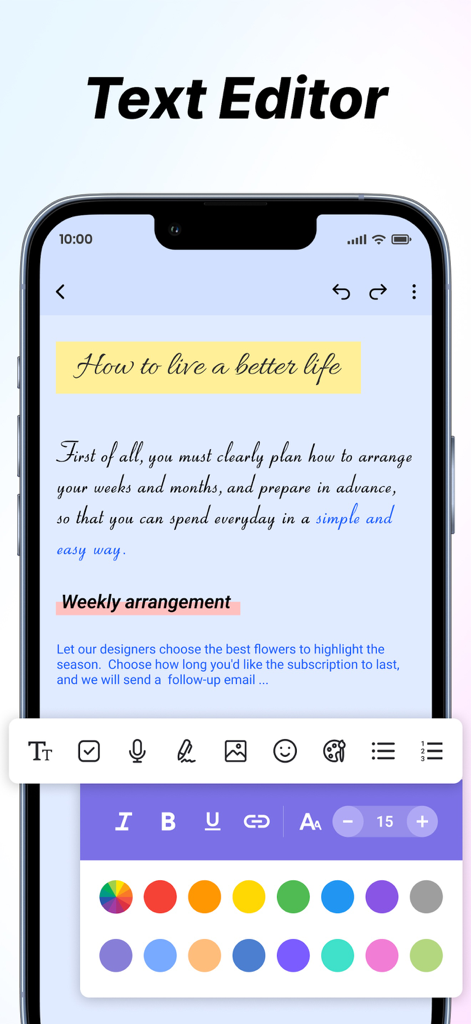
Notepad ++ - Notepad plus plusアプリのスクリーンショットには、さまざまなテキストフォーマットツールと、美的メモ整理のためのカラーピッカーが表示されている
Notepad plus plusアプリのスクリーンショットには、さまざまなテキストフォーマットツールと、美的メモ整理のためのカラーピッカーが表示されている

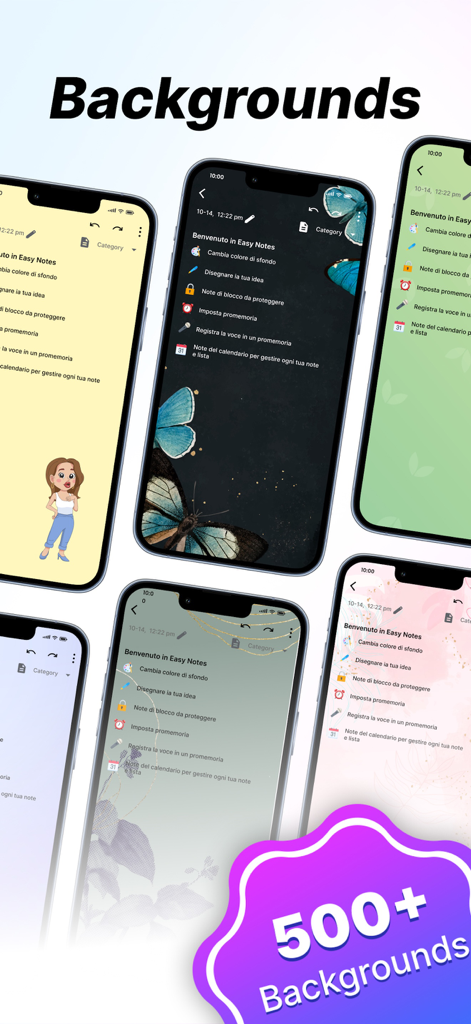
Notepad ++ - Notepad plus plusアプリで、さまざまなカラフルで芸術的なメモの背景が表示されたiPhoneのコレクション
Notepad plus plusアプリで、さまざまなカラフルで芸術的なメモの背景が表示されたiPhoneのコレクション

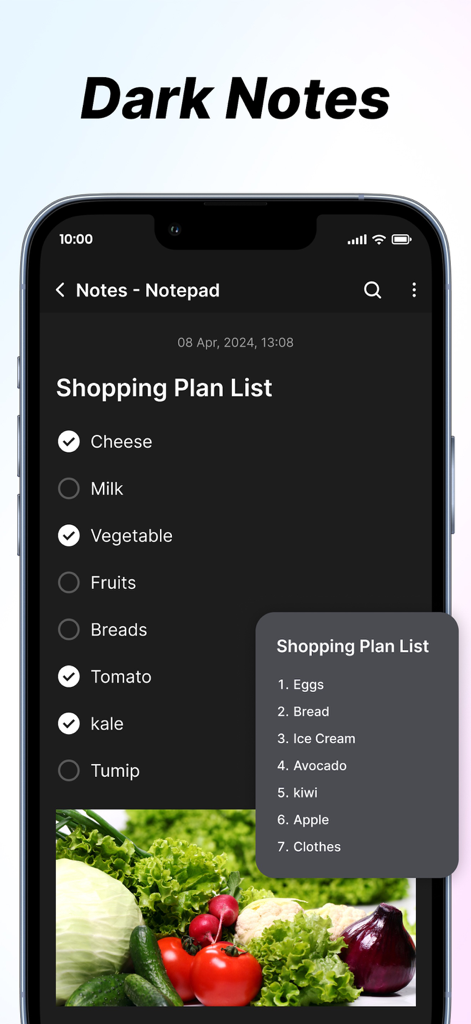
Notepad ++ - Notepad plus plusアプリのインターフェースには、ダークモードのショッピングプランリストが表示されており、チェックボックスと野菜の画像が含まれている

Notepad plus plusアプリのインターフェースには、ダークモードのショッピングプランリストが表示されており、チェックボックスと野菜の画像が含まれている

説明

The Notes App is a handy and easy-to-use tool for taking notes, planning tasks, and organising information. It offers flexible features and customisation to fit your needs. Key Features 1. Create Notes: * Effortlessly create new notes with a clean and intuitive interface, perfect for jotting down thoughts, to-dos, or key information. * Enjoy unlimited note creation with advanced formatting options, including: * Bold, italic, and underlined text for emphasis. * Bullet points and numbered lists for structured content. * Easy editing tools to refine and update your notes anytime. 2. Add Images: * Enhance your notes by attaching images directly from your device. Perfect for adding visual context, storing memorable moments, or including reference materials. 3. Font Customisation: * Personalise your notes with adjustable text sizes and a variety of font styles. Whether you need a professional look or a casual vibe, there’s a style for every need. 4. Text Alignment: * Organise your notes with precision by aligning text to the left, center, or right. Ideal for creating lists, structuring titles, or highlighting key sections. 5. Insert Clickable Links: * Integrate hyperlinks within your notes for seamless navigation to websites, documents, or other online resources. Simplify accessing external content with just a tap. 6. Reminders and Notifications: * Never miss a deadline or important task. Set reminders for specific notes and receive timely notifications to keep you on track. 7. Favourite Notes: * Pin your most critical or frequently accessed notes as favourites. Access them instantly without scrolling through your entire collection. 8. Sorting Notes: Keep your notes neatly organised with these sorting features: * By Colour: Use customisable note colours to visually categorise and group related information. * By Date: Sort notes by creation or last modification dates in ascending or descending order for chronological clarity. 9. Private Notes: * Safeguard sensitive or personal information by marking notes as private. Secure them with a password or PIN for added peace of mind. 10. Search Functionality: * Locate notes quickly with a robust search feature. Use keywords, tags, or filters to narrow down your search and save time. Subscription Details:- - Payment will be charged to iTunes Account at confirmation of purchase. - Subscription automatically renews unless auto-renew is turned off at least 24 hours before the end of the current period. - Account will be charged for renewal within 24 hours prior to the end of the current period, and identify the cost of the renewal. - No cancellation of the current subscription is allowed during the active subscription period. - Any unused portion of a free trial period, if offered, will be forfeited when the user purchases a subscription to that publication, where applicable For Further Information: Terms of Use : https://www.privacypolicycenter.com/view_custom.php?v=aW9zS3hmSzhiQ2hwNDlOSnBUUUpRUT09&n=Terms-Of-Use Privacy Policy : https://www.privacypolicycenter.com/view_custom.php?v=aXFKcDR1OWVqcVMvbisxN1FFUm02UT09&n=Privacy-Policy

Download

ダウンロード: App Store

このページはアプリまたはその開発者の公式ページではなく、情報提供および論評を目的として作成された独立した編集出版物です。明示的に別段の記載がない限り、アプリおよびその開発者は、MWM、Apple、Google Play、アプリのパブリッシャー、またはアプリの開発者と提携、承認、後援、認可、またはその他の公式的な関係はなく、このページのいかなる内容も、アプリがMWMのサービスを使用して開発されたことを意味するものではありません。すべての商標、ロゴ、スクリーンショット、その他のコンテンツはそれぞれの所有者の財産です。








