NoteShot: Photo Note to Notion
ダウンロード: App Store

このページはアプリまたはその開発者の公式ページではなく、情報提供および論評を目的として作成された独立した編集出版物です。明示的に別段の記載がない限り、アプリおよびその開発者は、MWM、Apple、Google Play、アプリのパブリッシャー、またはアプリの開発者と提携、承認、後援、認可、またはその他の公式的な関係はなく、このページのいかなる内容も、アプリがMWMのサービスを使用して開発されたことを意味するものではありません。すべての商標、ロゴ、スクリーンショット、その他のコンテンツはそれぞれの所有者の財産です。


ロゴ: NoteShot: Photo Note to Notion
ダウンロード: App Store

NoteShot: Photo Note to Notion

手作業での書き起こしはやめて、スナップしよう。AI搭載OCRで、紙のノート、ホワイトボード、スクリーンショットを、スマートなタグ付けと自動要約付きの整理されたNotionデータベースに即座に変換します。

主要数値

ダウンロード

200

ユーザー評価

5.0/5

評価数

0

開発元

ANCIENDA TEKNOLOJI YAZILIM VE PAZARLAMA ANONIM SIRKETI

カテゴリ

Productivity

対応言語

3

最新バージョン

1.0.17

サイズ

77.0 MB

リリース日

2024年5月9日
機能

セカンドブレインを強化する

手作業での書き起こしをやめて、構築を始めましょう。Notionパワーユーザーのために設計された強力なAI駆動ツールで、物理的なノートとデジタルワークスペースの間のギャップを埋めます。

即時Notion同期

写真を撮って、直接任意のNotionページまたはデータベースに送信。手入力の手間を省き、ワークフローをスムーズに保ちます。

AI手書き文字からテキストへ

紙のノート、ホワイトボード、スケッチを手書き文字に最適化された高度なOCR技術で検索可能で編集可能なテキストに変換します。

以下のスクリーンショットと説明は、アプリの公式ストアリスティングから直接取得されたものであり、アプリ開発者の所有物です。

アプリストア

スクリーンショット
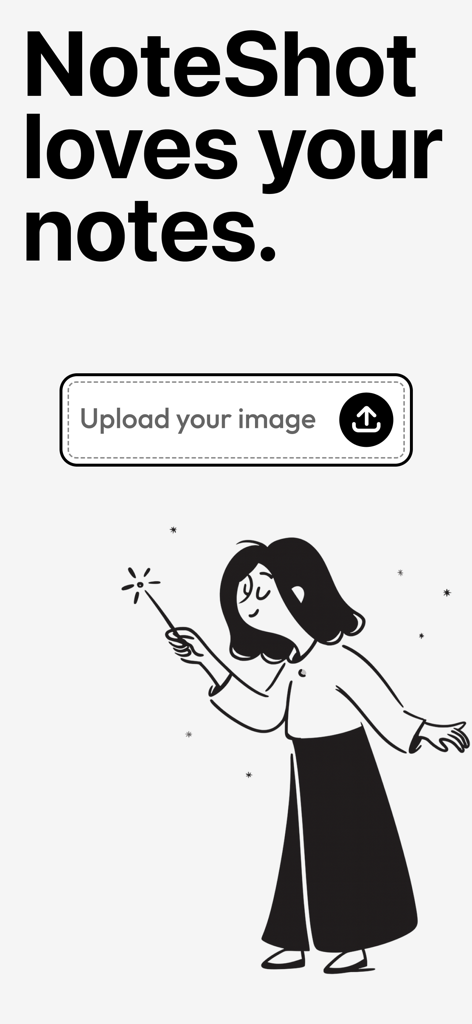
NoteShot: Photo Note to Notion - NoteShotアプリ画面にアップロードボタンと魔法の杖を持った女性のクリエイティブなイラストが表示されている
NoteShotアプリ画面にアップロードボタンと魔法の杖を持った女性のクリエイティブなイラストが表示されている

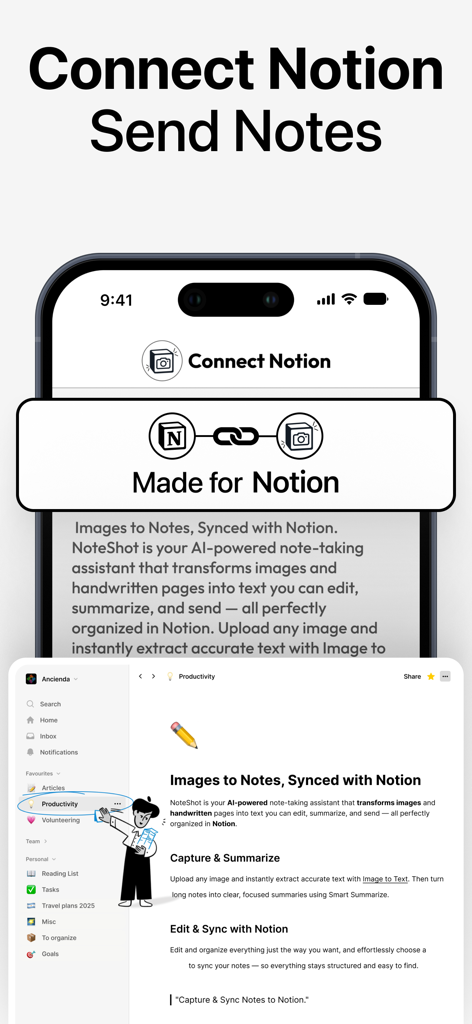
NoteShot: Photo Note to Notion - NoteShotアプリのインターフェースに、写真とノートがNotionワークスペースにシームレスに統合・同期されている様子が表示されている
NoteShotアプリのインターフェースに、写真とノートがNotionワークスペースにシームレスに統合・同期されている様子が表示されている

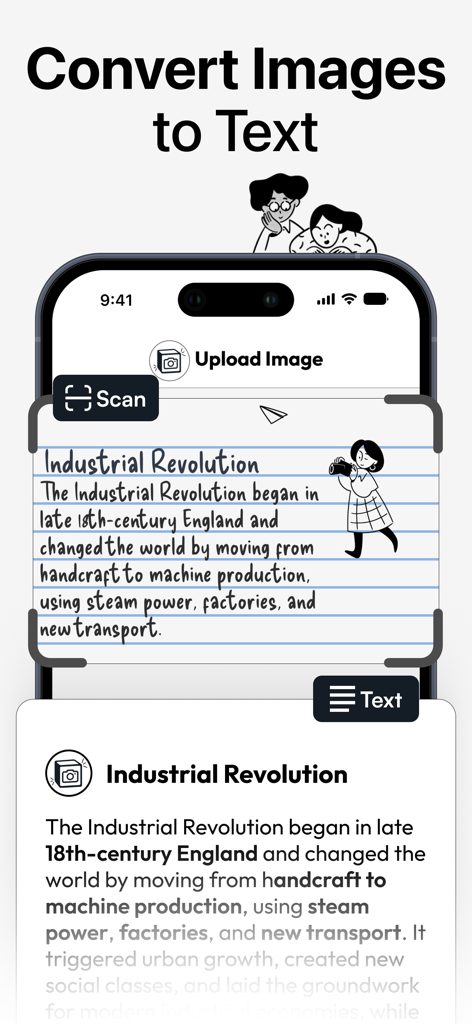
NoteShot: Photo Note to Notion - NoteShotアプリのインターフェースに、OCR技術を使用して産業革命に関する手書きノートをデジタルテキストに変換している様子が表示されている
NoteShotアプリのインターフェースに、OCR技術を使用して産業革命に関する手書きノートをデジタルテキストに変換している様子が表示されている

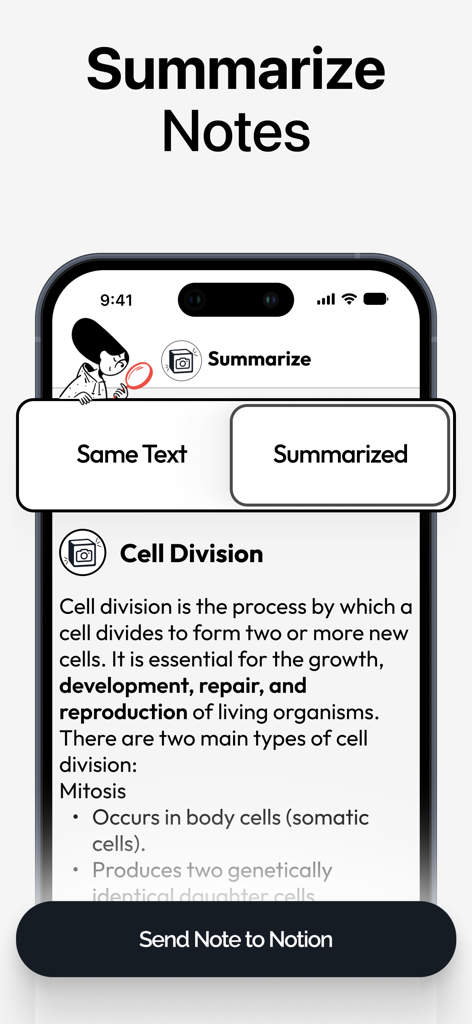
NoteShot: Photo Note to Notion - NoteShotアプリのスマートフォン画面に、Notionに同期する前にノートのAI要約機能が表示されている
NoteShotアプリのスマートフォン画面に、Notionに同期する前にノートのAI要約機能が表示されている

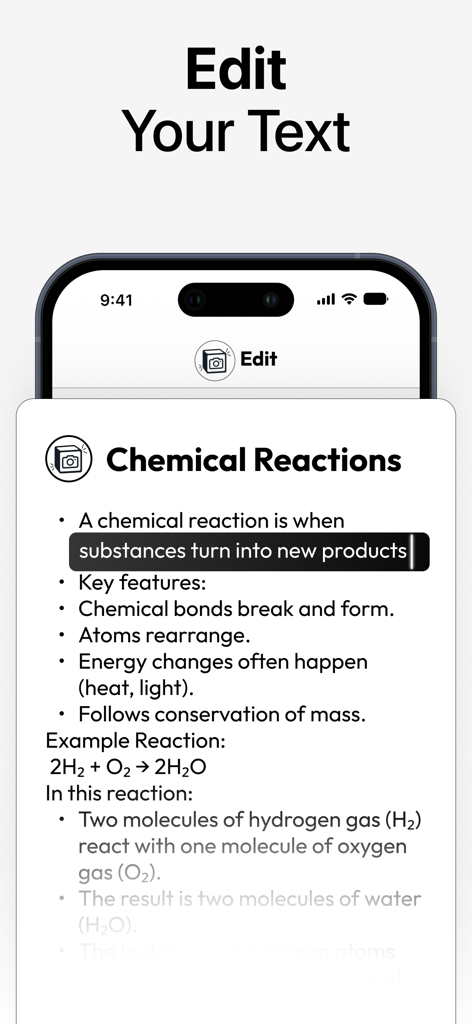
NoteShot: Photo Note to Notion - NoteShotアプリのインターフェースに、写真から変換された化学のノートを含むテキストエディタが表示されている
NoteShotアプリのインターフェースに、写真から変換された化学のノートを含むテキストエディタが表示されている

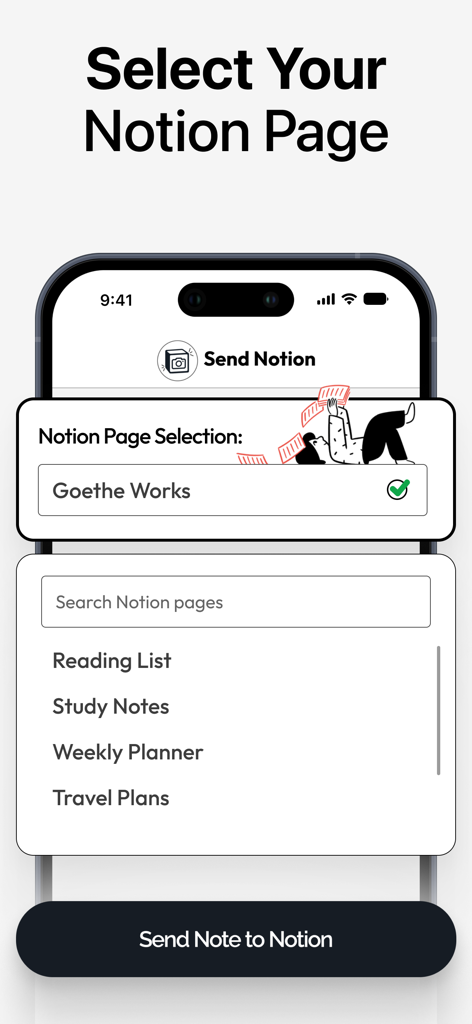
NoteShot: Photo Note to Notion - NoteShotアプリ内でNotionの宛先ページを選択するためのインターフェース

NoteShotアプリ内でNotionの宛先ページを選択するためのインターフェース

説明

NoteShot – Sync your notes directly to Notion Welcome to NoteShot, designed to enhance your Notion productivity. Whenever you write a note, use the NoteShot app to send your note to any of your pages in Notion. Using Notion has never been so simple! Perfect for professionals, students and anyone looking to improve their note management. What can I send to Notion? Any handwritten note, a list, an image, a screenshot of a favorite quote, an event banner, an invitation card, lecture notes, meeting notes.. The list goes on and on! Anything you want to keep track of, you can use NoteShot to send it to Notion. Never write manually to Notion ever again. Key Features: 1. Sync Notes and Images to Notion: Free Access: Capture images and send to one Notion page. Includes initial 5 credits. Pro Access (Requires additional purchase): Unlimited uploads to Notion, connect multiple Notion pages, send image to Notion and adding tags to your notes (tag selection works only if there is a tag on the preferred Notion page). 2. Powered with Enhanced OCR Technology: Experience accurate data processing as our AI converts images to text with enhanced OCR technology. Works also in handwritten notes! 3. Summarize Feature: If you wanted to summarize a long text and then send it to Notion, now you can! You can keep the same text too. 4. Tag Selection: Available in Pro Access (Requires additional purchase): Enhance organization by selecting tags prior to transferring your notes (tag selection works only if there is a tag on the preferred Notion page). 5. Unlimited Integrations: Available in Pro Access (Requires additional purchase): Connect NoteShot with multiple Notion pages for comprehensive management of all your notes. 6. Trial and Subscription: Start with a 7-day free trial to try all our features for free! Upgrade to Pro Access for advanced features including unlimited transfers and integrations. Note: Pro features require a purchase. 7. User Interface: Enjoy a clean, ad-free interface designed for simplicity and ease of use. Get Started: Download NoteShot today and experience the simplicity of using Notion! Additional Information: -Pro Access Disclaimer: Some features require additional purchase for upgrading to Pro Access, clearly marked throughout the app and in this description. -Privacy and Data: We value your privacy. No real user data is shown in our screenshots or previews, and all depicted content is fictional. -Content Ratings and Category: This app follows the guidelines for a 4+ age rating. Appropriate for users interested in productivity tools. Legal: https://www.apple.com/legal/internet-services/itunes/dev/stdeula/

Download

ダウンロード: App Store

このページはアプリまたはその開発者の公式ページではなく、情報提供および論評を目的として作成された独立した編集出版物です。明示的に別段の記載がない限り、アプリおよびその開発者は、MWM、Apple、Google Play、アプリのパブリッシャー、またはアプリの開発者と提携、承認、後援、認可、またはその他の公式的な関係はなく、このページのいかなる内容も、アプリがMWMのサービスを使用して開発されたことを意味するものではありません。すべての商標、ロゴ、スクリーンショット、その他のコンテンツはそれぞれの所有者の財産です。








