
このページはアプリまたはその開発者の公式ページではなく、情報提供および論評を目的として作成された独立した編集出版物です。明示的に別段の記載がない限り、アプリおよびその開発者は、MWM、Apple、Google Play、アプリのパブリッシャー、またはアプリの開発者と提携、承認、後援、認可、またはその他の公式的な関係はなく、このページのいかなる内容も、アプリがMWMのサービスを使用して開発されたことを意味するものではありません。すべての商標、ロゴ、スクリーンショット、その他のコンテンツはそれぞれの所有者の財産です。

Notion: Music Notation and Tab
指先でプロの作曲を。あなたの創造性を解き放ちましょう。直感的な手書き認識から、世界クラスのロンドン交響楽団のサウンドまで、iPhone、iPad、Macで楽譜を簡単に作成・同期できます。
ダウンロード
563K+ユーザー評価
評価数
600開発元
カテゴリ
Music対応言語
9最新バージョン
3.5.1サイズ
146.0 MBリリース日
2011年12月16日プロフェッショナルな作曲を、どこでも
教室でもレコーディングスタジオでも使える、パワフルで受賞歴のある記譜エンジンで、あなたの音楽のビジョンを実現しましょう。
自然な手書き入力
あなたのやり方で音楽を書きましょう。Apple Pencilを使って、直接五線譜に音符を描き、高度な認識エンジンがプロのデジタル記譜に変換するのを見てください。
伝説的な音質
ロンドン交響楽団による演奏で、あなたの作品を体験しましょう。象徴的なアビイ・ロード・スタジオで録音されたリアルなオーディオサンプルを使用して、驚くほどリアルな再生をお楽しみください。
よくある質問
について知っておくべきこと Notion: Music Notation and Tab
Fender Notion: Music & Tab の料金はいくらですか?
Fender Notion: Music & Tab は無料でダウンロードして使用でき、無制限の五線譜とコアサウンドセットを提供します。手書き認識や拡張サウンドセットなどの追加機能は、アプリ内購入のフィーチャーバンドルまたは Fender Studio Pro+ メンバーシップを通じて利用できます。
Fender Notion: Music & Tab とは何ですか?
Fender Notion: Music & Tab は、iOS、iPadOS、macOS 向けの受賞歴のある音楽制作ツールです。直感的なタッチベースのインターフェースを使用して、従来の楽譜またはギタータブ譜でダイナミックな作曲を作成できます。
Fender Notion でギタータブ譜を使用して作曲できますか?
はい、Fender Notion: Music & Tab を使用すると、ギタータブ譜で簡単にダイナミックな作曲を作成できます。このアプリは、ギタータブ譜の入力と編集のための専用インターフェースを提供します。
Fender Notion は手書き認識をサポートしていますか?
はい、Fender Notion: Music & Tab は MyScript を搭載した手書き認識を提供します。この機能はフィーチャーバンドルの 1 つであり、互換性のあるデバイスで筆圧感知入力用の Apple Pencil をサポートしています。
Fender Notion は再生にどのようなサウンドサンプルを使用していますか?
Fender Notion は、アビイ・ロード・スタジオでロンドン交響楽団によって録音された実際のオーディオサンプルを使用して、リアルな再生を提供します。また、サンプリングされたギター、ベース、ドラム、その他の人気のある楽器も含まれており、包括的な作曲が可能です。
Fender Notion は複数のデバイス間で音楽を同期できますか?
はい、Fender Notion: Music & Tab は、複数のデバイス間で作業を同期することをサポートしています。ユーザーは、好みのクラウドプロバイダーを介して、または任意のデバイス上のアプリケーション間でオプションのワイヤレス転送を介してこれを実現できます。
Fender Notion で利用できるエクスポート形式は何ですか?
Fender Notion では、作曲を MIDI、MusicXML、PDF、WAV、MP3 ファイルとして無料でエクスポートできます。フィーチャーバンドルには、M4A、OPUS、FLAC などの追加のオーディオ形式が含まれています。
Fender Notion はクロスプラットフォームアプリケーションですか?
はい、Fender Notion: Music & Tab はネイティブのクロスプラットフォームアプリケーションです。ユーザーは、常にインターネットに接続する必要なく、さまざまなデバイス(iOS、iPadOS、macOS を含む)で音楽を作成できます。
Fender Notion には作曲用のドラムパッドが含まれていますか?
はい、Fender Notion: Music & Tab にはインタラクティブなドラムパッドが含まれています。この機能により、アプリケーション内で直接さまざまな楽器のヒットでドラムパートを簡単に作曲できます。
Fender Notion はオフラインで使用できますか?
はい、Fender Notion: Music & Tab はオフラインで機能します。ネイティブのクロスプラットフォームアプリであり、ユーザーは常にインターネットに接続する必要なく、どこでも任意のデバイスで音楽を作成できます。
以下のスクリーンショットと説明は、アプリの公式ストアリスティングから直接取得されたものであり、アプリ開発者の所有物です。
アプリストア
スクリーンショット
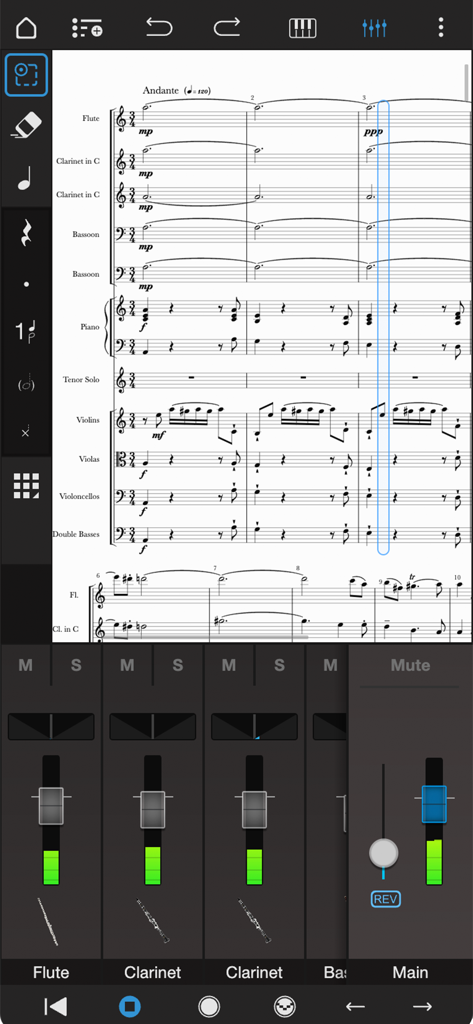
Notion Mobileのプロフェッショナルなオーケストラスコア編集およびオーディオミキサーインターフェース。
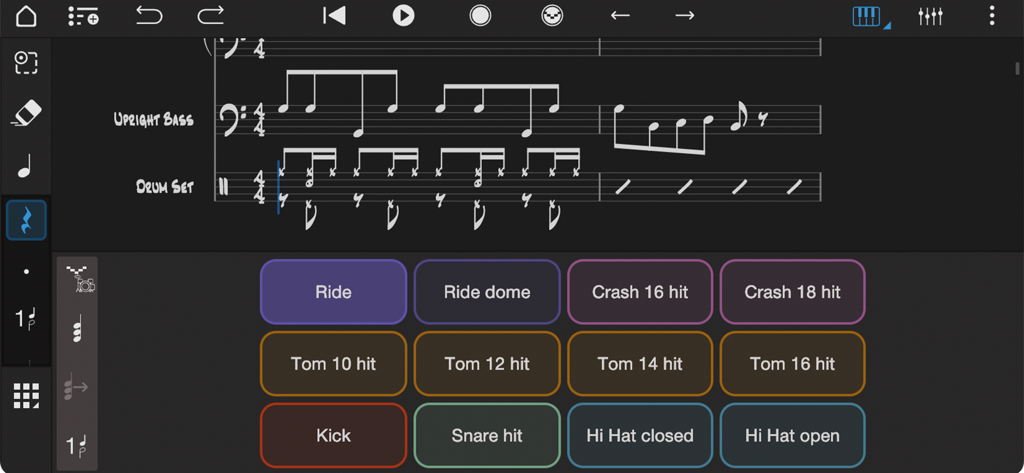
Notion音楽アプリのインターフェース。アップライトベースとドラムの楽譜とともに、ドラムパッドコントローラーを表示しています。
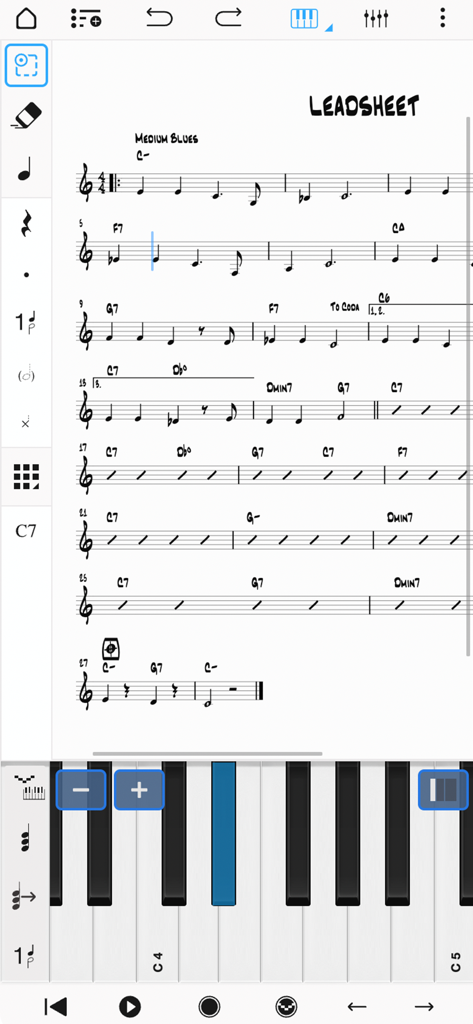
Notion Mobileアプリのインターフェース。音符入力用の仮想ピアノキーボードを備えた、楽譜のリードシートを表示しています。
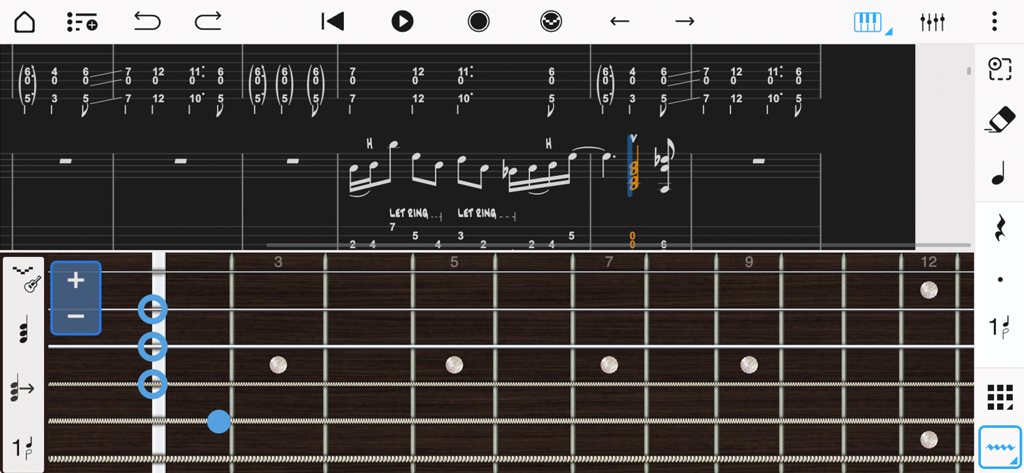
音符入力用の仮想フレットボードを備えた、音楽記譜法とギタータブ譜のインターフェース。Notion Mobile。
説明
Download
類似アプリ
似た機能とユーザー体験を持つアプリ

来音制谱-sheet music editing
Beijing Xihang Technology Co., Ltd.

Dorico - Compose Music
Steinberg Media Technologies GmbH

Composer Pro - Score Creator
嵩 张

Sibelius
Avid Technology Inc

Notation Pad-Sheet Music Score
嵩 张

Piano+ - Sheet Music Composer
嵩 张

Score Creator: compose music
Sharp Notes Company Limited

Maestro - Music Composer
Future Sculptor Pty Ltd

NotateMe
Neuratron Limited
このページはアプリまたはその開発者の公式ページではなく、情報提供および論評を目的として作成された独立した編集出版物です。明示的に別段の記載がない限り、アプリおよびその開発者は、MWM、Apple、Google Play、アプリのパブリッシャー、またはアプリの開発者と提携、承認、後援、認可、またはその他の公式的な関係はなく、このページのいかなる内容も、アプリがMWMのサービスを使用して開発されたことを意味するものではありません。すべての商標、ロゴ、スクリーンショット、その他のコンテンツはそれぞれの所有者の財産です。