
このページはアプリまたはその開発者の公式ページではなく、情報提供および論評を目的として作成された独立した編集出版物です。明示的に別段の記載がない限り、アプリおよびその開発者は、MWM、Apple、Google Play、アプリのパブリッシャー、またはアプリの開発者と提携、承認、後援、認可、またはその他の公式的な関係はなく、このページのいかなる内容も、アプリがMWMのサービスを使用して開発されたことを意味するものではありません。すべての商標、ロゴ、スクリーンショット、その他のコンテンツはそれぞれの所有者の財産です。


ダウンロード
1M+ユーザー評価
評価数
197開発元
カテゴリ
Utilities対応言語
69最新バージョン
1.4.2サイズ
83.6 MBリリース日
2024年10月18日Techアナリストによる評価と主要機能の洞察
O+ Connect アプリ分析:クロスプラットフォーム連携の強化
デバイス間連携通知同期
本アプリは、iPhoneからの着信、メッセージ、および通知をOPPO、OnePlus、またはrealmeデバイスにリアルタイムで同期することを可能にします。これにより、ユーザーはデバイスを切り替えることなく重要な情報を見逃すことがありません。
高品質高速ファイル転送
このツールは、モバイルデータを使用せずに、AppleデバイスとOPPO、OnePlus、またはrealmeデバイス間でファイルを迅速かつ品質を損なうことなく転送します。
よくある質問
について知っておくべきこと O+ Connect
What is O+ Connect?
O+ Connect is an application designed to establish connectivity between Apple devices and OPPO, OnePlus, or realme smartphones, facilitating file transfers and notification synchronization.
Which devices are compatible with O+ Connect?
O+ Connect supports connectivity between Apple devices and OPPO, OnePlus, and realme devices. It enables seamless file exchange and notification syncing across these different operating systems.
Can O+ Connect transfer files without using mobile data?
Yes, O+ Connect allows users to transfer files between devices without consuming mobile data. The application facilitates quick and direct transfers.
Does O+ Connect reduce file quality during transfer?
No, O+ Connect transfers files, including photos and videos, between Apple and OPPO, OnePlus, or realme devices without any loss of quality.
How does O+ Connect handle notifications and calls?
O+ Connect syncs incoming calls, messages, and notifications from your iPhone directly to your connected OPPO, OnePlus, or realme phone, enhancing cross-device communication.
What settings are required to sync notifications with O+ Connect?
To enable notification syncing with O+ Connect, users must verify that "Settings - Cross-device connectivity - iPhone" is activated on their OPPO, OnePlus, or realme phone.
Can I send photos and videos using O+ Connect?
Yes, O+ Connect enables users to select and send photos, videos, and various file types directly from their iPhone to nearby OPPO, OnePlus, or realme devices.
How do I receive files using the O+ Connect app?
To receive files with O+ Connect, open the app and wait for the sender to initiate the transfer using OPPO Share, OnePlus Share, or realme Share.
以下のスクリーンショットと説明は、アプリの公式ストアリスティングから直接取得されたものであり、アプリ開発者の所有物です。
アプリストア
スクリーンショット
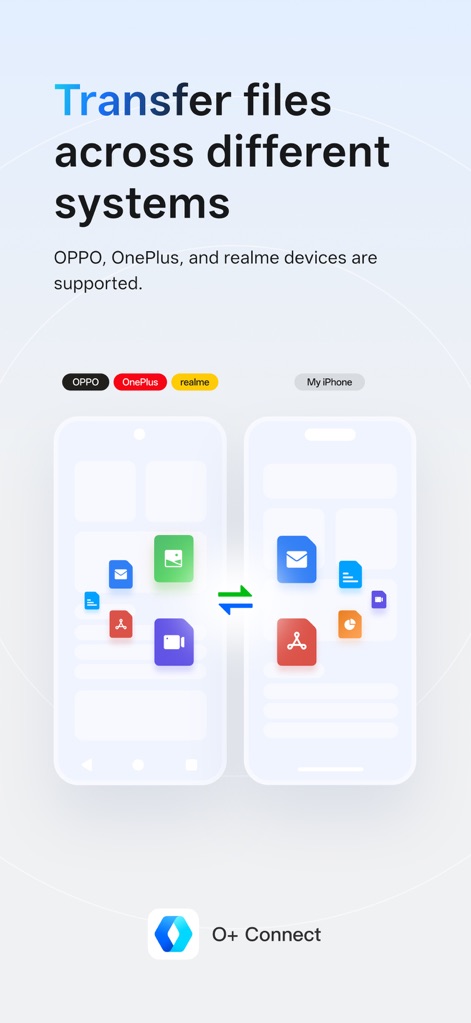
この画面では、異なるオペレーティングシステム間でのファイル転送機能が強調されています。ユーザーは、文書やメディアなど多様なファイルアイコンを通じて、iPhoneとOPPO/OnePlus/realmeデバイス間の双方向のデータ共有を実現できます。
シームレスな転送
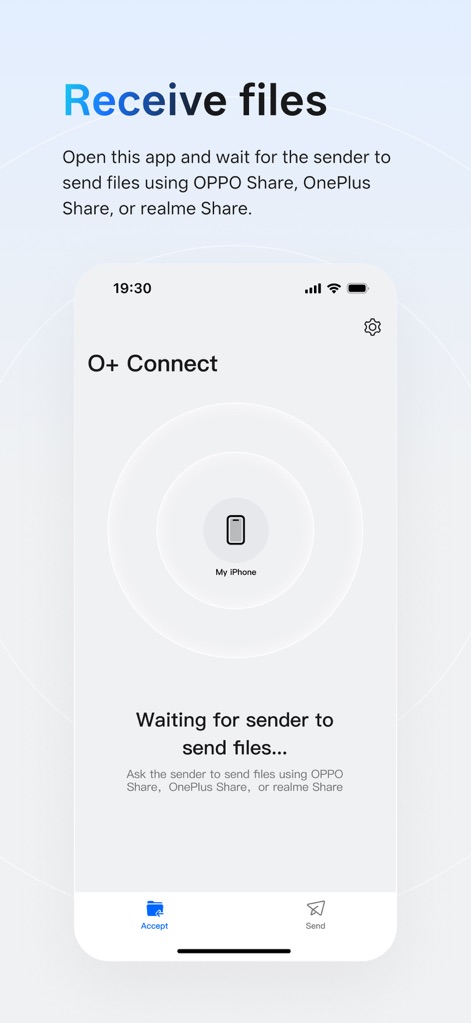
この画面は、O+ Connectアプリでのファイル受信準備中の状態を表しています。中央の「My iPhone」と表示された円形アニメーションは接続待機中を示し、準備が整うと画面下部の「Accept」ボタンで容易にファイルを受け入れられます。
簡単受信モード
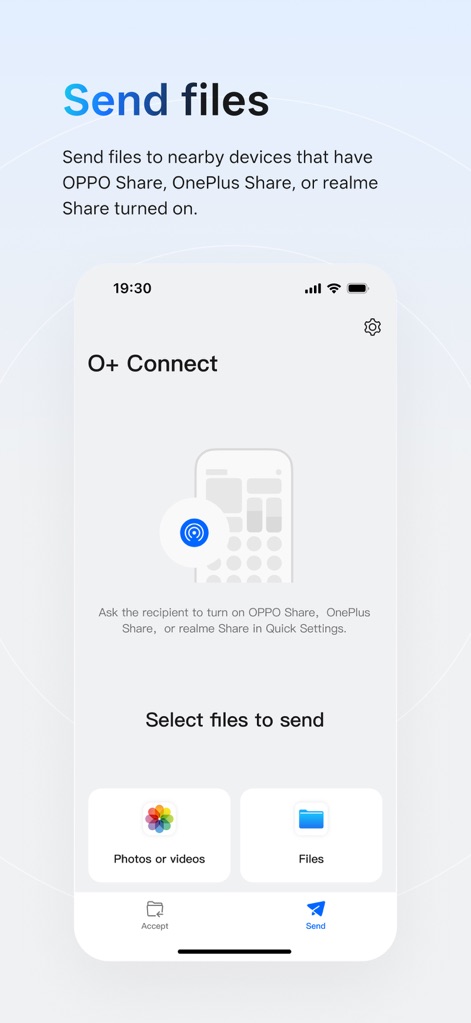
この画面は、ファイルを送信する際の直感的な選択肢を提供します。ユーザーは、「Photos or videos」または「Files」という明確なカテゴリボタンから送信コンテンツを選べ、Wi-Fiを思わせるデバイスアイコンが高速なワイヤレス共有を視覚的に示唆しています。
送信コンテンツ選択
説明
Download
類似アプリ
似た機能とユーザー体験を持つアプリ

WeTransfer: Transfer Files
Wetransfer B.V.

Send Anywhere - File Transfer
Rakuten Symphony Korea, Inc.

Blip: Send Files in a Click
Blip Studio Inc.

Zapya - File Sharing
Lindong Network Technology(Beijing) Co.,Ltd.

Files Transfer - Quick share
梦洋 崔

Air File Share & Drop
Best Free and Fun Games, LLC

手机克隆-极速换机助手免流量数据迁移
军甫 贺

Photo Transfer: Send via WiFi
Mobileware Studio SL

SHAREit: Transfer, Share Files
SHAREit Technologies Co. Ltd
このページはアプリまたはその開発者の公式ページではなく、情報提供および論評を目的として作成された独立した編集出版物です。明示的に別段の記載がない限り、アプリおよびその開発者は、MWM、Apple、Google Play、アプリのパブリッシャー、またはアプリの開発者と提携、承認、後援、認可、またはその他の公式的な関係はなく、このページのいかなる内容も、アプリがMWMのサービスを使用して開発されたことを意味するものではありません。すべての商標、ロゴ、スクリーンショット、その他のコンテンツはそれぞれの所有者の財産です。