Obscura — Pro Camera

Obscura — Pro Camera

ダウンロード: App Store
ロゴ: Obscura — Pro Camera

Obscura — プロフェッショナル写真、洗練された

受賞歴のあるインターフェースで、iPhoneカメラのフルマニュアルコントロールを駆使しましょう。片手での精密操作とプロフェッショナルなRAWキャプチャのためにデザインされています。

開発元

Ben McCarthy

カテゴリ

Photo & Video

ダウンロード

178K+

ユーザー評価

4.1/5

評価数

700

対応言語

10

指先で精密操作

このインターフェースを利用する 178K+ 人のユーザー.

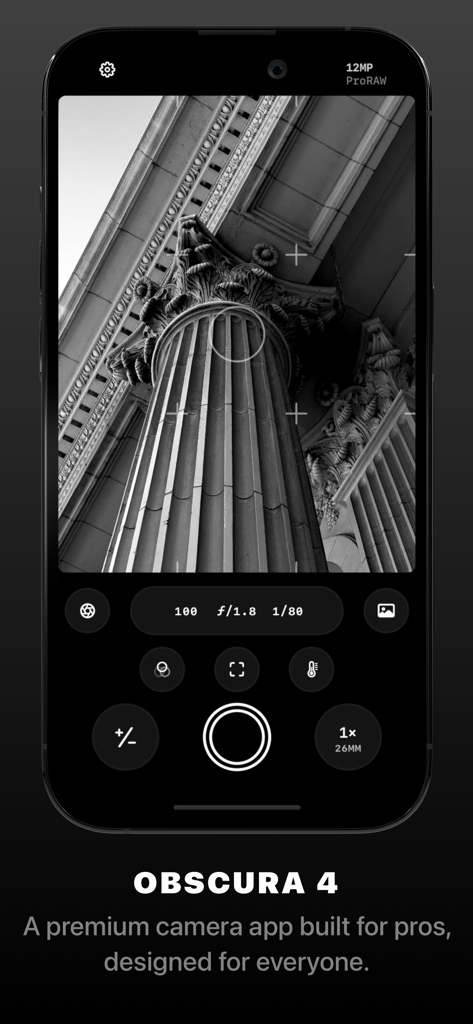
Obscura 4カメラアプリのインターフェース。マニュアル露出コントロールと、古典的な柱の白黒写真が表示されています。
Obscura 4カメラアプリのインターフェース。マニュアル露出コントロールと、古典的な柱の白黒写真が表示されています。

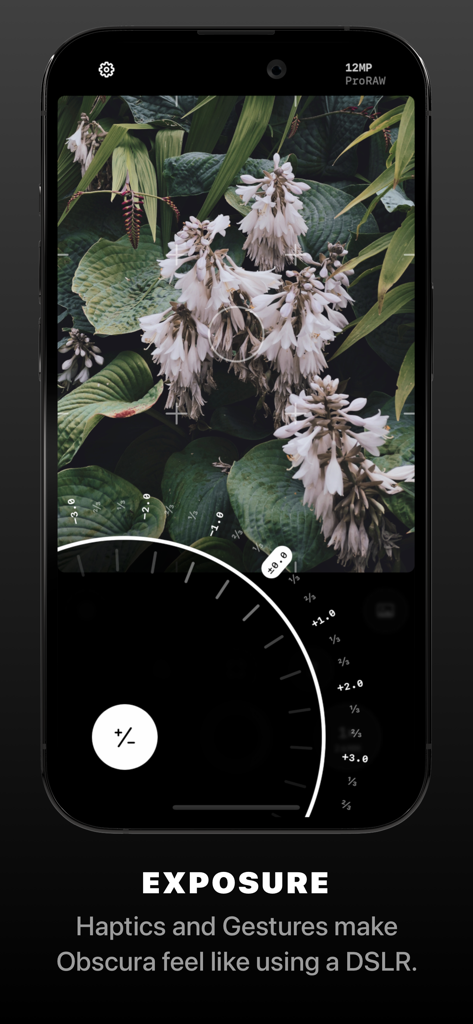
Obscuraプロカメラアプリのインターフェース。マニュアル露出ダイヤルと白い花の白黒写真が表示されています。
Obscuraプロカメラアプリのインターフェース。マニュアル露出ダイヤルと白い花の白黒写真が表示されています。

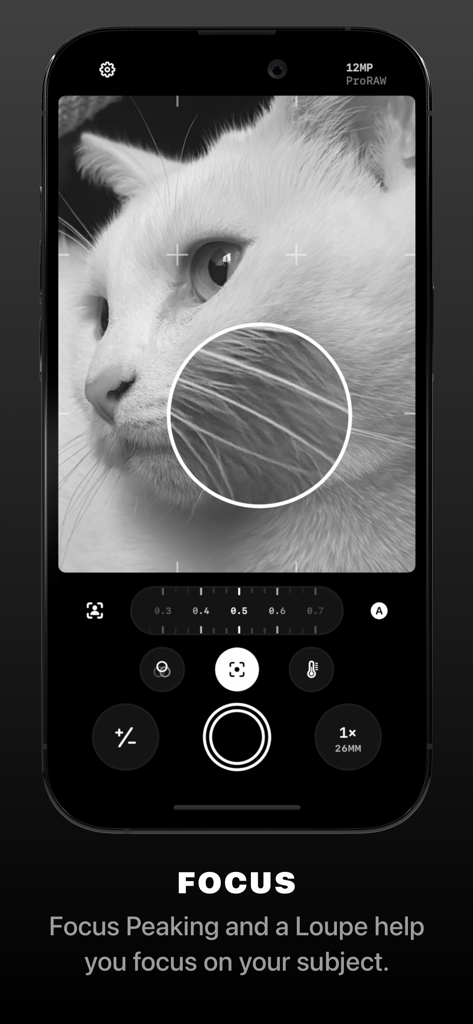
Obscura Pro Cameraアプリのインターフェース。白黒の猫の写真でマニュアルフォーカスルーペとフォーカスピーキングツールを示しています。
Obscura Pro Cameraアプリのインターフェース。白黒の猫の写真でマニュアルフォーカスルーペとフォーカスピーキングツールを示しています。

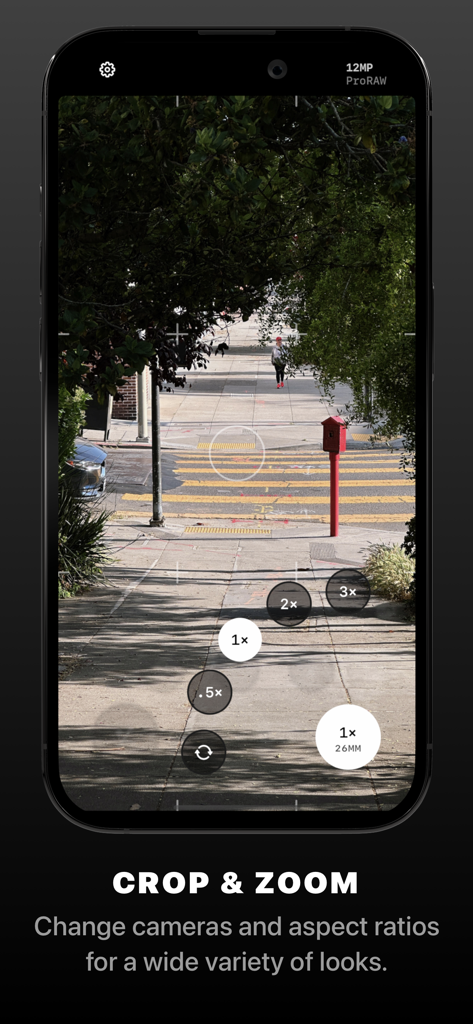
Obscuraプロカメラアプリのインターフェース。マニュアルズームとレンズ選択コントロールが表示されています。
Obscuraプロカメラアプリのインターフェース。マニュアルズームとレンズ選択コントロールが表示されています。

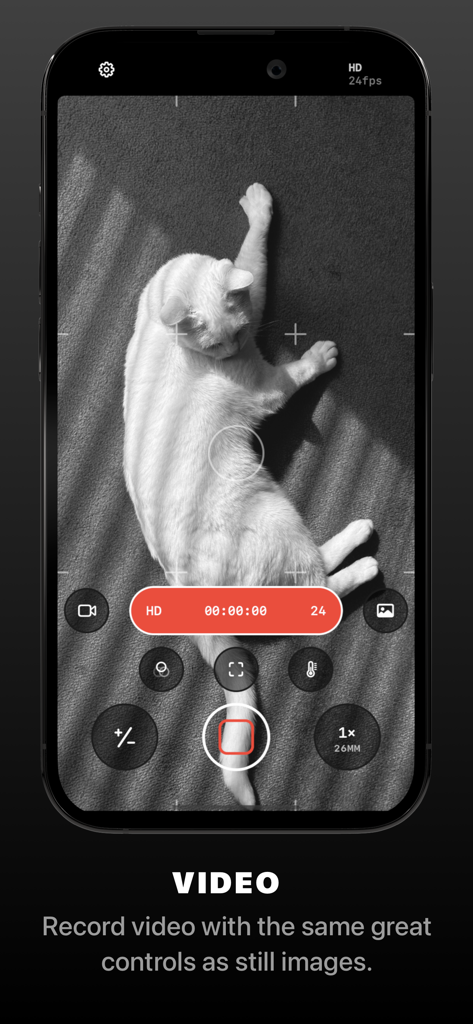
Obscuraアプリのビデオ録画インターフェースのスクリーンショット。白い猫を白黒で撮影中にプロのマニュアルコントロールが表示されています。
Obscuraアプリのビデオ録画インターフェースのスクリーンショット。白い猫を白黒で撮影中にプロのマニュアルコントロールが表示されています。

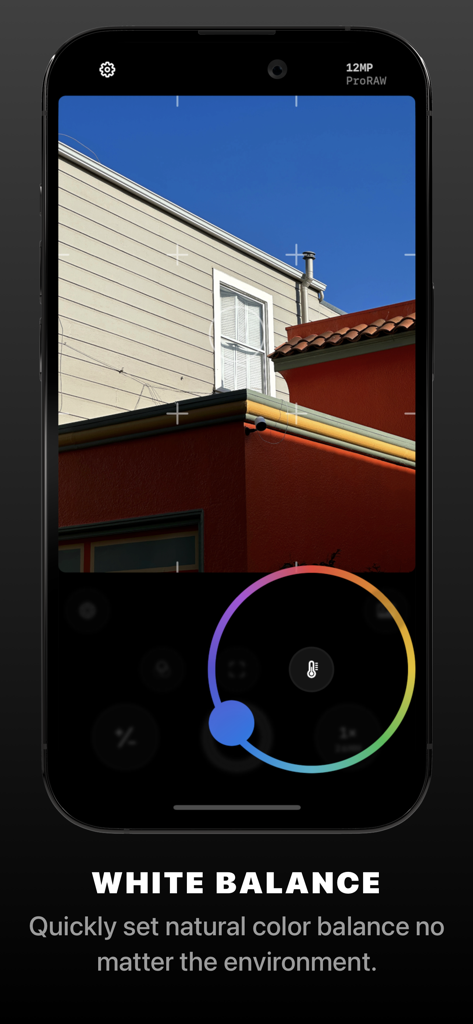
Obscura Pro Cameraアプリのインターフェース。マニュアルホワイトバランスコントロールホイールが表示されています。
Obscura Pro Cameraアプリのインターフェース。マニュアルホワイトバランスコントロールホイールが表示されています。

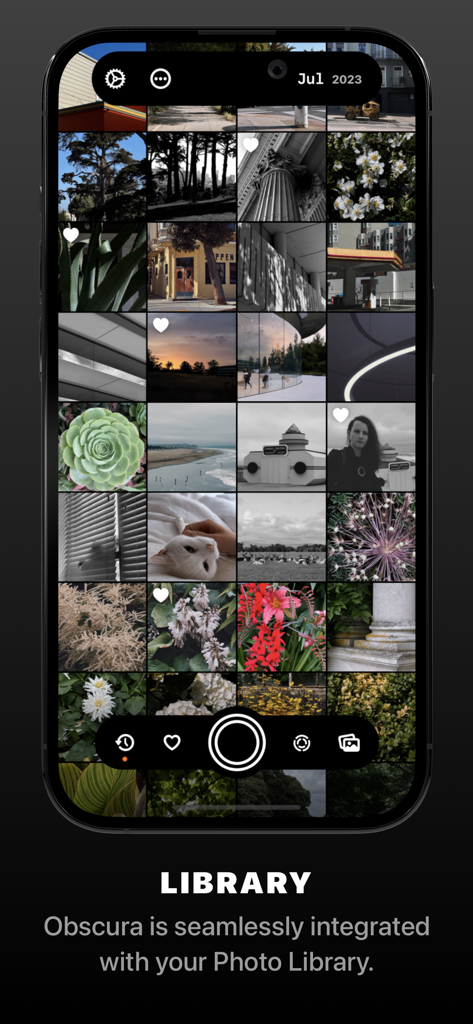
Obscuraアプリのスクリーンショット。iPhone上のシステムライブラリからの写真のグリッドが表示されています。
Obscuraアプリのスクリーンショット。iPhone上のシステムライブラリからの写真のグリッドが表示されています。

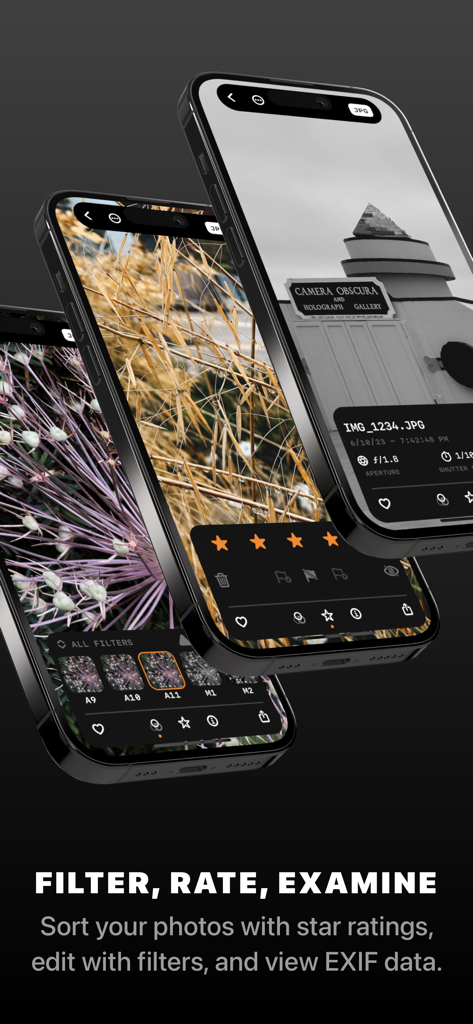
Obscuraアプリのインターフェース。写真のフィルタリング、評価、メタデータの表示用。
Obscuraアプリのインターフェース。写真のフィルタリング、評価、メタデータの表示用。

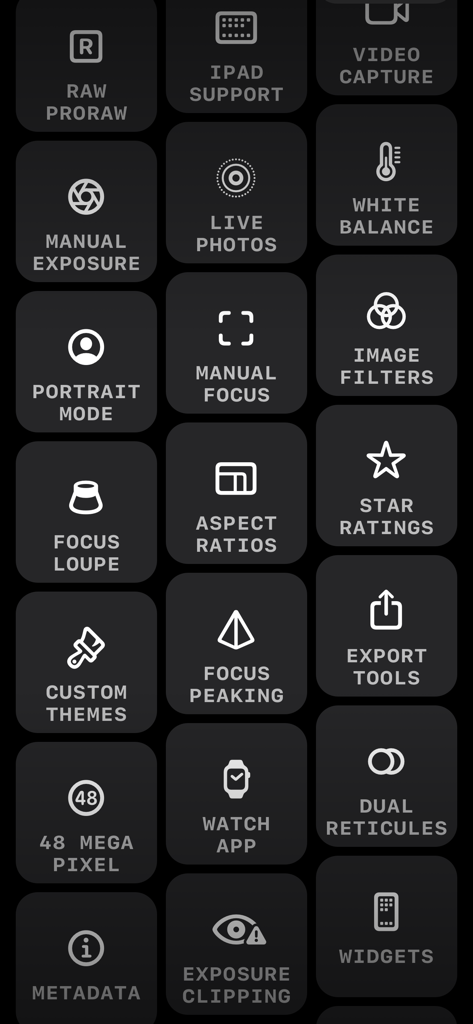
Obscuraカメラアプリのプロ写真機能を示すアイコンのグリッド。RAWサポート、マニュアル露出、フォーカスピーキングなど。
Obscuraカメラアプリのプロ写真機能を示すアイコンのグリッド。RAWサポート、マニュアル露出、フォーカスピーキングなど。

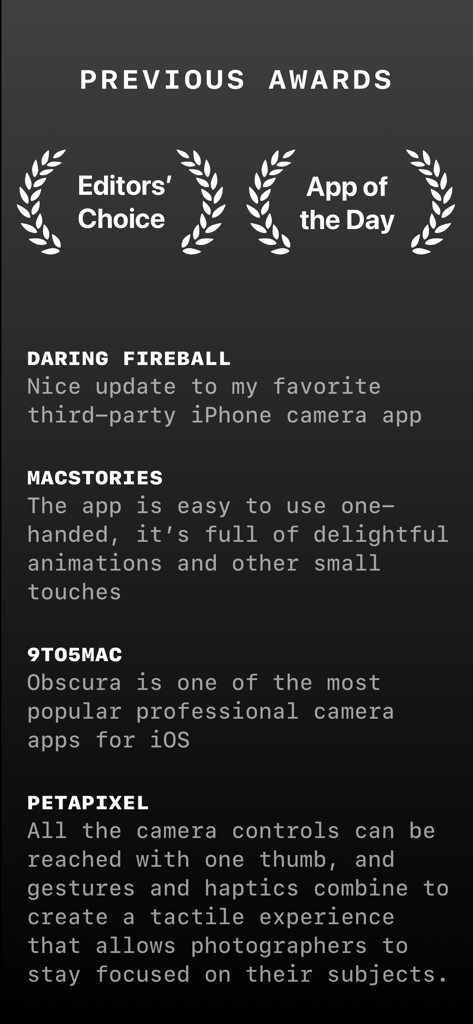
Obscura Pro Cameraアプリの業界賞およびプレスレビューのリスト。プロフェッショナルな機能とデザインを強調しています。

Obscura Pro Cameraアプリの業界賞およびプレスレビューのリスト。プロフェッショナルな機能とデザインを強調しています。

ポケットの中のプロフェッショナルパワー

このアプリを際立たせるツール、 178K+ 人のユーザーが選択.

🎛️

完全マニュアルコントロール

ISO、シャッタースピード、ホワイトバランスを、迅速かつプロフェッショナルな調整のために設計された直感的なダイヤルで完全に制御できます。

片手エルゴノミクス

触覚的でジェスチャー駆動のインターフェースにより、被写体に集中できます。片手での撮影と触覚フィードバックのために設計されています。

💎

プログレードワークフロー

ライブヒストグラムとフォーカスピーキングでRAWおよびProRAWをキャプチャし、システムライブラリでシームレスにショットを整理・評価します。

アプリについて

について知っておくべきこと Obscura — Pro Camera.

説明

Obscura 4 is a camera app packed full of features to help you take incredible photos. Obscura pairs a stunning design with intuitive controls that make taking photos a delight. — Over its 10 years on the App Store, Obscura has been much numerous times around the world, including as Editors’ Choice and App of the Day. — Design Obscura squeezes a bunch of powerful features into simple controls anyone can master. The interface balances aesthetics, ergonomics, and intuitiveness. You won’t want to use anything else. Controls can be reached with one thumb, and gestures and haptics combine to create a tactile experience that lets you stay focused on your subject. — Capture Modes & Formats Obscura captures photos, videos, Live Photos, and portraits. Photos can captured in RAW, ProRAW, HEIC, and JPEG (on supported devices, see http://obscura.camera/compatibility). Capture images in multiple different aspect ratios, or filters live in camera for a wide variety of styles. — Camera Settings Obscura gives you control over exposure, focus, white balance, ISO, shutter speed, and flash, with intuitive controls that make you feel in control of your device’s camera. — View Options Obscura lets you display a grid, a spirit level, a histogram, focus peaking, a focus loupe, and exposure clipping highlights to help you understand every detail of what you’re shooting. — Photo Library Obscura has its own interface for browsing, rating, editing, and sharing images, but it’s fully integrated with your system photo library, so images captured with Obscura are available everywhere. — Obscura Ultra Obscura is free to use, with an annual subscription for premium features. See http://obscura.camera/ultra for full details. — I hope you love using Obscura as much as I’ve loved designing and building it. If you do, please consider subscribing to Ultra, leaving a review, or just sharing with a friend. All the best, Ben ———— Privacy Policy: http://obscura.camera/privacy Terms of use: http://obscura.camera/terms

最新バージョン

2025.12

サイズ

98.4 MB

リリース日

2022年2月16日

あなたの写真をプロフェッショナルな職人技へと高めましょう

AIにあなたのショットを決めさせるのはやめましょう。意図的なクリエイターのコミュニティに参加し、iPhoneのためのマニュアル操作の精度、ProRAWキャプチャ、そして受賞歴のある人間工学デザインを解き放ちましょう。

ダウンロード: App Store

App information, icons, screenshots, and descriptions displayed on this page are sourced from the Apple App Store and are the property of their respective developers. Download estimates and rankings are based on MWM's proprietary models and may not reflect actual figures. This page is provided for informational and analytical purposes only.

Believe this page infringes your intellectual property? File a dispute