OCR Image AI - Photo to Text

OCR Image AI - Photo to Text

ダウンロード: App Store
ロゴ: OCR Image AI - Photo to Text

OCRacle:AI搭載の写真からテキスト&スマートドキュメントスキャン

物理世界とデジタル世界のギャップを埋めます。高精度AIとバッチ処理で、メモ、レシート、ドキュメントを検索・編集可能なテキストに瞬時に変換します。

開発元

RapidNova Private Limited

カテゴリ

Productivity

ダウンロード

14K+

ユーザー評価

4.9/5

評価数

0

対応言語

1

効率を可視化

このインターフェースを利用する 14K+ 人のユーザー.

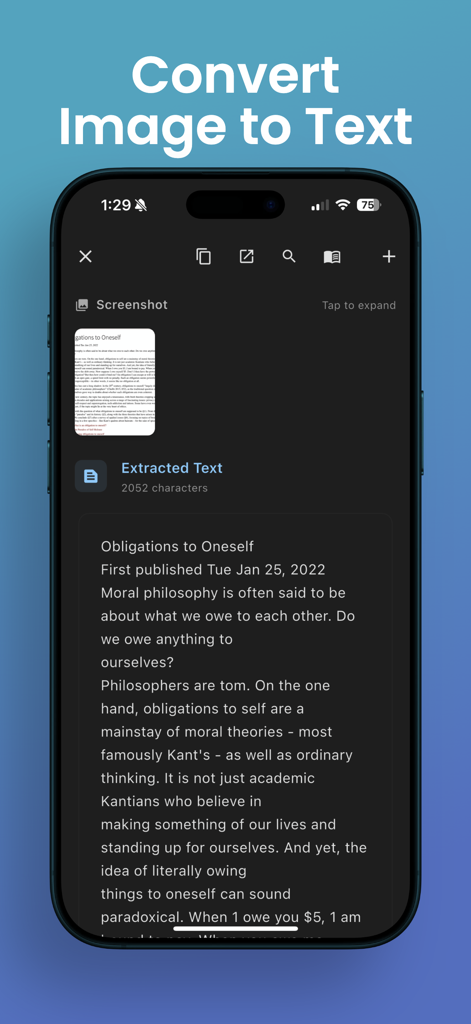
OCRアプリのインターフェースが、スキャンされたドキュメント画像からテキストを抽出している様子を表示
OCRアプリのインターフェースが、スキャンされたドキュメント画像からテキストを抽出している様子を表示

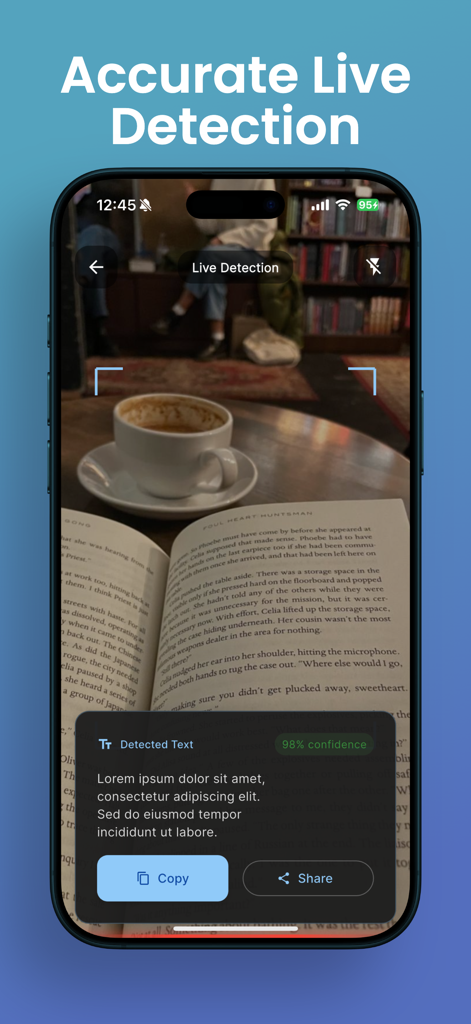
OCRacleアプリが書籍からリアルタイムでテキストを抽出している様子を表示するスマートフォン画面
OCRacleアプリが書籍からリアルタイムでテキストを抽出している様子を表示するスマートフォン画面

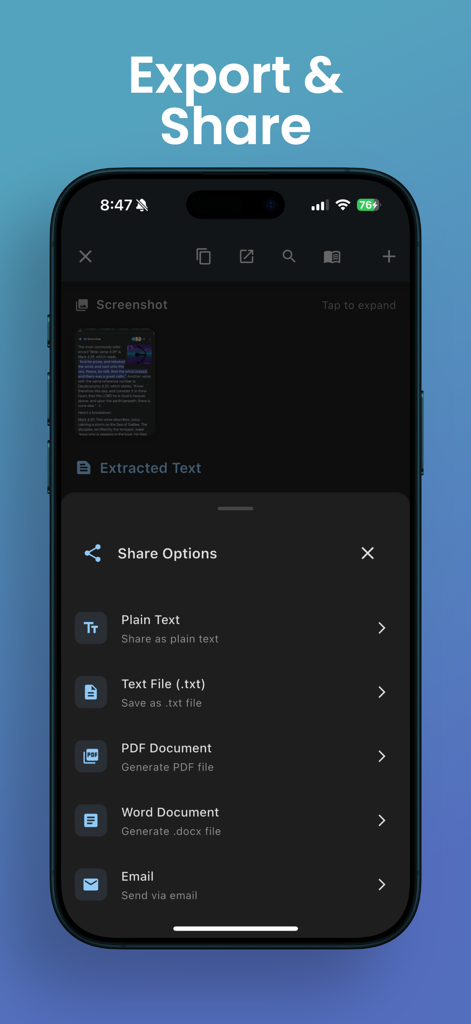
OCRacleアプリのインターフェースが、PDFやWordなどの抽出テキストのエクスポートおよび共有オプションを表示
OCRacleアプリのインターフェースが、PDFやWordなどの抽出テキストのエクスポートおよび共有オプションを表示

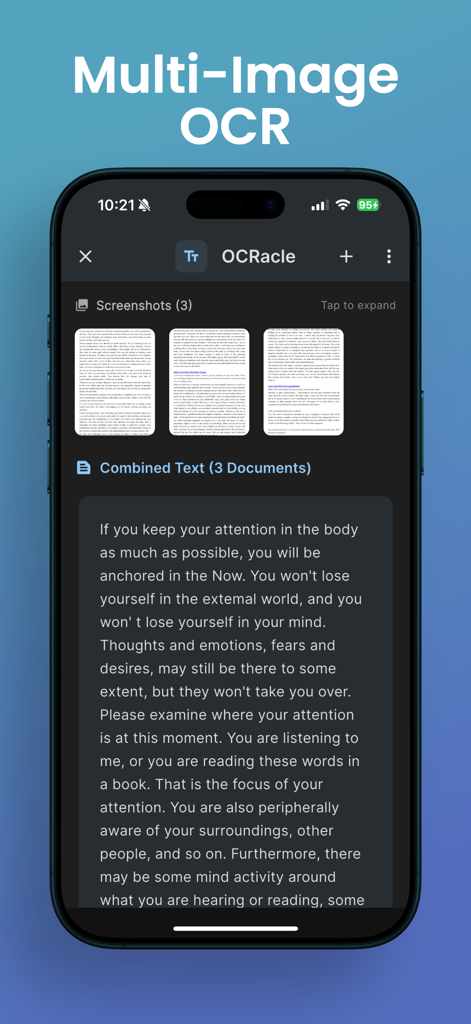
マルチ画像OCRを使用して3つのドキュメントからテキストを抽出・結合しているOCRacleアプリを表示するiPhone画面
マルチ画像OCRを使用して3つのドキュメントからテキストを抽出・結合しているOCRacleアプリを表示するiPhone画面

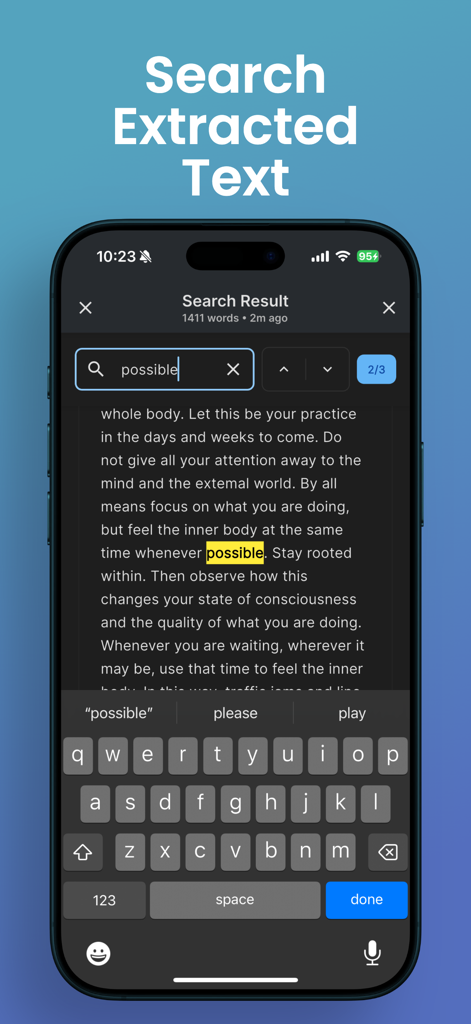
iPhone上の抽出テキストに強調表示されたキーワードが表示されている検索機能を表示するOCRacleアプリのインターフェース
iPhone上の抽出テキストに強調表示されたキーワードが表示されている検索機能を表示するOCRacleアプリのインターフェース

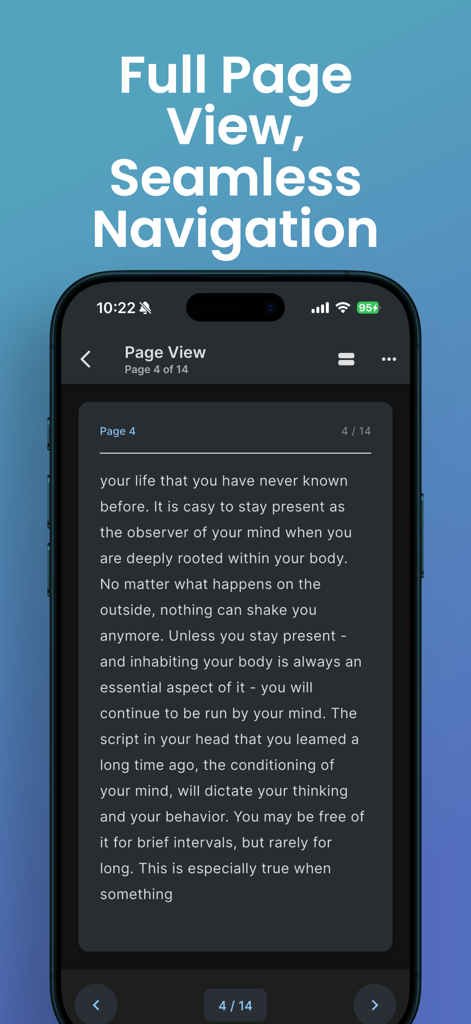
ドキュメントからデジタル化されたテキストの全ページ表示を表示するOCRacleアプリのスマートフォン画面

ドキュメントからデジタル化されたテキストの全ページ表示を表示するOCRacleアプリのスマートフォン画面

AIパワーの精度でワークフローを効率化

このアプリを際立たせるツール、 14K+ 人のユーザーが選択.

インスタントAIテキスト抽出

手入力はスキップ。高精度のAIが、書籍、レシート、メモからリアルタイムでテキストを検出しキャプチャします。

🔍

全文スマート検索

もう詳細を見失うことはありません。OCRacleはスキャンしたドキュメント内のすべての単語を検索可能にし、数秒で必要なものを見つけることができます。

📚

ハイスピードバッチスキャン

スマートなエッジ検出と高速処理で、複数ページのレポートや名刺の山を楽にデジタル化します。

アプリについて

について知っておくべきこと OCR Image AI - Photo to Text.

説明

OCRacle is a powerful and user-friendly document scanning and text extraction app that helps you digitize your physical documents with ease. Whether you need to capture text from books, documents, receipts, or any printed material, OCRacle makes it simple and efficient. KEY FEATURES: ADVANCED DOCUMENT SCANNING • Smart camera with real-time document edge detection • Batch scanning for multiple pages • High-quality image processing • Flash control and zoom capabilities • Support for both camera capture and gallery imports LIVE TEXT DETECTION • Real-time text extraction as you scan • High-accuracy OCR technology • Support for multiple languages • Instant text preview POWERFUL ORGANIZATION • Automatic document organization • Searchable text content • Document history with timestamps • Easy access to recent scans • Batch processing support SMART SEARCH • Full-text search across all documents • Quick navigation to specific content • Search within individual documents • Real-time search results READING & VIEWING OPTIONS • Comfortable reading mode with page view • Adjustable text size • Dark and light theme support • Clean, distraction-free interface SHARING & EXPORT • Copy extracted text instantly • Share text and images easily • Multiple sharing options • Quick access to sharing features ADDITIONAL FEATURES • User-friendly interface • Intuitive navigation • Fast processing speed • Minimal battery usage • Regular updates and improvements Whether you're a student digitizing study materials, a professional managing documents, or someone who needs to extract text from images regularly, OCRacle provides the perfect solution with its combination of powerful features and ease of use. Download OCRacle today and experience the convenience of instant text extraction and document organization! Note: OCRacle requires camera permissions for document scanning and storage permissions for saving processed documents. For support or feedback, contact us at: rapidnova2025@gmail.com privacy policy: https://rapidnova.co/apps/ocracle/privacy-policy terms: https://www.apple.com/legal/internet-services/itunes/dev/stdeula/

最新バージョン

1.0.8

サイズ

49.2 MB

リリース日

2025年7月14日

タイピングはやめよう。OCRacleでスキャンしよう。

14,000人以上のプロフェッショナルや学生が、物理的な混沌を検索可能なデジタル明瞭さに変えています。今日、あなたが受けるべきAIパワーの精度を手に入れましょう。

ダウンロード: App Store

App information, icons, screenshots, and descriptions displayed on this page are sourced from the Apple App Store and are the property of their respective developers. Download estimates and rankings are based on MWM's proprietary models and may not reflect actual figures. This page is provided for informational and analytical purposes only.

Believe this page infringes your intellectual property? File a dispute