Screenshot PRO Screenshots App

Screenshot PRO Screenshots App

ダウンロード: App Store
ロゴ: Screenshot PRO Screenshots App

Screenshot PRO:スクリーンショットを検索可能なセカンドブレインに

メモやレシートを探すのに時間を無駄にするのはやめましょう。AI搭載OCRを使用して画像内のテキストを検索し、タグで整理し、Face-IDでプライベートデータを保護します。

ダウンロード: App Store

開発元

Beatcode Srl

カテゴリ

Utilities

ダウンロード

204K+

ユーザー評価

4.1/5

評価数

1K+

対応言語

3

内部のぞき見

このインターフェースを利用する 204K+ 人のユーザー.

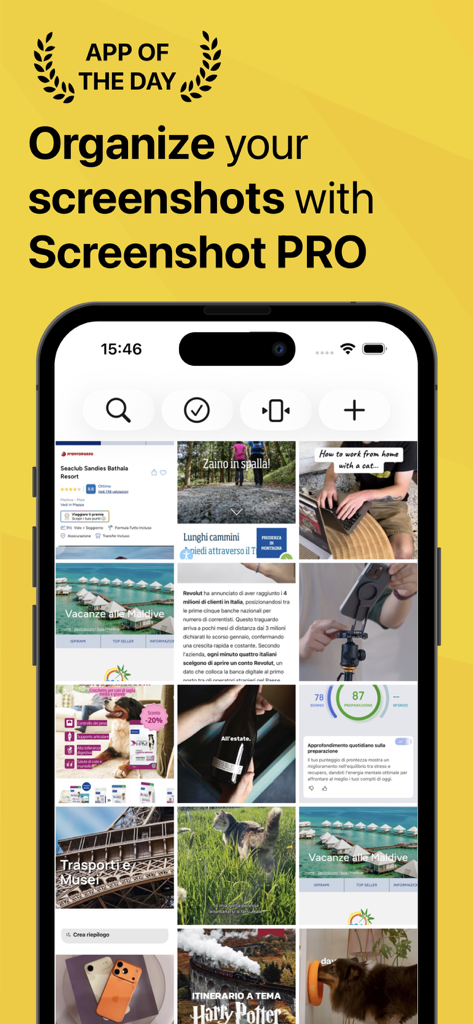
iPhone画面に整理されたスクリーンショットのグリッドを表示するScreenshot PROアプリ。
iPhone画面に整理されたスクリーンショットのグリッドを表示するScreenshot PROアプリ。

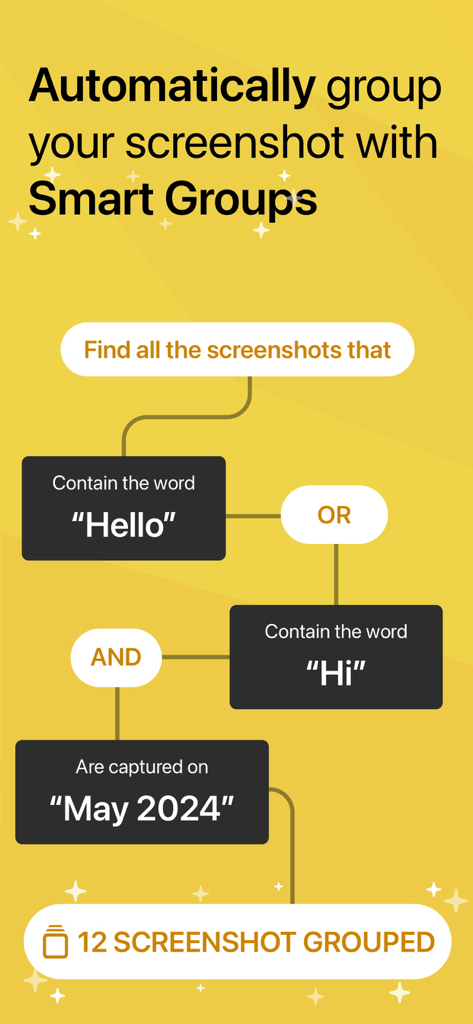
キーワードと日付で画像を自動的に整理するScreenshot PROのスマートグループ機能をフローチャートで表示。
キーワードと日付で画像を自動的に整理するScreenshot PROのスマートグループ機能をフローチャートで表示。

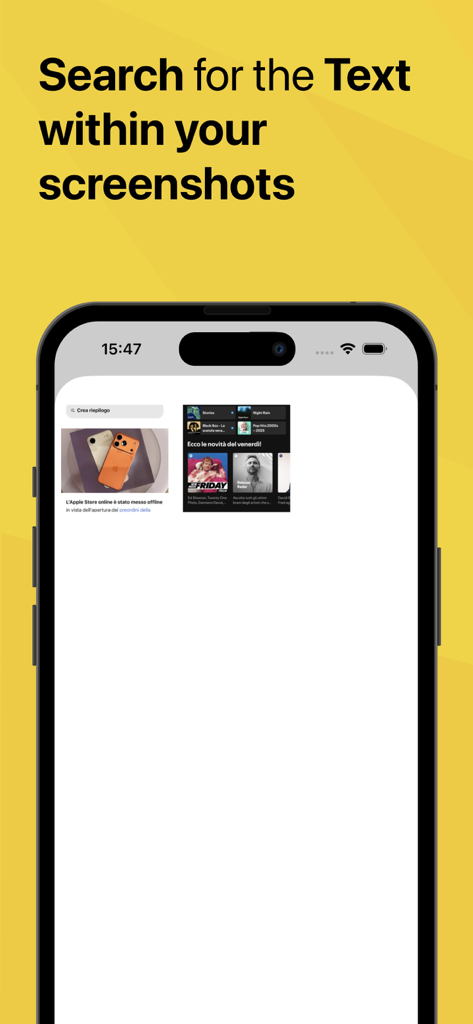
検索可能なテキスト機能を強調するScreenshot PROアプリのインターフェース。
検索可能なテキスト機能を強調するScreenshot PROアプリのインターフェース。

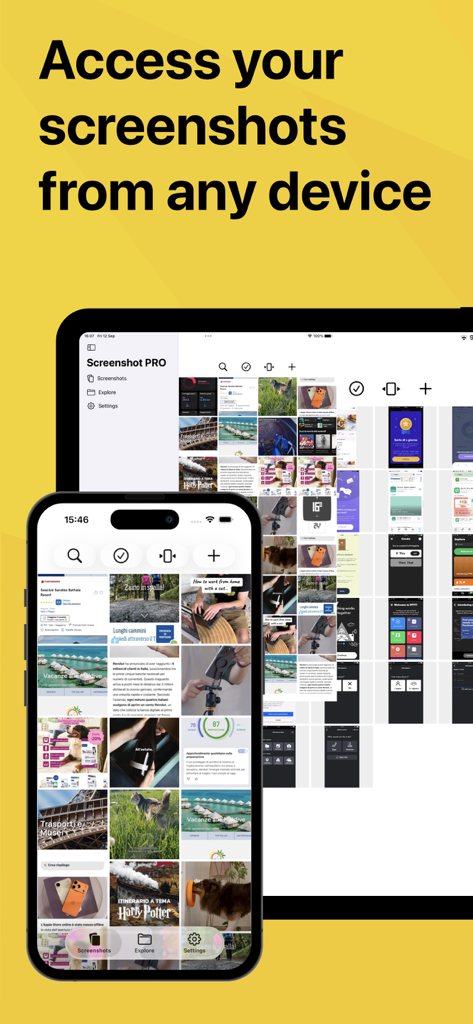
クロスデバイス同期機能を強調するiPhoneとiPadに表示されるScreenshot PROアプリのインターフェース。
クロスデバイス同期機能を強調するiPhoneとiPadに表示されるScreenshot PROアプリのインターフェース。

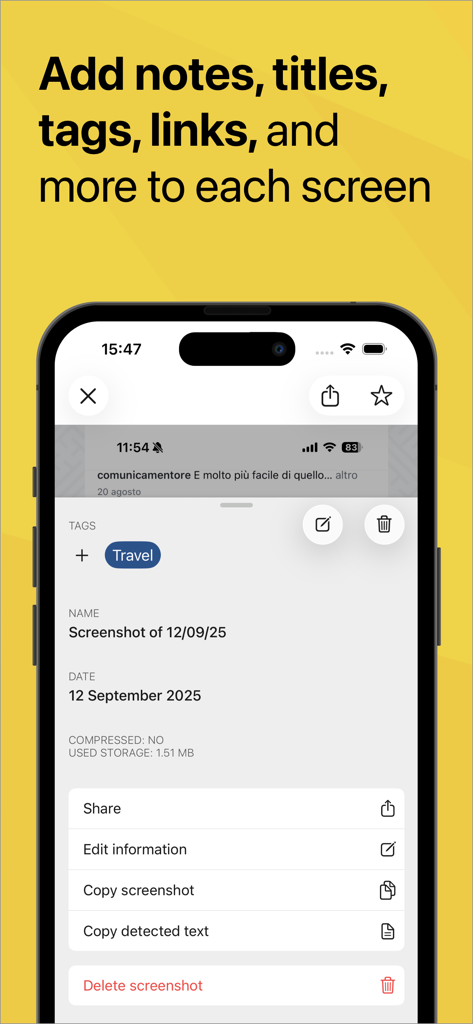
スクリーンショットにタグ、メモ、タイトルを追加するオプションを示すScreenshot PROアプリのインターフェース。
スクリーンショットにタグ、メモ、タイトルを追加するオプションを示すScreenshot PROアプリのインターフェース。

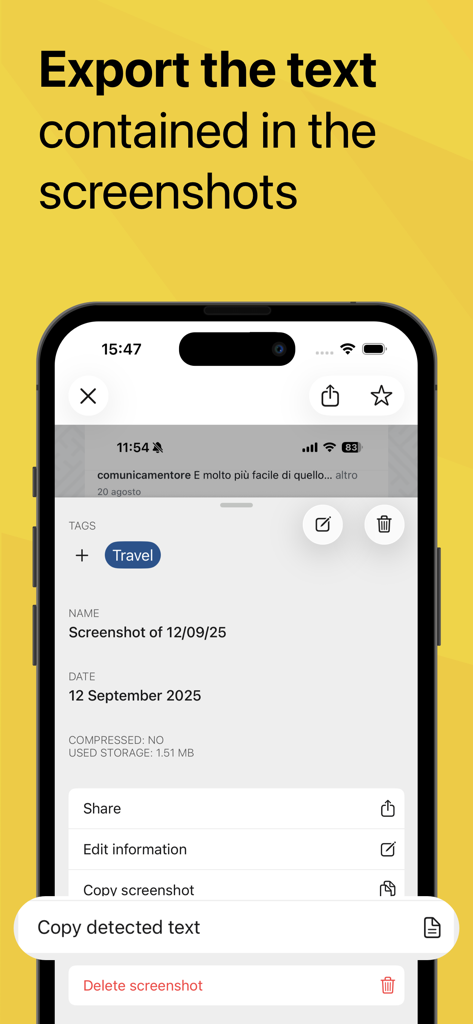
画像から情報を抽出するための検出済みテキストをコピーする機能を示すScreenshot PROアプリのインターフェース。
画像から情報を抽出するための検出済みテキストをコピーする機能を示すScreenshot PROアプリのインターフェース。

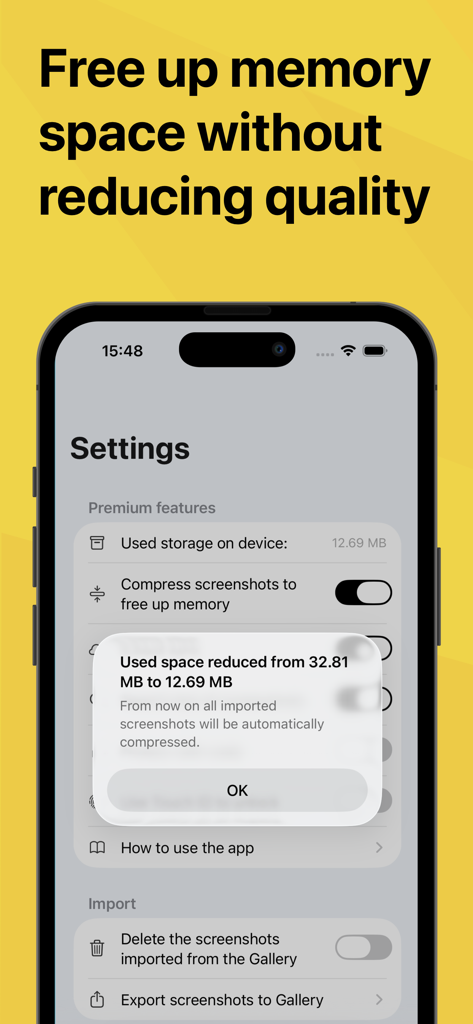
スクリーンショットを圧縮してメモリスペースを削減することを示すモバイルアプリ画面。
スクリーンショットを圧縮してメモリスペースを削減することを示すモバイルアプリ画面。

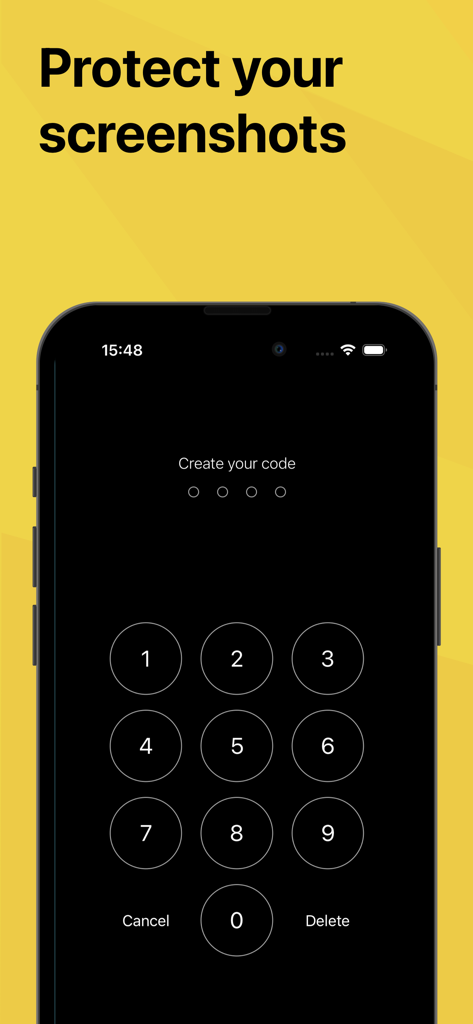
プライベートなスクリーンショットを保護するためにセキュリティパスコードを設定するための数字キーパッドを表示するiPhone画面。

プライベートなスクリーンショットを保護するためにセキュリティパスコードを設定するための数字キーパッドを表示するiPhone画面。

スクリーンショットを検索可能なライブラリに変換

このアプリを際立たせるツール、 204K+ 人のユーザーが選択.

🔍

AI搭載テキスト検索

画像内の単語を検索することで、数秒で任意のスクリーンショットを見つけます。紛失したレシート、引用、会議のメモを見つけるのに最適です。

カメラロールをクリーンに

個人の思い出と仕事を分けましょう。スクリーンショットをアプリに自動的にインポートし、メインギャラリーから削除してストレージを節約します。

🔒

安全なFace-ID保護

機密情報やプライベートな会話を保護します。Face-IDまたはTouch-IDでスクリーンショットライブラリをロックし、安心感を得ましょう。

アプリについて

について知っておくべきこと Screenshot PRO Screenshots App.

説明

THE BEST APP FOR MANAGING YOUR SCREENSHOTS Do you save many screenshots for work or to avoid forgetting something you saw on your device? Do you have the photo album on your phone full of screens that you can never find quickly? Screenshot PRO lets you better manage your screenshots: - Search the text inside your screenshots: thanks to the Artificial Intelligence features, Screenshot PRO analyzes your screenshots and makes all the words that appear on the screen searchable (works only for Latin languages, doesn't work for Chinese, Arabic o Russian Languages) - Export the text contained in all the screenshots: from today you can easily export the text contained in your screenshots to send it to whomever you want by simply copying it and pasting it on Whatsapp, Mail or any other application (works only for Latin languages) - Tag any content: divide your screenshots into categories using tags to find them immediately thanks to the "explore" feature or search for them using the "search" function. - Access your screenshots from every device thanks to iCloud sync (iOS 15 only) - Save your favorite screenshots to access them in a moment - Reduce the size of your screenshots to take up less space on your device - Add notes and links: for each screenshot you can attach a textual note and a link to further increase the information and to be able to search more easily with the "search" function. - Protect your screenshots: set a code or unlock using Face-ID or Touch-ID to protect your secret screens - Automatic import: at every startup Screenshot PRO automatically imports all your screenshots to start managing them at best. - Clean your camera roll: your screenshots are precious but also take up space between your personal photos. With Screenshot PRO, if you wish, your screenshots will be automatically deleted from your camera roll to avoid wasting valuable space. Other features: - Light and Dark mode: choose if you like more light or dark application - iMessage integration: quickly share your screenshots with iMessage - Multiple selection: delete or share multiple screenshots at once All contents imported on Screenshot PRO are saved exclusively on your iPhone or iPad and not on Cloud or other servers so no one will ever be able to access your content, not even those who have developed the application. We created this application because we felt the need for it since we lacked an app that would help us manage all the screenshots we do :) We hope it is also useful to you and we await your feedback to constantly improve Screenshot PRO. If you have any suggestions or feedback, write to us at feedback@beatcode.it Privacy Policy: https://www.iubenda.com/privacy-policy/99227405 Terms&Conditions: https://beatcode.it/screenshot_pro/tos.html

最新バージョン

3.8.1

サイズ

24.3 MB

リリース日

2019年10月24日

カメラロールを取り戻す準備はできましたか?

スクロールするのをやめて見つけるようになった20万人のプロフェッショナルに加わりましょう。Screenshot PROをダウンロードして、デジタルな散らかりを検索可能で安全、整理された知識ベースに変えましょう。

ダウンロード: App Store

App information, icons, screenshots, and descriptions displayed on this page are sourced from the Apple App Store and are the property of their respective developers. Download estimates and rankings are based on MWM's proprietary models and may not reflect actual figures. This page is provided for informational and analytical purposes only.

Believe this page infringes your intellectual property? File a dispute