AI Scanner : Image to Text
ダウンロード: App Store

このページはアプリまたはその開発者の公式ページではなく、情報提供および論評を目的として作成された独立した編集出版物です。明示的に別段の記載がない限り、アプリおよびその開発者は、MWM、Apple、Google Play、アプリのパブリッシャー、またはアプリの開発者と提携、承認、後援、認可、またはその他の公式的な関係はなく、このページのいかなる内容も、アプリがMWMのサービスを使用して開発されたことを意味するものではありません。すべての商標、ロゴ、スクリーンショット、その他のコンテンツはそれぞれの所有者の財産です。


ロゴ: AI Scanner : Image to Text
ダウンロード: App Store

AI Scanner : Image to Text

紙の束をデジタルの力に変え、AIが問いに答える。このアプリは、ユーザーに情報を瞬時に操る能力を与える。

主要数値

ダウンロード

1M+

ユーザー評価

4.6/5

評価数

38.1K

開発元

Appzys Technologies Private Limited

カテゴリ

Productivity

対応言語

1

最新バージョン

2.0.5

サイズ

125.2 MB

リリース日

2017年4月11日
機能

生産性向上に焦点を当てた多機能OCRソリューションの評価

AI Scanner : Image to Text アプリの主要機能分析

高精度AI OCRによる画像・PDFからのテキスト抽出

このアプリの主要機能であり、ユーザーは高い精度で多様なソース(画像、写真、スクリーンショット、PDF)からテキストをデジタル化できます。これにより、情報の入力と処理の生産性が向上します。

AIチャットによるドキュメントとの対話、要約、即時翻訳

高度なAI機能により、ユーザーは添付した画像やPDFから抽出したテキストに対して質問したり、内容を要約したり、即座に翻訳したりできます。これは、情報の消化と活用を劇的に効率化します。

100以上の言語への翻訳

ユーザーは抽出したテキストを100以上の異なる言語に翻訳できるため、国際的な資料や学術論文の理解、あるいはビジネスにおける多言語コミュニケーションを容易にします。

以下のスクリーンショットと説明は、アプリの公式ストアリスティングから直接取得されたものであり、アプリ開発者の所有物です。

アプリストア

スクリーンショット

AI Scanner : Image to Text - 本アプリの核となる主要機能群を一目で確認できます。画像やPDFからのテキスト抽出とAIチャット機能で、ユーザーは多様なタスクを効率的にこなせます。

本アプリの核となる主要機能群を一目で確認できます。画像やPDFからのテキスト抽出とAIチャット機能で、ユーザーは多様なタスクを効率的にこなせます。

主要機能の概要
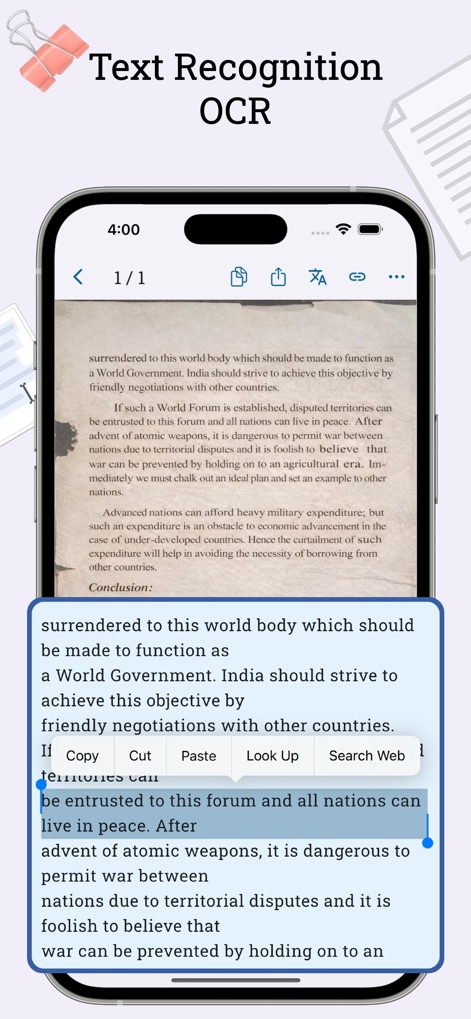
AI Scanner : Image to Text - 高精度なOCR認識機能を体験できます。ユーザーは画像からテキストを正確に抽出し、抽出されたテキストを簡単にコピーまたは検索できます。

高精度なOCR認識機能を体験できます。ユーザーは画像からテキストを正確に抽出し、抽出されたテキストを簡単にコピーまたは検索できます。

正確なテキスト認識

AI Scanner : Image to Text - 物理的な文書を瞬時にデジタル化し、PDF形式に変換できます。スマートなエッジ検出機能と自動トリミングで、プロフェッショナルなPDFを生成可能です。

物理的な文書を瞬時にデジタル化し、PDF形式に変換できます。スマートなエッジ検出機能と自動トリミングで、プロフェッショナルなPDFを生成可能です。

高速PDFスキャン
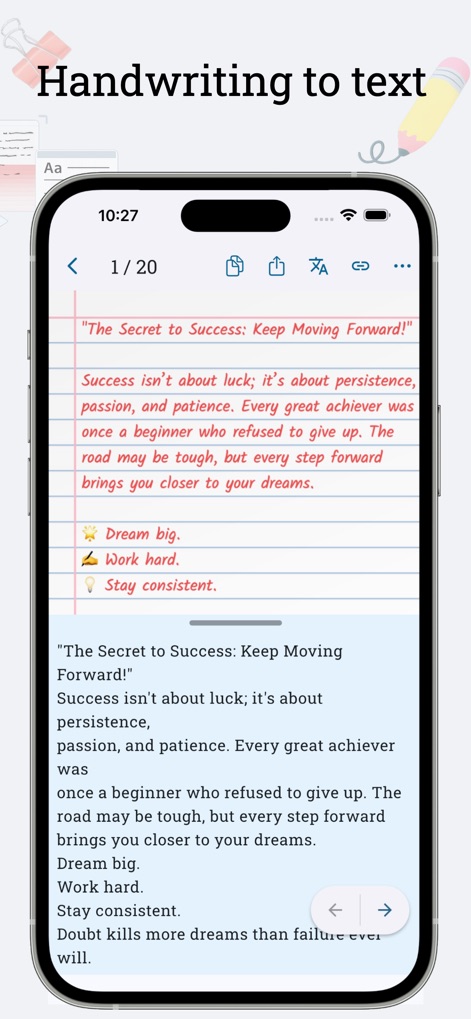
AI Scanner : Image to Text - 手書きのメモや文章を正確にテキストに変換します。この機能により、手書きのコンテンツを編集可能な形式で管理し、デジタルデータとして活用できます。

手書きのメモや文章を正確にテキストに変換します。この機能により、手書きのコンテンツを編集可能な形式で管理し、デジタルデータとして活用できます。

手書き文字をデジタル化

AI Scanner : Image to Text - AIを活用してドキュメントとインタラクションできます。ユーザーは添付した画像やPDFから質問をしたり、内容を要約するようAIに指示したりできます。

AIを活用してドキュメントとインタラクションできます。ユーザーは添付した画像やPDFから質問をしたり、内容を要約するようAIに指示したりできます。

AIチャットで対話
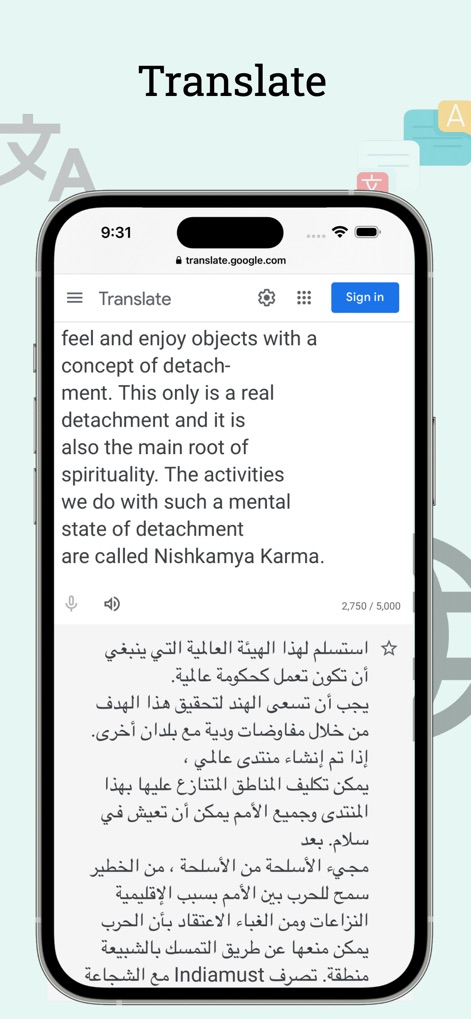
AI Scanner : Image to Text - 抽出したテキストを瞬時に多言語に翻訳できます。本機能は、元のテキストの即時翻訳と、翻訳されたテキストのコピーまたは共有を可能にします。

抽出したテキストを瞬時に多言語に翻訳できます。本機能は、元のテキストの即時翻訳と、翻訳されたテキストのコピーまたは共有を可能にします。

多言語翻訳機能
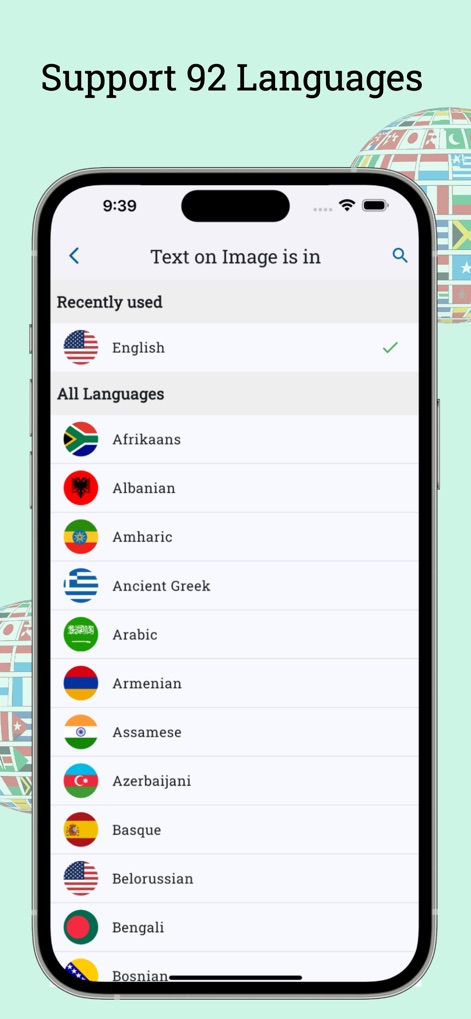
AI Scanner : Image to Text - 92以上の言語をサポートし、世界中の文書に対応します。ユーザーは簡単に認識言語を選択でき、多様な言語のテキストを処理できます。

92以上の言語をサポートし、世界中の文書に対応します。ユーザーは簡単に認識言語を選択でき、多様な言語のテキストを処理できます。

広範な言語対応
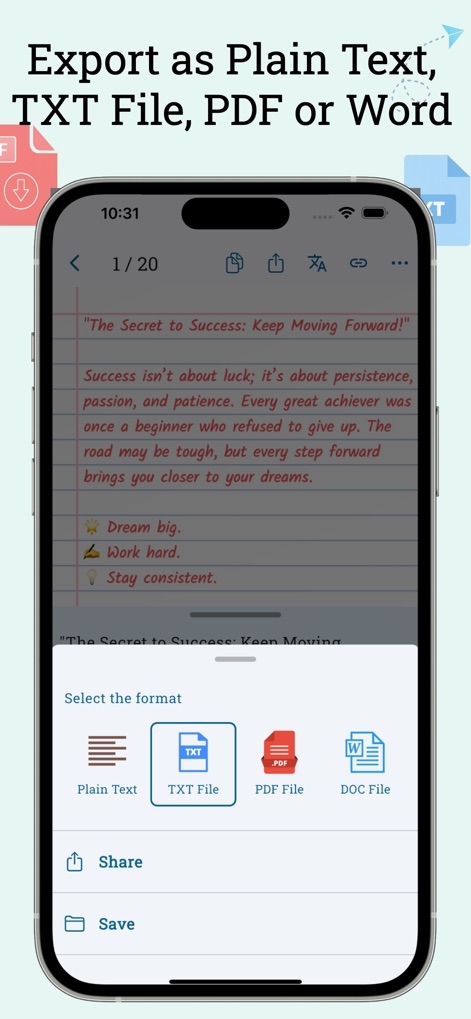
AI Scanner : Image to Text - 抽出したテキストを様々な形式でエクスポートできます。ユーザーは平文、TXT、PDF、またはWordファイルとして保存・共有でき、作業フローを効率化します。

抽出したテキストを様々な形式でエクスポートできます。ユーザーは平文、TXT、PDF、またはWordファイルとして保存・共有でき、作業フローを効率化します。

柔軟なエクスポート

説明

Text Scanner (OCR) is the most accurate AI-powered image to text Scanner app for iOS. It can extract and decipher text from image, photo, screenshot and PDF with 99%+ accuracy in 92 languages, and translate the extracted text into over 100 languages. PDF Scanner - Scan physical documents and convert them into clean, professional PDFs using smart edge detection and auto-crop. AI OCR - Attach an image or PDF and chat with AI to ask questions, summarize content, or translate text instantly. Features: * Extract text from image in the gallery or captured using the camera * Image to Text converter — get editable text to copy, share or translate * Scan documents and convert them into PDF * Attach image or PDF and ask the AI directly: "Summarize text on this image", "Translate text on this image into French" * PDF Import to extract text from pdf file * Handwriting to text convertion * Translate text into over 100 languages * Copy text from any screen, website, or app by sharing screenshot. * Extract text from images and detect phone numbers, emails, and URLs within the text. * Multiple column selection on text of image * Extract text on image and read it aloud with text to speech * Recognize text then edit, copy, share and translate. * Share extracted text as a searchable PDF, with a text layer over image added for search and selection. * Share extracted text as a PDF file. .* Share extracted text as a TXT file. * Convert extracted text to PDF file * Convert extracted text to Word file. * Multiselect scans and convert those image to pdf. * Crop, Rotate images before OCR * Save scan history * Organize scans in folders * Sort scans by date * Search for words in saved scans * Share extensions to share images to extract text * Quickly access the camera, gallery, or import PDFs by long-pressing the app icon on the home screen. * Options to automatically copy extracted text to the clipboard or save it as a .txt file for a faster workflow. Get Text Scanner app today to start scan text from documents and images with ease! Subscription Plans Unlimited Scans Monthly ------------------------- Unlimited scans No ads upto 50 scans per day. for one month period. monthly 7.99 $ Unlimited Scans Yearly ---------------------- Unlimited scans No ads upto 50 scans per day. for one year period. yearly 60.99 $. ----------------- Payment will be charged to iTunes Account at confirmation of purchase. Subscription automatically renews unless auto-renew is turned off at least 24-hours before the end of the current period. Account will be charged for renewal as per existing plan rate within 24-hours prior to the end of the current period. Subscriptions may be managed by the user and auto-renewal may be turned off by going to the user's Account Settings after purchase. Any unused portion of a free trial period, if offered, will be forfeited when the user purchases a subscription to that publication, where applicable. ----------------- Privacy Policy: https://appzys.com/ios/textscanner/privacypolicy Terms of Service: https://appzys.com/ios/textscanner/termsofuse

Download

ダウンロード: App Store

このページはアプリまたはその開発者の公式ページではなく、情報提供および論評を目的として作成された独立した編集出版物です。明示的に別段の記載がない限り、アプリおよびその開発者は、MWM、Apple、Google Play、アプリのパブリッシャー、またはアプリの開発者と提携、承認、後援、認可、またはその他の公式的な関係はなく、このページのいかなる内容も、アプリがMWMのサービスを使用して開発されたことを意味するものではありません。すべての商標、ロゴ、スクリーンショット、その他のコンテンツはそれぞれの所有者の財産です。