
このページはアプリまたはその開発者の公式ページではなく、情報提供および論評を目的として作成された独立した編集出版物です。明示的に別段の記載がない限り、アプリおよびその開発者は、MWM、Apple、Google Play、アプリのパブリッシャー、またはアプリの開発者と提携、承認、後援、認可、またはその他の公式的な関係はなく、このページのいかなる内容も、アプリがMWMのサービスを使用して開発されたことを意味するものではありません。すべての商標、ロゴ、スクリーンショット、その他のコンテンツはそれぞれの所有者の財産です。


On-Device AI: TTS, STT & Chat
LlamaやDeepSeekのような強力なモデルを100%オフラインで実行できます。ボイスメモを文字起こししたり、PDFライブラリとチャットしたり、専門的なAIチームを展開したりしながら、機密データをMac、iPhone、iPad全体で厳密に管理下に置くことができます。
ダウンロード
400ユーザー評価
評価数
200開発元
カテゴリ
Utilities対応言語
1最新バージョン
1.35.0サイズ
1.6 GBリリース日
2024年4月17日プライバシーを尊重するインテリジェンス
データ主権やパフォーマンスを妥協しないプロフェッショナル向けに設計された、究極のAIパワーuite。
100%ローカル実行
機密データをクラウドから隔離します。最適化されたApple Siliconエンジンを使用して、Mac、iPhone、またはiPadで主要なLLMを完全に実行します。
パーソナルナレッジベース
プロジェクト固有のライブラリを作成します。PDF、Webキャプチャ、メモとチャットして、データ漏洩なしに、ソースに基づいた即時の洞察を抽出します。
よくある質問
について知っておくべきこと On-Device AI: TTS, STT & Chat
On-Device AI: TTS, STT & Chat はプライベートで安全ですか?
はい、On-Device App は 100% オフラインで動作し、データをユーザーの管理下に置くことで、データのプライバシーを保証します。情報をローカルで処理するため、外部へのデータ送信は行われません。
On-Device AI: TTS, STT & Chat はどの AI モデルをローカルで実行できますか?
On-Device App は、Llama、Gemma、Phi、Qwen、DeepSeek などのトップモデルをローカルで実行します。効率的なオンデバイス処理のために、Apple Silicon 向けに MLX と Llama.cpp Engine で最適化されています。
On-Device AI: TTS, STT & Chat はクラウド AI モデルに接続できますか?
はい、On-Device App はさまざまなクラウドプロバイダーにオプションで接続できます。これらには OpenAI、Anthropic、Gemini、Groq、OpenRouter、Ollama が含まれ、すべて統合されたインターフェイスに組み込まれています。
On-Device AI: TTS, STT & Chat はインスタントメッセージングプラットフォームと統合されていますか?
はい、Mac 用の On-Device App は IM 接続機能を備えています。ローカル AI を Discord、Slack、Telegram などのプラットフォームと連携させ、返信を自動化したり、デスクトップから直接会話を管理したりできます。
On-Device AI: TTS, STT & Chat では AI チームはどのように機能しますか?
On-Device App は、共同作業を行う AI チームをサポートします。専門のエージェントがマルチエージェントワークフローを通じて複雑なタスクで連携し、複数のチャットフローを管理し、事前構築済みのテンプレートを使用します。
On-Device AI: TTS, STT & Chat はテキスト読み上げ機能を提供していますか?
はい、On-Device App はプロフェッショナル品質の音声をテキストから生成します。ユーザーは Apple の音声か、高度な Kokoro 音声エンジンを選択して、自然なナレーションやオーディオコンテンツの作成ができます。
On-Device AI: TTS, STT & Chat は音声テキスト変換機能を提供していますか?
はい、On-Device App は、より高速で高精度の音声文字起こしを提供します。新しく組み込まれた Modern Apple Speech-to-Text エンジンを使用して、話された言葉を効率的にテキストに変換します。
On-Device AI: TTS, STT & Chat におけるナレッジライブラリとは何ですか?
On-Device App のナレッジライブラリは、プロジェクト専用のコレクションです。ユーザーは PDF、メモ、Web キャプチャをグループ化して個人の知識ベースを構築し、外部ドキュメントとの安全な AI 対話を可能にします。
On-Device AI: TTS, STT & Chat には Web 検索機能が統合されていますか?
はい、On-Device App には Web 検索がアクティブなツールとして組み込まれています。これにより、AI は Web ソースを読み取り、構造化された回答を返すことで、チャットにリアルタイム情報を提供できます。
On-Device AI: TTS, STT & Chat はどの Apple デバイスと統合されていますか?
On-Device App は、Apple エコシステムとの深い統合を提供し、iPhone、iPad、Mac 全体でネイティブなエクスペリエンスを提供します。Apple Silicon、Siri、Shortcuts に最適化されており、シームレスなクロスプラットフォームワークフローを実現します。
以下のスクリーンショットと説明は、アプリの公式ストアリスティングから直接取得されたものであり、アプリ開発者の所有物です。
アプリストア
スクリーンショット
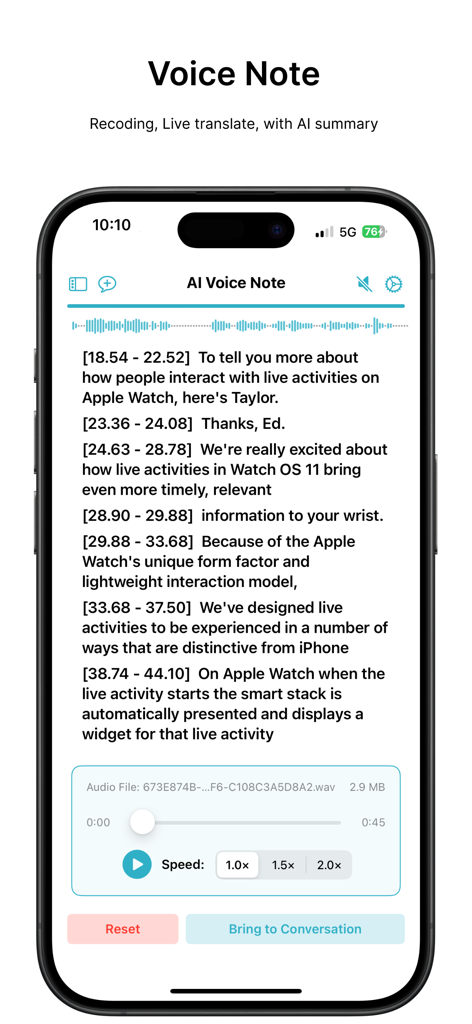
AIボイスノートの画面には、タイムスタンプ付きのトランスクリプトと、オーディオ再生および速度制御が表示されています。
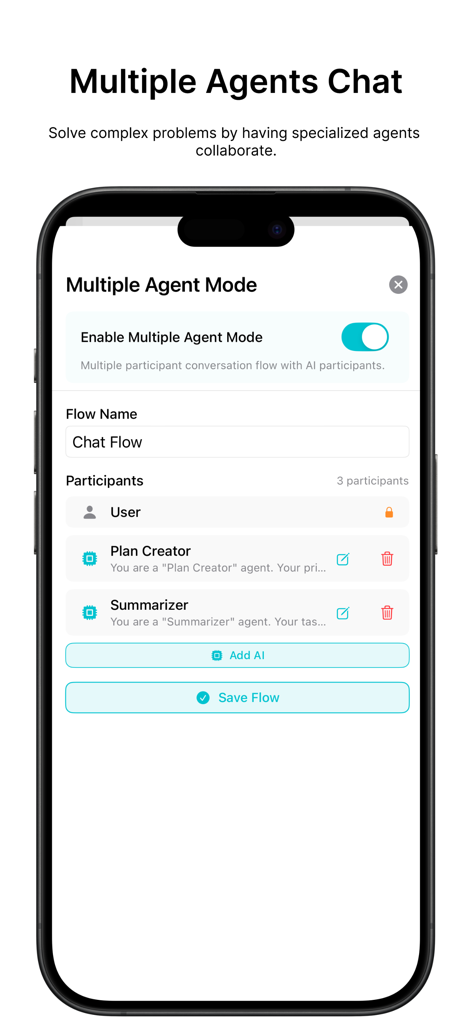
モバイルアプリの画面には、プラン作成者や要約者などの参加者を含む、マルチエージェントAIチャットフローの設定が表示されています。
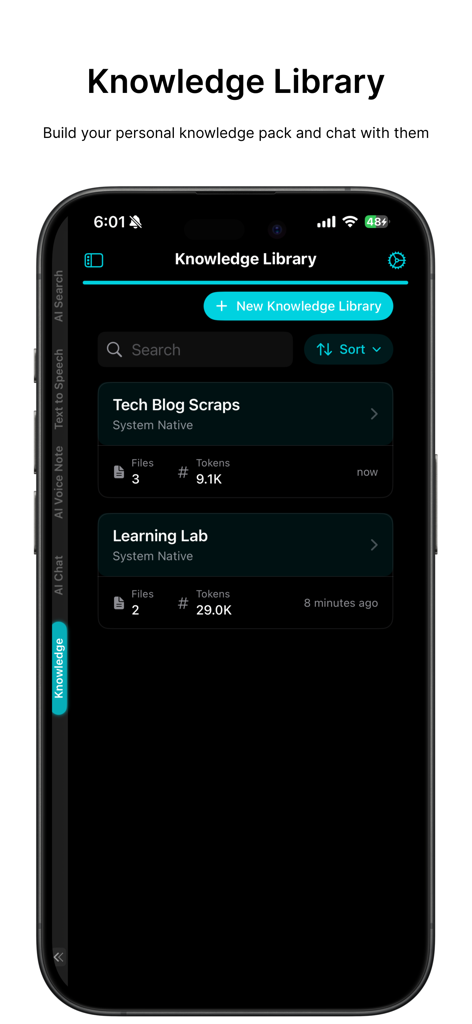
モバイルアプリのインターフェースには、個人用AIデータ管理用のプロジェクトフォルダを備えたナレッジライブラリ機能が表示されています。
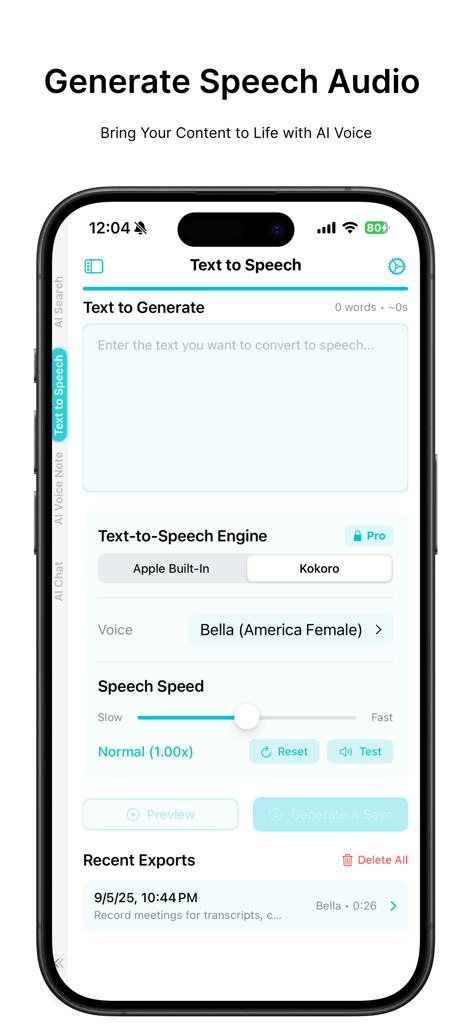
On-Device AIモバイルアプリのテキスト読み上げインターフェースには、音声選択と速度設定が表示されています。
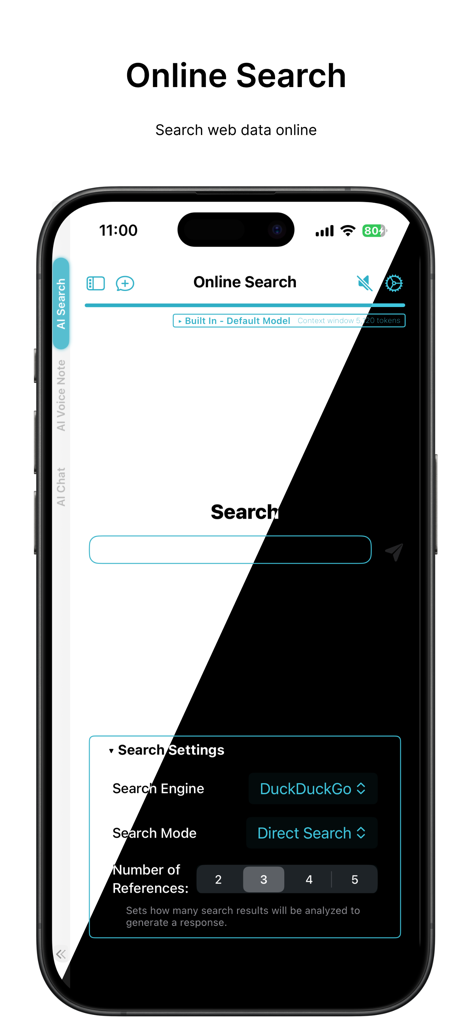
On-Device AIアプリのインターフェースには、DuckDuckGoとの統合によるオンライン検索機能とプライバシー設定が表示されています。
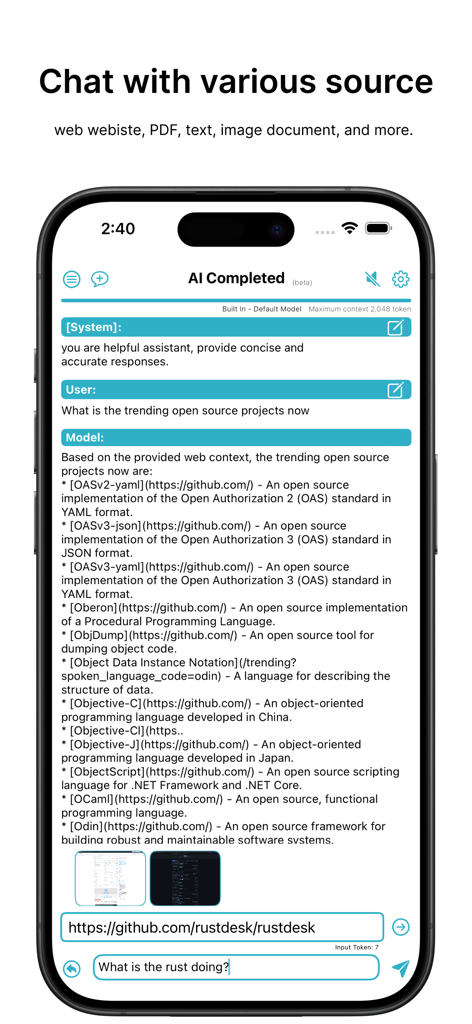
AIチャットインターフェースは、iPhone画面上でWebコンテンツとドキュメントを分析しています。
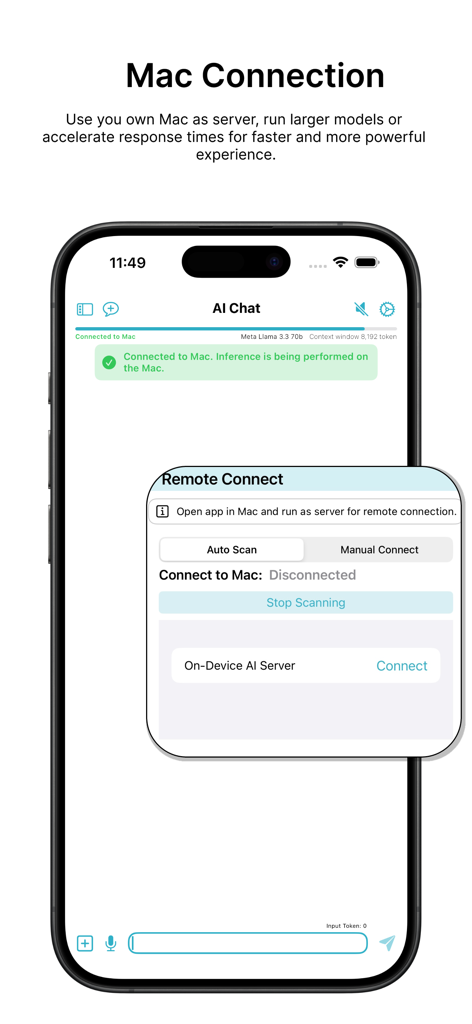
iPhone画面には、Macサーバーへの接続が表示され、大規模なAIモデルをローカルで実行しています。
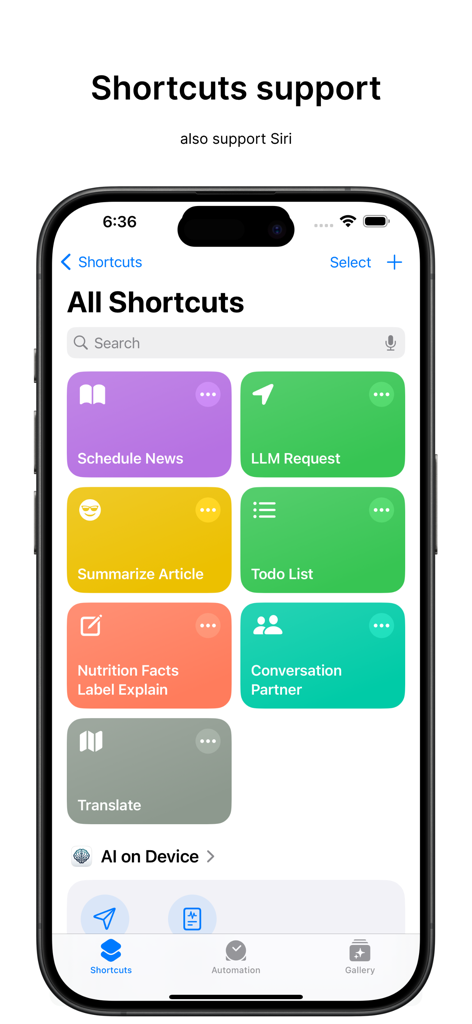
iPhone画面には、On-Device AIアプリのAppleショートカットとSiriの統合が表示されています。
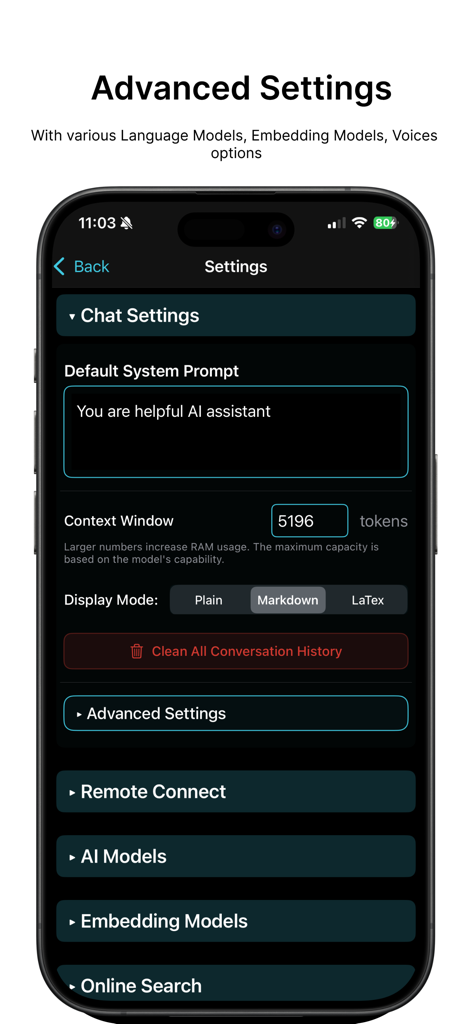
On-Device AIアプリの高度な設定画面には、iPhone上でチャット設定とモデルオプションが表示されています。
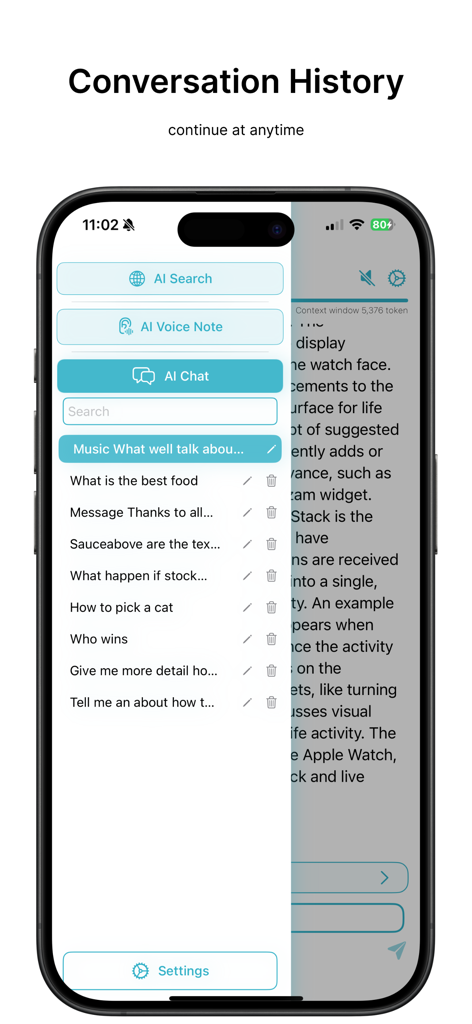
iPhone上のOn-Device AIアプリの会話履歴サイドバー
説明
Download
類似アプリ
同じカテゴリのトップランクアプリ

Google LLC

Google Chrome
Google LLC

中国移动(手机营业厅)
China Mobile Online Services Co., Ltd.

Google Authenticator
Google LLC

CNH do Brasil
Servicos e Informacoes do Brasil

Cleanup: Phone Storage Cleaner
DEEP FLOW SOFTWARE SERVICES - FZCO

gov.br
Servicos e Informacoes do Brasil

中国电信-全国统一官方服务平台
CHINA TELECOM Corporation Ltd.

Microsoft Edge: AI Browser
Microsoft Corporation
このページはアプリまたはその開発者の公式ページではなく、情報提供および論評を目的として作成された独立した編集出版物です。明示的に別段の記載がない限り、アプリおよびその開発者は、MWM、Apple、Google Play、アプリのパブリッシャー、またはアプリの開発者と提携、承認、後援、認可、またはその他の公式的な関係はなく、このページのいかなる内容も、アプリがMWMのサービスを使用して開発されたことを意味するものではありません。すべての商標、ロゴ、スクリーンショット、その他のコンテンツはそれぞれの所有者の財産です。