
このページはアプリまたはその開発者の公式ページではなく、情報提供および論評を目的として作成された独立した編集出版物です。明示的に別段の記載がない限り、アプリおよびその開発者は、MWM、Apple、Google Play、アプリのパブリッシャー、またはアプリの開発者と提携、承認、後援、認可、またはその他の公式的な関係はなく、このページのいかなる内容も、アプリがMWMのサービスを使用して開発されたことを意味するものではありません。すべての商標、ロゴ、スクリーンショット、その他のコンテンツはそれぞれの所有者の財産です。

OneLogin Protect
摩擦のないプッシュ通知、生体認証、信頼性の高いMFAですべてのビジネスおよびサードパーティアカウントのエンタープライズセキュリティを合理化します。
ダウンロード
2M+ユーザー評価
評価数
700開発元
カテゴリ
Business対応言語
1最新バージョン
4.8.7サイズ
43.9 MBリリース日
2012年3月19日シームレスなアクセス、妥協のないセキュリティ
OneLogin Protectは、超高速認証と、すべての企業および個人アカウントに対するエンタープライズグレードの保護を組み合わせることで、プロフェッショナルワークフローを合理化します。
ワンタップ認証
手動入力の手間を排除します。プッシュ通知を通じてログインリクエストを即座に承認し、中断することなく生産性に集中できるようにします。
生体認証シールド
Face IDとTouch IDを活用して、あなただけがアクセスを承認できることを確認します。安心のために、お使いのiPhoneのセキュリティハードウェアとシームレスに統合します。
よくある質問
について知っておくべきこと OneLogin Protect
OneLogin Protectとは何ですか?
OneLogin Protectは、無料で利用できるエンタープライズグレードの多要素認証(MFA)アプリです。OneLogin SSOアカウントおよび数千のサードパーティアプリケーションに対して二要素認証を提供し、オンラインアカウントのセキュリティを強化します。
OneLogin Protectはサードパーティアカウントをサポートしていますか?
はい、OneLogin Protectはサードパーティプロバイダーおよびアカウントをサポートしており、ユーザーはいつでも追加できます。Google AuthenticatorのようなOATHセキュリティトークンを使用するサービスと互換性があります。
OneLogin Protectはどのようにセキュリティを強化しますか?
OneLogin Protectは、二要素認証を通じてオンラインアカウントのセキュリティを向上させます。OneLoginアカウントの場合、Touch ID、Face ID、またはPINの承認を必要とするプッシュ通知を提供し、安全な層を追加します。
OneLogin Protectはオフラインで認証コードを生成できますか?
はい、OneLogin Protectはデータ接続なしで認証コードを生成します。各アカウントに対して30秒ごとに一意の6桁の時限ワンタイムパスワード(TOTP)を生成し、継続的なアクセスを保証します。
OneLogin Protectに新しいアカウントを追加するにはどうすればよいですか?
ユーザーは、QRコードをスキャンするか、詳細を直接入力することで、OneLogin Protectに新しいアカウントを追加します。このプロセス中にQRコードスキャン専用に、アプリはカメラへのアクセスを必要とします。
OneLogin Protectは認証にプッシュ通知を使用しますか?
はい、OneLogin Protectは認証にプッシュ通知を利用し、ユーザーはワンタップで応答できます。この機能はOneLoginアカウントに適用され、承認のためにTouch ID、Face ID、またはPINが必要になる場合があります。
OneLogin Protectアカウントをバックアップできますか?
はい、OneLogin Protectでは、ユーザーはアカウントを安全にバックアップおよび復元できます。この機能は、ユーザー自身のGoogle Driveと統合されており、データ保持のための信頼性の高い方法を提供します。
OneLogin Protectはどのような種類の認証コードを生成しますか?
OneLogin Protectは、各アカウントに対して30秒ごとに一意の6桁の時限ワンタイムパスコード(TOTP)を生成します。これらのコードは、OATHセキュリティトークン標準と互換性があります。
以下のスクリーンショットと説明は、アプリの公式ストアリスティングから直接取得されたものであり、アプリ開発者の所有物です。
アプリストア
スクリーンショット
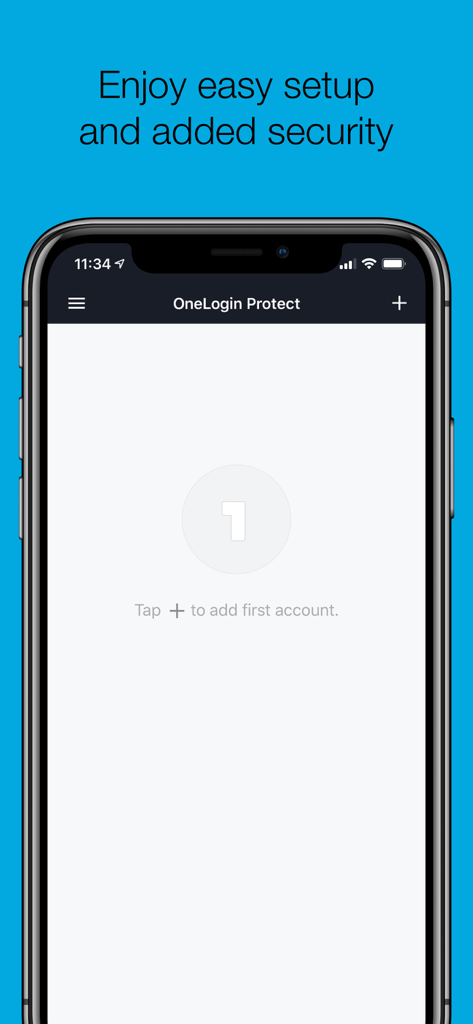
モバイルデバイス上のOneLogin Protectアプリセットアップインターフェイス
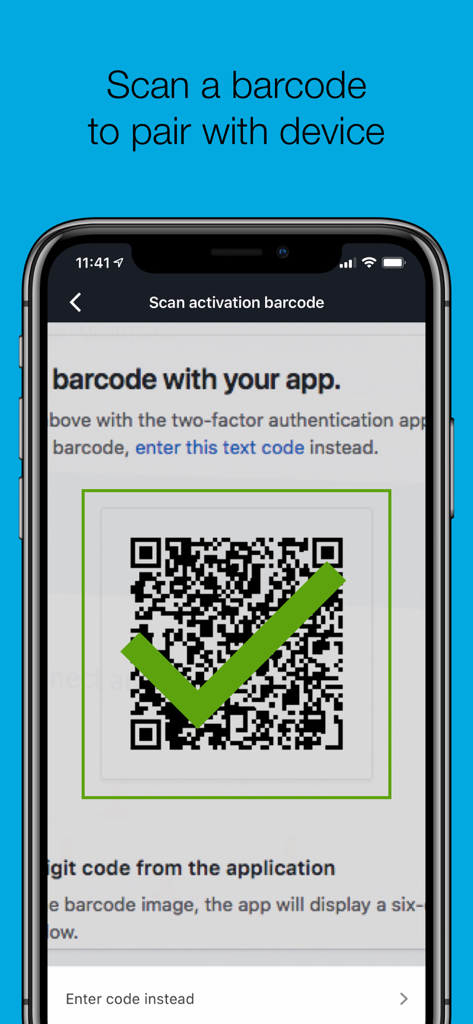
OneLogin ProtectアプリでデバイスをペアリングするためにQRコードをスキャンしています
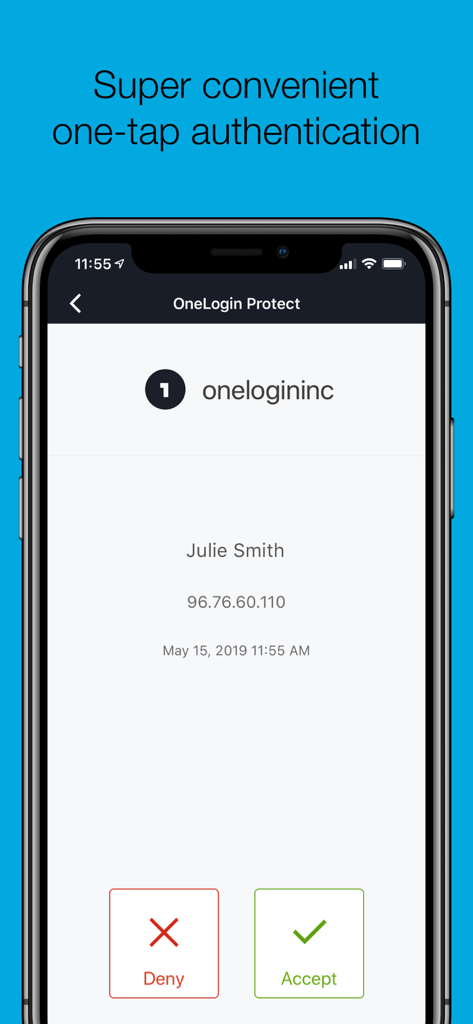
承認および拒否ボタンを備えたワンタップ認証リクエストを示すOneLogin Protectアプリインターフェイス
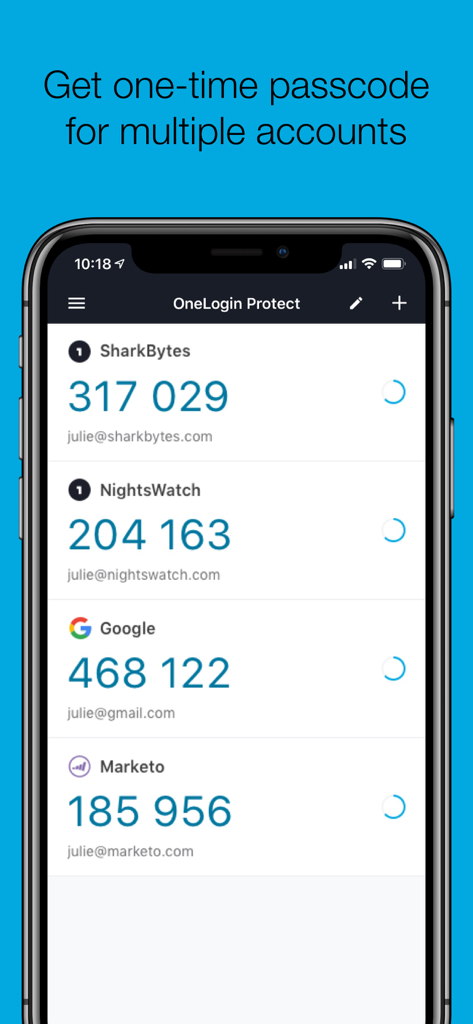
GoogleやMarketoを含む複数のアカウントのワンタイムパスコードを示すOneLogin Protectアプリインターフェイス
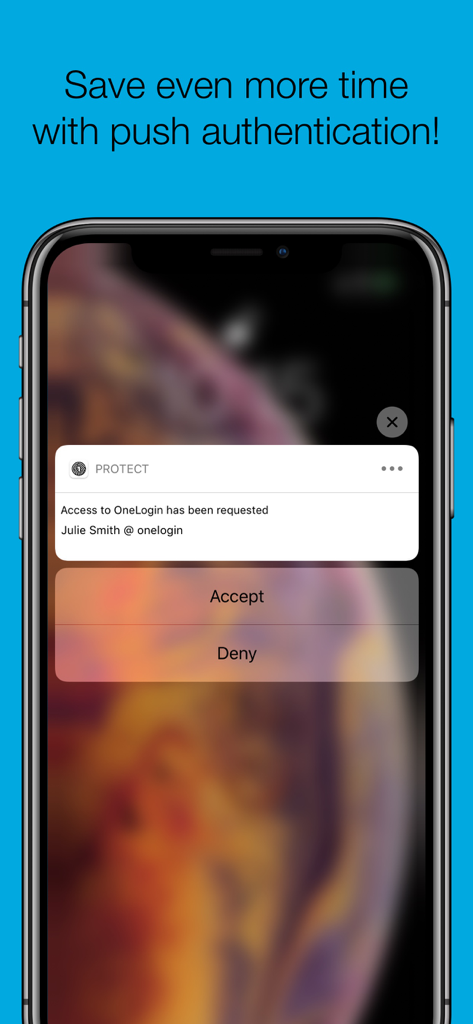
承認および拒否ボタンが表示されたiPhone上のOneLogin Protectプッシュ通知
説明
Download
類似アプリ
似た機能とユーザー体験を持つアプリ

Google Authenticator
Google LLC

Duo Mobile
Duo Security LLC

Authenticator App - 2FA &. MFA
APPLY DIJITAL HIZMETLER TICARET LIMITED SIRKETI

authenticator . app
Mustafa Uz

SafeNet MobilePASS+
Thales DIS (Singapore) Pte Ltd

Čítačka
Tatra banka, a.s.

Authenticator App - SafeAuth
Brilliant App Limited

Authenticator App - 2FA Auth
UNIVERSE DIJITAL HIZMETLER LIMITED SIRKETI

Authenticator App : Scan & 2FA
XSOFT GLOBAL LIMITED
このページはアプリまたはその開発者の公式ページではなく、情報提供および論評を目的として作成された独立した編集出版物です。明示的に別段の記載がない限り、アプリおよびその開発者は、MWM、Apple、Google Play、アプリのパブリッシャー、またはアプリの開発者と提携、承認、後援、認可、またはその他の公式的な関係はなく、このページのいかなる内容も、アプリがMWMのサービスを使用して開発されたことを意味するものではありません。すべての商標、ロゴ、スクリーンショット、その他のコンテンツはそれぞれの所有者の財産です。