
このページはアプリまたはその開発者の公式ページではなく、情報提供および論評を目的として作成された独立した編集出版物です。明示的に別段の記載がない限り、アプリおよびその開発者は、MWM、Apple、Google Play、アプリのパブリッシャー、またはアプリの開発者と提携、承認、後援、認可、またはその他の公式的な関係はなく、このページのいかなる内容も、アプリがMWMのサービスを使用して開発されたことを意味するものではありません。すべての商標、ロゴ、スクリーンショット、その他のコンテンツはそれぞれの所有者の財産です。


Palu - Handwriting Calendar -
手描きのプランナーの温かさをデジタルライフに。登録やアカウント不要で、メモ、写真、スタンプを使って家族や友人と予定を共有しましょう。
ダウンロード
1M+ユーザー評価
評価数
1K+開発元
カテゴリ
Lifestyle対応言語
2最新バージョン
3.4.9サイズ
13.4 MBリリース日
2012年11月21日我が家のようなカレンダー
無機質な標準プランナーから脱却しましょう。Paluは、手書きメモの温かさと共有デジタルスペースの利便性を組み合わせます – サインアップ不要です。
あなたらしい手書き
退屈なテキストを、あなた自身の手書きやクリエイティブなスタンプに置き換えましょう。ビジュアル思考者やバレットジャーナル愛好家にとって完璧なデジタルキャンバスです。
手間いらずのプライバシー
登録ゼロで、完全な安心感をお楽しみください。メールアドレスや個人情報は不要 – アプリをダウンロードして、すぐに計画を始めましょう。
よくある質問
について知っておくべきこと Palu - Handwriting Calendar -
Palu - Handwriting Calendar -は無料のアプリですか?
はい、Palu - Handwriting Calendar -は無料で、登録は不要です。広告を削除したり、カレンダーの数を増やしたりする機能拡張のためのオプションのアプリ内購入が利用可能です。
Palu - Handwriting Calendar -を使用するために登録は必要ですか?
いいえ、Palu - Handwriting Calendar -はユーザー登録を必要としません。アプリを使用するためにメールアドレスや個人情報を提供する必要はありません。
Palu - Handwriting Calendar -でカレンダーを他の人と共有するにはどうすればよいですか?
Palu - Handwriting Calendar -は、友人や家族との簡単な共有を可能にします。共有カレンダーに対して、フルアクセスモードと閲覧専用モードを選択できます。
Palu - Handwriting Calendar -のカレンダーエントリに画像を追加できますか?
はい、Palu - Handwriting Calendar -では、カレンダーに直接画像を貼り付けることができます。この機能は、毎日のコンテンツをカスタマイズして視覚化するのに役立ちます。
Palu - Handwriting Calendar -はカスタマイズのためにどのようなコンテンツオプションを提供していますか?
Palu - Handwriting Calendar -は、手書きメモ、画像貼り付け、カラフルな「スタンプ」を提供してカレンダーエントリをカスタマイズします。これにより、豊かでパーソナライズされた毎日の計画が可能になります。
Palu - Handwriting Calendar -で利用できるカレンダーの最大数はいくつですか?
Palu - Handwriting Calendar -では、無料で3つのカレンダーにアクセスできます。オプションのアプリ内購入により、カレンダーの最大数を30に拡張できます。
Palu - Handwriting Calendar -には広告が含まれていますか?
はい、Palu - Handwriting Calendar -の無料版には広告が含まれています。画面体験を向上させるために、これらの広告を削除するためのオプションのアプリ内購入が利用可能です。
Palu - Handwriting Calendar -でデータをバックアップするにはどうすればよいですか?
Palu - Handwriting Calendar -は、iCloud Driveを介したデータのバックアップと復元をサポートしています。この機能により、カレンダーコンテンツが安全に保存されます。
Palu - Handwriting Calendar -の共有を停止すると、共有データはどうなりますか?
Palu - Handwriting Calendar -で共有が無効になると、対応するデータはサーバーから削除されます。これにより、カレンダーが他者と共有されなくなります。
Palu - Handwriting Calendar -は異なる画面の向きをサポートしていますか?
はい、Palu - Handwriting Calendar -はiPhoneで縦向きと横向きの両方をサポートしています。縦向きは月表示、横向きは2週間の表示になります。
以下のスクリーンショットと説明は、アプリの公式ストアリスティングから直接取得されたものであり、アプリ開発者の所有物です。
アプリストア
スクリーンショット
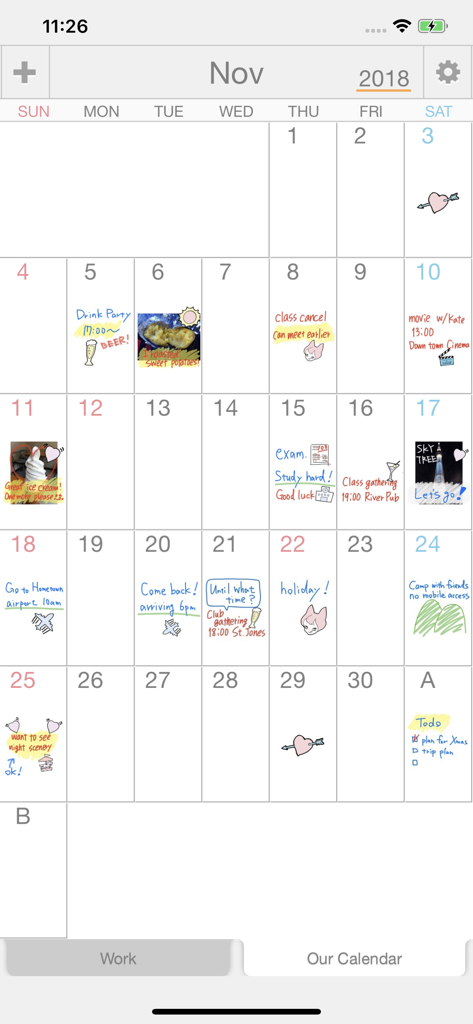
Paluアプリの月間カレンダービュー。手書きのメモ、落書き、写真のエントリが特徴です。
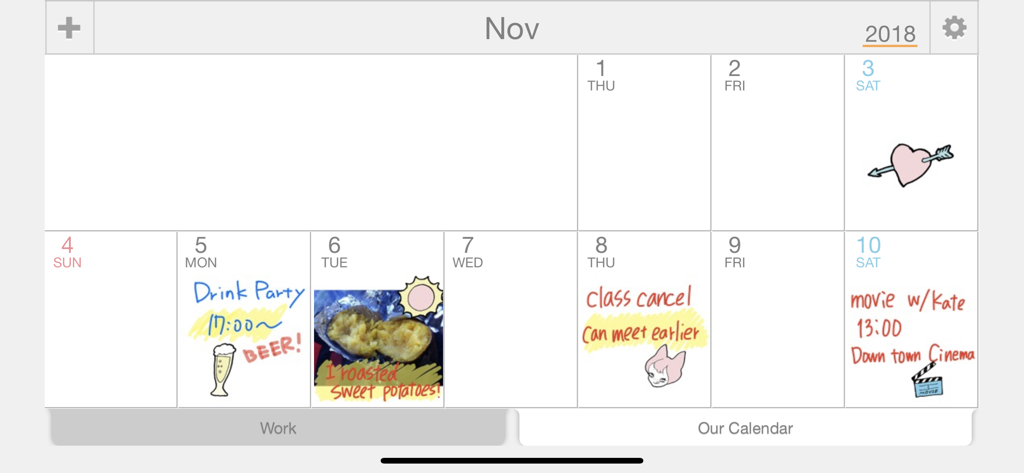
手書きのメモ、描画、写真がパーソナルなスケジュールを構成するデジタルカレンダービュー。
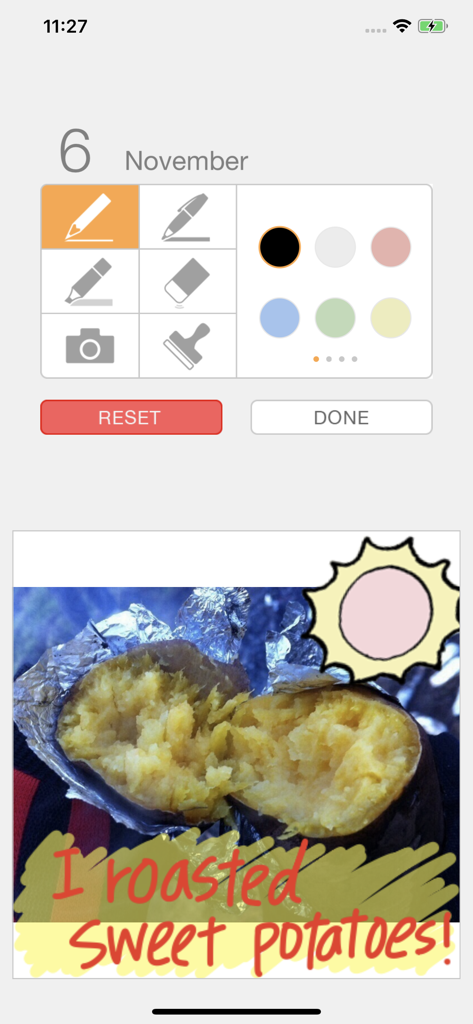
ローストされたサツマイモの写真と手書きのテキストが表示されたPaluカレンダーの編集画面
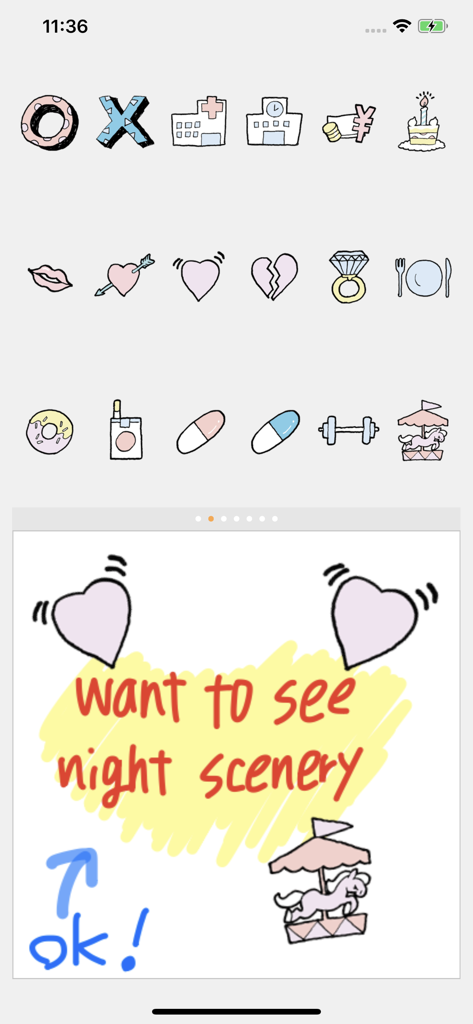
Paluアプリのインターフェース内にある、カラフルな手描きのスタンプと手書きのメモのセレクション。
説明
Download
類似アプリ
似た機能とユーザー体験を持つアプリ

Howbout: shared calendar
Howbout Ltd.
Teamup Calendar
Teamup Solutions AG

TimeTree: Shared Calendar
TimeTree, Inc.

Cupla: Shared Couples Calendar
Cupla Limited

Chouseisan
Mixtend Inc.

みんなの縦型カレンダー
Funeasy Soft, Inc.

OurCal: Group Calendar Share
ONIN LTD.

게더링 : 함께 쓰는 공유 캘린더
HUSTLERS Corp

不揪?- 儲存、分享課表
HSIN-CHE CHUNG
このページはアプリまたはその開発者の公式ページではなく、情報提供および論評を目的として作成された独立した編集出版物です。明示的に別段の記載がない限り、アプリおよびその開発者は、MWM、Apple、Google Play、アプリのパブリッシャー、またはアプリの開発者と提携、承認、後援、認可、またはその他の公式的な関係はなく、このページのいかなる内容も、アプリがMWMのサービスを使用して開発されたことを意味するものではありません。すべての商標、ロゴ、スクリーンショット、その他のコンテンツはそれぞれの所有者の財産です。