PassDiary Password Manager
ダウンロード: App Store

このページはアプリまたはその開発者の公式ページではなく、情報提供および論評を目的として作成された独立した編集出版物です。明示的に別段の記載がない限り、アプリおよびその開発者は、MWM、Apple、Google Play、アプリのパブリッシャー、またはアプリの開発者と提携、承認、後援、認可、またはその他の公式的な関係はなく、このページのいかなる内容も、アプリがMWMのサービスを使用して開発されたことを意味するものではありません。すべての商標、ロゴ、スクリーンショット、その他のコンテンツはそれぞれの所有者の財産です。


ロゴ: PassDiary Password Manager
ダウンロード: App Store

PassDiary Password Manager

オフラインファーストの保管庫でデータを完全に管理しましょう。軍事レベルのAES-256暗号化、サブスクリプション料金ゼロ、パスワードがデバイスから離れない安心感をお楽しみください。

主要数値

ダウンロード

110K+

ユーザー評価

2.9/5

評価数

3K+

開発元

Epicomm Technologies Ltd

カテゴリ

Productivity

対応言語

1

最新バージョン

1.7.9

サイズ

27.9 MB

リリース日

2009年12月17日
機能

あなたのプライベート保管庫、完全にオフライン

オフグリッドにとどまり、自分のデータを自分で管理できるパスワードマネージャーで、デジタルセキュリティを完全に管理しましょう。

クラウドへの露出ゼロ

パスワードがどのサーバーにも保存されていないことを知って、より良く眠りましょう。PassDiaryは、リモートデータ侵害のリスクを排除するために100%オフラインで動作します。

256ビットローカル暗号化

機密情報は、デバイス上で直接、軍事レベルの暗号化によって保護されます。マスターパスワードのみが保管庫をアンロックできます。

以下のスクリーンショットと説明は、アプリの公式ストアリスティングから直接取得されたものであり、アプリ開発者の所有物です。

アプリストア

スクリーンショット
PassDiary Password Manager - PassDiaryアプリの紹介画面。ゴールデンPロゴとメールバックアップユーティリティの通知が表示されます。

PassDiaryアプリの紹介画面。ゴールデンPロゴとメールバックアップユーティリティの通知が表示されます。

PassDiary Password Manager - PassDiaryアプリのログイン画面。パスワード入力フィールドとサインインボタンが表示されます。
PassDiaryアプリのログイン画面。パスワード入力フィールドとサインインボタンが表示されます。

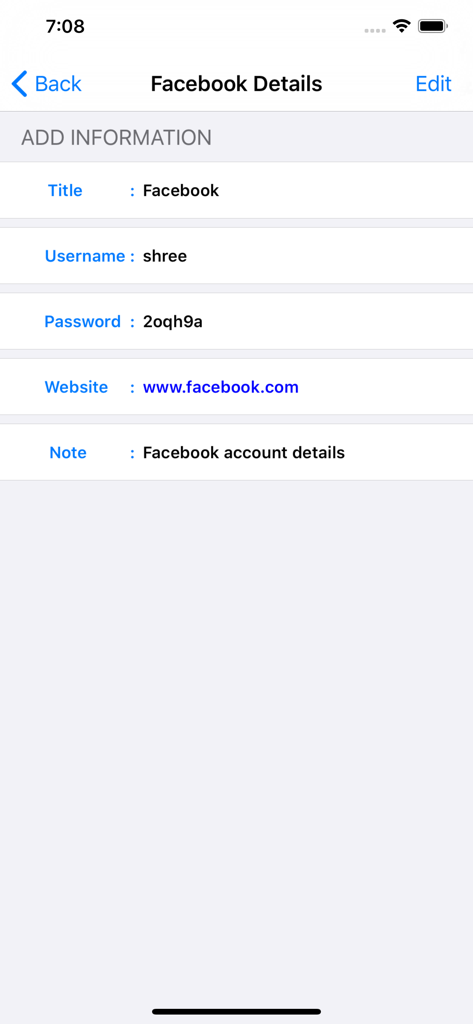
PassDiary Password Manager - PassDiaryの画面には、ユーザー名とパスワードを含む保存されたFacebookログイン情報が表示されます。
PassDiaryの画面には、ユーザー名とパスワードを含む保存されたFacebookログイン情報が表示されます。

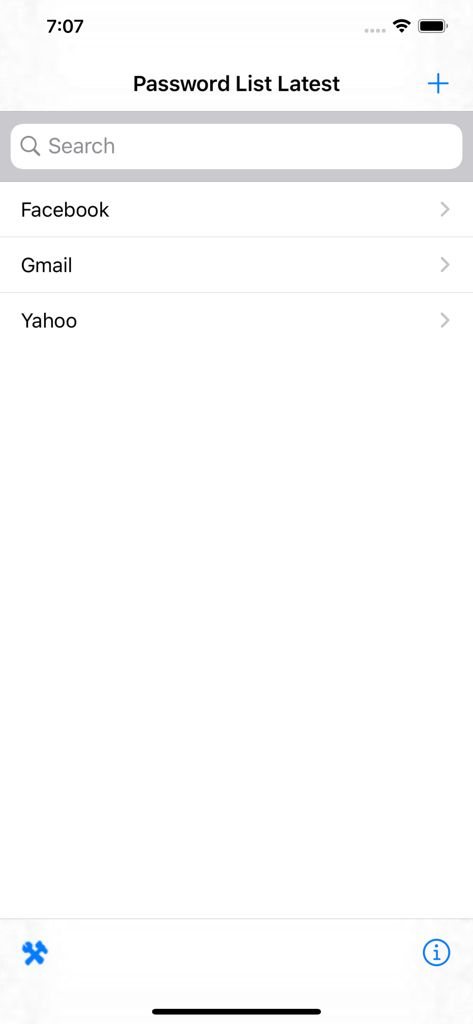
PassDiary Password Manager - PassDiaryアプリのインターフェースには、Facebook、Gmail、Yahooアカウントのエントリを含むパスワードリストが表示されます。
PassDiaryアプリのインターフェースには、Facebook、Gmail、Yahooアカウントのエントリを含むパスワードリストが表示されます。

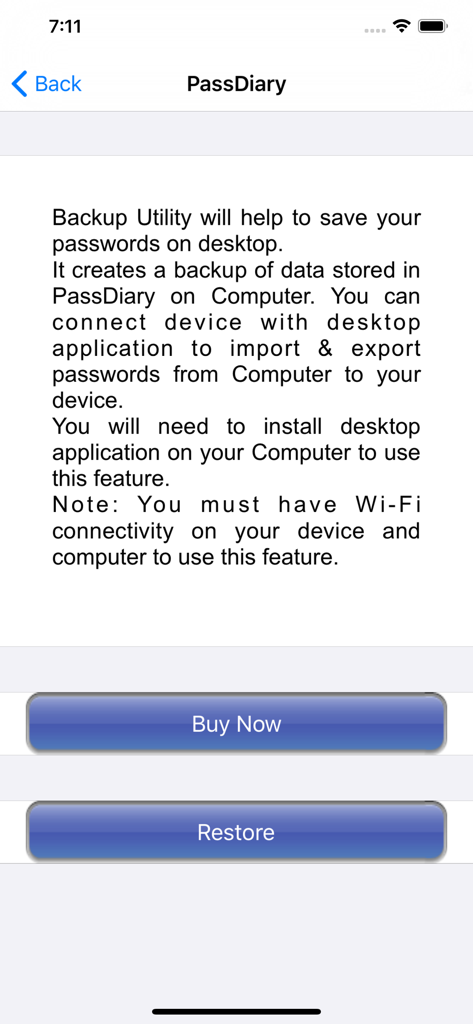
PassDiary Password Manager - PassDiaryアプリのバックアップユーティリティ画面。デスクトップデータバックアップおよび復元オプションの手順が記載されています。
PassDiaryアプリのバックアップユーティリティ画面。デスクトップデータバックアップおよび復元オプションの手順が記載されています。

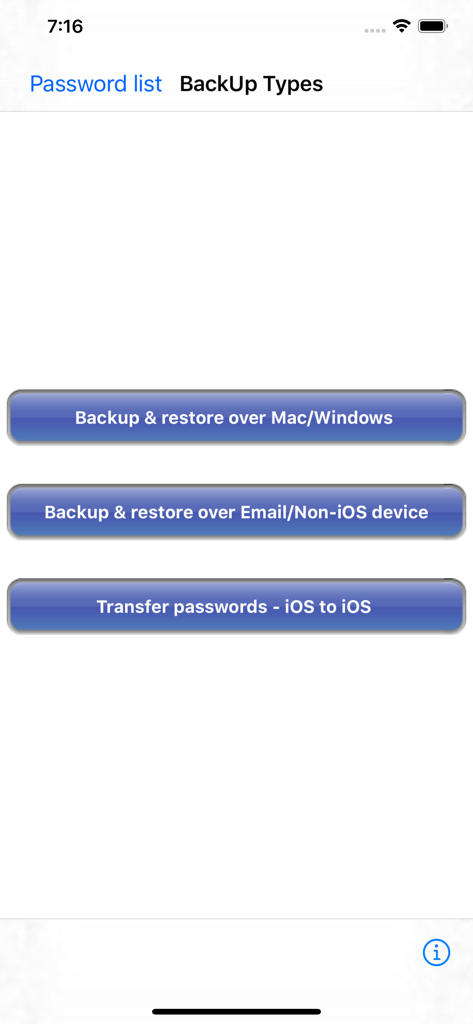
PassDiary Password Manager - PassDiaryアプリの画面には、Mac、Windows、iOSのパスワードバックアップおよび復元オプションが表示されます。
PassDiaryアプリの画面には、Mac、Windows、iOSのパスワードバックアップおよび復元オプションが表示されます。

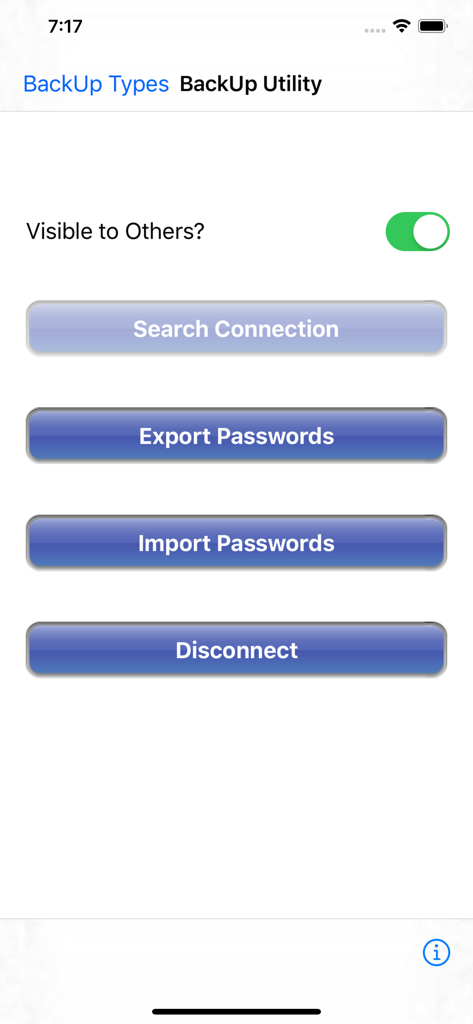
PassDiary Password Manager - PassDiaryアプリのバックアップユーティリティメニューが表示されるスクリーンショット。接続の検索、パスワードのエクスポート、パスワードのインポートのボタンがあります。
PassDiaryアプリのバックアップユーティリティメニューが表示されるスクリーンショット。接続の検索、パスワードのエクスポート、パスワードのインポートのボタンがあります。

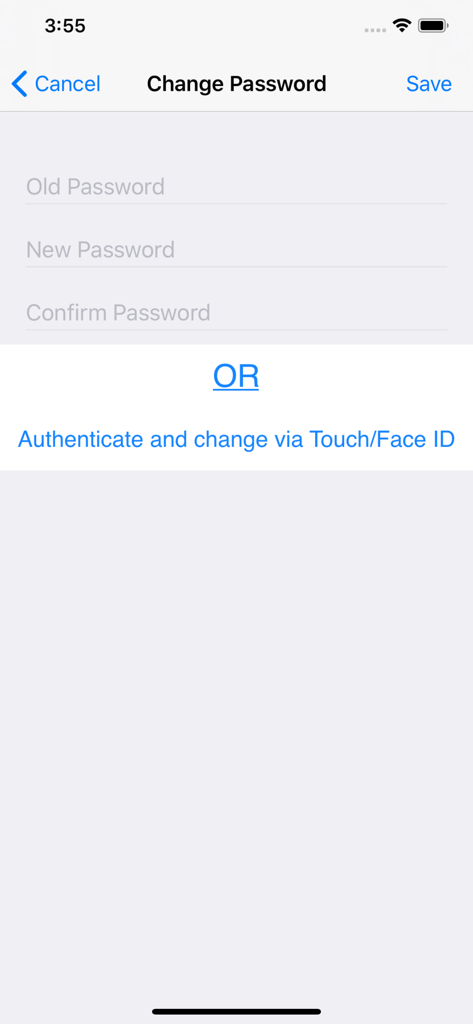
PassDiary Password Manager - PassDiaryのパスワード変更画面。古いパスワードと新しいパスワードの入力フィールド、および生体認証オプションが表示されます。

PassDiaryのパスワード変更画面。古いパスワードと新しいパスワードの入力フィールド、および生体認証オプションが表示されます。

説明

Passdiary is a password manager and password wallet that let you securely store all your accounts important information in a vault. Passdiary does not access any of your precious information and none of your data will be stored in cloud or any other server. To access all your stored accounts passwords you just required to remember one password of Passdiary. Passdiary can be used to store the information of your email accounts, shopping accounts, social accounts, credit/debit cards, device logins and a lot.

Using Passdiary first time?
Passdiary is available just for $1 with lifetime access for iOS platforms and can be accessed on mobiles, tablets and iPad. Passdiary Features:- -Passdiary App is very simple and easy to use -Smart search to Password listing page -Password details can be saved with website URL, title, username & password with description -Random password generation using alphabets, numbers, special characters -Working offline (Does not require internet connectivity) -Passwords are safely stored on the device -Application is very highly secured against vulnerabilities -Strong Encryption (256-bit Advanced Encryption Standard -Backup utility to back up your passwords on a PC/Mac which is having Java installed. -Every query related on how to use the app is provided on website. Password diary – Makes easy to keep a record of all your account password with descriptions Password vault for storage – Let you store and easily search all your passwords at a single place Secure password vault – Passdiary does not connect with internet and does not synchronize with any of your accounts. What is Backup utility? Backup Utility is developed for Passdiary users, so as to save and restore passwords whenever required. The backup utility is a Desktop software for Windows/Mac devices which transfers your passwords from your Tablet/iPhone/iPod device to your computer and vice-versa with some easy steps. How Backup utility works? In the back up process a file (.epk) is exported to Windows/Mac device from your mobile uses 256 Bit encryption security. Your backup file on PC cannot be opened by any other program. Desktop utility will never connect to Internet and all your passwords are safe with 256 Bit encryption security used to encrypt backup file. Desktop utility also works with Mountain Lion OS. The use of this facility is recommended in situations where you are resetting your device to factory settings or formatting your desktop with iTunes or re-installing the iTunes. It also works for circumstances in which your Computer iTunes is infected with Trojan, or you want to switch to another device. iTunes also provides backup features but it may not necessarily support backups in situations mentioned above Backup Utility is available as an In App purchase just for $0.99 or price equivalent to your country’s currency. Please check http://passdiary.com to see the snapshots that will give you an idea as to how you can do this and get going.

Download

ダウンロード: App Store

このページはアプリまたはその開発者の公式ページではなく、情報提供および論評を目的として作成された独立した編集出版物です。明示的に別段の記載がない限り、アプリおよびその開発者は、MWM、Apple、Google Play、アプリのパブリッシャー、またはアプリの開発者と提携、承認、後援、認可、またはその他の公式的な関係はなく、このページのいかなる内容も、アプリがMWMのサービスを使用して開発されたことを意味するものではありません。すべての商標、ロゴ、スクリーンショット、その他のコンテンツはそれぞれの所有者の財産です。








