
このページはアプリまたはその開発者の公式ページではなく、情報提供および論評を目的として作成された独立した編集出版物です。明示的に別段の記載がない限り、アプリおよびその開発者は、MWM、Apple、Google Play、アプリのパブリッシャー、またはアプリの開発者と提携、承認、後援、認可、またはその他の公式的な関係はなく、このページのいかなる内容も、アプリがMWMのサービスを使用して開発されたことを意味するものではありません。すべての商標、ロゴ、スクリーンショット、その他のコンテンツはそれぞれの所有者の財産です。


Password Manager iPassSafe .
軍事グレードのローカル暗号化でパスワード、ドキュメント、機密データを保護します。トラッカーなし、サードパーティライブラリなし、中央集権的なクラウドリスクなし—完全にあなたの管理下におきます。
ダウンロード
242K+ユーザー評価
評価数
3K+開発元
カテゴリ
Productivity対応言語
17最新バージョン
16.20サイズ
12.5 MBリリース日
2010年12月23日プライバシーファーストユーザーのための金庫
中央集権的なクラウドリスクを排除し、サードパーティトラッキングゼロでデータを保護するように設計された暗号化マネージャーで、デジタルライフを取り戻しましょう。
真のローカル暗号化
AES-256とPBKDF2強化を使用し、データはローカルに保存されます。中央集権的なサーバーがないということは、大規模な企業データ侵害のリスクがないことを意味します。
完全なデジタル金庫
ログイン情報以上のものを保存します。専門的および個人的な生活に合わせて調整された24のカスタムカテゴリに、パスポート、PDF、銀行の詳細を安全に整理します。
よくある質問
について知っておくべきこと Password Manager iPassSafe .
Does iPassSafe protect user data with encryption?
はい、iPassSafeは業界標準のAES-256暗号化とPBKDF2キー強化を使用してユーザーデータを保護します。これにより、バックアップが侵害された場合でも不正アクセスを防ぐことができます。
Does iPassSafe collect or track user data?
いいえ、iPassSafeはユーザーデータを収集または追跡しません。プライバシーポリシーによれば、ユーザー情報は完全にプライベートで安全に保たれ、第三者の関与はありません。
What types of data can iPassSafe store?
iPassSafeは、ログイン情報、クレジットカード、写真、銀行口座、PIN、テキストメモ、ドキュメント、連絡先、およびさまざまなIDタイプを保存できます。包括的なデータ管理のために24個のカスタムカテゴリもサポートしています。
Does iPassSafe support Face ID or Touch ID for access?
はい、iPassSafeはFace IDとTouch IDをサポートしており、便利で安全なアクセスが可能です。ユーザーはアプリの設定でこれらの生体認証方法を有効にして、素早くアクセスできます。
How does iPassSafe handle data synchronization and backup?
iPassSafeは、iCloud、FTP、AirDrop、Files/Dropboxの4つの同期オプションを提供します。データは同期前に暗号化されます。クラウドストレージはオプションであり、ユーザーは自身のバックアップ管理に責任を負います。
Can iPassSafe automatically fill in passwords on websites and apps?
はい、iPassSafeには自動入力拡張機能があり、QuickTypeバーから直接アプリやSafariにユーザー名とパスワードをシームレスに入力できます。ウェブサイトのアイコンも自動的に取得します。
Is a macOS version of iPassSafe available?
はい、iPassSafeはMac App Storeで利用可能です。これにより、iPhone、iPad、Macを含むすべてのAppleデバイスで、同レベルのセキュリティと利便性を提供します。
Does iPassSafe use third-party frameworks for its operations?
いいえ、iPassSafeはAppleの公式フレームワークのみに依存しています。分析のためにサードパーティライブラリを避け、信頼できる環境内でのデータ処理を保証し、潜在的なセキュリティリスクを最小限に抑えています。
Can users generate strong passwords within the iPassSafe app?
はい、iPassSafeにはパスワード生成機能が組み込まれています。ユーザーは、長さ、曖昧な文字の回避、特殊文字の含めることを指定して、強力でユニークなパスワードを作成し、セキュリティを強化できます。
Is it possible to print data stored in iPassSafe?
はい、iPassSafeにはAir Printオプションが含まれています。ユーザーは、セキュアな保管のために、アプリケーションから直接パスワードリストやその他の保存済みデータを印刷できます。
Does iPassSafe offer dark mode support?
はい、iPassSafeはダークモードをサポートしています。ユーザーはこの機能を有効にすることで、特に暗い場所での快適な表示体験を得られ、アクセシビリティとユーザーの好みを維持できます。
What happens if I forget my iPassSafe password?
iPassSafeのパスワードを忘れた場合、データにアクセスできなくなります。すべてのデータはセキュリティのためにローカルに保存されるため、アプリはパスワード検索サービスを提供しません。
How does iPassSafe store data to prevent breaches?
iPassSafeは、Appleのセキュアなインフラストラクチャを利用して、データをユーザーのデバイスにローカルに、またはオプションでiCloudに保存します。中央集権的なプライベートクラウドを避け、一般的なセキュリティ侵害リスクを軽減します。
以下のスクリーンショットと説明は、アプリの公式ストアリスティングから直接取得されたものであり、アプリ開発者の所有物です。
アプリストア
スクリーンショット
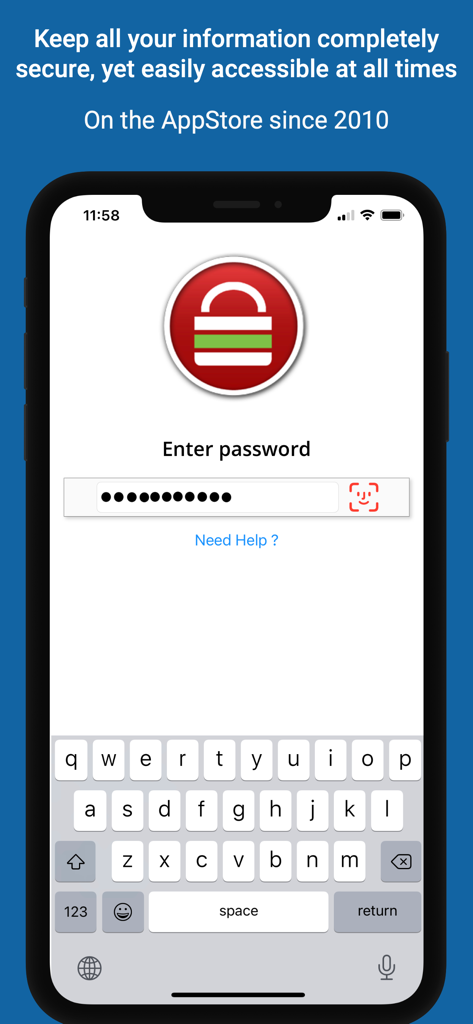
iPassSafeのiPhoneでのログインインターフェース、パスワード入力とFace IDサポートを表示
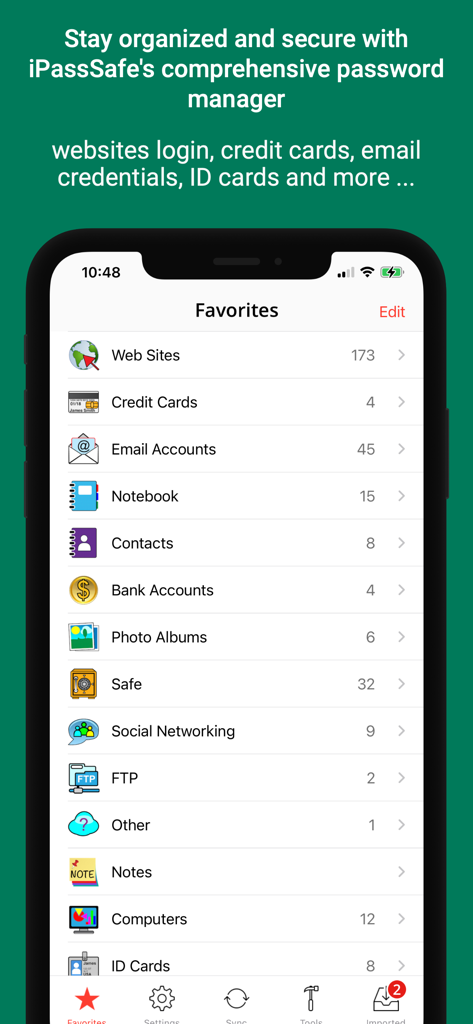
iPassSafeのお気に入り画面、データストレージ用の安全なカテゴリのリストを表示
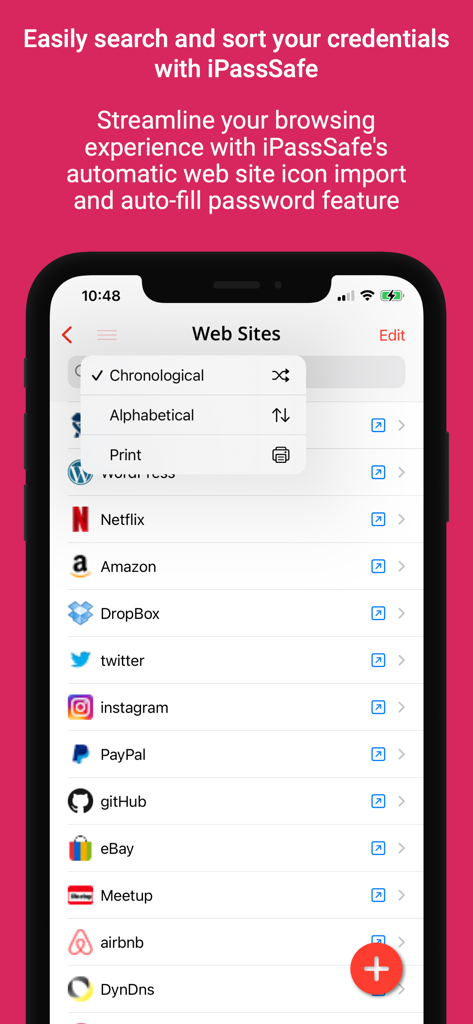
iPassSafeアプリインターフェース、並べ替えメニュー(アルファベット順および時系列順)で保存されたウェブサイトの資格情報のリストを表示
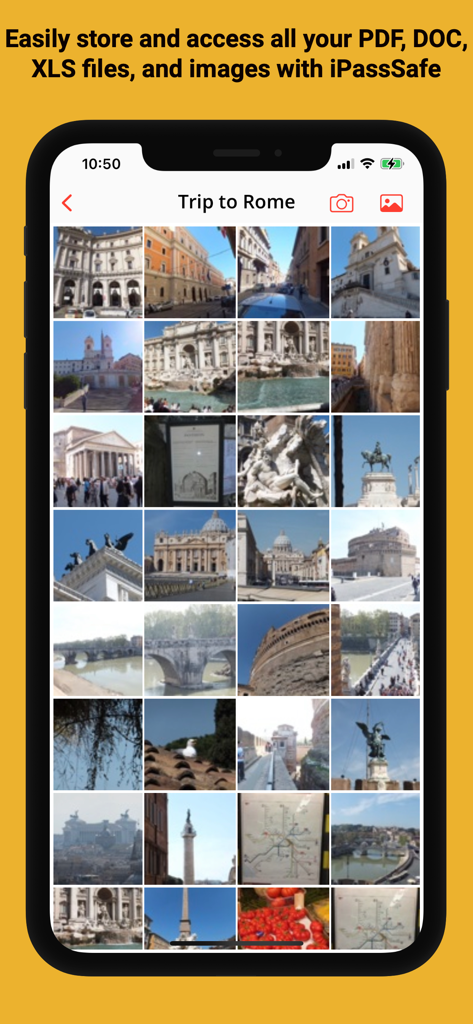
iPassSafeアプリ内の安全な写真保管庫、暗号化された画像ギャラリーを表示
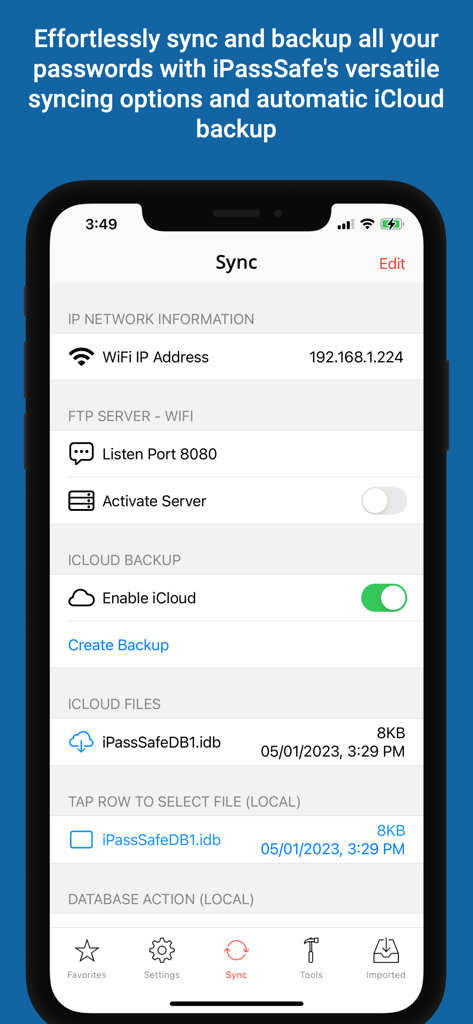
iPassSafeアプリインターフェース、iCloudバックアップおよびFTPサーバー設定を含む同期オプションを表示
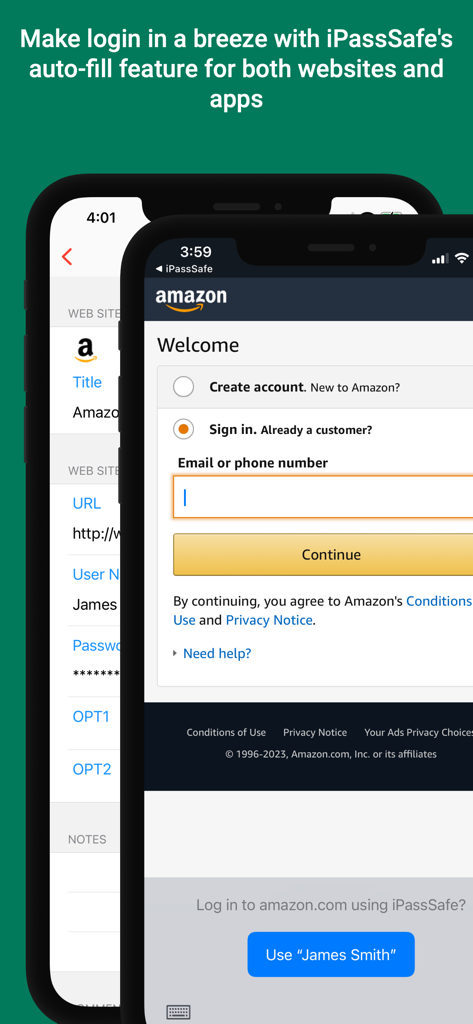
iPassSafeがAmazonサインインページでログイン資格情報を自動入力しているスマートフォン画面
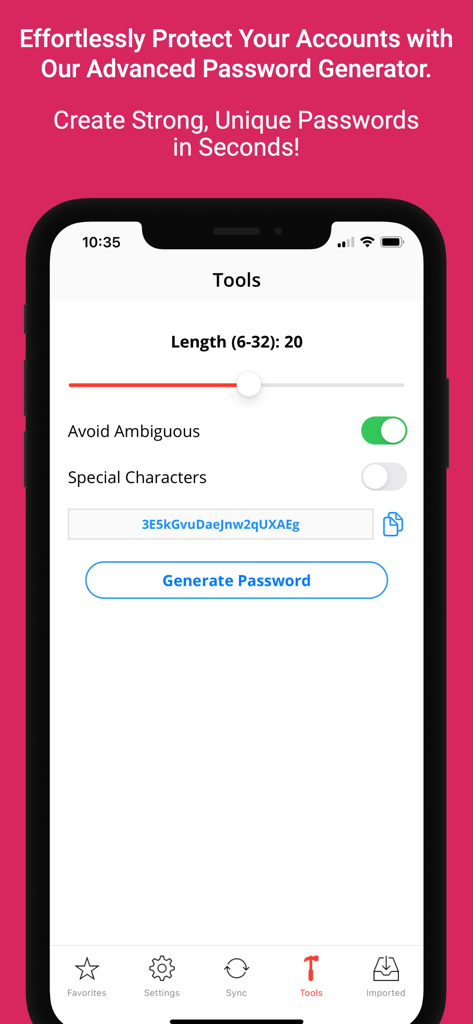
カスタマイズ可能なセキュリティ設定を備えたiPassSafeモバイルアプリのパスワードジェネレータインターフェース
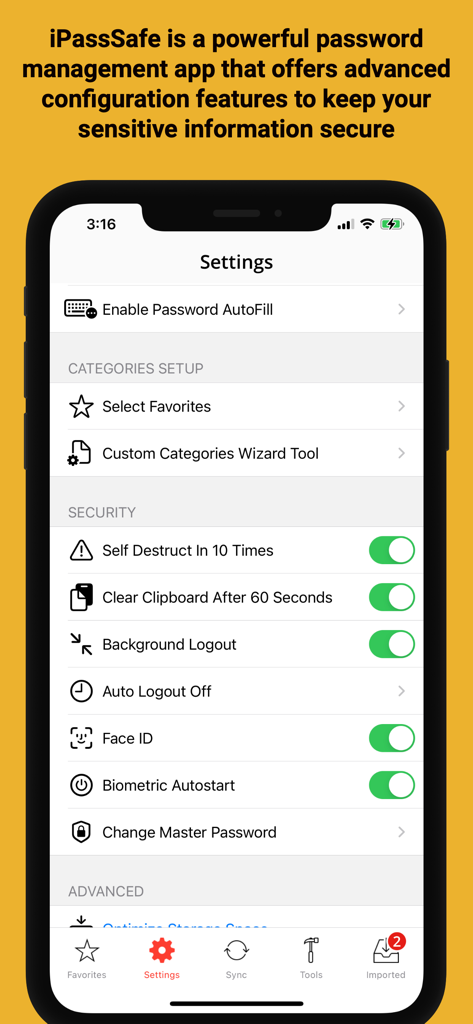
IPassSafeセキュリティ設定メニュー、Face IDとプライバシーオプションを表示
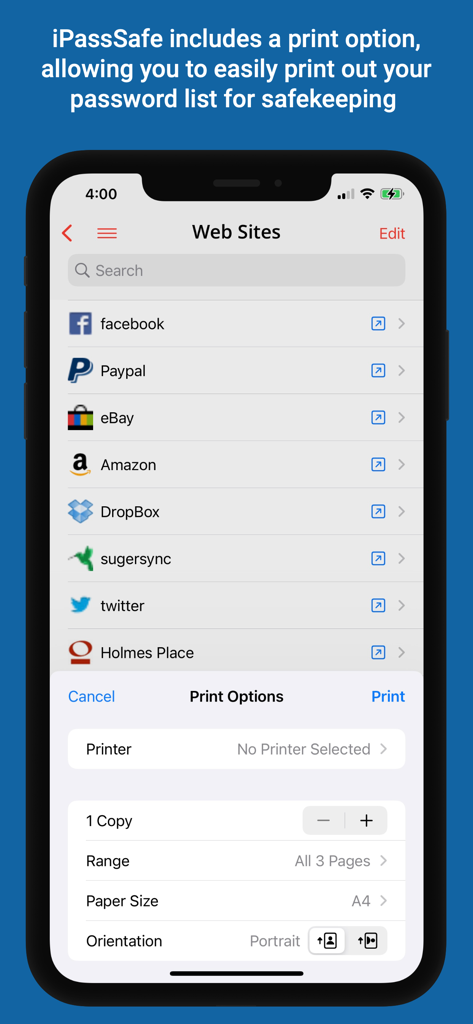
iPassSafeアプリ、iPhoneでのウェブサイトパスワードリストの印刷オプションを表示
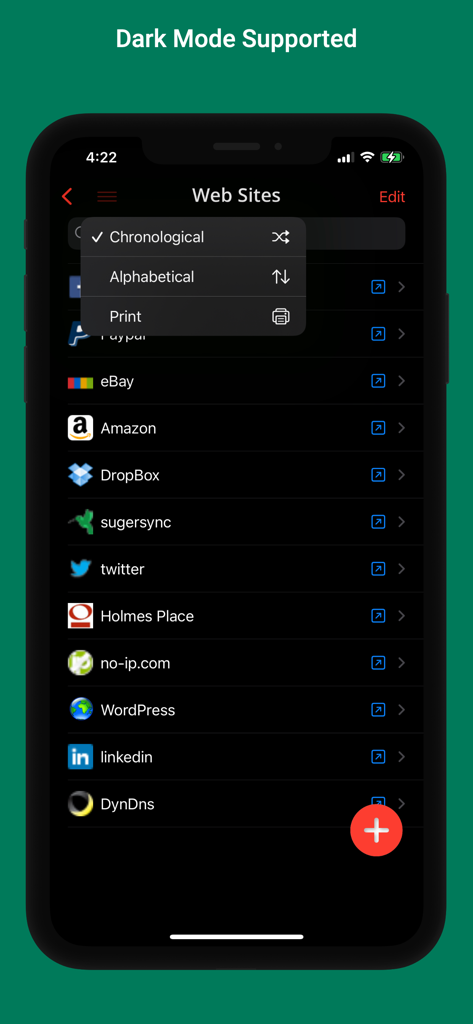
iPassSafeパスワードマネージャーインターフェース、ダークモードでウェブサイトのリストと並べ替えオプションを表示
説明
Download
類似アプリ
同じカテゴリのトップランクアプリ

ChatGPT
OpenAI OpCo, LLC

Google Gemini
Google LLC

Grok
X.AI Corporation

Gmail - Email by Google
Google LLC

千问 - 阿里最强大模型官方AI助手
Shanghai Zhixin Puhui Technology Co., Ltd.

Google Drive
Google LLC

Microsoft Authenticator
Microsoft Corporation

Google Sheets
Google LLC

Google Docs
Google LLC
このページはアプリまたはその開発者の公式ページではなく、情報提供および論評を目的として作成された独立した編集出版物です。明示的に別段の記載がない限り、アプリおよびその開発者は、MWM、Apple、Google Play、アプリのパブリッシャー、またはアプリの開発者と提携、承認、後援、認可、またはその他の公式的な関係はなく、このページのいかなる内容も、アプリがMWMのサービスを使用して開発されたことを意味するものではありません。すべての商標、ロゴ、スクリーンショット、その他のコンテンツはそれぞれの所有者の財産です。