PDF Converter ©
PDF Converter ©
ダウンロード: App Store

このページはアプリまたはその開発者の公式ページではなく、情報提供および論評を目的として作成された独立した編集出版物です。明示的に別段の記載がない限り、アプリおよびその開発者は、MWM、Apple、Google Play、アプリのパブリッシャー、またはアプリの開発者と提携、承認、後援、認可、またはその他の公式的な関係はなく、このページのいかなる内容も、アプリがMWMのサービスを使用して開発されたことを意味するものではありません。すべての商標、ロゴ、スクリーンショット、その他のコンテンツはそれぞれの所有者の財産です。

ロゴ: PDF Converter ©
ダウンロード: App Store

PDF Converter ©

写真、Word文書、請求書を瞬時にプロフェッショナルなPDFに変換。デスクトップ不要で、どこからでも最も重要なファイルを編集、署名、共有できます。

主要数値

ダウンロード

757K+

ユーザー評価

4.4/5

評価数

4K+

開発元

Greysh Co., Ltd.

カテゴリ

Productivity

対応言語

8

最新バージョン

2.8.0

サイズ

48.8 MB

リリース日

2023年1月28日
機能

外出先での生産性を最大化

スピードと効率を重視するプロフェッショナルのために設計されたオールインワン・ドキュメント・ツールキット。ラップトップを開くことなく、ファイルを変換、署名、管理できます。

瞬時のプロフェッショナル変換

写真、Word文書、履歴書、請求書を数秒で高品質PDFに変換。緊急の締め切りに最適です。

モバイル署名と編集

iPhoneから直接、契約書に法的効力のある署名や注釈を追加。世界中どこからでも、より迅速に取引を完了させましょう。

以下のスクリーンショットと説明は、アプリの公式ストアリスティングから直接取得されたものであり、アプリ開発者の所有物です。

アプリストア

スクリーンショット
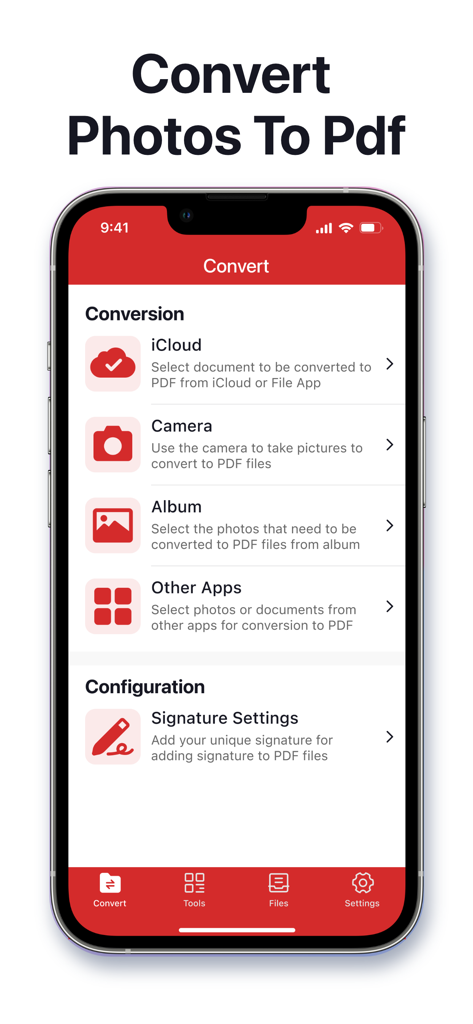
PDF Converter © - PDFコンバーターのモバイルアプリ画面。写真やドキュメントをPDFに変換するオプションが表示されています。
PDFコンバーターのモバイルアプリ画面。写真やドキュメントをPDFに変換するオプションが表示されています。

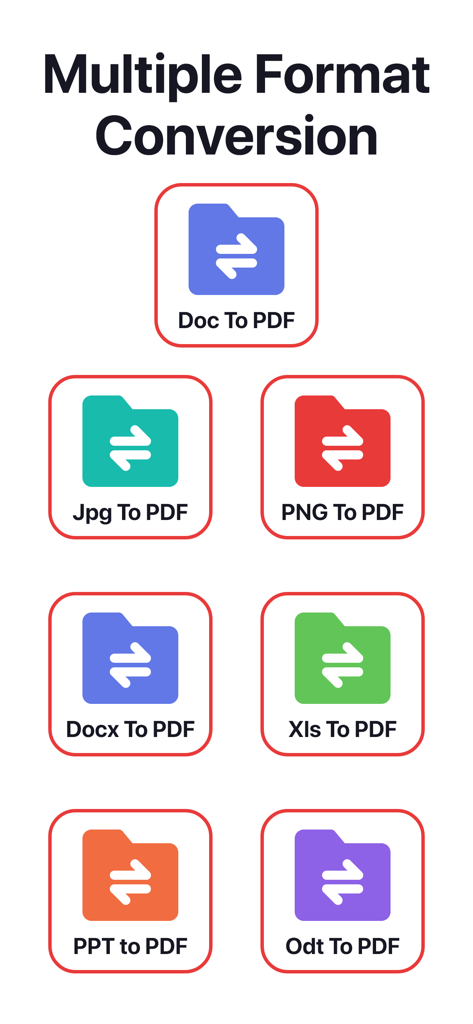
PDF Converter © - Word、JPG、Excelなどのさまざまなファイル形式がPDFに変換される様子を示すグラフィック。
Word、JPG、Excelなどのさまざまなファイル形式がPDFに変換される様子を示すグラフィック。

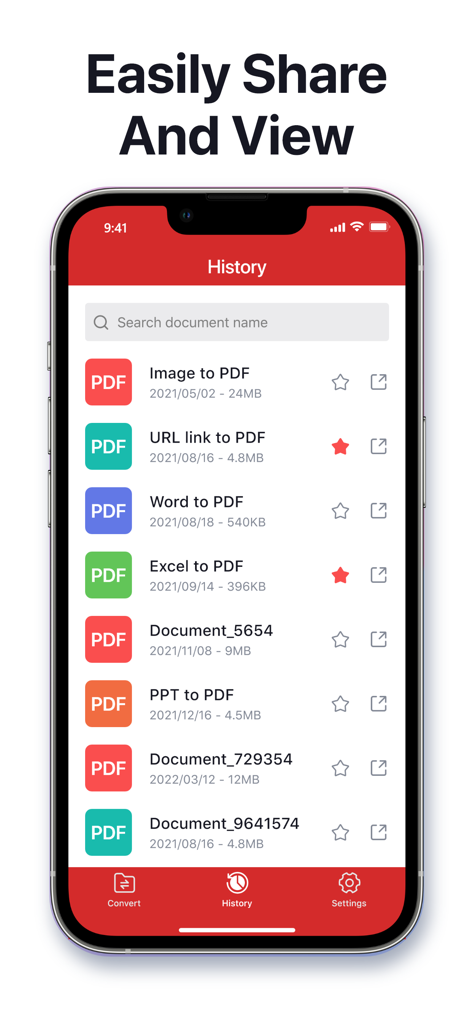
PDF Converter © - WordやExcelなどのさまざまなファイルタイプから変換されたPDFドキュメントの履歴リストを示すスマートフォンの画面。
WordやExcelなどのさまざまなファイルタイプから変換されたPDFドキュメントの履歴リストを示すスマートフォンの画面。

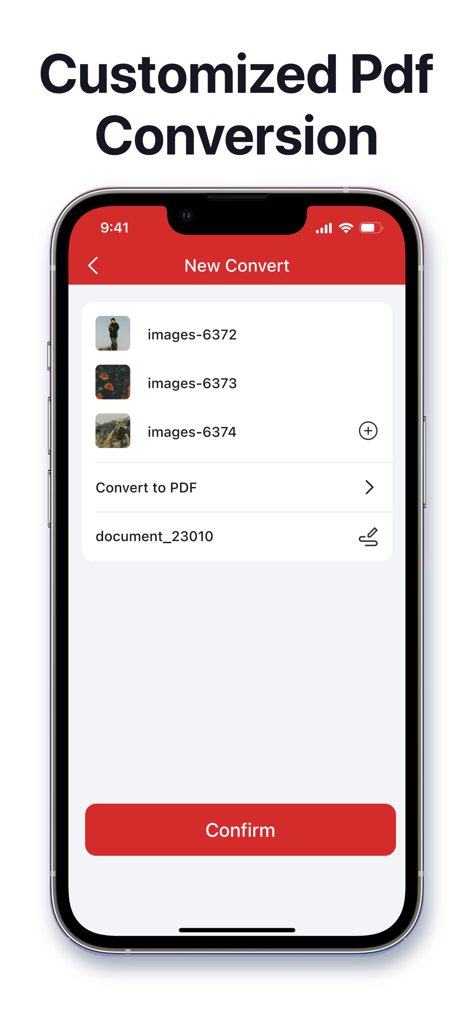
PDF Converter © - PDFコンバーターアプリのスクリーンショット。画像を選択してPDFファイルに変換するためのインターフェースが表示されています。

PDFコンバーターアプリのスクリーンショット。画像を選択してPDFファイルに変換するためのインターフェースが表示されています。

説明

PDF Converter © is a powerful and easy-to-use PDF tool that helps you convert, edit, and manage your PDF files—all in one place. Whether for work, study, or daily use, this app makes handling PDFs simple and efficient. Key Features: - PDF Conversion Made Easy: Convert anything to PDF in seconds. From Word documents, images, photos, and invoices to resumes, reports, and web pages—everything is just a tap away. • Convert photos to PDF • Image to PDF in seconds • Convert Word files to PDF • DOC to PDF made easy • Turn resumes into PDFs • Convert invoices to PDF • Create PDFs from almost anything - PDF Editing: Add signatures, insert pages, annotate text, and make changes directly within our app. - Text & Image Recognition: Extract text from images or documents and recognize content instantly for editing or saving. - Merge & Link: Combine multiple files into a single PDF and insert clickable links or URLs effortlessly. - Edit, Convert & Share Instantly: From simple edits to full conversions and file sharing, do it all seamlessly in one app. - Supports a Wide Range of Formats: Compatible with PDF, JPG, PNG, DOC, DOCX, RTF, PPT, PPTX, XLS, XLSX, TXT, HEIC, XPS, ODT, and more. About payment Auto-rewable subscription $6.99 per week for a weekly subscripotion $6.99 per week for a weekly subscripotion with 3-Day free trial $14.99 per month for a monthly subscription $39.99 per year for a yearly subscrioption $39.99 for a lifetime subscription Subscription renewal terms: * Payment will be charged to iTunes Account at confirmation of purchases. * Account will be charged for renewal within 24-hours prior to the end of the current period, and identify the cost of the renewal. * Subscription automatically renews unless auto-renew is turned off at least 24 hours before the end of the current period. * Subscriptions may be managed by the user and auto-renewal may be turned off by going to the user's Account Settings after purchase. Terms & Privacy - Terms of Use: https://www.greyshapps.com/terms.html - Privacy Policy: https://www.greyshapps.com/privacy.html Support You can help us by reporting bugs and requesting features via Email:support@greyshapps.com

Download

ダウンロード: App Store

このページはアプリまたはその開発者の公式ページではなく、情報提供および論評を目的として作成された独立した編集出版物です。明示的に別段の記載がない限り、アプリおよびその開発者は、MWM、Apple、Google Play、アプリのパブリッシャー、またはアプリの開発者と提携、承認、後援、認可、またはその他の公式的な関係はなく、このページのいかなる内容も、アプリがMWMのサービスを使用して開発されたことを意味するものではありません。すべての商標、ロゴ、スクリーンショット、その他のコンテンツはそれぞれの所有者の財産です。








