
このページはアプリまたはその開発者の公式ページではなく、情報提供および論評を目的として作成された独立した編集出版物です。明示的に別段の記載がない限り、アプリおよびその開発者は、MWM、Apple、Google Play、アプリのパブリッシャー、またはアプリの開発者と提携、承認、後援、認可、またはその他の公式的な関係はなく、このページのいかなる内容も、アプリがMWMのサービスを使用して開発されたことを意味するものではありません。すべての商標、ロゴ、スクリーンショット、その他のコンテンツはそれぞれの所有者の財産です。

PDF Converter: PDF Compressor
外出先でファイルを手軽に変換、署名、圧縮。写真をPDFに、OCRを使用し、iPhone用に構築されたプロフェッショナルツールでワークフローを管理しましょう。
ダウンロード
45K+ユーザー評価
評価数
300開発元
カテゴリ
Utilities対応言語
1最新バージョン
1.0.6サイズ
44.2 MBリリース日
2025年8月18日あなたの完全なモバイルオフィス
複数のツールを探すのをやめましょう。ハイペースなプロフェッショナル向けに設計された、単一の強力なアプリで、あらゆるドキュメントタスクを処理できます。
即座に変換・圧縮
写真、スプレッドシート、プレゼンテーションをプロフェッショナルなPDFに変換します。高度な圧縮を使用して、品質を損なうことなくメールサイズ制限を回避します。
その場で署名・編集
デジタル署名を追加し、フォームに記入して、どこでも取引を完了しましょう。iPhoneから直接、レポートに注釈を付けたり、重要なテキストをハイライトしたり、メモを追加したりできます。
よくある質問
について知っておくべきこと PDF Converter: PDF Compressor
PDF Converter: PDF Compressor を使用して画像を PDF に変換するにはどうすればよいですか?
はい、PDF Converter: PDF Compressor は写真を PDF に変換します。ユーザーはカメラで写真を撮ったり、ギャラリーから選択したり、ファイルからインポートしたりして、画像を PDF ドキュメントに変換できます。
PDF Converter: PDF Compressor の主な機能は何ですか?
PDF Converter: PDF Compressor は、さまざまなファイルの PDF への変換、注釈やハイライトなどの編集機能、PDF のマージ/分割、圧縮、OCR、デジタルフォームの記入、ドキュメント署名を提供します。ファイル整理やセキュリティも含まれています。
PDF Converter: PDF Compressor は OCR をサポートしていますか?
はい、PDF Converter: PDF Compressor は OCR(光学文字認識)をサポートしています。この機能により、ユーザーは印刷されたテキストをスキャンして、アプリケーション内で編集可能なデジタルコンテンツに変換できます。
PDF Converter: PDF Compressor でドキュメントを編集できますか?
はい、PDF Converter: PDF Compressor は高度な編集機能を提供します。これには、注釈、テキスト挿入、ハイライト、フリーハンド描画が含まれ、ユーザーはドキュメントを効率的にパーソナライズおよびマークアップできます。
PDF Converter: PDF Compressor で PDF ファイルを保護するにはどうすればよいですか?
PDF Converter: PDF Compressor は複数のセキュリティオプションを提供します。ユーザーはパスワードと暗号化を適用して PDF を保護できます。さらに、機密ファイルはオプションの Face ID / Touch ID 保護で保護できます。
PDF Converter: PDF Compressor はどのような種類のファイルを変換できますか?
PDF Converter: PDF Compressor はさまざまなファイルタイプを変換します。写真、ドキュメント、スプレッドシート、プレゼンテーションを PDF に変換します。また、Word、Excel、PowerPoint、JPG、HTML などの形式から PDF への、またはその逆の変換もサポートしています。
PDF Converter: PDF Compressor は無料アプリですか?
いいえ、PDF Converter: PDF Compressor は、すべての機能への無制限のアクセスを提供するプレミアムサブスクリプションを提供しています。これには、高度な変換、無制限の編集、クラウド統合、優先サポートが含まれます。週次メンバーシップが利用可能です。
PDF Converter: PDF Compressor のサブスクリプションを管理またはキャンセルするにはどうすればよいですか?
ユーザーはアカウント設定を通じて PDF Converter: PDF Compressor のサブスクリプションを管理します。現在の期間が終了する少なくとも 24 時間前にオフにしない限り、サブスクリプションは自動的に更新されます。
PDF Converter: PDF Compressor はスキャンされたドキュメントを自動的に強化しますか?
はい、PDF Converter: PDF Compressor はスマート自動トリミングと強化機能を備えています。これには、自動エッジ検出とカラー補正が含まれており、すべてのスキャンがシャープで正確に見えるようにします。
PDF Converter: PDF Compressor のプライバシーポリシーはどこで見つけられますか?
PDF Converter: PDF Compressor のプライバシーポリシーは https://sites.google.com/view/privacy-policy-pdf-converter-a で入手できます。このリンクは、ユーザー参照用にアプリの説明に記載されています。
以下のスクリーンショットと説明は、アプリの公式ストアリスティングから直接取得されたものであり、アプリ開発者の所有物です。
アプリストア
スクリーンショット
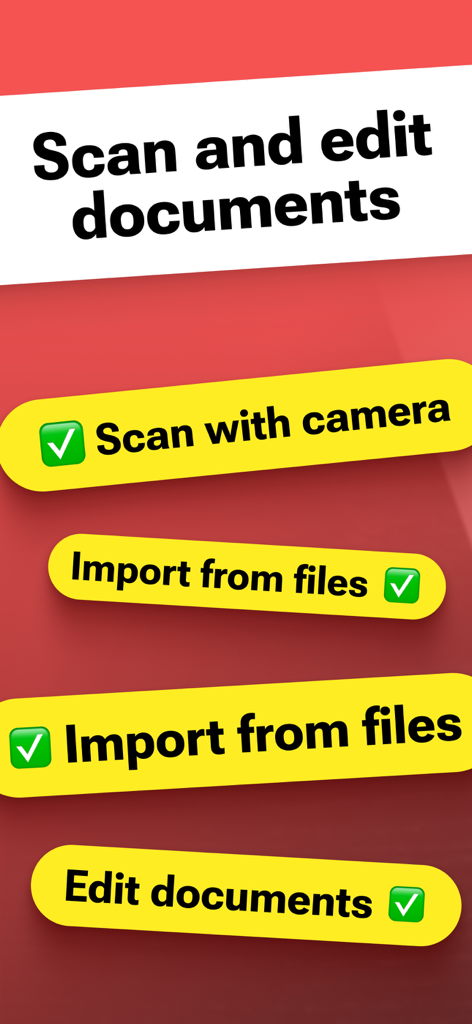
ドキュメントのスキャンと編集オプションが表示されたアプリのインターフェイス(モバイルPDF変換用)
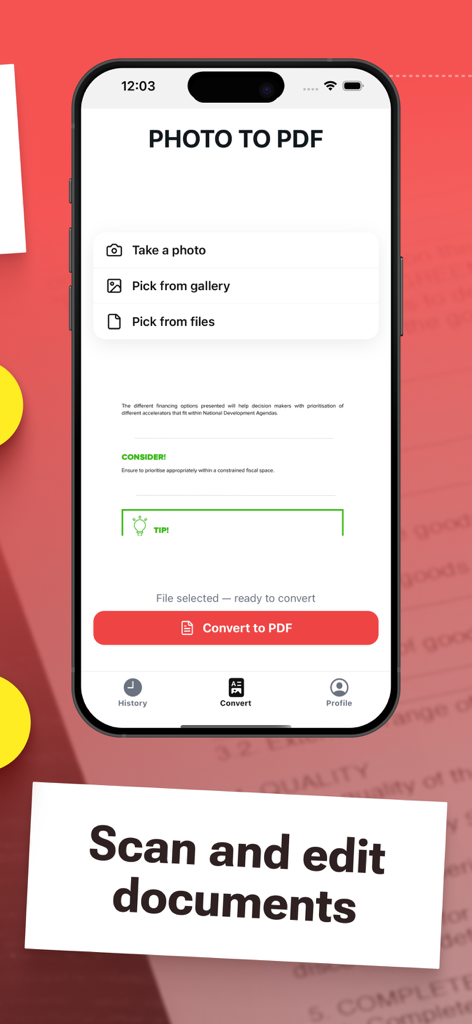
写真からPDFへの変換とドキュメントスキャンインターフェイスが表示されたiPhone画面
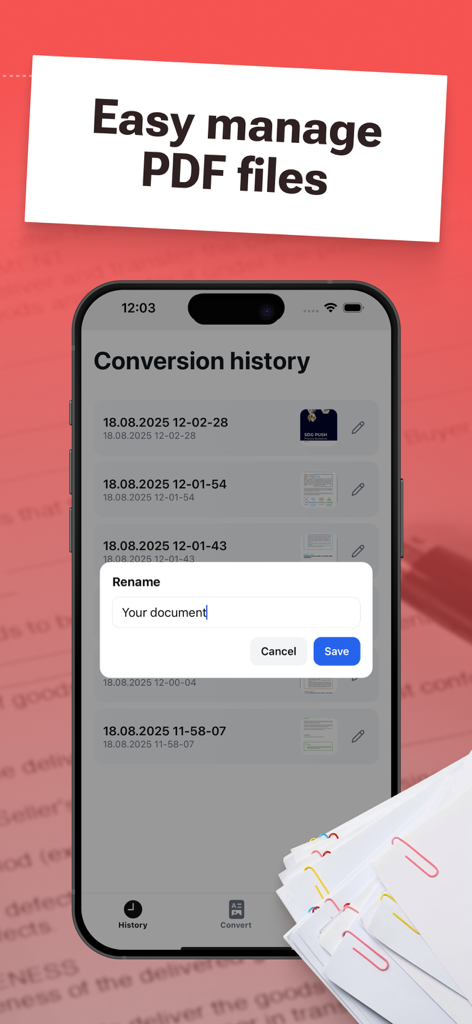
変換履歴とドキュメント名の変更ポップアップウィンドウが表示されたモバイルアプリ画面
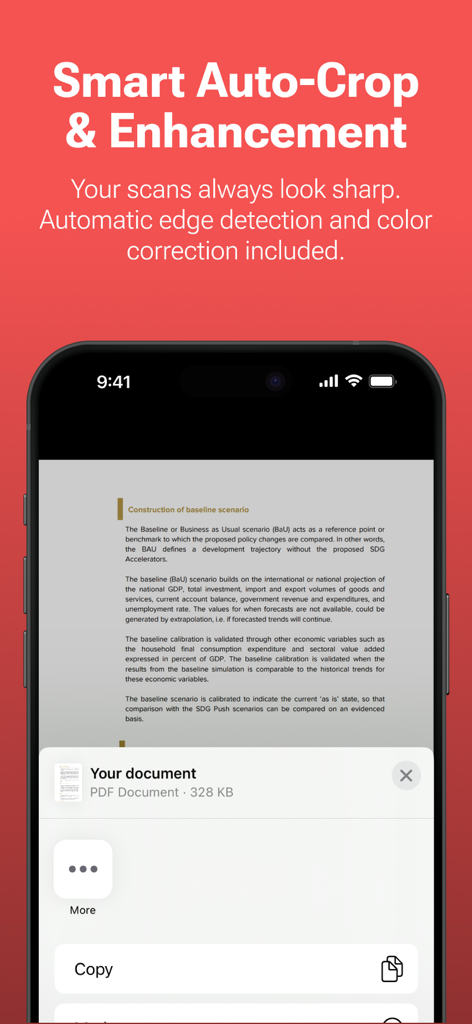
スマート自動クロップと強化機能が表示されたスキャン済みドキュメントのスマートフォン画面
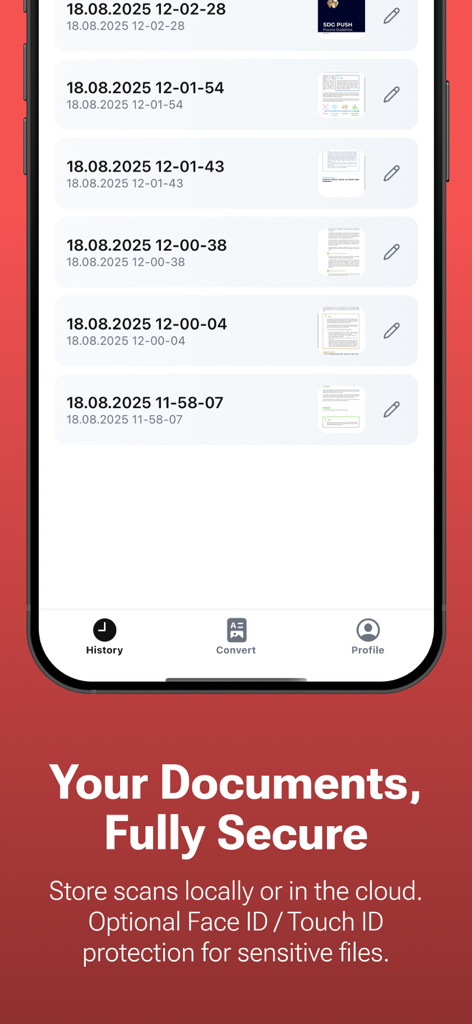
PDFコンバーターアプリのドキュメント履歴とセキュリティ機能が表示されたスマートフォン画面
説明
Download
類似アプリ
似た機能とユーザー体験を持つアプリ

Converter Files & PDF Editor
Shenzhen Miguo Qudong Technology Co., Ltd

文档手机版-word文档编辑,手机office办公软件
喜存 岳

PDF Maker - Convert to PDF
KUPERTINO BIL. YAZ. HALIL IBRAHIM KARAHAN SAFFET ARSLAN MUSTAFA AYTEN MUHAMMET YALCIN OZDEMIR K. S.

PDF Converter & PDF Creator
The Last Sunrise LLC

PDF Maker: Editor & Converter
SolveIt Inc.

PDF Editor・PDF File Converter
VISARGERD, S.L.

PDFit-AI PDF&Scanner
FAST LINE NETWORK TECHNOLOGY LIMITED

PDF Converter・Doc Scanner
Nikolai Ivanenko
PDF Editor-Converter & Viewer
SCOTT WILLIAM WALKER
このページはアプリまたはその開発者の公式ページではなく、情報提供および論評を目的として作成された独立した編集出版物です。明示的に別段の記載がない限り、アプリおよびその開発者は、MWM、Apple、Google Play、アプリのパブリッシャー、またはアプリの開発者と提携、承認、後援、認可、またはその他の公式的な関係はなく、このページのいかなる内容も、アプリがMWMのサービスを使用して開発されたことを意味するものではありません。すべての商標、ロゴ、スクリーンショット、その他のコンテンツはそれぞれの所有者の財産です。