pdf-notes for iPad (ads)
ダウンロード: App Store

このページはアプリまたはその開発者の公式ページではなく、情報提供および論評を目的として作成された独立した編集出版物です。明示的に別段の記載がない限り、アプリおよびその開発者は、MWM、Apple、Google Play、アプリのパブリッシャー、またはアプリの開発者と提携、承認、後援、認可、またはその他の公式的な関係はなく、このページのいかなる内容も、アプリがMWMのサービスを使用して開発されたことを意味するものではありません。すべての商標、ロゴ、スクリーンショット、その他のコンテンツはそれぞれの所有者の財産です。

ロゴ: pdf-notes for iPad (ads)
ダウンロード: App Store

pdf-notes for iPad (ads)

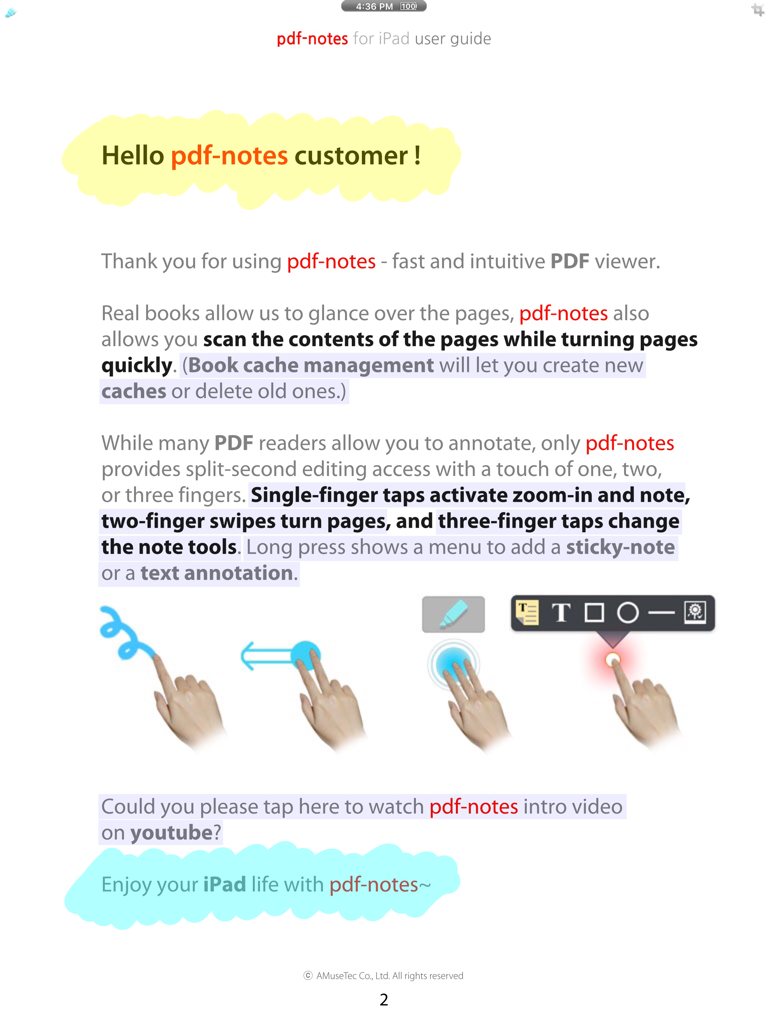
プロフェッショナルや学生のために設計。どんなサイズのPDFでも、驚異的なスピードでのページめくりと直感的なジェスチャーベースの注釈を体験してください。

主要数値

ダウンロード

214K+

ユーザー評価

3.8/5

評価数

2K+

開発元

AMuseTec Co., Ltd.

カテゴリ

Productivity

対応言語

2

最新バージョン

26.0

サイズ

125.6 MB

リリース日

2010年9月22日
機能

大容量ドキュメントをマスターする

iPadで紙のようなスピードを体験。プロレベルの効率性とゼロ遅延で、1,000ページ超のPDFに注釈を付け、ナビゲートし、管理できます。

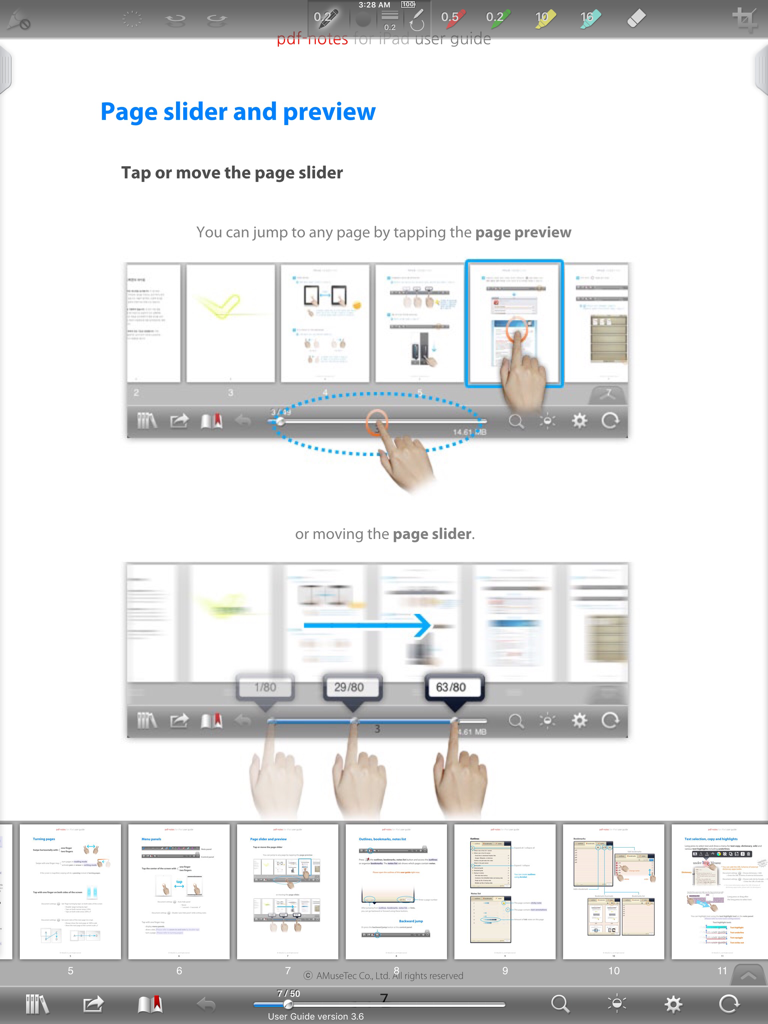
驚異的なナビゲーションスピード

1,000ページ超の訴訟書類や医学書も瞬時にめくれます。遅延ゼロのレンダリングと、物理的な本のようなスムーズなスキャンを体験してください。

プロフェッショナルジェスチャーワークフロー

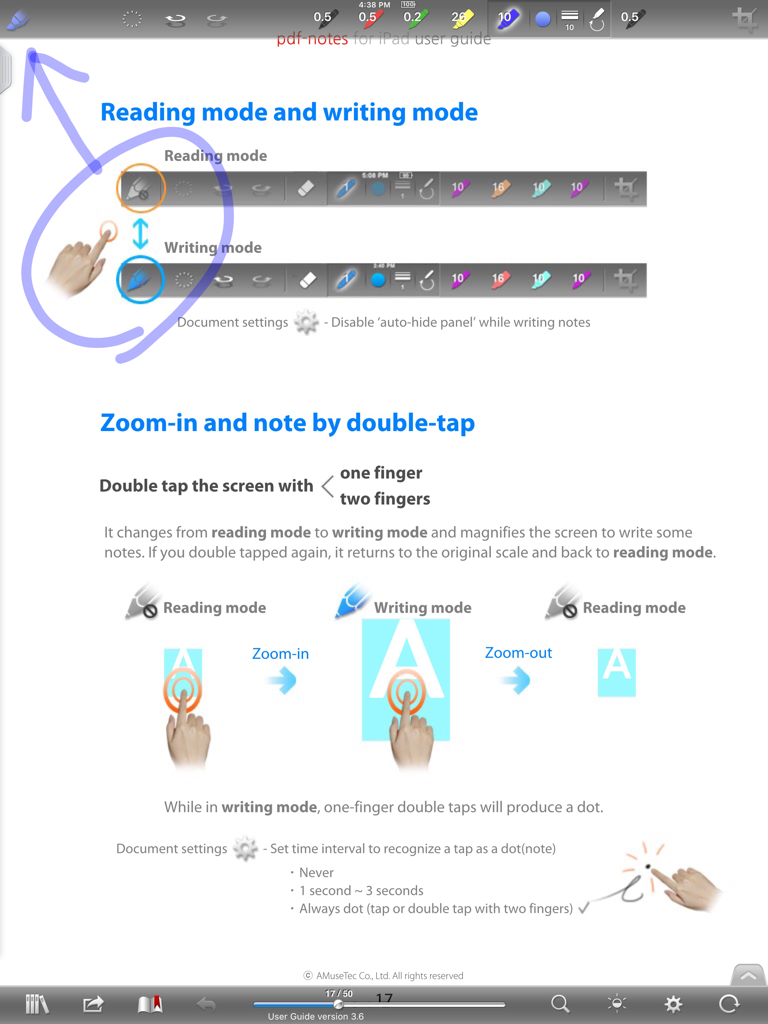
マルチフィンガージェスチャーでフロー状態を維持。1本指で書き込み、2本指でページめくり、3本指でペンや元に戻す操作を切り替えます。メニュー操作は不要です。

以下のスクリーンショットと説明は、アプリの公式ストアリスティングから直接取得されたものであり、アプリ開発者の所有物です。

アプリストア

スクリーンショット
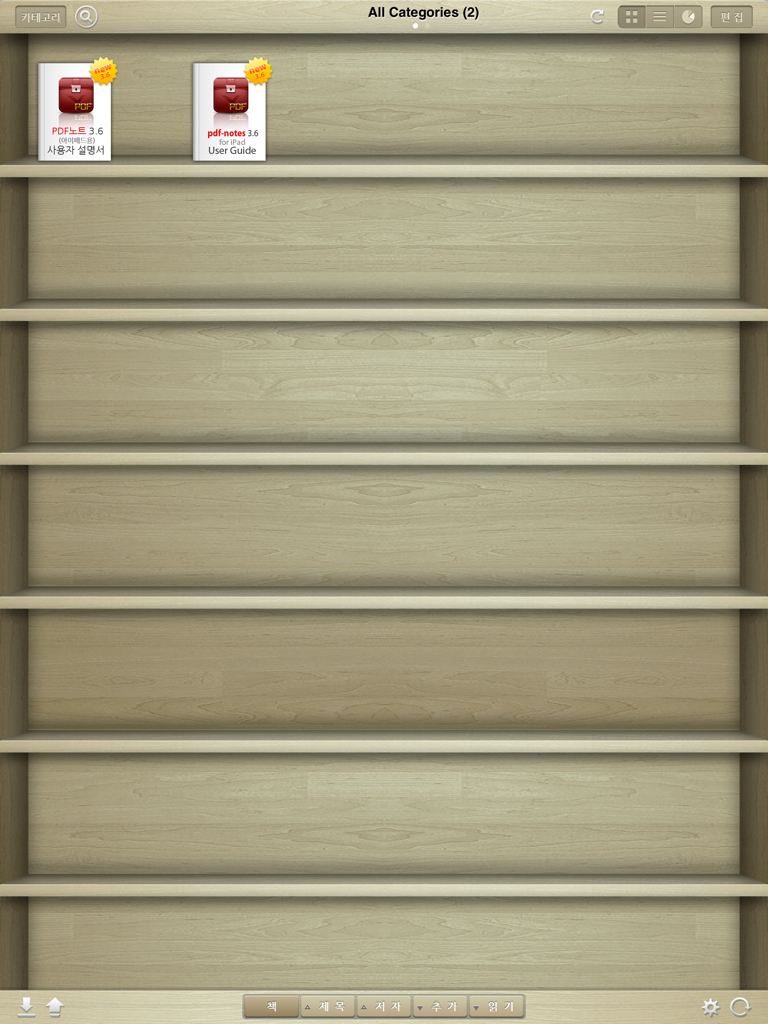
pdf-notes for iPad (ads) -

pdf-notes for iPad (ads) -

pdf-notes for iPad (ads) -

pdf-notes for iPad (ads) -

pdf-notes for iPad (ads) -

説明

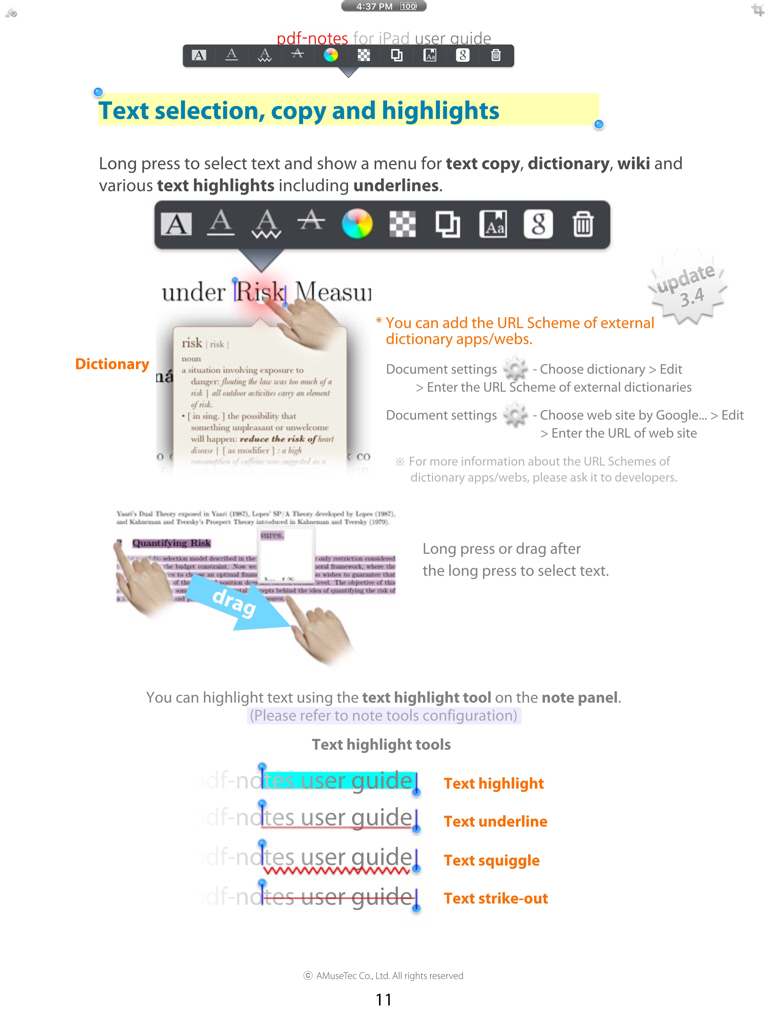
[notice] pdf-notes for iPad (ads) involves advertisements. Paid version is available at http://itunes.apple.com/app/id4172008446 Utilize pdf-notes to manage all the pdf files on your iPad. Fast display, quick page-turning even a thousand pages, useful finger-writing and email your notes to your friends. Differentiation-1. While turning pages of paperbooks fast, you can glance over the pages. While turning pages of pdf-notes fast, you can still run over the contents. Speedy page turning and scanning the contents with pdf-notes or paperbooks. Differentiation-2. There are many pdf readers allow you to annotate; but do you know which app allows you can write any notes in a second? If you are using pdf-notes, you may experience very fast and intuitive finger-writing like: zoom-in and note by double-tap or; writing with one finger, page-turning with two fingers, pen-changing with three fingers. - Easy importing PDF files through (DropBox, Email or Safari's) "Open In..." or iTunes - Categorized multiple bookshelves(booklists) with powerful search - Displaying pages as optimized size 1024x768 of iPad - Portrait and landscape view - Pinch zoom and crop page-margins - Fast loading and Speedy page-turning - Finger-writing with a variety of pens, highlighters and text notes - Easy "zoom-in and note" on a magnified screen by a double tap - One-step page-turning using 2 fingers on editing mode - One-step pen-changing or undo/redo using 3 fingers on editing mode - Exporting annotated PDF files to Email - External display and screen brightness controls - AirPrint and multi-tasking Misunderstandings about pdf-notes: - Not only pdf-notes but every app recently updated is removed from the open-in menu because iOS5 or formers currently show only 10 apps in open-in menu. - iPad/iphone Mail/iBooks can't display PDF annotations so that please open it in the other pdf apps. - please visit the support site for more information http://bit.ly/f6D31P Blog http://pdf-notes.com Email musebook@musebook.com Twitter http://twitter.com/musebook4u YouTube http://youtu.be/4AyRyFq9yxg NOTE: All content contained herein is subject to change without notice.

Download

ダウンロード: App Store

このページはアプリまたはその開発者の公式ページではなく、情報提供および論評を目的として作成された独立した編集出版物です。明示的に別段の記載がない限り、アプリおよびその開発者は、MWM、Apple、Google Play、アプリのパブリッシャー、またはアプリの開発者と提携、承認、後援、認可、またはその他の公式的な関係はなく、このページのいかなる内容も、アプリがMWMのサービスを使用して開発されたことを意味するものではありません。すべての商標、ロゴ、スクリーンショット、その他のコンテンツはそれぞれの所有者の財産です。