
このページはアプリまたはその開発者の公式ページではなく、情報提供および論評を目的として作成された独立した編集出版物です。明示的に別段の記載がない限り、アプリおよびその開発者は、MWM、Apple、Google Play、アプリのパブリッシャー、またはアプリの開発者と提携、承認、後援、認可、またはその他の公式的な関係はなく、このページのいかなる内容も、アプリがMWMのサービスを使用して開発されたことを意味するものではありません。すべての商標、ロゴ、スクリーンショット、その他のコンテンツはそれぞれの所有者の財産です。

Pencil Calendar: CalendarPad
手書きと生産性の完璧な融合を体験してください。iPadとApple Pencilを使って、人生を計画し、目標をスケッチし、Appleカレンダーとシームレスに同期しましょう。
ダウンロード
3K+ユーザー評価
評価数
100開発元
カテゴリ
Productivity対応言語
1最新バージョン
3.3.0サイズ
5.8 MBリリース日
2021年10月20日紙の自由さ、デジタルの力
ついに、あなたの脳のように機能するプランナーが登場しました。カチッとしたグリッドを捨て、書く、スケッチする、人生を整理するための美しいデザイン空間を手に入れましょう — Appleカレンダーと完璧に同期します。
自然な手書きプランニング
iPadで紙の手帳のような感覚を体験してください。Apple Pencilを使って、制限なく、完全にクリエイティブなコントロールで、計画を書き込み、スケッチし、落書きできます。
シームレスなカレンダー同期
公式な会議と個人的なメモを統合しましょう。統一されたビューのために、手書きの日次および週次スプレッド内にAppleカレンダーのイベントを直接表示します。
よくある質問
について知っておくべきこと Pencil Calendar: CalendarPad
Pencil Calendar: CalendarPadはApple Pencilでの手書きに対応していますか?
はい、Pencil Calendar: CalendarPadはApple Pencilを使用して、スケジュールを手書き、落書き、スケッチできるように設計されています。
Pencil Calendar: CalendarPadではどのようなプランニングビューが利用できますか?
Pencil Calendar: CalendarPadには、年、月、週、日のプランニングビューが用意されています。これらのビューにより、あらゆる詳細レベルでの計画が可能です。
Pencil Calendar: CalendarPadはAppleカレンダーと同期しますか?
はい、Pencil Calendar: CalendarPadはAppleカレンダーと同期します。ユーザーはAppleカレンダーのイベントをプランナー内で直接表示できます。
Pencil Calendar: CalendarPadはクイックアクセスのためのウィジェットを提供していますか?
はい、Pencil Calendar: CalendarPadは、スケジュール、メモ、Todoなどにウィジェットを提供します。フルカレンダー、メモ、優先順位、デイリースケジュールのウィジェットが含まれています。
ユーザーはPencil Calendar: CalendarPadからどのようにカレンダーをエクスポートできますか?
Pencil Calendar: CalendarPadでは、カレンダーをPDFまたはPNGファイルとしてエクスポートできます。これにより、手書きのカレンダーの印刷や共有が可能になります。
Pencil Calendar: CalendarPadは永久カレンダーですか?
はい、Pencil Calendar: CalendarPadは永久カレンダーです。ユーザーは毎年新しいプランナーを購入する必要はありません。
Pencil Calendar: CalendarPadはローカル言語をサポートしていますか?
はい、Pencil Calendar: CalendarPadは、カレンダーをローカル言語で表示します。スクリーンショット3は、複数言語での表示を確認できます。
Pencil Calendar: CalendarPadにはバックアップと復元機能が含まれていますか?
はい、Pencil Calendar: CalendarPadは、Pro機能としてバックアップと復元を提供します。ローカルまたはiCloud Driveに保存される、手動および自動の日次バックアップを提供します。
Pencil Calendar: CalendarPadの無料機能は何ですか?
Pencil Calendar: CalendarPadでは、月カレンダー(現在および過去の月)を無制限で無料で利用できます。印刷や共有のためのPDFまたはPNGへのエクスポートも無料です。
Pencil Calendar: CalendarPadのProアクセスではどのような特典がありますか?
Proアクセスでは、年、週、日のプランナー、将来の月へのアクセス、日プランナーでのAppleカレンダー連携、高度なバックアップ/復元が利用可能になります。一度限りのアップグレードです。
Pencil Calendar: CalendarPadはダークモードをサポートしていますか?
はい、Pencil Calendar: CalendarPadはライトモードとダークモードの両方をサポートしています。ユーザーは、プランニングのための好みのインターフェース設定を選択できます。
以下のスクリーンショットと説明は、アプリの公式ストアリスティングから直接取得されたものであり、アプリ開発者の所有物です。
アプリストア
スクリーンショット
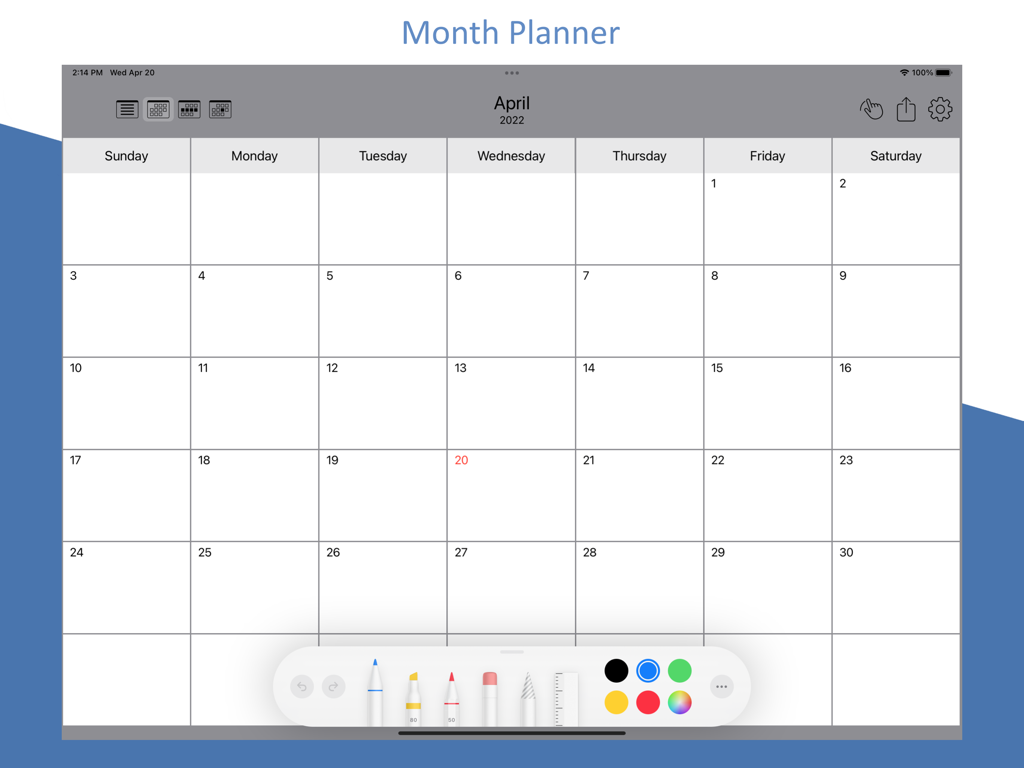
iPad上の月間プランナーインターフェース。4月用の空白カレンダーグリッドと下部にデジタル手書きツールバーが表示されています。
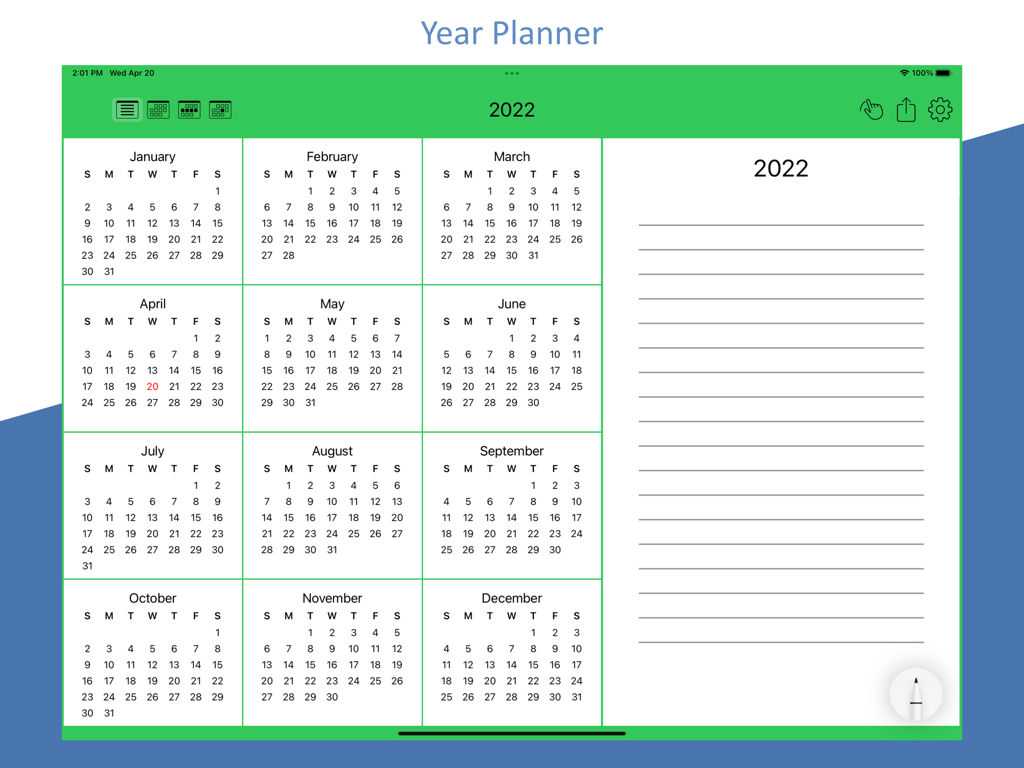
iPad上のPencil Calendarアプリの年間概要レイアウト。12ヶ月とデジタルメモセクションが特徴です。
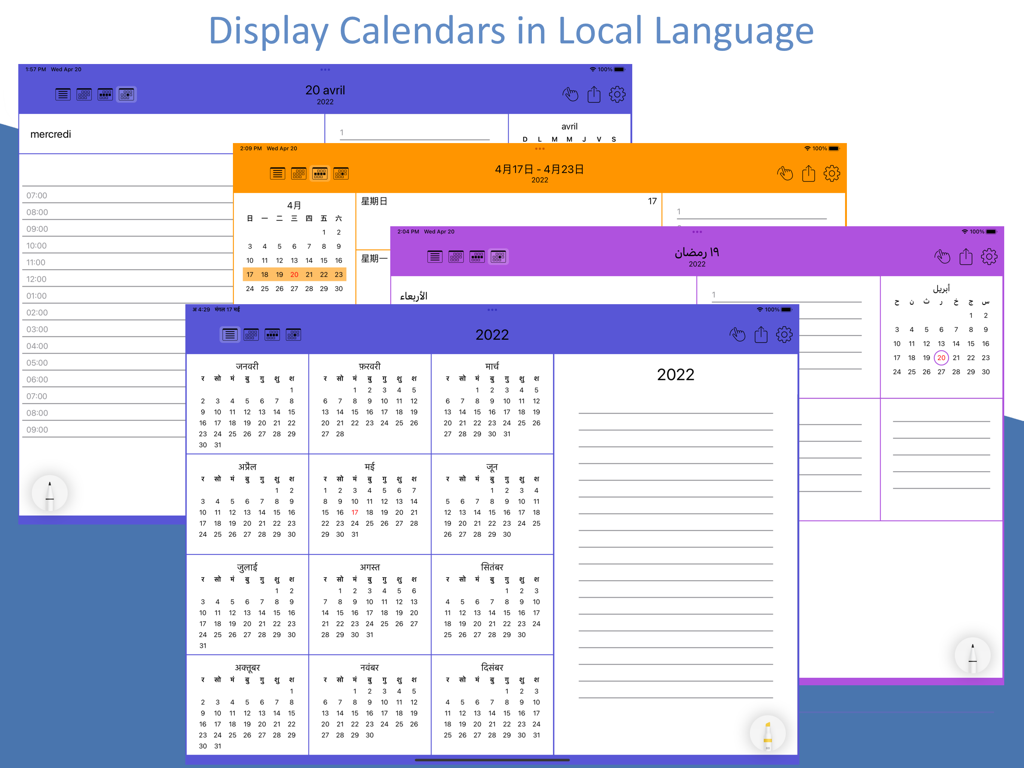
Pencil CalendarアプリのiPadスクリーンショット。ローカライズと多言語カレンダービューを示しています。
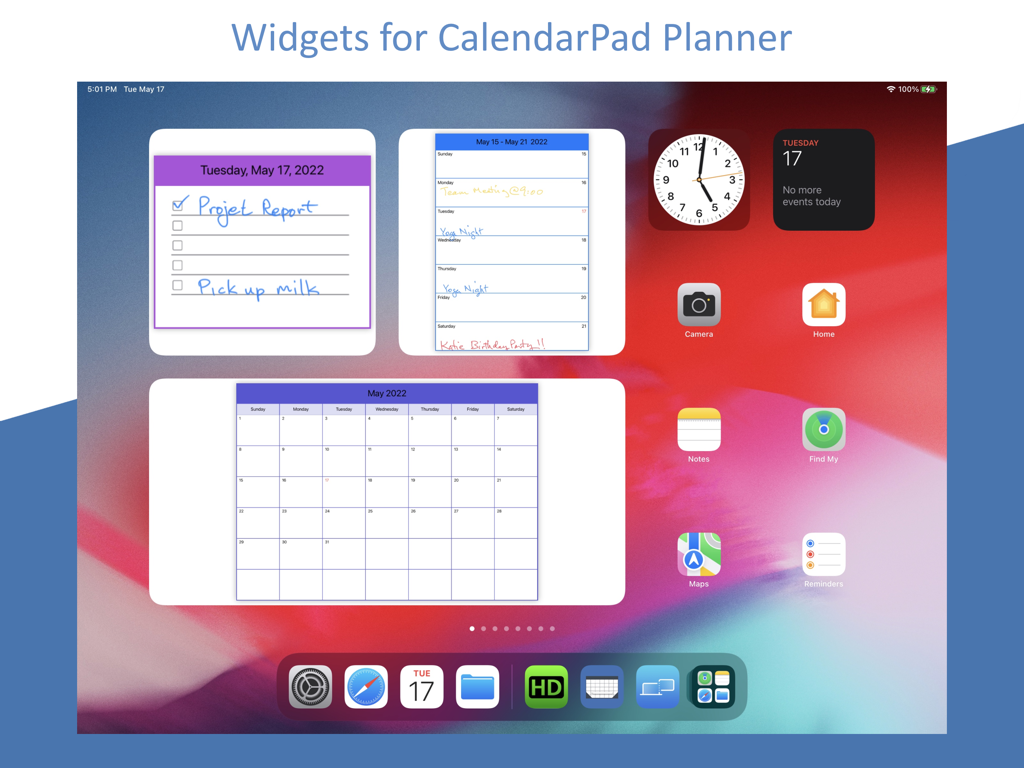
iPadホーム画面上の手書きカレンダーとToDoリストウィジェット。
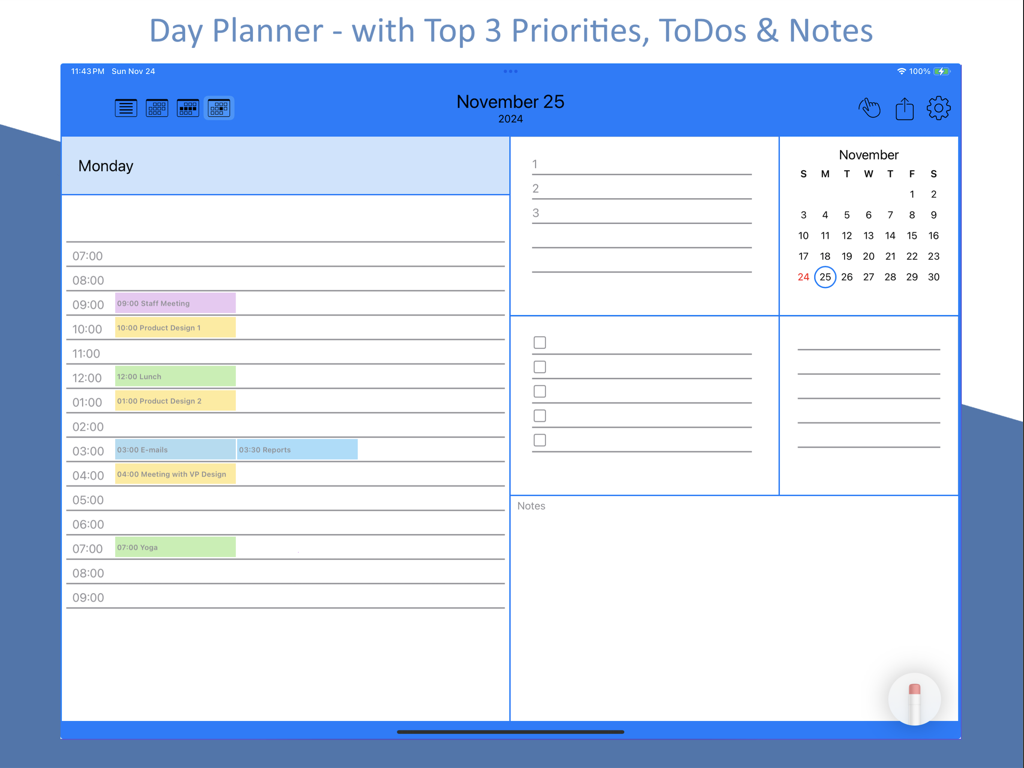
iPad上のタスク優先順位とメモを備えたPencil Calendarデイリープランナービュー。
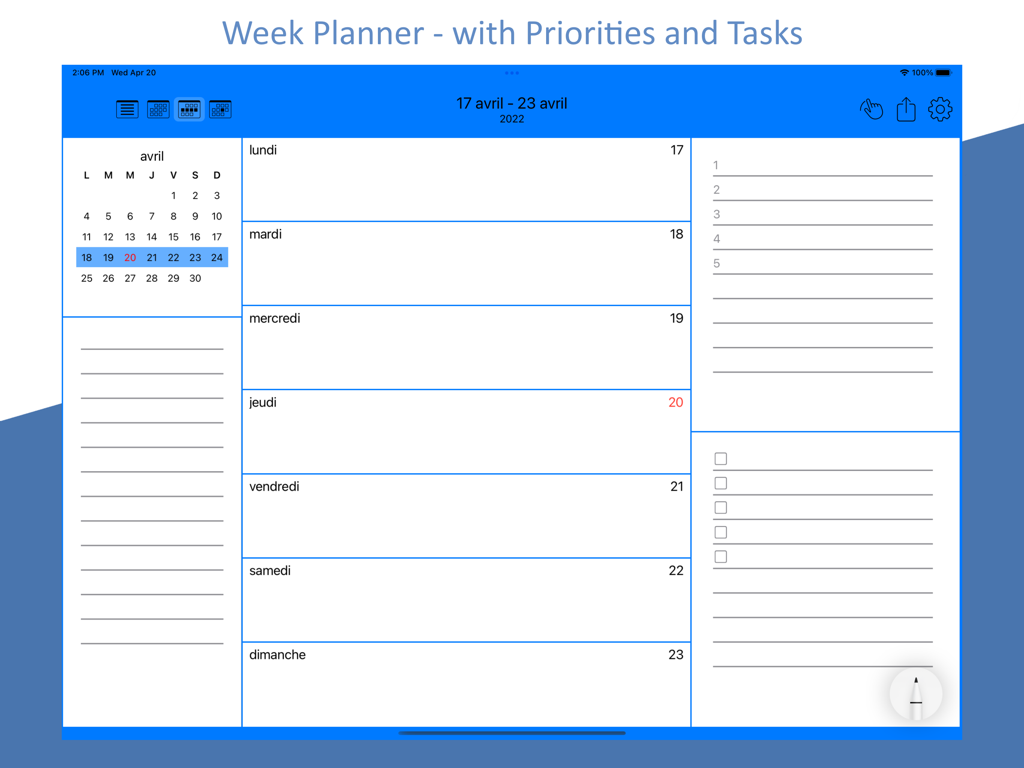
iPad上の優先順位とタスクリストを備えたPencil Calendar週刊プランナービュー。
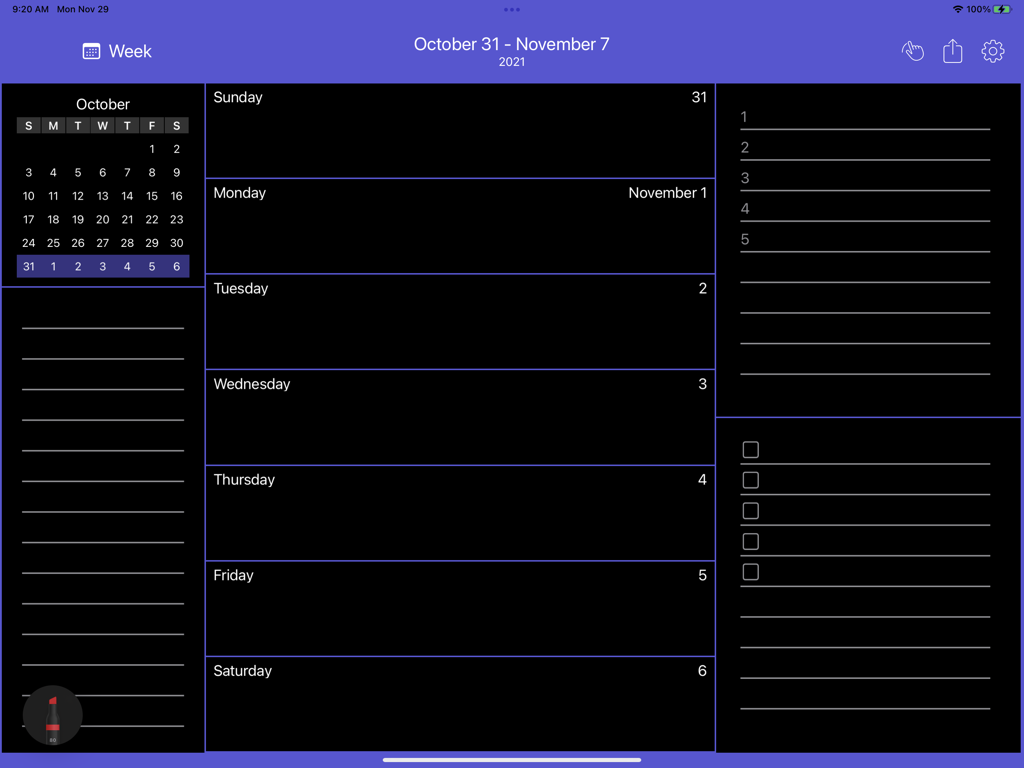
iPad上のPencil Calendarアプリの週刊プランニングレイアウト。デイリーエントリーとタスクリストのセクションを備えたダークモードインターフェースが特徴です。
説明
Download
類似アプリ
同じカテゴリのトップランクアプリ

ChatGPT
OpenAI OpCo, LLC

Google Gemini
Google LLC

Grok
X.AI Corporation

Gmail - Email by Google
Google LLC

千问 - 阿里最强大模型官方AI助手
Shanghai Zhixin Puhui Technology Co., Ltd.

Google Drive
Google LLC

Microsoft Authenticator
Microsoft Corporation

Google Sheets
Google LLC

Google Docs
Google LLC
このページはアプリまたはその開発者の公式ページではなく、情報提供および論評を目的として作成された独立した編集出版物です。明示的に別段の記載がない限り、アプリおよびその開発者は、MWM、Apple、Google Play、アプリのパブリッシャー、またはアプリの開発者と提携、承認、後援、認可、またはその他の公式的な関係はなく、このページのいかなる内容も、アプリがMWMのサービスを使用して開発されたことを意味するものではありません。すべての商標、ロゴ、スクリーンショット、その他のコンテンツはそれぞれの所有者の財産です。