PenToPRINT Handwriting to Text

PenToPRINT Handwriting to Text

ダウンロード: App Store
ロゴ: PenToPRINT Handwriting to Text

PenToPRINT:手書きメモを検索可能なデジタルテキストに変換

学生や専門家向けの究極の手書きOCRツール。筆記体、スクリプト、または印刷文字を編集可能なWordドキュメントに変換し、紙とデジタルの間のギャップを埋めます。

開発元

Serandi systems LTD

カテゴリ

Productivity

ダウンロード

765K+

ユーザー評価

4.4/5

評価数

4K+

対応言語

1

ペンからピクセルへ

このインターフェースを利用する 765K+ 人のユーザー.

白い文字で「手書き文字をテキストに変換」と書かれた青い画面

白い文字で「手書き文字をテキストに変換」と書かれた青い画面

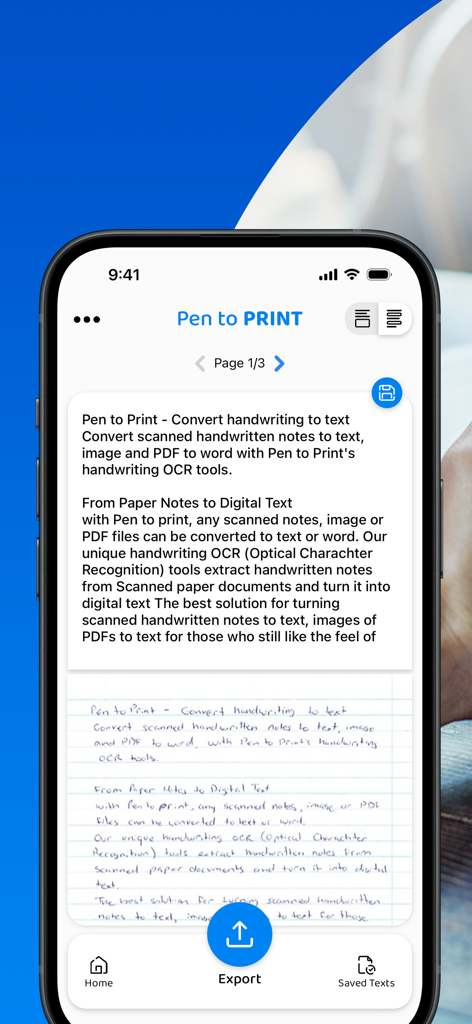
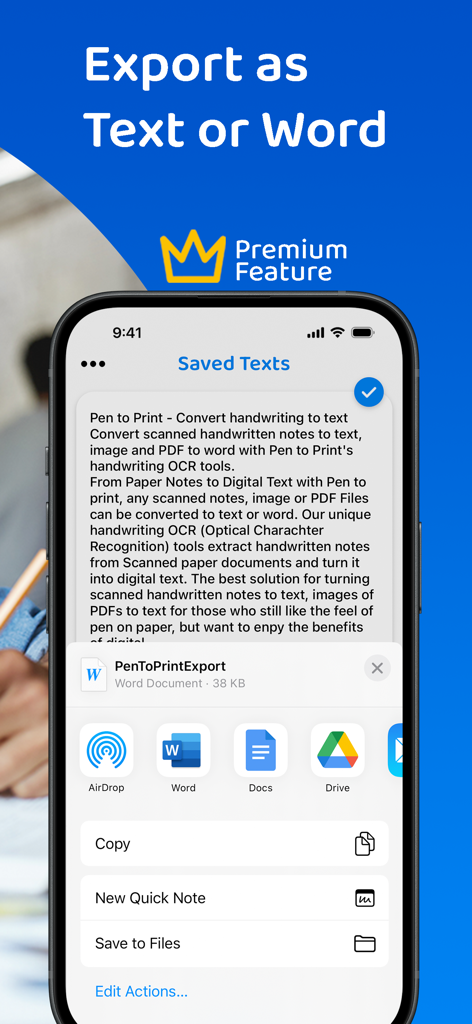
スマートフォンの画面に、エクスポートオプション付きの編集可能なデジタルテキストに変換された手書きメモを表示するPenToPRINTアプリ
スマートフォンの画面に、エクスポートオプション付きの編集可能なデジタルテキストに変換された手書きメモを表示するPenToPRINTアプリ

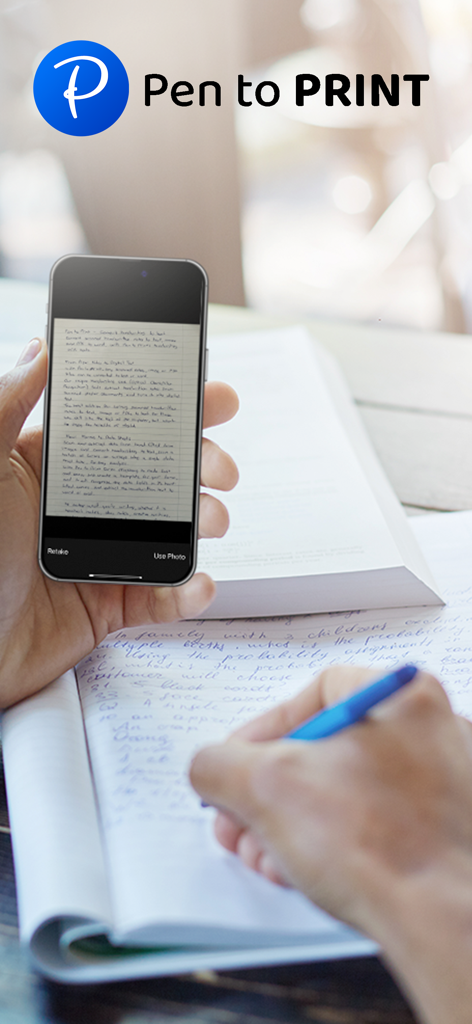
人がスマートフォンでPen to Printアプリを使用して手書きメモをスキャンしている
人がスマートフォンでPen to Printアプリを使用して手書きメモをスキャンしている

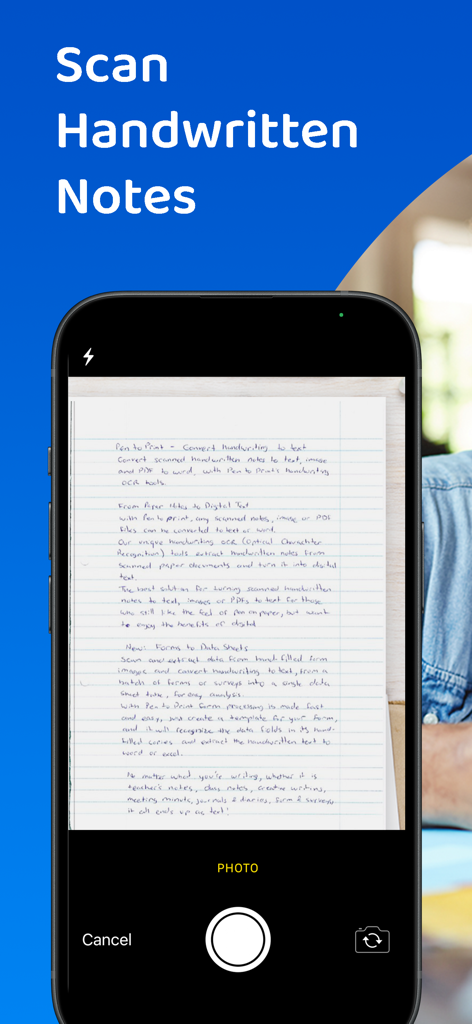
スマートフォンのインターフェースで、PenToPRINT OCR機能を使用して手書き文書をスキャンしている

スマートフォンのインターフェースで、PenToPRINT OCR機能を使用して手書き文書をスキャンしている

学生が勉強中にスマートフォンを使用して手書きメモをデジタル化している
学生が勉強中にスマートフォンを使用して手書きメモをデジタル化している

PenToPRINTアプリの画面に、WordやGoogleドキュメントへのエクスポートオプションが表示されている
PenToPRINTアプリの画面に、WordやGoogleドキュメントへのエクスポートオプションが表示されている

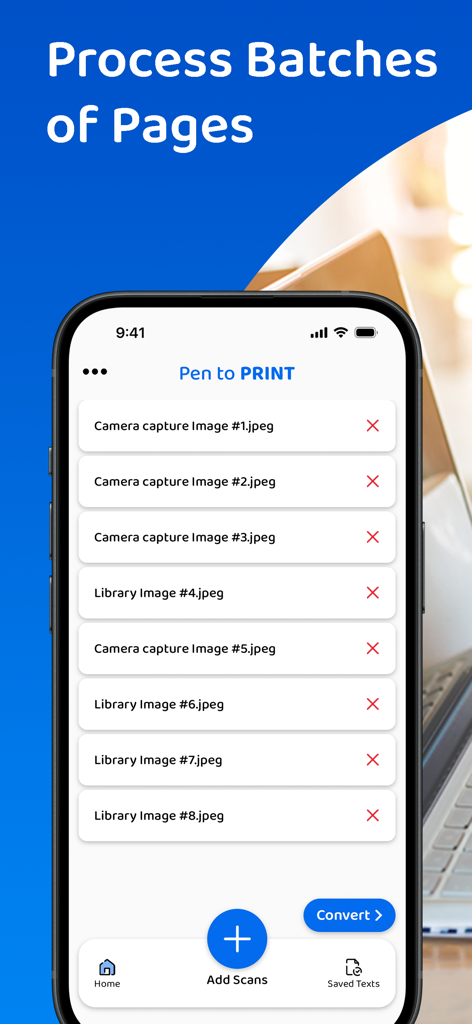
PenToPRINTアプリのモバイルインターフェースに、デジタルテキストへの変換準備ができたスキャン済み手書きページのバッチリストが表示されている

PenToPRINTアプリのモバイルインターフェースに、デジタルテキストへの変換準備ができたスキャン済み手書きページのバッチリストが表示されている

人がスマートフォンを使用して、リングノートから手書きメモをデジタルテキストにスキャンしている
人がスマートフォンを使用して、リングノートから手書きメモをデジタルテキストにスキャンしている

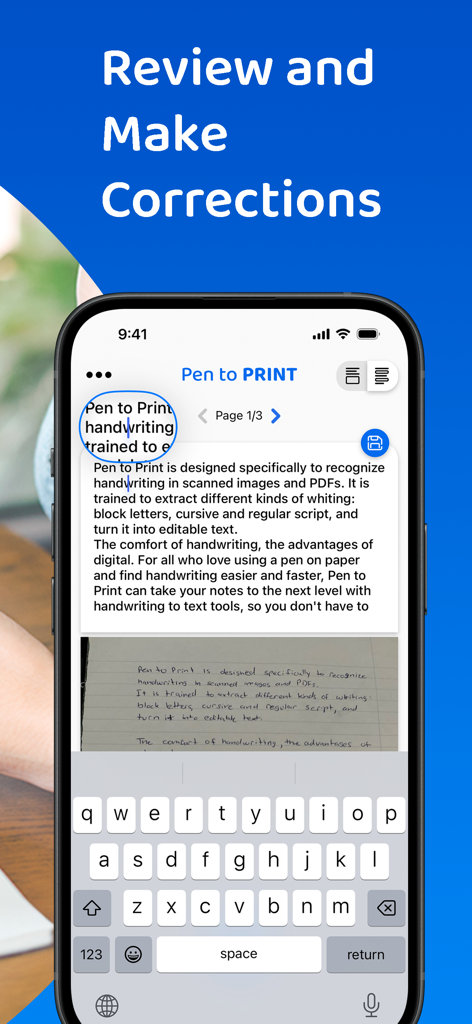
PenToPRINTアプリのインターフェースに、変換された手書き文字からデジタルテキストへのレビューと修正機能が表示されている
PenToPRINTアプリのインターフェースに、変換された手書き文字からデジタルテキストへのレビューと修正機能が表示されている

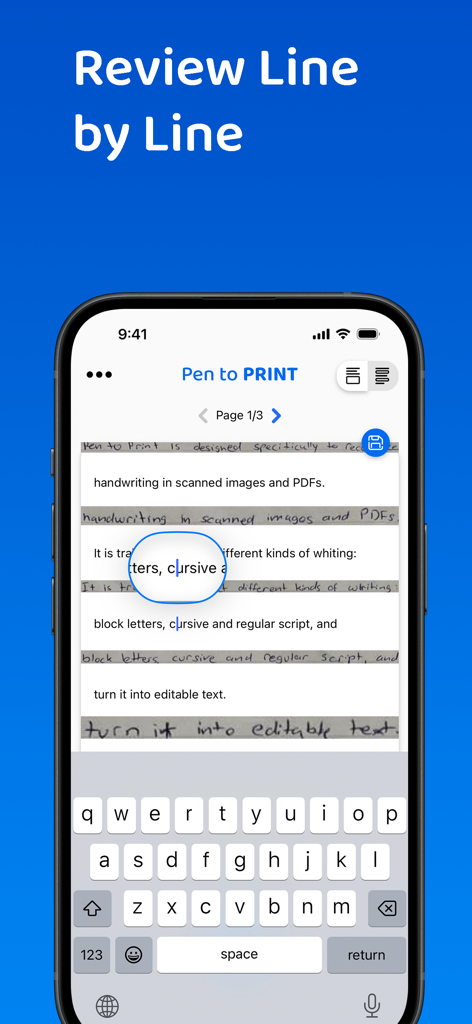
スマートフォンに、手書きメモをデジタルテキストに変換したものを一行ずつレビューおよび編集するためのPenToPRINTアプリのインターフェースが表示されている

スマートフォンに、手書きメモをデジタルテキストに変換したものを一行ずつレビューおよび編集するためのPenToPRINTアプリのインターフェースが表示されている

紙と画面の間のギャップを埋める

このアプリを際立たせるツール、 765K+ 人のユーザーが選択.

🖋️

筆記体を簡単に解読

当社の専門OCRエンジンは、雑なスクリプトや筆記体を読み取り、お気に入りのノートから手動で再入力する時間を節約します。

🚀

合理化されたデジタルワークフロー

変換されたテキストを直接Wordまたはメールにエクスポートし、手書きの洞察をプロフェッショナルまたはアカデミックなプロジェクトに統合します。

🔍

検索可能なデジタルアーカイブ

紙の山を検索可能なデータベースに変えます。無限の物理ページをめくることなく、必要なものを正確に見つけます。

アプリについて

について知っておくべきこと PenToPRINT Handwriting to Text.

説明

Pen to Print, the leading handwriting to text OCR platform, is converting scanned handwritten notes into editable, searchable, and shareable digital text. Leveraging advanced Handwriting OCR (Optical Character Recognition) technology, Pen to Print is your go-to solution for digitizing handwritten notes, enhancing your productivity by bridging the gap between traditional handwriting and the digital world. Our unique handwriting to text OCR (Optical character recognition) engine extracts handwritten texts from scanned paper notes and turns them into digital editable text. Unlike other OCR scanner apps, it is designed specifically to recognize handwriting and works great as a cursive reader and deciphering illegible handwriting. Elevate your experience by opting for our premium plan, which allows you to export your text or share it effortlessly with others. With a premium subscription, you gain the flexibility to export your text in either txt or Word formats to any compatible applications on your device. Additionally, premium subscribers have the convenience of sharing their texts with others through email, messaging platforms, or social media networks. We suggest starting with assessing our handwriting recognition capability and the app's effectiveness in transforming handwriting to text before deciding to upgrade to the premium plan. Although Digital text is easier to edit, search and store, handwriting on paper notes is still commonly used, since it's fast, easy, and accessible. Pen to Print's handwriting recognition (OCR) is an excellent solution for those who still like the feel of pen on paper, but want to enjoy the benefits of digital. It is easy to use, fast and affordable. Converting handwriting to text with Pen to Print is a perfect solution for cursive reading and illegible writing, for students, for sharing meeting minutes, protocols, and other handwritten documents with multiple participants. Please note: The success of handwriting recognition relates directly to the quality of your scan. For best results scan your document in a well-lighted area, and make sure the paper is straightened and not folded or skewed. If unsuccessful, just try scanning again, it might make all the difference. The app currently supports Latin script only. Our handwriting recognition system can convert different kinds of handwriting to text: block letters, cursive, and regular script. Significant time and effort are invested in this app in order to provide an efficient quality handwriting to text OCR tool. We hope you find this app useful and enjoy using it to convert your handwritten notes to text. We welcome all feedback and are always happy to hear from our users. If you like our app, an app review will be well appreciated :-) If you encounter a problem, please contact us at: contact@serendi.me, so we can provide you assistance and support. For more information, visit our website: https://www.pen-to-print.com Download Pen to Print now, and start converting your handwriting to text! The Yearly Plan and Monthly Plan are auto-renewing subscriptions, providing an unlimited amount of text exports for a year/a month respectively, therefore: Payment will be charged to iTunes Account at confirmation of purchase. Subscription automatically renews unless auto-renew is turned off at least 24 hours before the end of the current period. Account will be charged for renewal within 24 hours prior to the end of the current period, and identify the cost of the renewal. Subscriptions may be managed by the user and auto-renewal may be turned off by going to the user's Account Settings after purchase. Any unused portion of a free trial period, if offered, will be forfeited when the user purchases a subscription to that publication, where applicable. Check out our terms & conditions at: https://www.serendi.me/p2p-terms-and-conditions

最新バージョン

2.13

サイズ

31.2 MB

リリース日

2017年11月7日

手書きメモをデジタル世界へ

会議や講義の手書き文字の書き起こしに何時間も無駄にするのはやめましょう。765,000人以上のユーザーに加わり、筆記体メモを瞬時に編集可能なテキストに変換しましょう。

ダウンロード: App Store

App information, icons, screenshots, and descriptions displayed on this page are sourced from the Apple App Store and are the property of their respective developers. Download estimates and rankings are based on MWM's proprietary models and may not reflect actual figures. This page is provided for informational and analytical purposes only.

Believe this page infringes your intellectual property? File a dispute