Periodic Timer +
Periodic Timer +
ダウンロード: App Store

このページはアプリまたはその開発者の公式ページではなく、情報提供および論評を目的として作成された独立した編集出版物です。明示的に別段の記載がない限り、アプリおよびその開発者は、MWM、Apple、Google Play、アプリのパブリッシャー、またはアプリの開発者と提携、承認、後援、認可、またはその他の公式的な関係はなく、このページのいかなる内容も、アプリがMWMのサービスを使用して開発されたことを意味するものではありません。すべての商標、ロゴ、スクリーンショット、その他のコンテンツはそれぞれの所有者の財産です。

ロゴ: Periodic Timer +
ダウンロード: App Store

Periodic Timer +

ゾーンの状態を維持するために設計された、ミニマリストなリピートタイマー。画面を見る必要なく、HIITセッション、料理のタイミング、ディープワークを完璧に管理できます。

主要数値

ダウンロード

104K+

ユーザー評価

4.1/5

評価数

200

開発元

Vladimir Kelin

カテゴリ

Health & Fitness

対応言語

22

最新バージョン

4.5

サイズ

8.8 MB

リリース日

2017年1月31日
機能

気を散らすことなくフローをマスター

フィットネス、仕事、自宅など、画面を一切見ることなく予定通りに進められるよう設計された、ミニマリストで実用性の高いツールです。

画面から離れる

正確な触覚アラートとカスタムサウンドとともにバックグラウンドでシームレスに動作し、デバイスではなくタスクに集中し続けることができます。

手間のかからない操作

『シェイクで開始』や画面ロック防止機能を使用して、料理中、トレーニング中、仕事中もハンズフリーでインターバルを管理できます。

以下のスクリーンショットと説明は、アプリの公式ストアリスティングから直接取得されたものであり、アプリ開発者の所有物です。

アプリストア

スクリーンショット
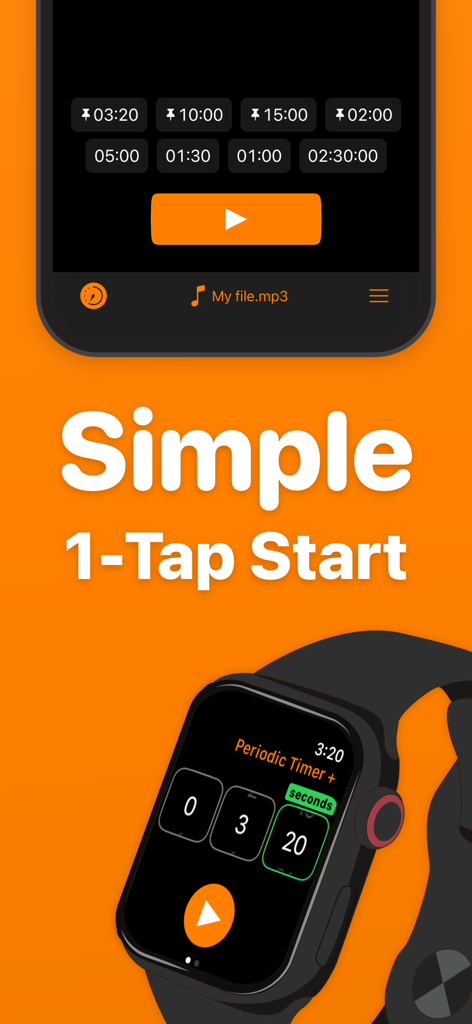
Periodic Timer + - シンプルなワンタップ開始機能を強調する、iPhoneとApple Watch上のPeriodic Timer Plusアプリのインターフェース
シンプルなワンタップ開始機能を強調する、iPhoneとApple Watch上のPeriodic Timer Plusアプリのインターフェース

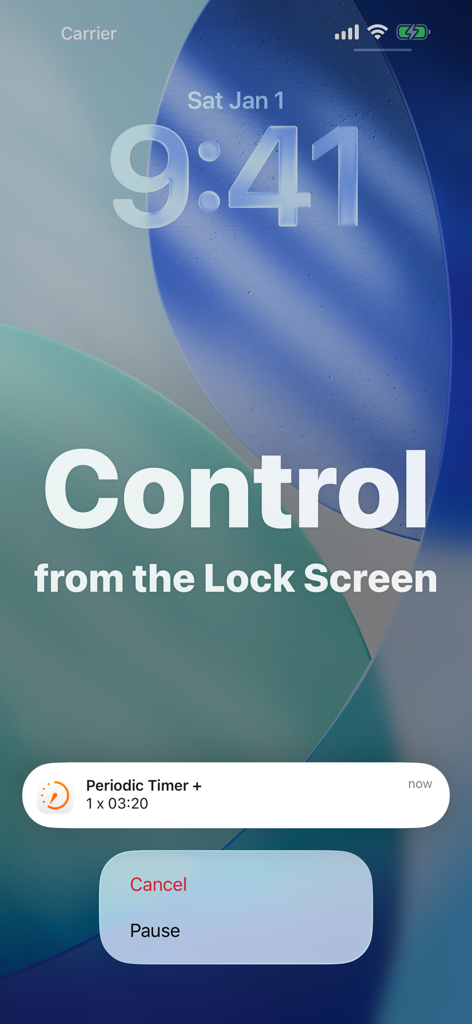
Periodic Timer + - ロック画面に一時停止とキャンセルのオプションを表示するPeriodic Timer Plusの通知
ロック画面に一時停止とキャンセルのオプションを表示するPeriodic Timer Plusの通知

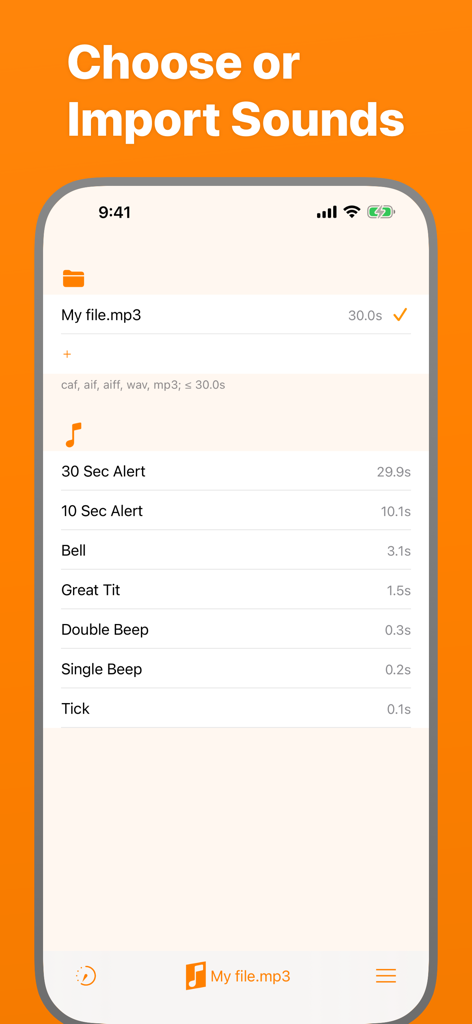
Periodic Timer + - Periodic Timer Plusでカスタムアラートサウンドを選択・インポートするためのインターフェース
Periodic Timer Plusでカスタムアラートサウンドを選択・インポートするためのインターフェース

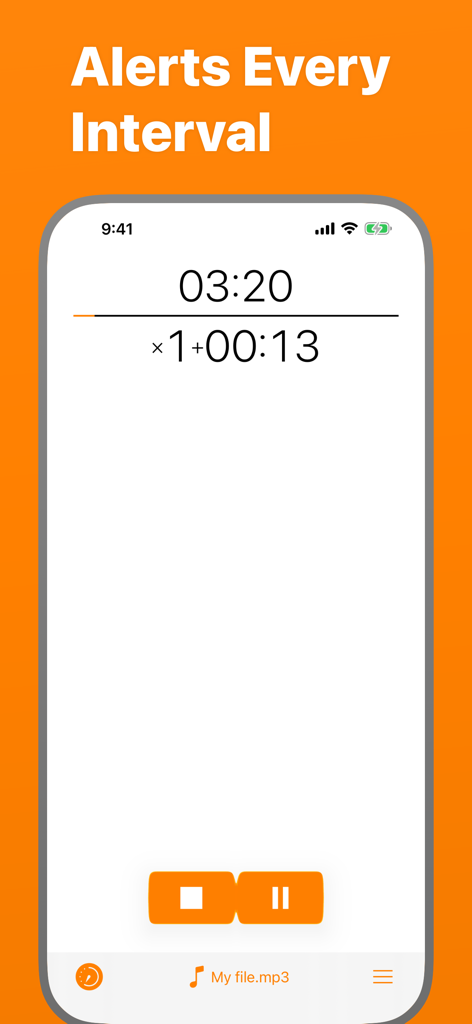
Periodic Timer + - インターバルアラートとカスタムサウンドファイルの選択機能を備えたカウントダウンタイマーを表示するPeriodic Timer Plusアプリのインターフェース
インターバルアラートとカスタムサウンドファイルの選択機能を備えたカウントダウンタイマーを表示するPeriodic Timer Plusアプリのインターフェース

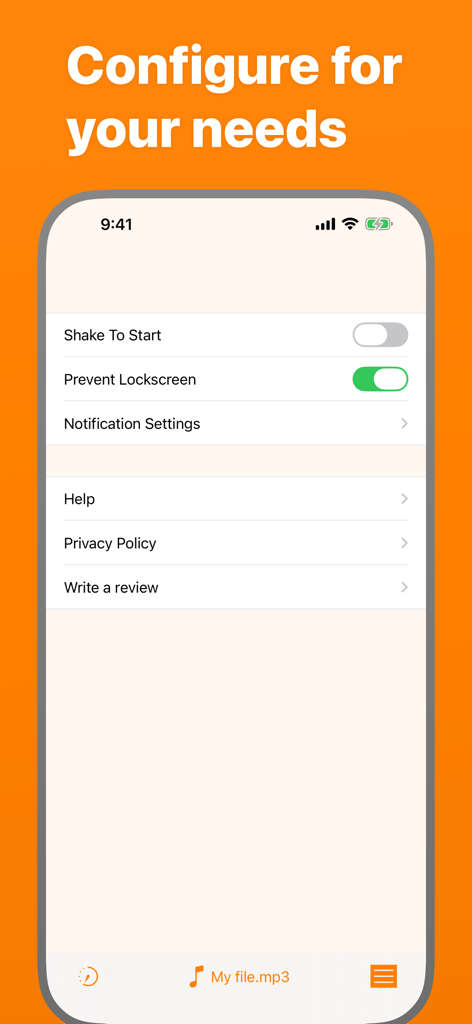
Periodic Timer + - 設定オプションを表示するPeriodic Timer Plusアプリの設定画面
設定オプションを表示するPeriodic Timer Plusアプリの設定画面

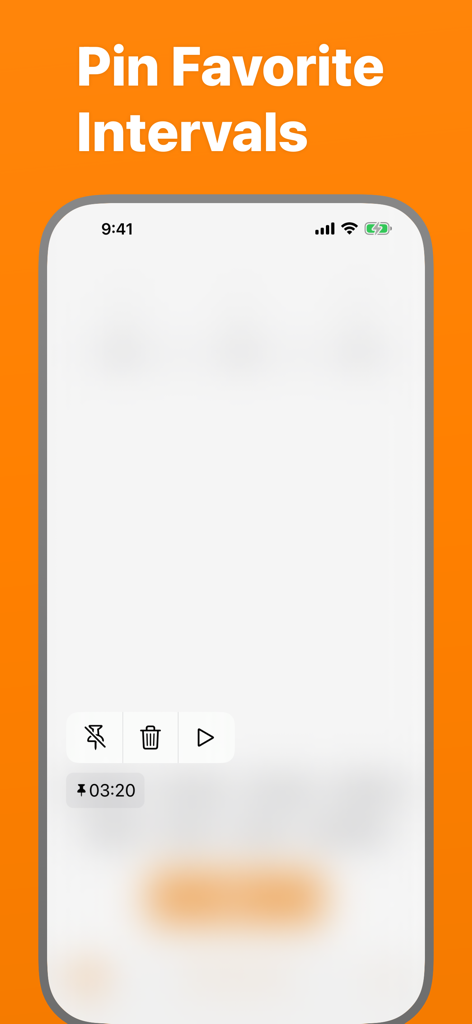
Periodic Timer + - お気に入りのインターバルがピン留めされたPeriodic Timerアプリの画面

お気に入りのインターバルがピン留めされたPeriodic Timerアプリの画面

説明

Keep track of time without being distracted by the device! Simple and easy timer that repeats at your chosen interval. FEATURES - Many sounds to select + the ability to add custom ones. - Up to 4 pinned and up to 5 recent Quick Start items. - Long intervals - up to 99 hours! - Vibration, if the sound is off. - Works in the background. - 3 timer output modes: intervals, total time, countdown. - You can cancel or pause the timer with help of a notification. - Flexibility and minimalism. - Shake To Start - can be enabled in settings. - Prevent Lockscreen - another useful setting, the screen will not lock, while the timer is running. USE CASES Here is a list of use cases based on the real feedback: Fitness and health: - Stretching - Stationary bicycle (interval training) - On a treadmill - For HIIT - Jogging - Timed medication - Boxing Cooking - While frying potatoes - Roasting steaks - Checking an oven or a grill to prevent burning Learning & science - Foreign language learning - As a lab timer - Periodic data collection - Speech training - Presentation timing Other - Mindfulness - Communication - To have a sense of time flying away :) HELP Q: Why the timer doesn't work in the background? A: You should allow notifications. Q: How to turn off the sound and turn on the vibration? A: On the device, turn the Silent Mode on. (Side Switch) Q: How can I add a custom sound? A: There are four ways. Choose one depending where is the sound file located. * If the sound on your Mac or PC: 1. Connect the device. 2. Open Finder and select the device. 3. Select Files in the menu. There you'll find 'Periodic +' folder. 4. Drug and drop the sound file there. * From Files app on iPhone: 1. Copy the required file. 2. Open Periodic + folder and paste it. * From another app on iPhone (like Mail): 1. Open the app where the file is located. 2. Find and touch Share button (it may have different name, for example Export). 3. In the appearing Share Sheet find the list of apps. If there is no Periodic +, touch More and enable it. 4. Now select Periodic + in the Share dialog and the sound will be imported. * And the most convenient "+" button! 1. Open Sounds tab. 2. Hit the "+" button in the "Folder" section and pick your file. Q: Alert is limited for 5 seconds! A: Go to Settings app, then Periodic + > Notifications > Banner Style > Persistent. Q: How to switch the Timer Output Mode? A: To switch the Output Mode touch the timer display at the top of the screen. Q: What is Shake To Start for? A: Shake To Start setting allows to start/cancel the timer by shaking the device. Thus, you don't touch the screen, what can be useful while cooking, for example. For this mode, in order to work, the app should be open. This app has a free version with limited features. If you still have questions or suggestions, you can visit the support page (https://goo.gl/forms/pggVBcaBxdW85EGE3), the Facebook group (http://www.facebook.com/groups/PeriodicTimer/) or you can email me (periodictimer.sup@gmail.com). If you like the app - please, rate it!

Download

ダウンロード: App Store

このページはアプリまたはその開発者の公式ページではなく、情報提供および論評を目的として作成された独立した編集出版物です。明示的に別段の記載がない限り、アプリおよびその開発者は、MWM、Apple、Google Play、アプリのパブリッシャー、またはアプリの開発者と提携、承認、後援、認可、またはその他の公式的な関係はなく、このページのいかなる内容も、アプリがMWMのサービスを使用して開発されたことを意味するものではありません。すべての商標、ロゴ、スクリーンショット、その他のコンテンツはそれぞれの所有者の財産です。








