Phocus: Portrait Mode Editor
ダウンロード: App Store

このページはアプリまたはその開発者の公式ページではなく、情報提供および論評を目的として作成された独立した編集出版物です。明示的に別段の記載がない限り、アプリおよびその開発者は、MWM、Apple、Google Play、アプリのパブリッシャー、またはアプリの開発者と提携、承認、後援、認可、またはその他の公式的な関係はなく、このページのいかなる内容も、アプリがMWMのサービスを使用して開発されたことを意味するものではありません。すべての商標、ロゴ、スクリーンショット、その他のコンテンツはそれぞれの所有者の財産です。

ロゴ: Phocus: Portrait Mode Editor
ダウンロード: App Store

Phocus: Portrait Mode Editor

リアルなレンズシミュレーションで被写界深度とボケをマスター。ソーシャルメディアクリエイターや美的完璧主義者向けに設計された精密ツールで、シネマティックなポートレートや動画を作成します。

主要数値

ダウンロード

734K+

ユーザー評価

4.4/5

評価数

1K+

開発元

RAY INFORMATICS YAZILIM TEKNOLOJI MEDYA DANISMANLIK VE EGITIM TICARET LIMITED SIRKETI

カテゴリ

Photo & Video

対応言語

15

最新バージョン

3.0.8

サイズ

239.7 MB

リリース日

2017年8月17日
機能

再考されたプロレベルの写真撮影

Phocusは、高度なAIと手動のデジタル一眼レフコントロールを組み合わせて、iPhoneから直接、驚くほどプロフェッショナルなポートレートや動画を作成するのに役立ちます。

AIポートレートマスター

インテリジェントな深度センシング技術を使用して、被写体と背景を外科的な精度で瞬時に分離し、完璧なショットを実現します。

本物のデジタル一眼レフボケ

カスタマイズ可能な絞り設定、ぼかし強度、ヴィンテージ光学スタイルで、高価なレンズの物理現象をエミュレートします。

以下のスクリーンショットと説明は、アプリの公式ストアリスティングから直接取得されたものであり、アプリ開発者の所有物です。

アプリストア

スクリーンショット
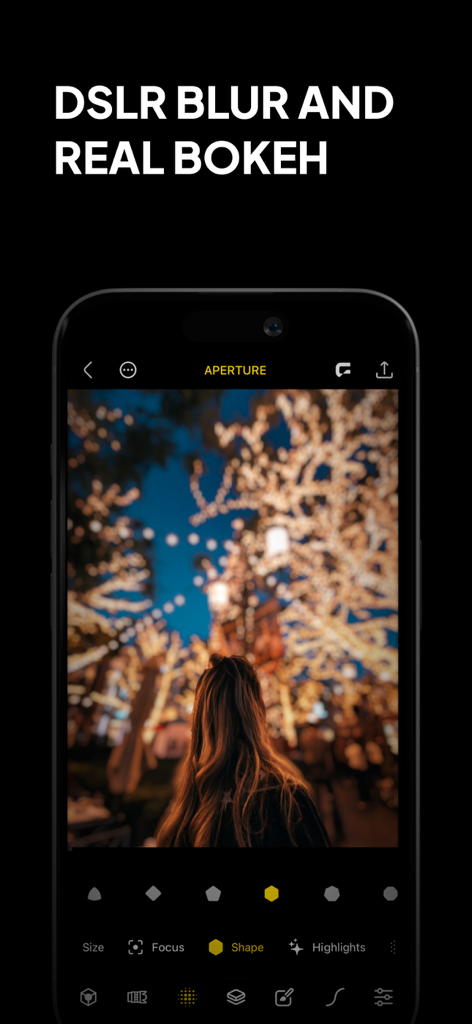
Phocus: Portrait Mode Editor - ポートレート写真にデジタル一眼レフぼかしとリアルなボケ効果が表示されているPhocusアプリのインターフェイス
ポートレート写真にデジタル一眼レフぼかしとリアルなボケ効果が表示されているPhocusアプリのインターフェイス

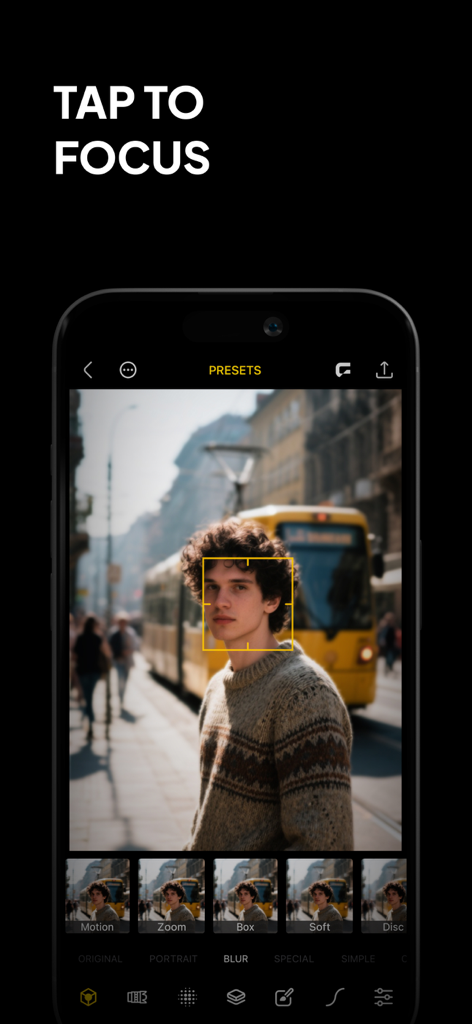
Phocus: Portrait Mode Editor - ポートレート写真のタップしてフォーカス機能を示すPhocusアプリのインターフェイス
ポートレート写真のタップしてフォーカス機能を示すPhocusアプリのインターフェイス

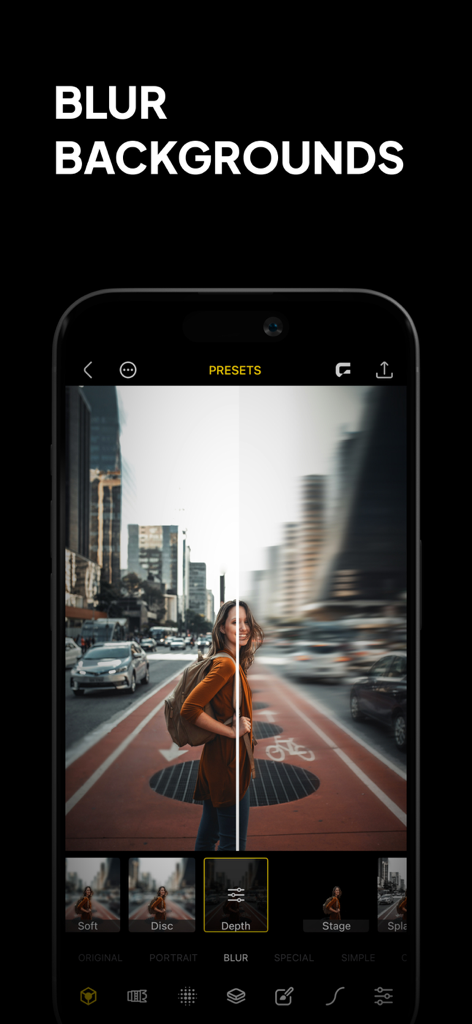
Phocus: Portrait Mode Editor - 都市のポートレート写真のビフォーアフター比較で、Phocusアプリの背景ぼかし機能が表示されているスマートフォンの画面。
都市のポートレート写真のビフォーアフター比較で、Phocusアプリの背景ぼかし機能が表示されているスマートフォンの画面。

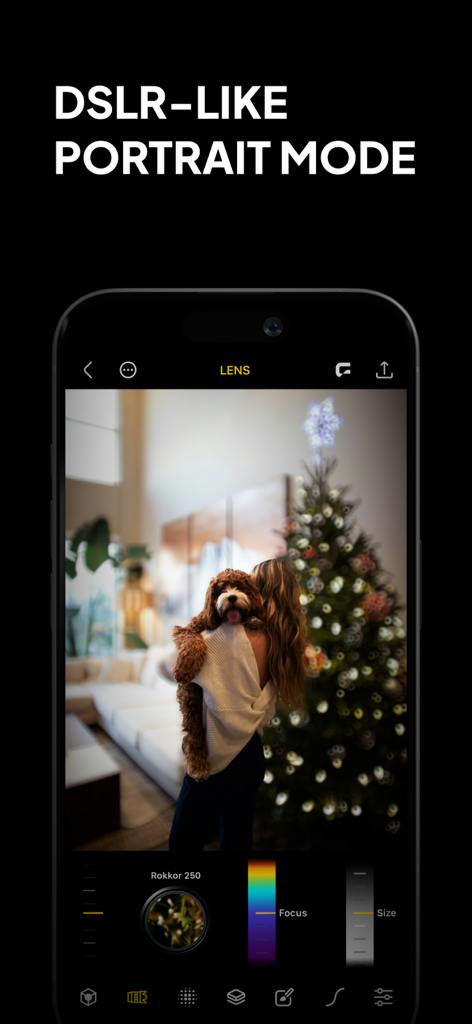
Phocus: Portrait Mode Editor - 犬を抱いている人物の写真に、デジタル一眼レフ風ポートレートモード、ボケぼかし、手動レンズコントロールが表示されているPhocusアプリのインターフェイス
犬を抱いている人物の写真に、デジタル一眼レフ風ポートレートモード、ボケぼかし、手動レンズコントロールが表示されているPhocusアプリのインターフェイス

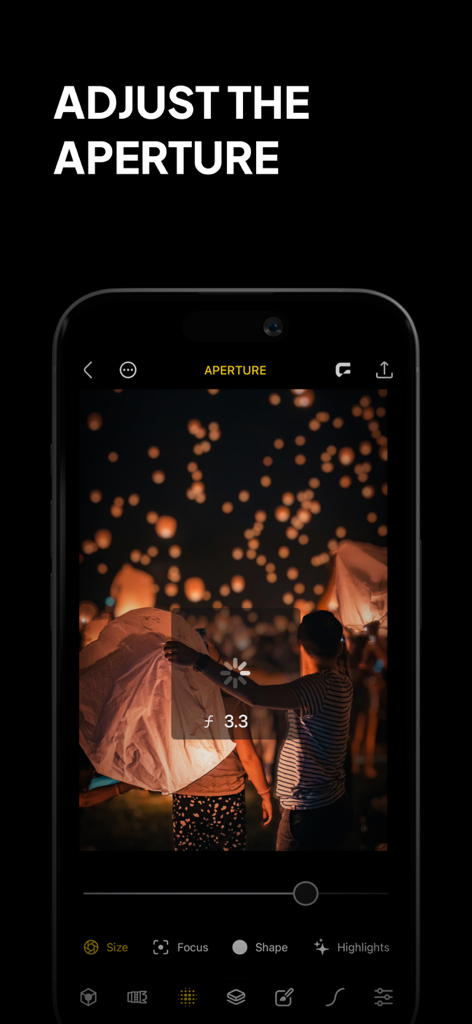
Phocus: Portrait Mode Editor - 夜空のランタンの夜景写真に調整絞り機能が使用されているPhocusアプリのインターフェイスが表示されている電話
夜空のランタンの夜景写真に調整絞り機能が使用されているPhocusアプリのインターフェイスが表示されている電話

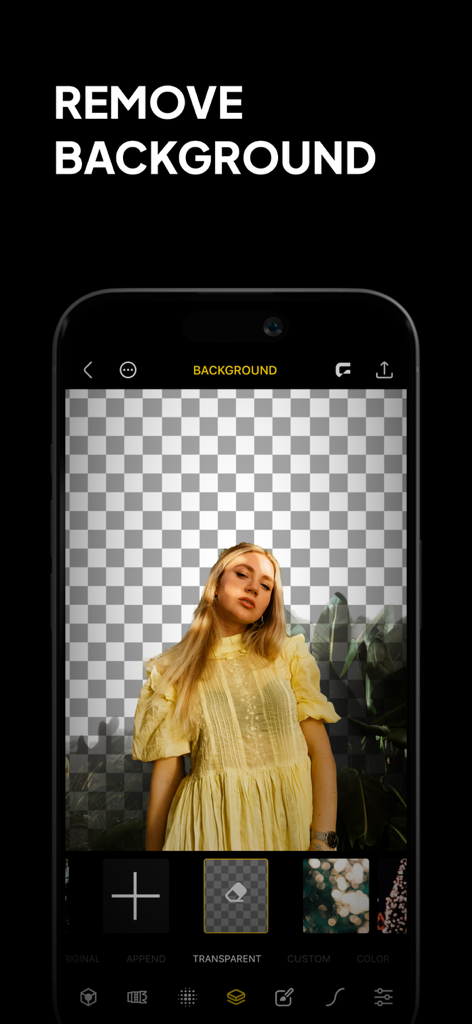
Phocus: Portrait Mode Editor - 透明なグリッドに対して、背景が削除された女性のポートレートが表示されているPhocusアプリのインターフェイスのスクリーンショット
透明なグリッドに対して、背景が削除された女性のポートレートが表示されているPhocusアプリのインターフェイスのスクリーンショット

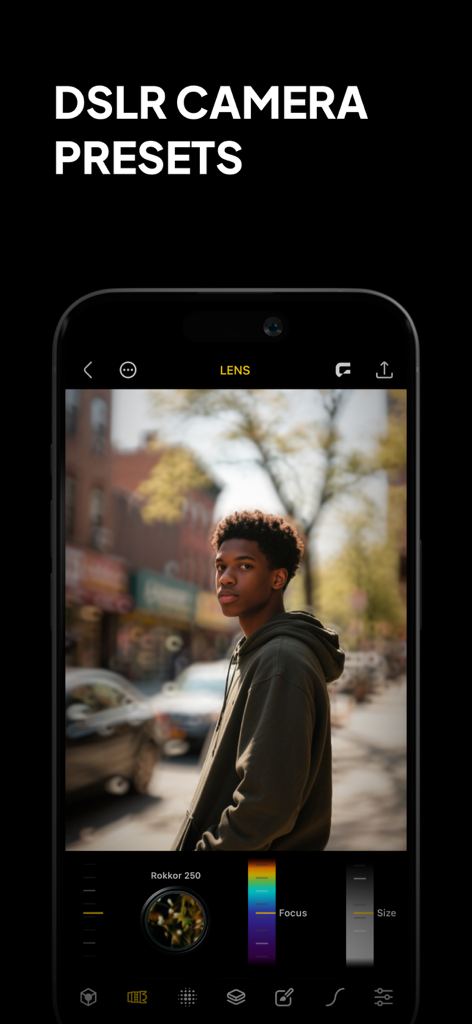
Phocus: Portrait Mode Editor - デジタル一眼レフカメラのプリセットとプロフェッショナルな背景ぼかしが表示されている男性のポートレートのPhocusアプリのインターフェイス。
デジタル一眼レフカメラのプリセットとプロフェッショナルな背景ぼかしが表示されている男性のポートレートのPhocusアプリのインターフェイス。

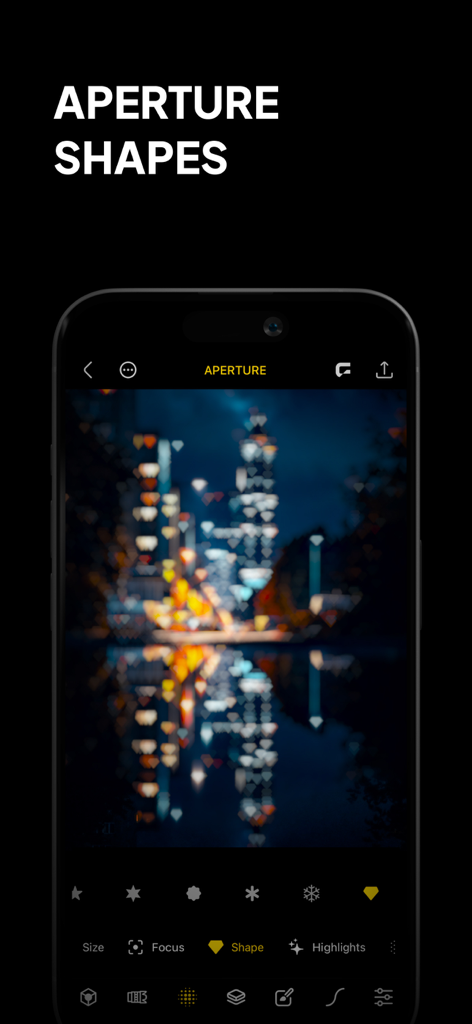
Phocus: Portrait Mode Editor - 夜景の街並みにハート型のボケ効果が表示されているPhocusアプリのインターフェイスが表示されているスマートフォン。
夜景の街並みにハート型のボケ効果が表示されているPhocusアプリのインターフェイスが表示されているスマートフォン。

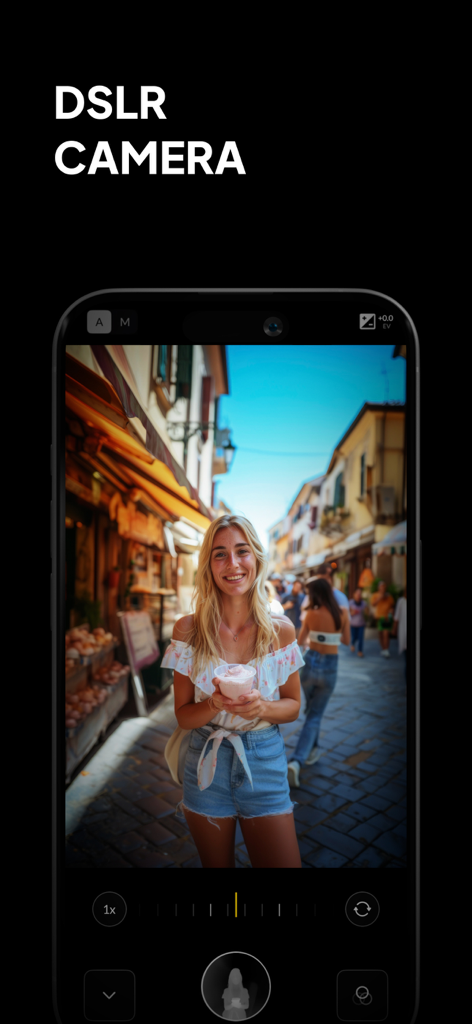
Phocus: Portrait Mode Editor - デジタル一眼レフカメラの手動コントロールとプロフェッショナルなポートレートボケ効果が表示されているPhocusアプリのインターフェイス
デジタル一眼レフカメラの手動コントロールとプロフェッショナルなポートレートボケ効果が表示されているPhocusアプリのインターフェイス

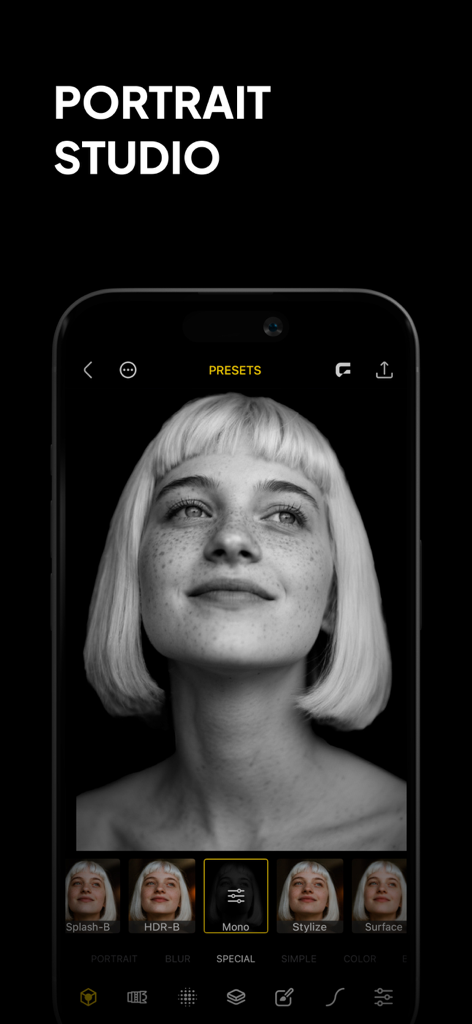
Phocus: Portrait Mode Editor - 黒と白のポートレート写真と編集プリセットが表示されているPhocusアプリのスマートフォンの画面。

黒と白のポートレート写真と編集プリセットが表示されているPhocusアプリのスマートフォンの画面。

説明

Phocus is a portrait editor and DSLR-style camera powered by AI, giving you full control over depth, background blur, aperture, bokeh, and focal length. Whether you're capturing cinematic portraits or editing precise lens details, Phocus delivers pro-level photography tools in a fast, intuitive interface built for creators. Inspired by real optical systems, Phocus lets you emulate DSLR lens behavior—without external gear. Control blur shape and depth radius with real aperture modeling. Adjust lens type, depth dynamics, and recreate unique bokeh styles from vintage and high-end lenses. Apply subtle distortions and optical characteristics for expressive storytelling. Phocus doesn’t just blur the background—it understands the physics of photography. "Looking for an app that not only adds the Portrait mode effect to your photos but does a bit more? Then Phocus is the one you're looking for." — iMore "An Outstanding AI Portrait and Macro Camera for the iPhone. It has clearly established itself as the front runner in this iOS camera apps." — John DeNicola "The app is a fine example of technical and artistic craftsmanship." — iGeeksBlog "Phocus is an excellent photo and video editing app for your iPhone that lets you edit both portrait photos and videos with great attention to detail." — The Useful Tech Phocus enhances your creativity with smart tools: • AI-powered subject detection and background blur/removal • Precision brush and eraser tools for edge refinement • Dual-layer tone editing for foreground and background • One-tap portrait effects: HDR, mono, studio, stage, color splash, grain, stylize, cartoon • Portrait matte and depth map export for external workflows • Depth Visualizer to preview and adjust depth-of-field using real-time depth data • Tap-to-Focus with enhanced precision using intelligent depth mapping Whether you’re recreating film looks or developing your own style, Phocus is flexible enough for professionals and intuitive enough for anyone. Features: • Portrait Video Blur: Add realistic depth-of-field to videos • AI Subject Detection: Separate subject and background automatically • Real Bokeh Simulation: Customizable aperture shapes and light falloff • Manual Camera Controls: Adjust ISO, shutter speed, white balance, and exposure • RAW and ProRAW Support: Shoot in full resolution and maximum quality • DSLR Lens Simulation: Control focal depth, lens behavior, and bokeh intensity • Aperture & Blur Adjustment: Fine-tune background softness and focus • One-Tap Background Removal: Instantly blur or replace backgrounds • Portrait Effects Library: Apply curated filters and artistic looks • Dual-Layer Editing: Adjust lighting and tone separately for subject and background • Edge Refinement Tools: Fine control over mask boundaries • Depth Map & Portrait Matte Export: For external editing workflows • Depth Visualizer: Interactively adjust depth using combined image and depth data • Tap-to-Focus: Tap to apply precise depth-based focus on any area • Built-In Tutorials: Learn Phocus step-by-step • Optimized for iPhone and iPad: Full-resolution support across devices Phocus AI Subscription Unlock full creative control with a Phocus AI subscription, available monthly or annually. Terms of use: rayinformatics.com/terms Privacy policy: rayinformatics.com/privacy Contact: rayinformatics.com/contact

Download

ダウンロード: App Store

このページはアプリまたはその開発者の公式ページではなく、情報提供および論評を目的として作成された独立した編集出版物です。明示的に別段の記載がない限り、アプリおよびその開発者は、MWM、Apple、Google Play、アプリのパブリッシャー、またはアプリの開発者と提携、承認、後援、認可、またはその他の公式的な関係はなく、このページのいかなる内容も、アプリがMWMのサービスを使用して開発されたことを意味するものではありません。すべての商標、ロゴ、スクリーンショット、その他のコンテンツはそれぞれの所有者の財産です。








