Photo Album Private Manager
ダウンロード: App Store

このページはアプリまたはその開発者の公式ページではなく、情報提供および論評を目的として作成された独立した編集出版物です。明示的に別段の記載がない限り、アプリおよびその開発者は、MWM、Apple、Google Play、アプリのパブリッシャー、またはアプリの開発者と提携、承認、後援、認可、またはその他の公式的な関係はなく、このページのいかなる内容も、アプリがMWMのサービスを使用して開発されたことを意味するものではありません。すべての商標、ロゴ、スクリーンショット、その他のコンテンツはそれぞれの所有者の財産です。


ロゴ: Photo Album Private Manager
ダウンロード: App Store

Photo Album Private Manager

基本的な非表示フォルダを超えましょう。プライバシーを重視するプロフェッショナル向けに設計された、トリプルレイヤー暗号化、侵入者侵入レポート、シームレスなiCloud同期で安心感を得ましょう。

主要数値

ダウンロード

17K+

ユーザー評価

4.3/5

評価数

6K+

開発元

Eben Software Private Limited

カテゴリ

Photo & Video

対応言語

1

最新バージョン

12.0

サイズ

35.4 MB

リリース日

2012年2月2日
機能

あなたの個人的な思い出のための究極のプライバシー

妥協することなく、写真の整理、同期、楽しみのための強力なツールと多層保護でデジタルレガシーを保護しましょう。

壊れないセキュリティレイヤー

標準の非表示フォルダを超えましょう。FaceID、超ダブルロック、侵入者を捕らえるインスタント侵入レポートでメディアを保護しましょう。

ステルス&不可視モード

携帯電話を回覧する際に自信を持ってください。共有セッション中にプライベートコンテンツを消去するステルスモードで機密性の高いアルバムを完全に隠しましょう。

以下のスクリーンショットと説明は、アプリの公式ストアリスティングから直接取得されたものであり、アプリ開発者の所有物です。

アプリストア

スクリーンショット
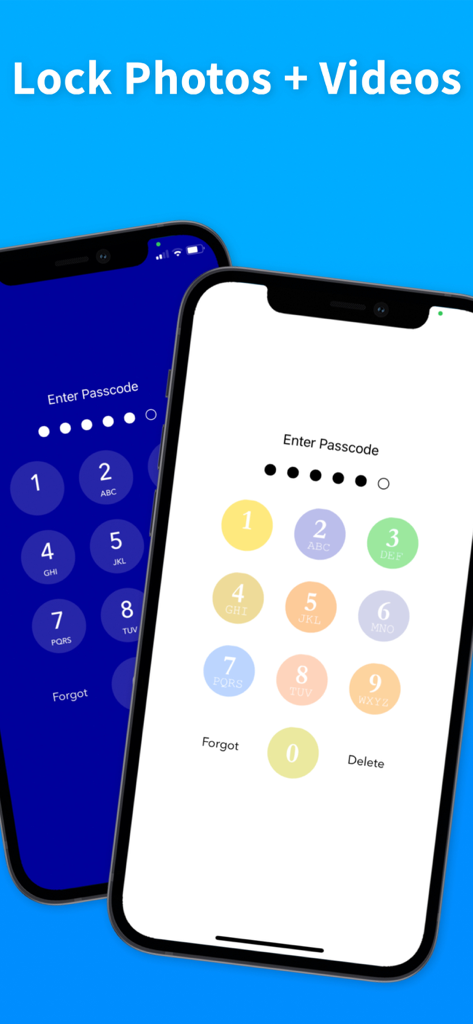
Photo Album Private Manager - 異なるテーマでパスコード入力画面を示す2台のiPhoneで、写真や動画をロックします
異なるテーマでパスコード入力画面を示す2台のiPhoneで、写真や動画をロックします

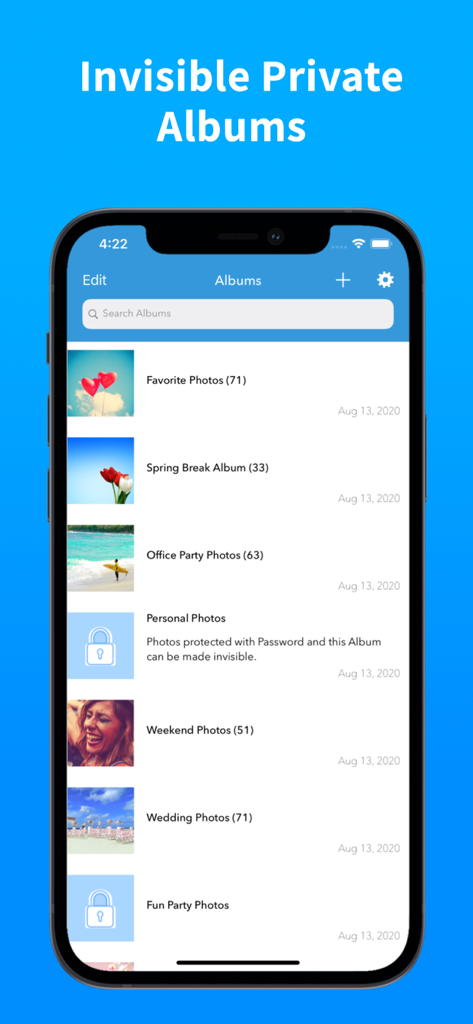
Photo Album Private Manager - 公開アルバムとパスワードで保護されたプライベートアルバムのリストを示すフォトアルバム プライベート マネージャーアプリを示すスマートフォン画面
公開アルバムとパスワードで保護されたプライベートアルバムのリストを示すフォトアルバム プライベート マネージャーアプリを示すスマートフォン画面

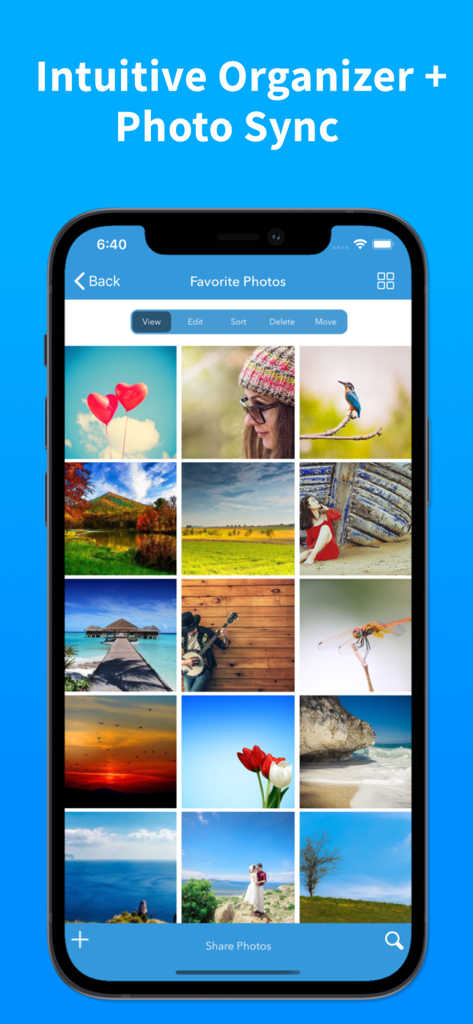
Photo Album Private Manager - 並べ替えや移動などの整理ツールを備えた、お気に入りの写真のグリッドを示すモバイルアプリインターフェイス
並べ替えや移動などの整理ツールを備えた、お気に入りの写真のグリッドを示すモバイルアプリインターフェイス

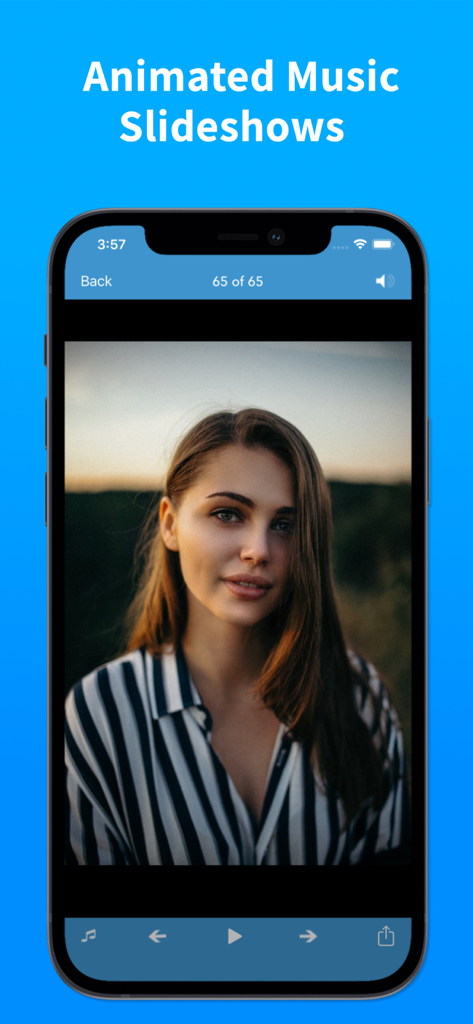
Photo Album Private Manager - フォトアルバム プライベート マネージャーアプリのアニメーションミュージック スライドショー機能を示すスマートフォン画面、女性の肖像画が表示されます
フォトアルバム プライベート マネージャーアプリのアニメーションミュージック スライドショー機能を示すスマートフォン画面、女性の肖像画が表示されます

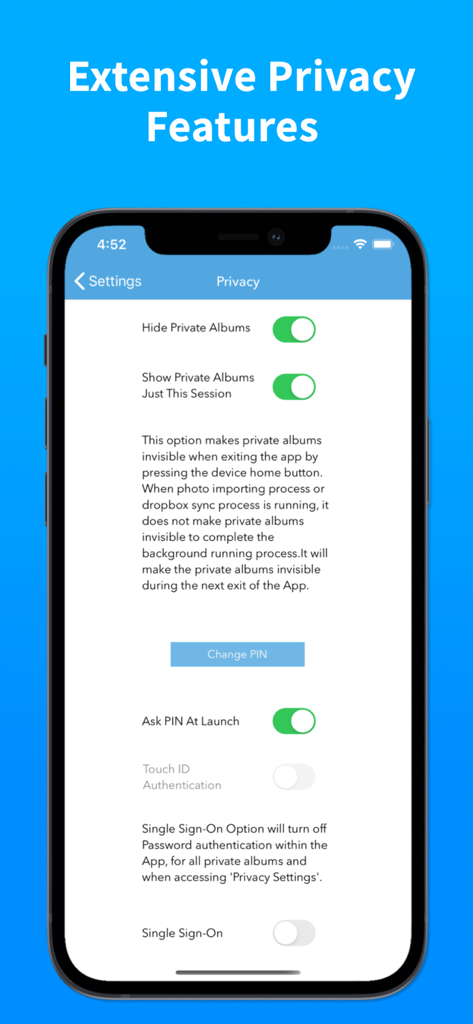
Photo Album Private Manager - フォトアルバム プライベート マネージャーアプリの広範なプライバシー設定とセキュリティ機能を示すiPhone画面
フォトアルバム プライベート マネージャーアプリの広範なプライバシー設定とセキュリティ機能を示すiPhone画面

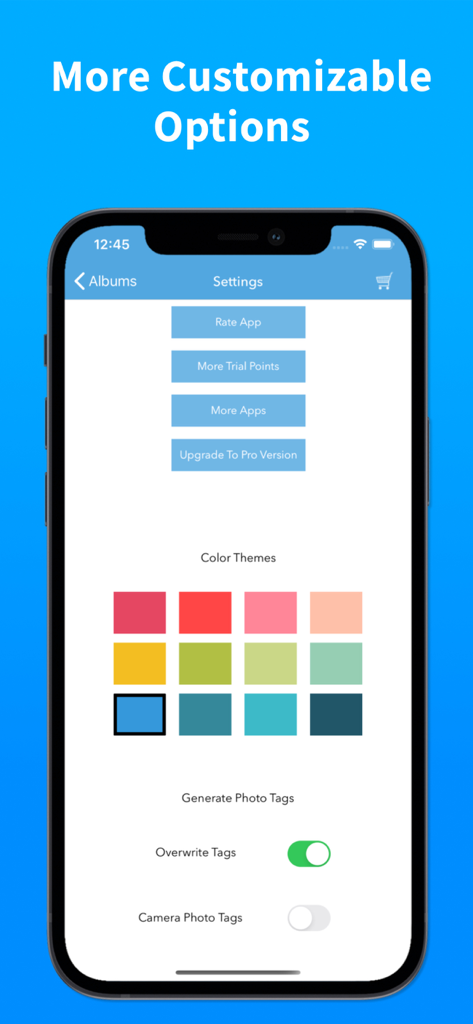
Photo Album Private Manager - カラーテーマとカスタマイズ可能な写真タグオプションを示すフォトアルバム プライベート マネージャー設定画面
カラーテーマとカスタマイズ可能な写真タグオプションを示すフォトアルバム プライベート マネージャー設定画面

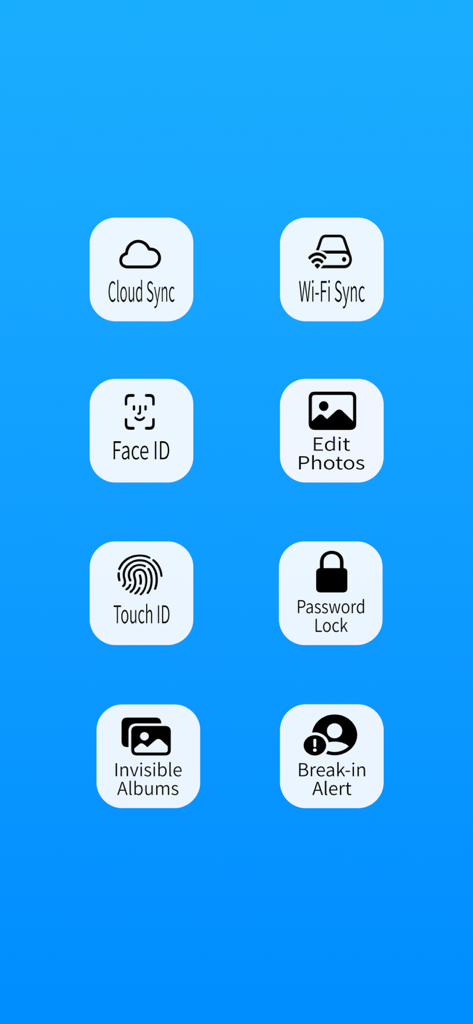
Photo Album Private Manager - フォトアルバム プライベート マネージャーアプリのセキュリティと同期機能の概要
フォトアルバム プライベート マネージャーアプリのセキュリティと同期機能の概要

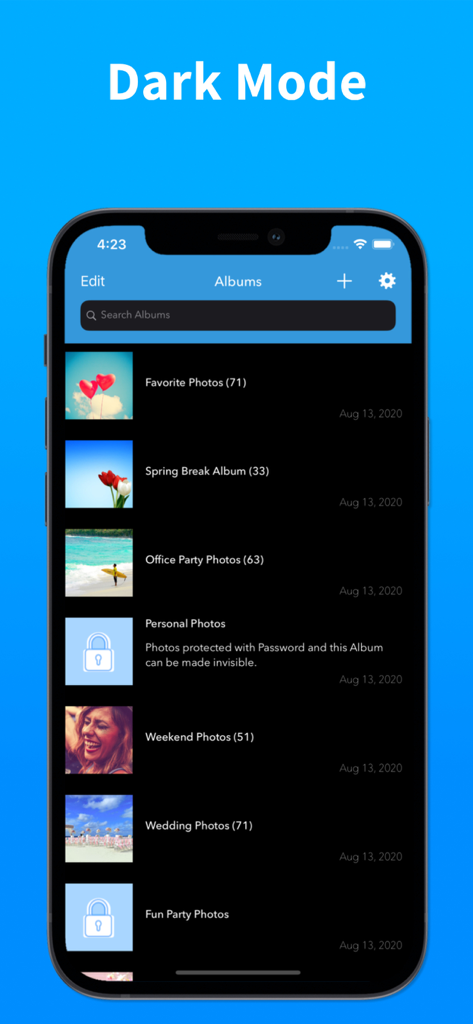
Photo Album Private Manager - ロックされたフォルダーとダークモードインターフェイスを備えたアルバムリストを示すフォトアルバム プライベート マネージャーアプリ
ロックされたフォルダーとダークモードインターフェイスを備えたアルバムリストを示すフォトアルバム プライベート マネージャーアプリ

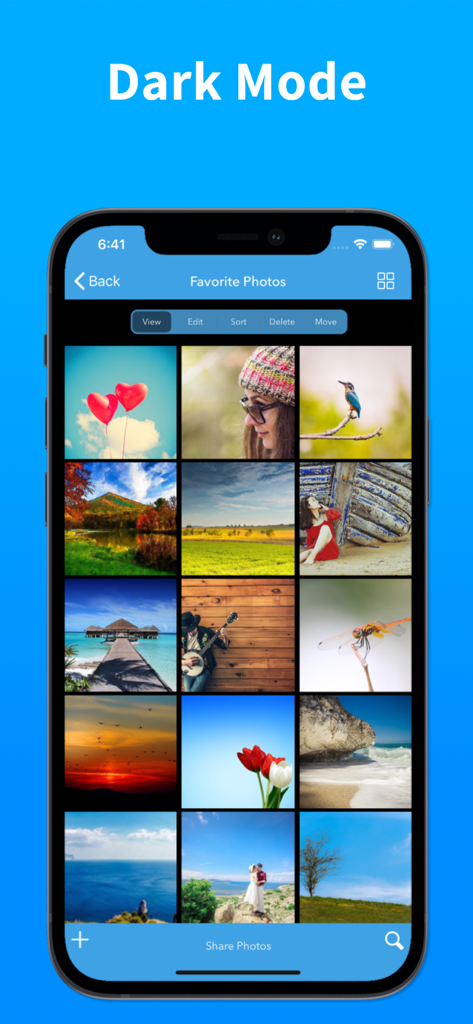
Photo Album Private Manager - iPhoneのダークモードインターフェイスでお気に入りの写真のグリッドを表示するフォトアルバム プライベート マネージャー

iPhoneのダークモードインターフェイスでお気に入りの写真のグリッドを表示するフォトアルバム プライベート マネージャー

説明

Looking for real privacy to manage your photos and videos? Photo Album is the best photo management solution to manage your photos and videos with strong Privacy features, lots of functionalities to Organize, create Slideshows and Sync your photos and videos between devices with iCloud end-to-end encryption and Dropbox. Sync directly from device to device and WiFi transfer of photos from device and computer. PRIVACY FEATURES + Customizable 4 digit to 10 digit passcode to login to the App. + Three layers of privacy with passcode, password and invisible mode for private albums. + Supports Face ID and Touch ID to login to the App. + Ultra double lock needs passcode and Face ID authentication to login. + Intruder Break-In report with photo, date and time. Report of all who tried to break-in to the App. + App access report with photo, date and time. Report of all who logged into the App. + PIN and Password reset option with unique secret key. + Turn invisible mode off just for the session to access private albums, private albums will disappear when closing the App with this option. + Safe share photos for secure encrypted access with iCloud link. PHOTO MANAGEMENT FEATURES + Import unlimited photos, videos and GIFs into Albums, option to select all or just unsaved photos, supports background process for importing photos. + Supports file sharing extension to allow importing from Photos, Files and from other Apps. + Sort or Move the photos(among multiple Albums) by a simple drag and drop gesture. + App generated photo categories, intuitive search by photo categories and face. + Search similar photos to find duplicate and redundant photos. + View photos with music in animated slideshow with 12 transition styles and effects. + View photo metadata with swipe up gesture on photo view screen. + Create wallpaper from photos in the album. + Listen to your favorite playlist of songs in the App with slideshows. + Record slideshows with animated GIFs, 12 transition styles and effects. + Wi-Fi Sync within App across devices and with computer using Wi-Fi drive and Web browser. + Backup and restore. Keep your photos and videos synced between devices with iCloud. + Backup and restore. Keep your photos and videos synced between devices with Dropbox. PHOTO ALBUM PREMIUM SUBSCRIPTION + Subscription payment will be charged to iTunes Account at confirmation of purchase. + Subscription automatically renews unless auto-renew is turned off at least 24-hours before the end of current subscription period. + Account will be charged for renewal within 24-hours prior to the end of the current subscription period. + Subscriptions can be managed by the user after purchase from App Store account settings to turn off auto-renewal of subscription. Terms Of Service: http://terms.ebensoftware.com Privacy Policy: http://privacy.ebensoftware.com Thank you for using Photo Album — Organizing becomes simple and private.

Download

ダウンロード: App Store

このページはアプリまたはその開発者の公式ページではなく、情報提供および論評を目的として作成された独立した編集出版物です。明示的に別段の記載がない限り、アプリおよびその開発者は、MWM、Apple、Google Play、アプリのパブリッシャー、またはアプリの開発者と提携、承認、後援、認可、またはその他の公式的な関係はなく、このページのいかなる内容も、アプリがMWMのサービスを使用して開発されたことを意味するものではありません。すべての商標、ロゴ、スクリーンショット、その他のコンテンツはそれぞれの所有者の財産です。








