Photo Cut Paste
Photo Cut Paste
ダウンロード: App Store

このページはアプリまたはその開発者の公式ページではなく、情報提供および論評を目的として作成された独立した編集出版物です。明示的に別段の記載がない限り、アプリおよびその開発者は、MWM、Apple、Google Play、アプリのパブリッシャー、またはアプリの開発者と提携、承認、後援、認可、またはその他の公式的な関係はなく、このページのいかなる内容も、アプリがMWMのサービスを使用して開発されたことを意味するものではありません。すべての商標、ロゴ、スクリーンショット、その他のコンテンツはそれぞれの所有者の財産です。


ロゴ: Photo Cut Paste
ダウンロード: App Store

Photo Cut Paste

人物やオブジェクトを簡単に切り抜き、素晴らしい新しい背景に貼り付けます。Photoshopの苦労なしに、数秒で最高のソーシャルメディア投稿を作成しましょう。

主要数値

ダウンロード

160K+

ユーザー評価

4.0/5

評価数

900

開発元

out thinking private limited

カテゴリ

Photo & Video

対応言語

1

最新バージョン

1.32

サイズ

64.7 MB

リリース日

2016年9月6日
機能

ソーシャルフィードを瞬時に格上げ

写真を日常から非日常へと変貌させます。直感的なAI搭載ツールで、あらゆる被写体を切り抜き、世界中のどこへでも自分を移動させましょう。

スマートAI切り抜き

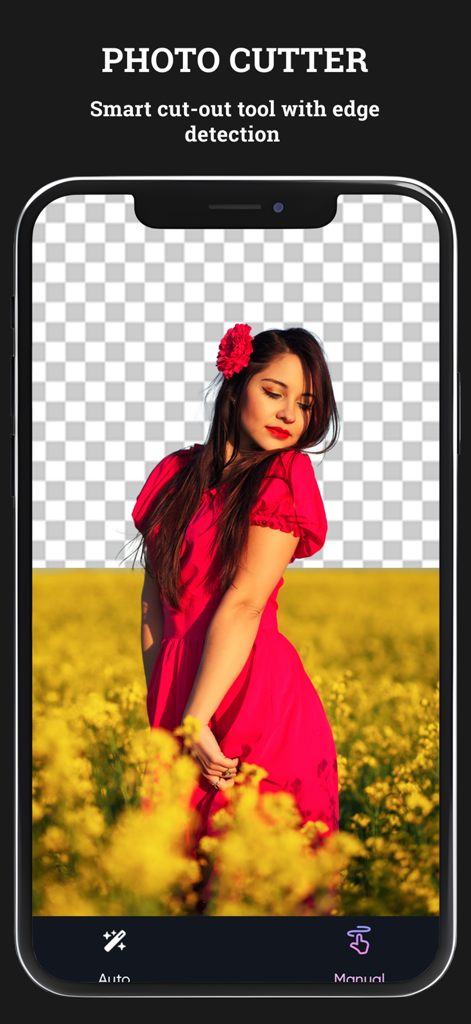
面倒な手動トレースは不要です。インテリジェントな自動モードが数秒で被写体を正確に検出・抽出し、完璧な仕上がりを実現します。

どこへでもテレポート

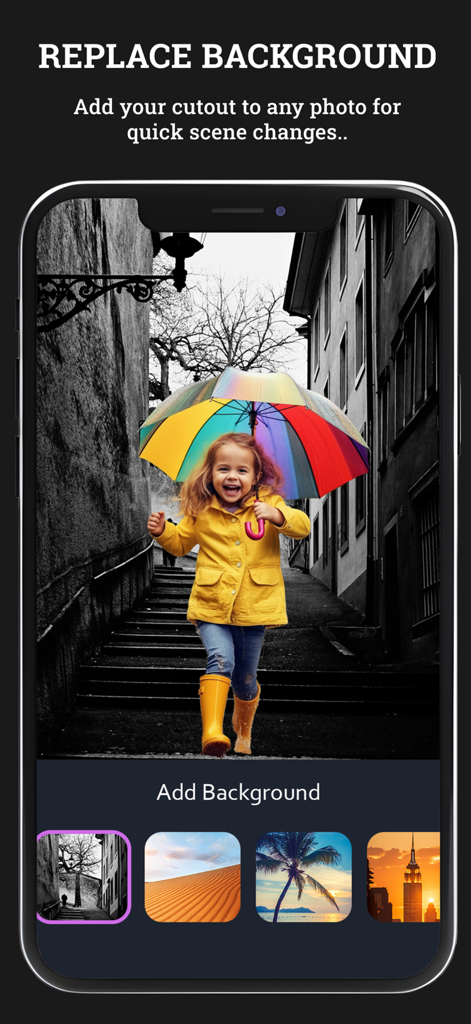
退屈な背景を、厳選されたライブラリから世界的なランドマークやおしゃれなスタジオセットに入れ替えて、究極のソーシャル投稿を作成しましょう。

以下のスクリーンショットと説明は、アプリの公式ストアリスティングから直接取得されたものであり、アプリ開発者の所有物です。

アプリストア

スクリーンショット
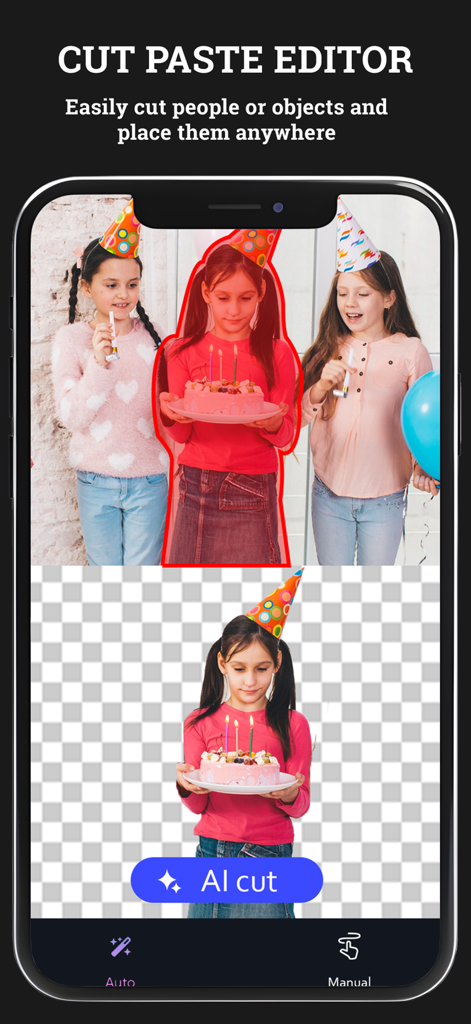
Photo Cut Paste - 背景から人物を分離するAI切り抜き機能を紹介する、写真切り抜き&貼り付けアプリのスクリーンショット。
背景から人物を分離するAI切り抜き機能を紹介する、写真切り抜き&貼り付けアプリのスクリーンショット。

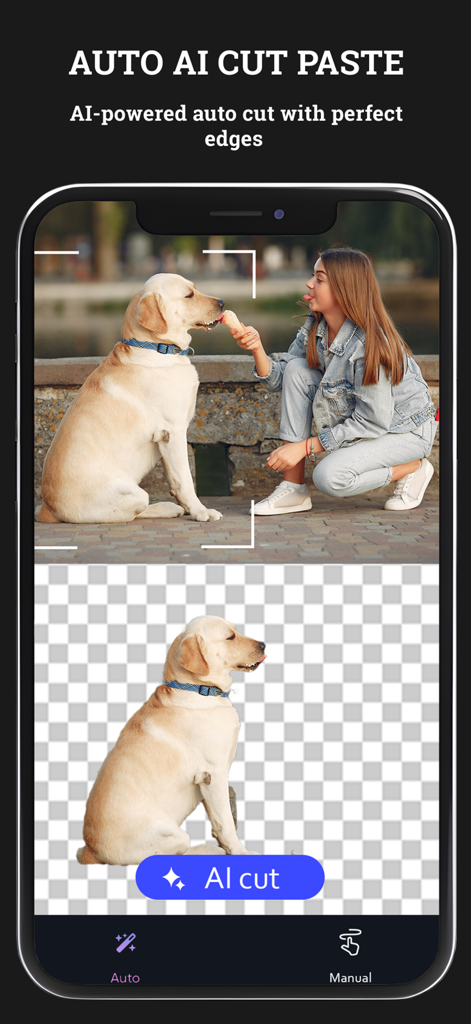
Photo Cut Paste - 犬を背景から削除するAI搭載の自動切り抜き機能を表示した、写真切り抜き&貼り付けアプリのスクリーンショット。
犬を背景から削除するAI搭載の自動切り抜き機能を表示した、写真切り抜き&貼り付けアプリのスクリーンショット。

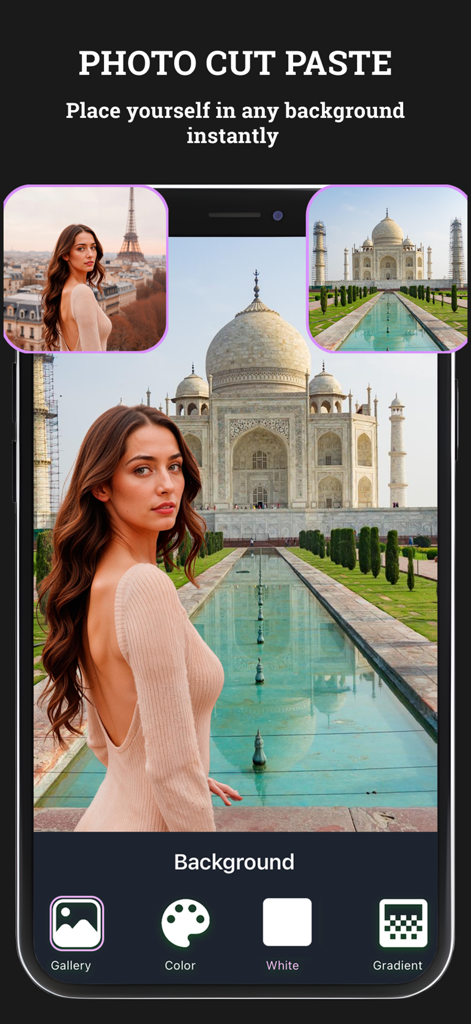
Photo Cut Paste - タージ・マハルの背景に編集された女性と、様々な編集オプションを表示した写真切り抜き&貼り付けアプリのスクリーンショット。
タージ・マハルの背景に編集された女性と、様々な編集オプションを表示した写真切り抜き&貼り付けアプリのスクリーンショット。

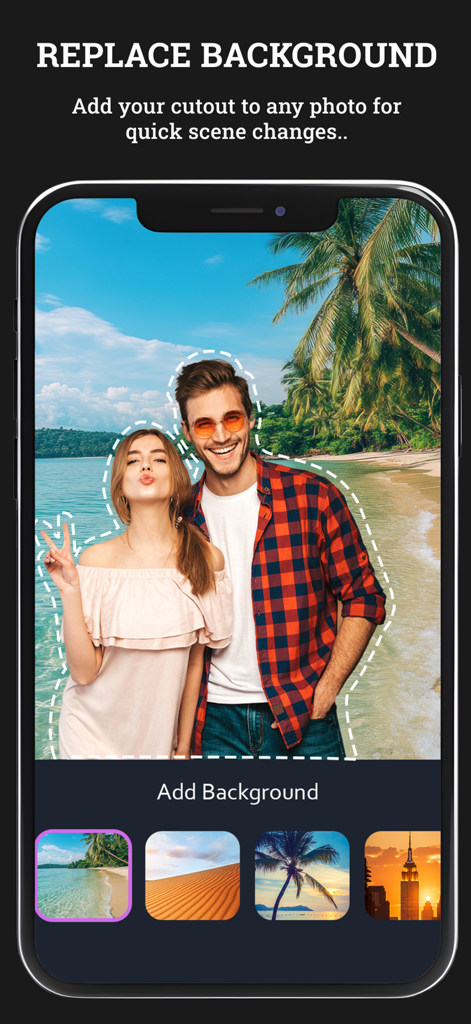
Photo Cut Paste - 熱帯のビーチの背景に対して切り抜かれたカップルと、様々なシーンオプションを表示したモバイルアプリのインターフェース。
熱帯のビーチの背景に対して切り抜かれたカップルと、様々なシーンオプションを表示したモバイルアプリのインターフェース。

Photo Cut Paste - ポートレートから背景を削除するスマート切り抜きツールを表示した写真切り抜き&貼り付けアプリのインターフェース。
ポートレートから背景を削除するスマート切り抜きツールを表示した写真切り抜き&貼り付けアプリのインターフェース。

Photo Cut Paste - 虹色の傘を持った女の子が、異なる風景オプションで置き換えられた背景に配置されている写真切り抜き&貼り付けアプリのインターフェース。

虹色の傘を持った女の子が、異なる風景オプションで置き換えられた背景に配置されている写真切り抜き&貼り付けアプリのインターフェース。

説明

Photo cut paste app to cut photo automatically and paste it. Supports both auto and manual modes. Thinking of cutting a portion of a pic and paste it in another image? Then Photo cut paste app is an option. Photo cut paste lets you to select a specific portion of an image, cut it and paste it in another image by adding a beautiful background to it. Cut out your pic and paste it in the image of a famous location which you haven’t visited and share it with your friends. Key Features 1. Easy to use 2. Many stunning backgrounds for your image. 3. Option to choose an existing background or one from the phone’s gallery. 4. Save the edited image to the phone’s gallery. 5. Share the image on platforms like Instagram, Facebook and Gmail. Subscription Terms - Subscribe to get unlimited video collage app access to all features. - Upon confirmation of purchase, the payment will be charged to the iTunes account. - Until you turn off the auto-renew at least 24 hours before the end of the current. period it will be automatically renewed. - If you decide to turn off auto-renewal, you can turn it off maybe by going to account settings after purchase. -The renewal amount will be charged from the account within 24 hours before the end of the current period. -As per the policy, cancellation of the current subscription is not allowed during the active subscription period. Once purchased, refunds will not be returned for any unused portion of the subscription period. Terms of use - https://www.outthinkingindia.com/terms-of-use/ Privacy policy - https://www.outthinkingindia.com/privacy-policy/

Download

ダウンロード: App Store

このページはアプリまたはその開発者の公式ページではなく、情報提供および論評を目的として作成された独立した編集出版物です。明示的に別段の記載がない限り、アプリおよびその開発者は、MWM、Apple、Google Play、アプリのパブリッシャー、またはアプリの開発者と提携、承認、後援、認可、またはその他の公式的な関係はなく、このページのいかなる内容も、アプリがMWMのサービスを使用して開発されたことを意味するものではありません。すべての商標、ロゴ、スクリーンショット、その他のコンテンツはそれぞれの所有者の財産です。








