
このページはアプリまたはその開発者の公式ページではなく、情報提供および論評を目的として作成された独立した編集出版物です。明示的に別段の記載がない限り、アプリおよびその開発者は、MWM、Apple、Google Play、アプリのパブリッシャー、またはアプリの開発者と提携、承認、後援、認可、またはその他の公式的な関係はなく、このページのいかなる内容も、アプリがMWMのサービスを使用して開発されたことを意味するものではありません。すべての商標、ロゴ、スクリーンショット、その他のコンテンツはそれぞれの所有者の財産です。

Photoleap: AI Photo Generator
あなたの脳内で蠢く漠然としたイメージを、AIが精緻なデジタルアートへと結晶化させる。Photoleapは、単なる写真修正を超え、視覚的創造の未踏領域へとユーザーを誘う。
ダウンロード
25M+ユーザー評価
評価数
241.9K開発元
カテゴリ
Photo & Video対応言語
12最新バージョン
2.120サイズ
492.3 MBリリース日
2017年7月6日アプリ「Photoleap: AI Photo Generator」の機能分析
創造性を解き放つ先進的なAI編集とプロフェッショナルツール
高度なAI画像生成と編集支援
本アプリは、テキスト入力から夢の画像を生成し、AIを活用したベースライン作成により編集プロセスを劇的に加速させ、ユーザーが驚くべきデジタルアートを簡単に創造することを可能にします。
高度なレイヤーとブレンドモード
このツールは、優れた写真ミキシング機能を提供し、複数の画像を重ね合わせて二重露光や超現実的な作品を生み出します。各レイヤーはいつでも再編集可能で、複雑な合成編集も直感的に行えます。
RAW対応プロフェッショナル編集
本アプリは、RAW画像と16ビットの色深度に対応し、高品質な色調調整を可能にします。さらに、キャンバスサイズの設定や自動保存機能により、プロフェッショナルなワークフローをサポートします。
ダイナミックな写真アニメーション
ユーザーは、写真に動きや魅力的な3D効果を加え、静止画を生き生きとしたライブフォトに変えることができます。これにより、ソーシャルメディアなどで目を引くコンテンツを作成することが可能です。
包括的な画像補正と精密調整
このアプリは、スマートなクイック選択ブラシを含むマスキング機能、色調、色、粒子、ビネットなどの広範な調整オプションを提供し、ユーザーが画像を完璧に補正・最適化することを可能にします。
スマートな背景変更と精密トリミング
ユーザーは指先一つで写真の背景を簡単に変更したり、アスペクト比を維持しながら画像を正確にリサイズ・トリミングしたりすることができ、構図の自由度を高めます。
クリエイティブなグラフィックデザインツール
本ツールは、ユニークなフォトフィルター、スカイフォトエディター、テキスト追加、描画、落書き機能を提供し、ユーザーがストリートアートから現代アートまで、様々なスタイルのグラフィックデザイン作品を創造することを支援します。
豊富なフィルターとクリエイティブ素材
このアプリは、ライトリーク、フィルター、要素、ステッカー、スタイル、背景、フォント、エフェクト、ブラシなど、常に更新される豊富なパックを提供し、ユーザーが表現の幅を広げることを可能にします。
ストーリーを語るコラージュ作成
ユーザーはコラージュメーカーを使用して複数の写真を組み合わせ、物語性のあるコンテンツを作成できます。また、写真にテキストを追加したり、自由に描画したりすることで、パーソナルなメッセージを伝えることができます。
不要物除去ツール
本アプリは、迅速なシミ/オブジェクト除去機能により、写真から不要な要素を簡単に取り除き、クリーンでプロフェッショナルな仕上がりを実現することを可能にします。
よくある質問
について知っておくべきこと Photoleap: AI Photo Generator
What is Photoleap?
Photoleap is a powerful photo editing app that transforms images using AI tools. It offers features like AI image generation, motion effects, advanced editing, and creative combinations for digital art.
Can Photoleap generate images from text?
Yes, Photoleap includes an AI image generator. Users can create astounding digital art by typing the idea they are imagining directly into the app.
Does Photoleap allow users to blend photos?
Yes, Photoleap allows for superior photo mixing. Users can superimpose images, create double exposures, and adjust blending modes, transparency, and transform images.
Can I change the background of a photo in Photoleap?
Yes, Photoleap enables users to change the background of their photos with fingertips. It includes tools for automatic cutting, erasing, and restoring background elements.
What kind of AI tools does Photoleap offer for editing?
Photoleap offers AI tools for image generation, creating digital art from text, and speeding up editing with AI baseline creation. It also uses AI for background changes and object removal.
Does Photoleap support photo collages?
Yes, Photoleap includes a collage maker. Users can combine multiple photos to tell a story or create professional-looking social media posts, flyers, or posters.
Can Photoleap remove objects from photos?
Yes, Photoleap features a quick blemish/object remover. This tool allows users to easily get rid of defects or unwanted elements from their images using spot and clone functions.
Does Photoleap allow adding motion to pictures?
Yes, Photoleap allows users to add motion to their photos. It includes photo animator tools to create live photos with 3D effects and make images come alive.
What advanced editing features are available in Photoleap?
Photoleap offers advanced features including layers, blending modes, photo filters, brushes, tonal adjustments, and RAW support. It also supports 16-bit image depth for high-quality adjustments.
Where can I find the terms of use for Photoleap?
The terms of use for Photoleap are available at the following link: https://static.lightricks.com/legal/terms-of-use.pdf.
Does Photoleap offer privacy policy information?
Yes, Photoleap provides a privacy policy. You can access the full policy document at this link: https://static.lightricks.com/legal/privacy-policy.pdf.
以下のスクリーンショットと説明は、アプリの公式ストアリスティングから直接取得されたものであり、アプリ開発者の所有物です。
アプリストア
スクリーンショット

写真合成で魅せる
本アプリは、複数の画像を重ね合わせるダブルエクスポージャー効果や、多彩なブレンドモードにより、ユーザーに創造的な写真合成を可能にします。

プロの顔写真に
AI技術を活用した本機能は、ユーザーのヘッドショットをプロフェッショナルな印象へと高めます。様々なスタイル変換オプションにより、ビジネスやSNS向けに最適な顔写真を作成できます。
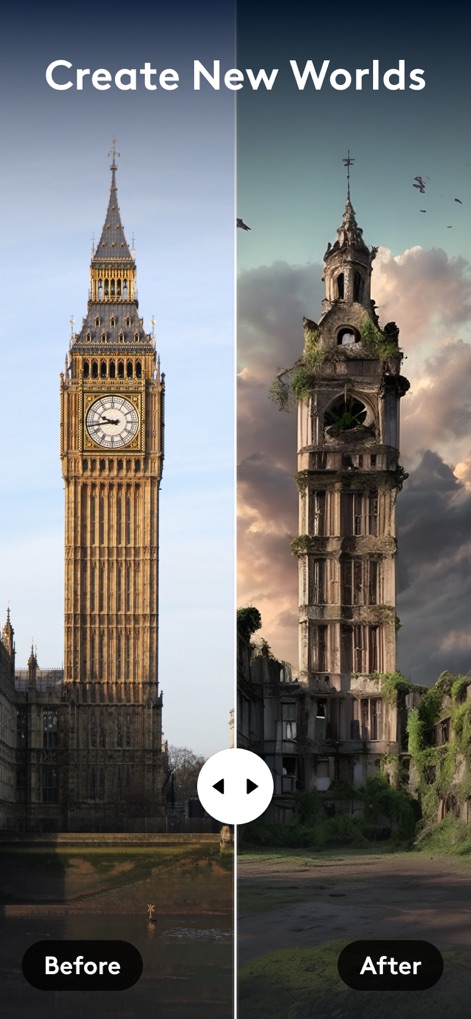
世界を再構築
このツールは、元の風景を劇的に変え、既存の建物を廃墟化するエフェクトや、想像力を刺激する全く新しい世界をAIで創造する機能を提供します。
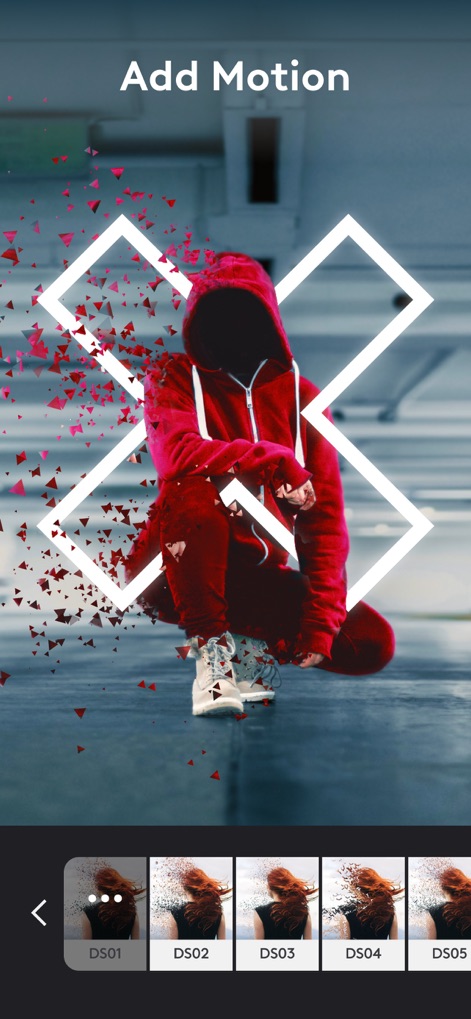
写真に命を吹き込む
本アプリは、静止画にダイナミックな動きを加えるアニメーションエフェクトを提供します。例えば、被写体から広がる粒子エフェクトなど、写真に命を吹き込むことができます。
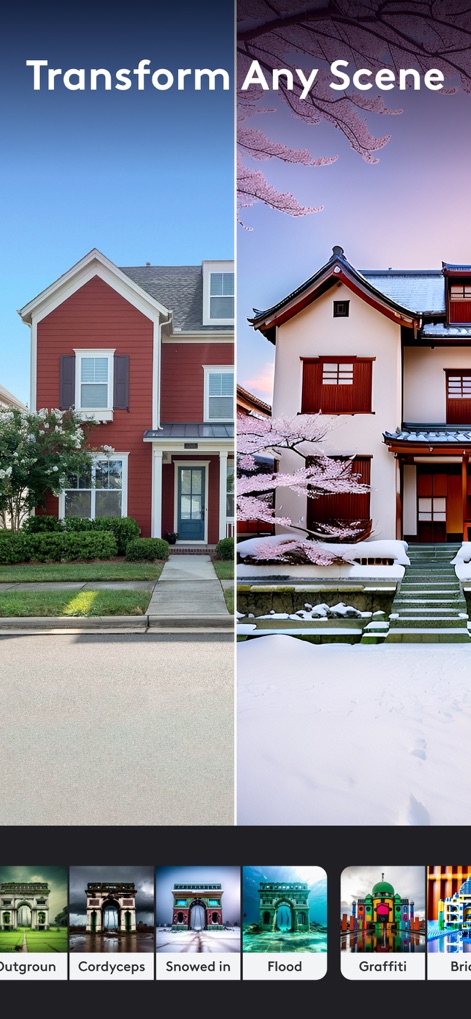
風景を自在に変化
この強力なAI機能は、ユーザーが撮影したどんなシーンでも、完全に異なる背景に変換できます。季節や建築様式など、多様なシーン変更オプションが提供されます。
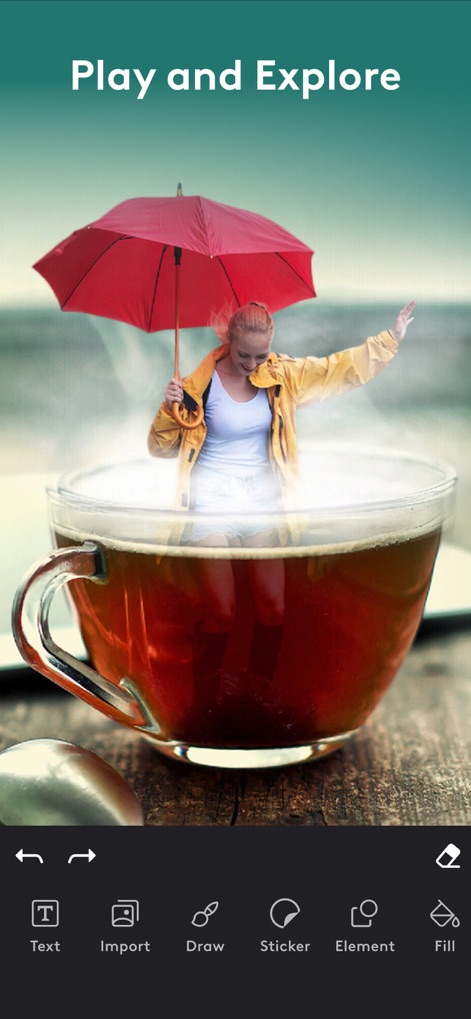
遊び心ある編集
ユーザーは、現実離れしたユニークな合成写真を作成したり、スタンプや要素を追加して、画像に個性を加えることができます。創造性を刺激する多様なツールを探索してください。
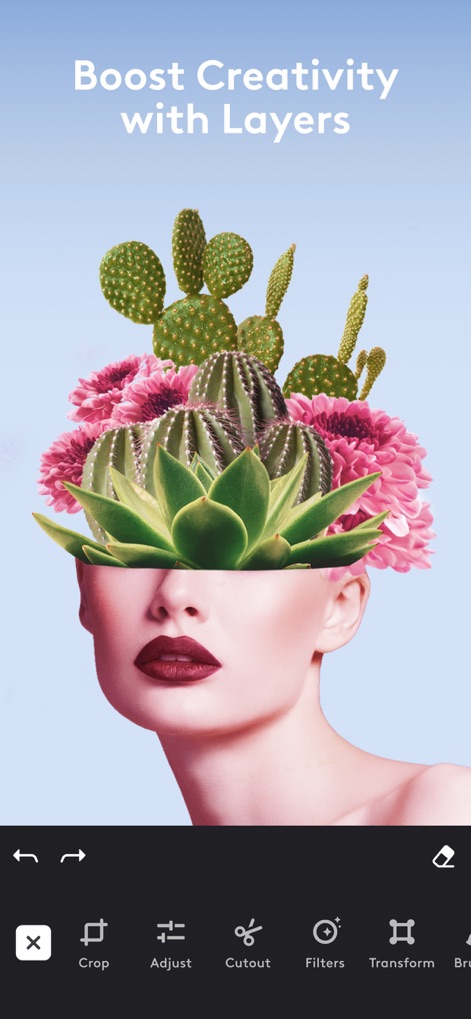
レイヤーで創造性を拡張
高度なレイヤー機能により、複数の要素を組み合わせて複雑な合成画像を作成できます。例えば、様々なオブジェクトや背景を重ねて、創造的なアートワークを生み出すことが可能です。
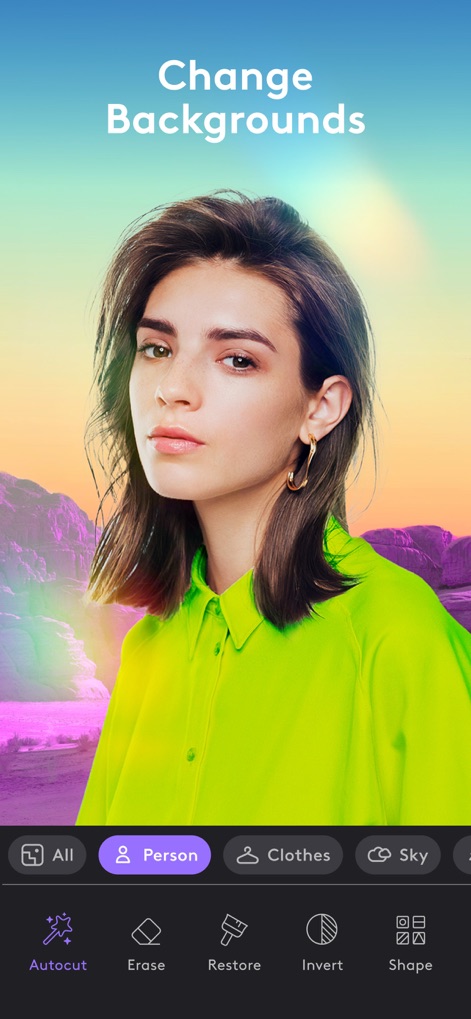
背景を瞬時に変更
本ツールは、強力な自動切り抜き機能で被写体を正確に検出し、背景を別のものに簡単に変更できます。様々なカテゴリから新しい背景を選択し、写真の雰囲気を一新します。
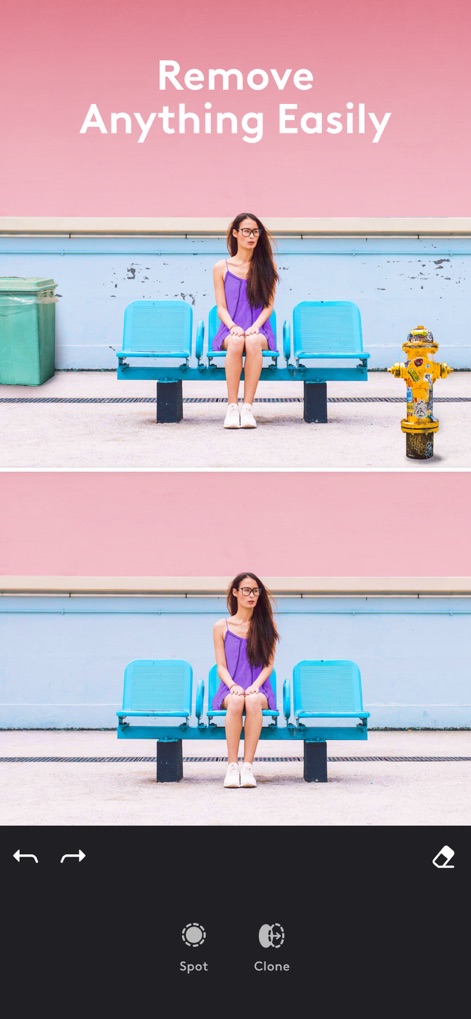
不要物を簡単削除
このアプリを使えば、写真から不要なオブジェクトや欠陥を瞬時に除去できます。スポット修正ツールやクローンツールを駆使し、完璧でシームレスな仕上がりを実現します。

コラージュで物語を
ユーザーは複数の写真を組み合わせて、魅力的なコラージュを簡単に作成できます。多様なレイアウトオプションから選択し、視覚的なストーリーテリングを楽しみましょう。
説明
Download
類似アプリ
似た機能とユーザー体験を持つアプリ

ElevenLabs: AI Voice Generator
Eleven Labs Inc.

Viggle AI: Meme Maker
WarpEngine Canada Inc.

可灵AI - AI图片&视频创作工具
Beijing Kwai Technology Co., Ltd.

Leonardo.Ai - Image Generator
Leonardo Interactive Pty Ltd

Reface: Face Swap AI Photo App
NEOCORTEXT, INC.

Shedevrum
DIRECT CURSUS COMPUTER SYSTEMS TRADING LLC

Remove Objects
TAPUNIVERSE LLC

Zaps Collages
Turnip Media Private Limited

Carat - Create Anything
Paradot Corp.
このページはアプリまたはその開発者の公式ページではなく、情報提供および論評を目的として作成された独立した編集出版物です。明示的に別段の記載がない限り、アプリおよびその開発者は、MWM、Apple、Google Play、アプリのパブリッシャー、またはアプリの開発者と提携、承認、後援、認可、またはその他の公式的な関係はなく、このページのいかなる内容も、アプリがMWMのサービスを使用して開発されたことを意味するものではありません。すべての商標、ロゴ、スクリーンショット、その他のコンテンツはそれぞれの所有者の財産です。