PhotoPrint Pro

PhotoPrint Pro

ダウンロード: App Store
ロゴ: PhotoPrint Pro

PhotoPrint Pro: プロ仕様の写真を自宅で簡単にプリント

パスポート写真のコストを節約し、お店に行く手間を省きましょう。AirPrint対応で、カスタムサイズ、証明写真、学校のプロジェクト用レイアウトをiPhoneからすぐにプリントできます。

ダウンロード: App Store

開発元

palugu Software

カテゴリ

Photo & Video

ダウンロード

64K+

ユーザー評価

4.0/5

評価数

400

対応言語

4

あなたのホームフォトラボ

このインターフェースを利用する 64K+ 人のユーザー.

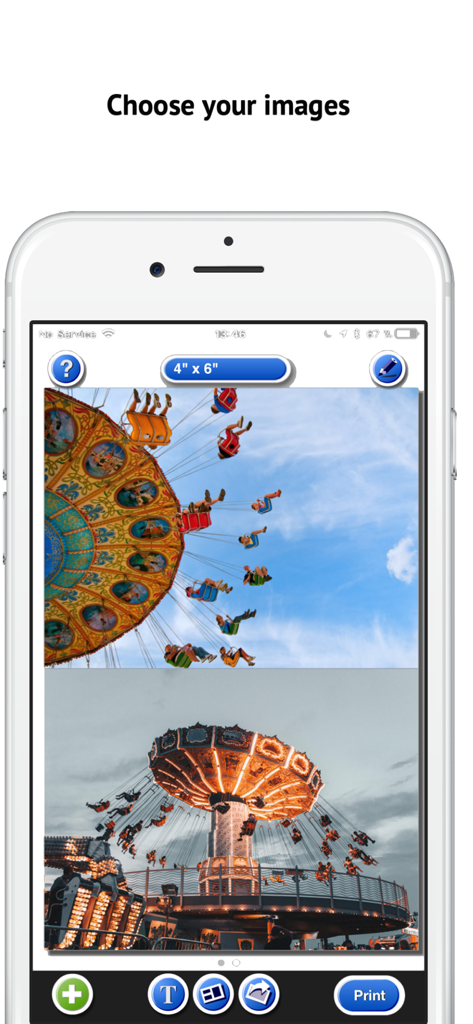
iPhone上のPhotoPrint Proアプリに、プリント準備完了の4x6インチ写真レイアウトが表示されています
iPhone上のPhotoPrint Proアプリに、プリント準備完了の4x6インチ写真レイアウトが表示されています

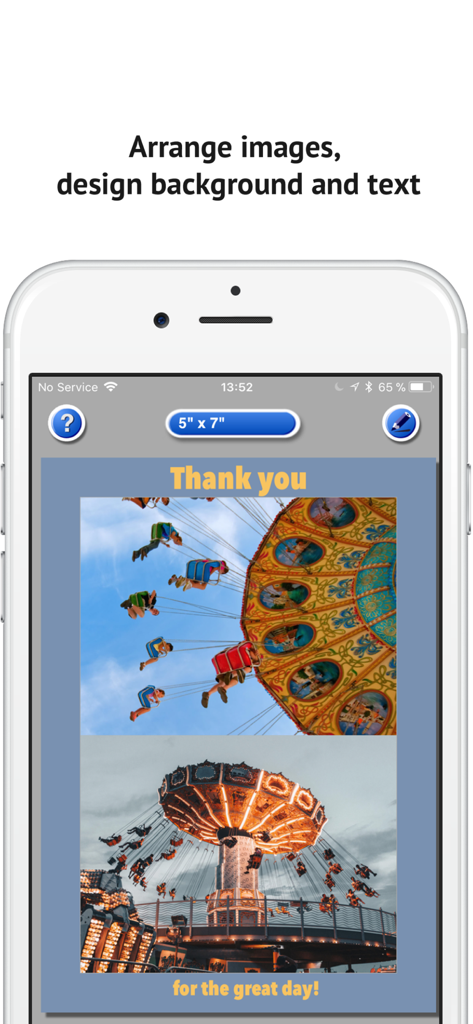
PhotoPrint Proアプリのインターフェースに、カスタム背景色とテキストラベル付きの5x7レイアウトに配置された2枚の写真が表示されています
PhotoPrint Proアプリのインターフェースに、カスタム背景色とテキストラベル付きの5x7レイアウトに配置された2枚の写真が表示されています

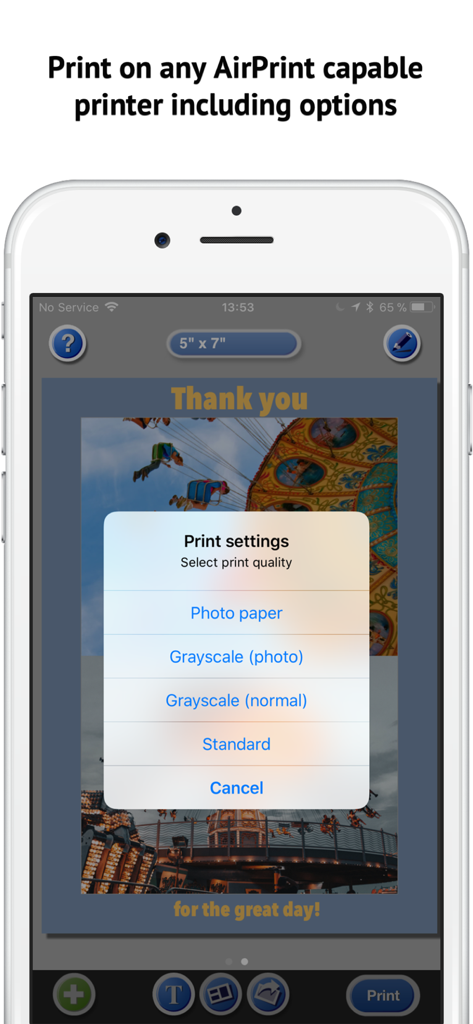
iPhone上のPhotoPrint Proアプリに、写真用紙とプリント品質オプションのAirPrint設定が表示されています
iPhone上のPhotoPrint Proアプリに、写真用紙とプリント品質オプションのAirPrint設定が表示されています

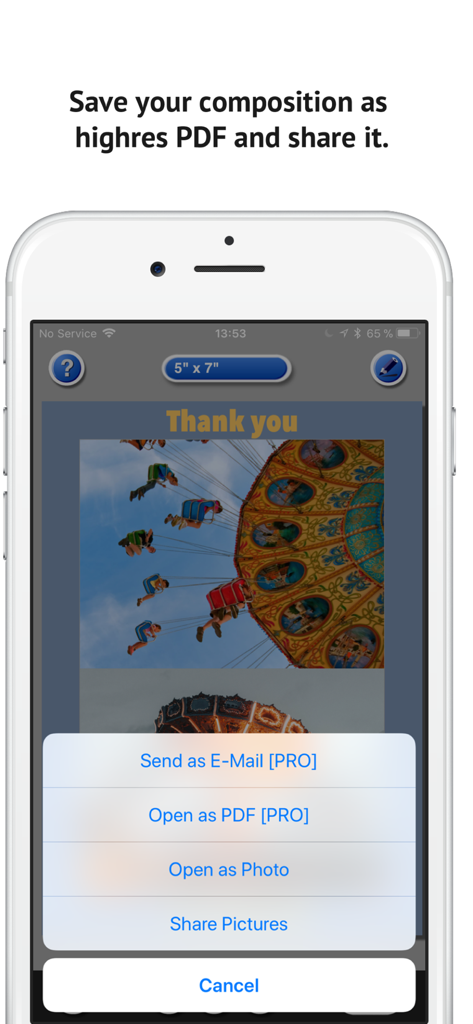
高解像度PDFとして写真構成を保存またはメールで共有するオプションが表示された画面

高解像度PDFとして写真構成を保存またはメールで共有するオプションが表示された画面

ホームプリントをマスターする

このアプリを際立たせるツール、 64K+ 人のユーザーが選択.

🛂

パスポート写真の節約

高額な小売キオスクはもう不要です。自宅の用紙とインクを使って、公式サイズのパスポート写真や証明写真をわずかなコストで作成できます。

🖼️

効率的な複数写真レイアウト

1枚の用紙に最大9枚の写真までプリントできます。学校のポスターボード、スクラップブック、家族の思い出の整理に最適です。

📏

正確なサイズ制御

もう推測は不要です。ピクセル単位の精度で、写真を拡大縮小・マスクして、あらゆる特定のフレームやロケットサイズに合わせることができます。

アプリについて

について知っておくべきこと PhotoPrint Pro.

説明

~~ Instant self-printing: Print photos from your photo library on any AirPrint-capable printer in the size you want. ~~ Colorful backgrounds: Select print size larger than the photo size and colorize the background. ~~ Layouts: Print up to 9 photos on one sheet of paper. ~~ Stunning text labels: Print a different text label on every sheet. Made for Printing o Print 1 or multiple (up to 9) photos on one page (photo stitching). o Print all photos that are stored in your foto library. o Full control over the size the photos are printed in. o Print multiple pages. o Scale, mask, rotate photos. o Add text labels (up to 10 per sheet), use emoji, many fonts & colors o Choose Background color o Choose print quality and paper type (photo mode or normal) o Print grayscale o Use any AirPrint capable printer. o Contains all common photo sizes and more. Photo Sizes o 3 x 4 in (9 x 12 cm) o 3.5 x 5 in (9 x 13 cm) o 4 x 6 in (10 x 15 cm) o 5 x 7 in (13 x 18 cm) o 3.5 x 3.5 in (9 x 9 cm) o DIN A8 (common for business cards) o DIN A6 (matches perfectly 4 times on A4 standard paper) o DIN A5 (14,8 x 21 cm) o DIN A4 (standard DIN letter size, 21 x 29,7 cm) o US Letter o US Half Letter (Statement) o EU Passport Photograph (3,5 x 4,5 cm, official size for Germany) o US Passport Photograph (2 x 2 in) o Bank card (5,4 x 8,4 cm, fits into the wallet) o Wallet (2,5 x 3,25 in, 6,4 x 8,4 cm, is slightly larger than the bank card format) o 4,4 x 6,6 cm (1,73 x 2,59 in) PhotoPrint helps to print photos better and saves your money. Have fun with creating layouts and collages! PhotoPrint Pro is perfect to resize your photos and also to print your own passport photos. Frequently asked Questions: http://www.touchingcode.com/en/TouchingCode_FAQ ---*Reviews Printing made easy! - ***** by Jamielee513 I've been looking for a way to print specific size photos from my iPhone and with this app, it was so easy!! Highly recommend this app! Compatible with AirPrint so you can literally have photos in seconds without a hassle! Brilliant Photo Printing App - ***** by Weeladdie For setting out fotos on a standard A4 page and even printing multiple photos per page then this App is perfect. AirPrint printing and PDF generation work brilliantly. Super app - ***** by Co To Flo Super tool and works great. Just exiting to see how easy printing and sending pictures can be.

最新バージョン

5.5

サイズ

13.5 MB

リリース日

2011年7月23日

自宅でプロ仕様の写真をプリントする準備はできましたか?

薬局に並ぶのをやめ、お金を節約している64,000人以上のユーザーに加わりましょう。PhotoPrint Proで、カスタムサイズのパスポート写真、証明写真、学校のプロジェクト用写真をすぐにプリントできます。

ダウンロード: App Store

App information, icons, screenshots, and descriptions displayed on this page are sourced from the Apple App Store and are the property of their respective developers. Download estimates and rankings are based on MWM's proprietary models and may not reflect actual figures. This page is provided for informational and analytical purposes only.

Believe this page infringes your intellectual property? File a dispute